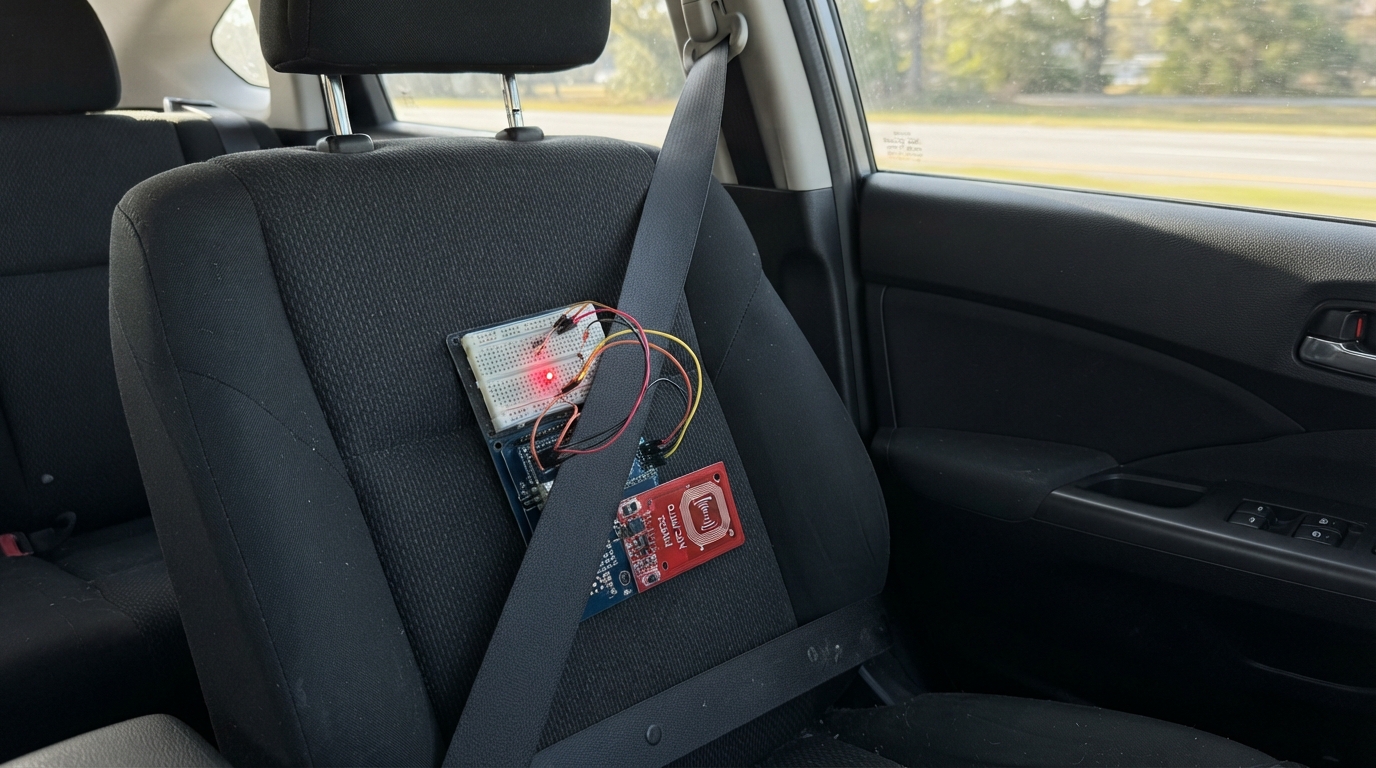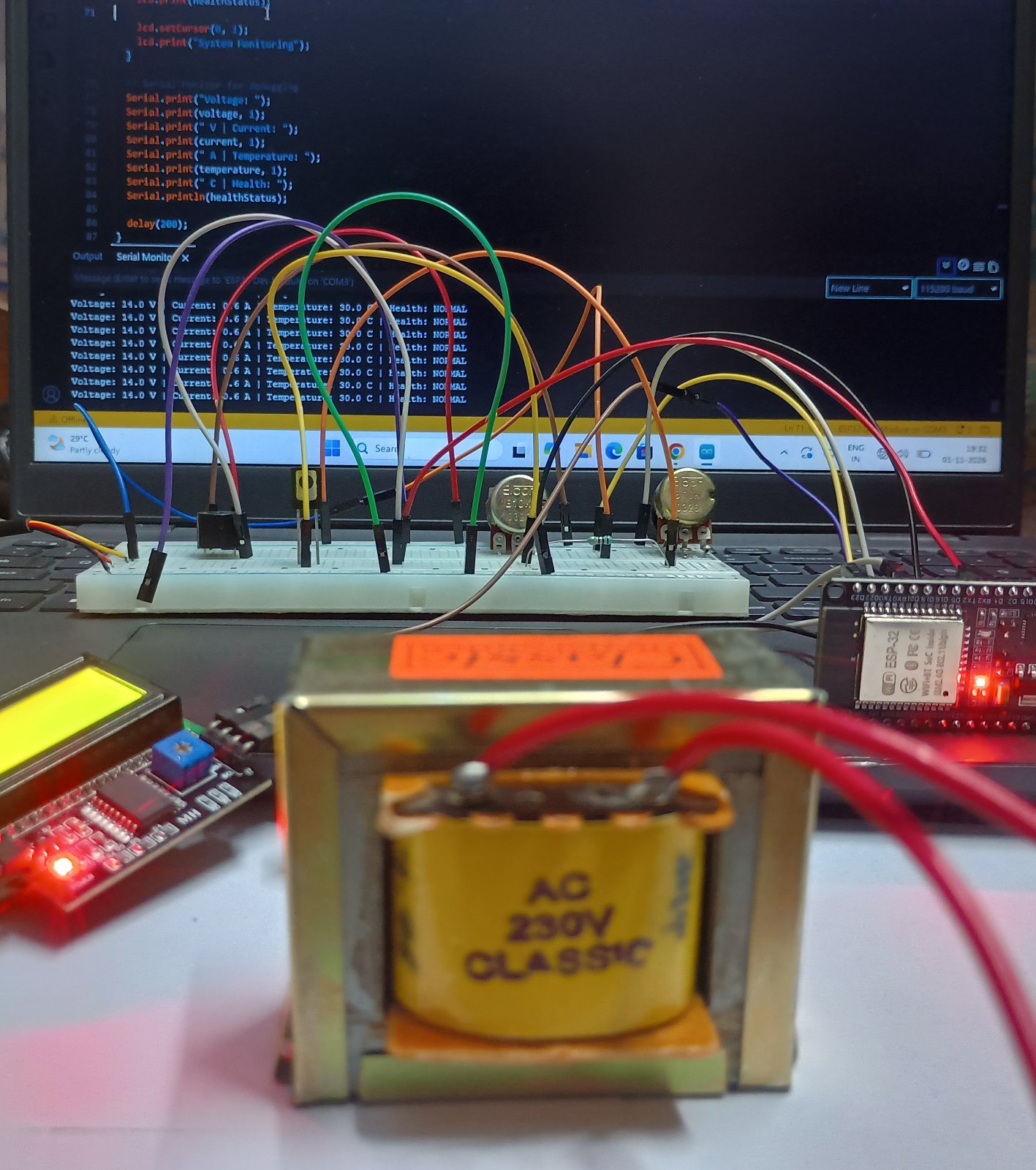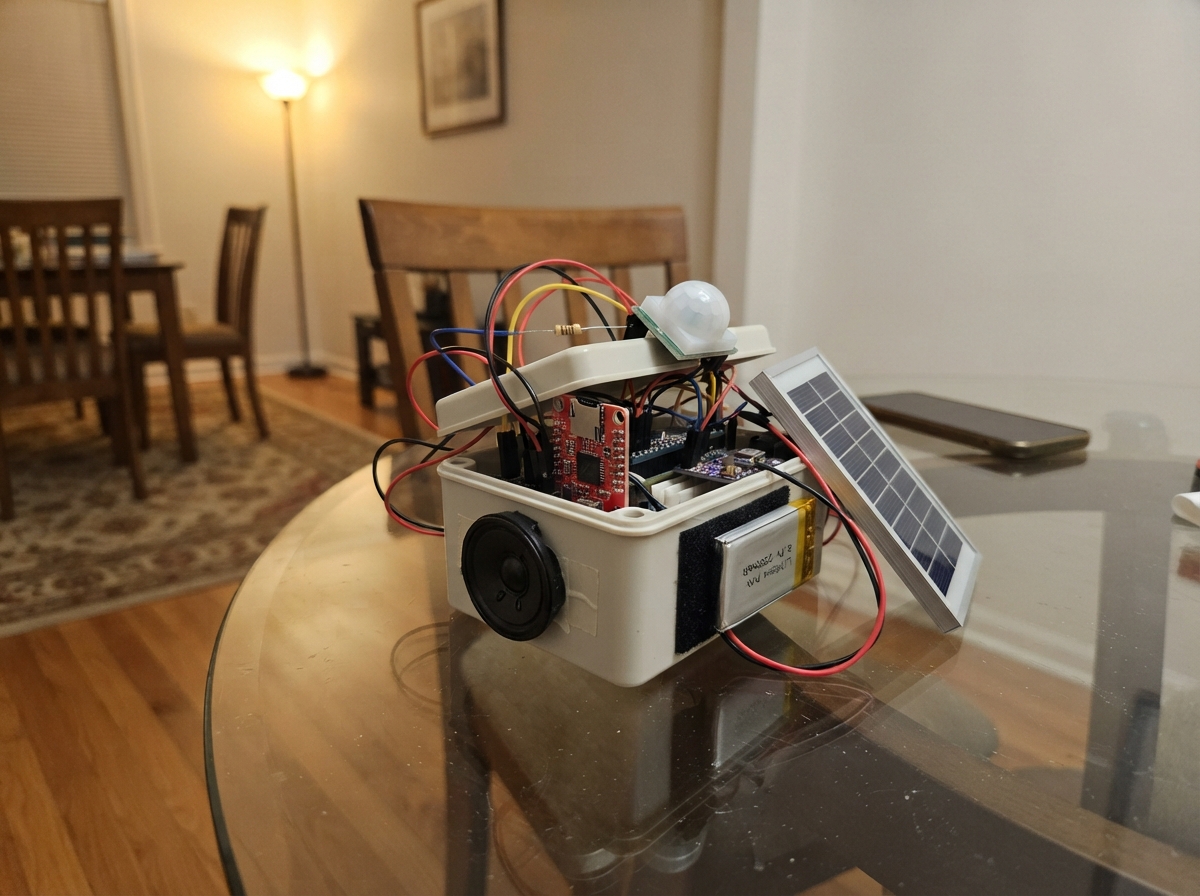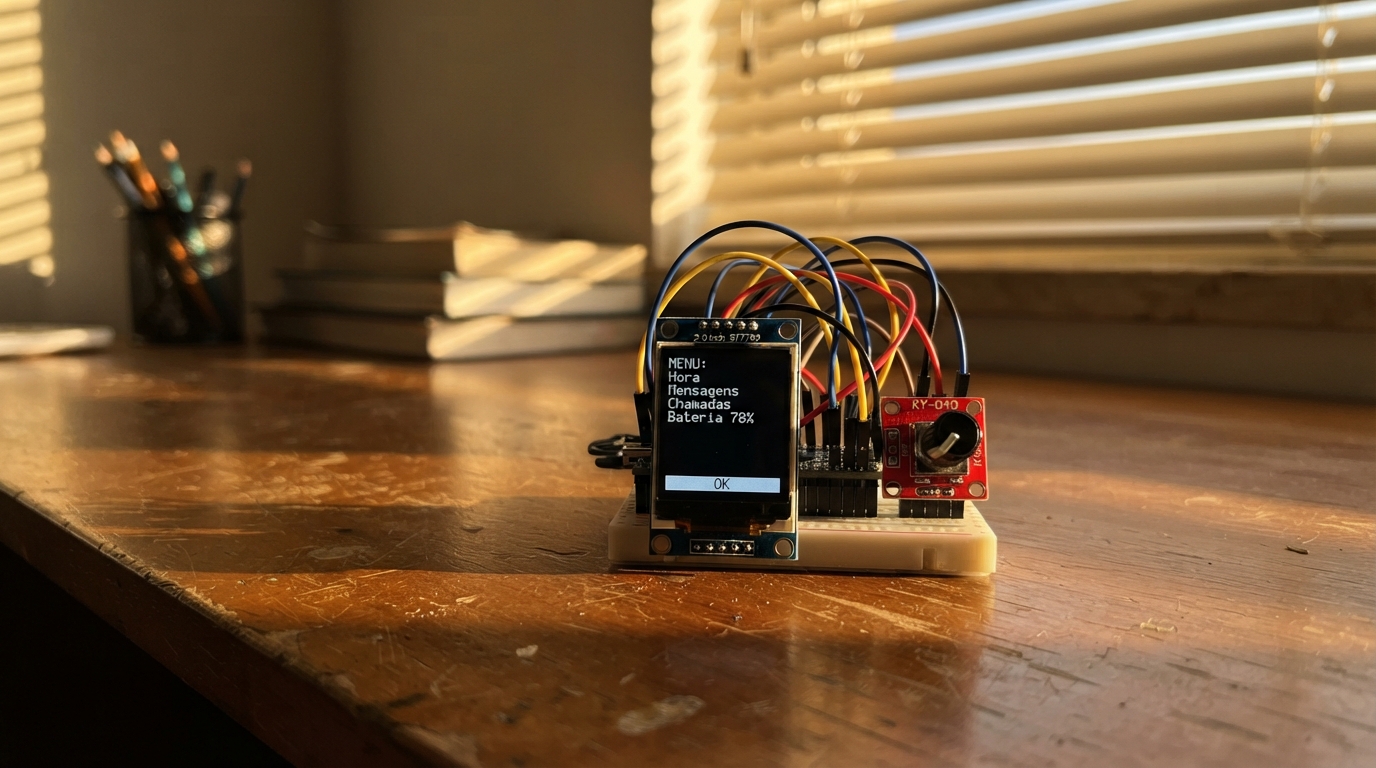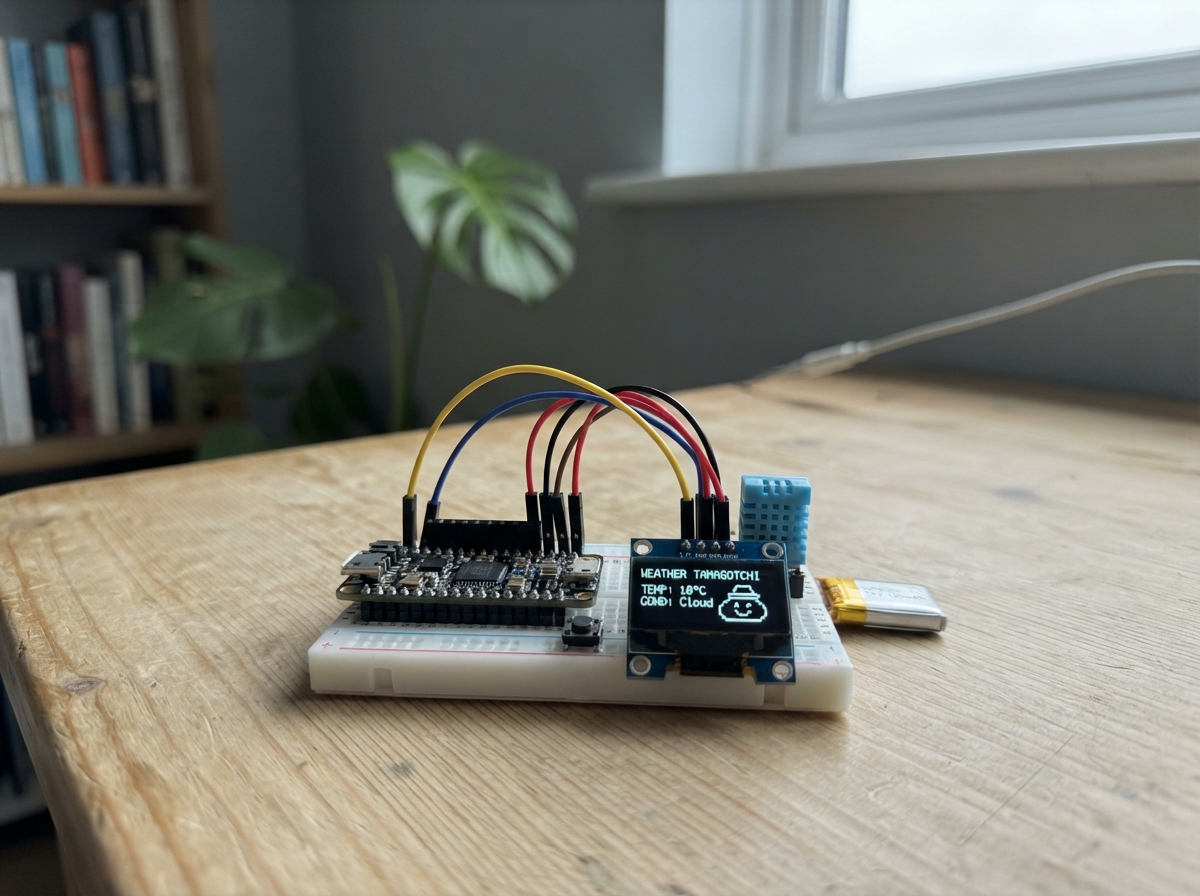
This project brings weather data to life with an adorable digital pet that reacts to real-time atmospheric conditions. Built around an ESP32 microcontroller, the Cute Weather Tamagotchi fetches live weather information over WiFi and displays an animated character whose mood and behavior change based on temperature, humidity, and weather alerts.
The guide provides a complete parts list, wiring diagram for the NeoPixel LED and microSD card storage, step-by-step assembly instructions, and ready-to-flash firmware. Builders will learn how to configure WiFi and location settings directly from the display, monitor battery levels, and customize the pet's reactions to different weather conditions.
Wiring diagram
Assemble it in 5 steps
1. Revisar el Marauder
Comprueba que la placa indica v6.1. Se usan su pantalla y su panel tactil integrados; no hacen falta componentes ni cables adicionales.
- Este proyecto sustituye el firmware Marauder. Conserva acceso al instalador oficial para recuperarlo si lo deseas.
2. Alimentar por USB
Conecta el Marauder a un puerto USB con un cable de datos en buen estado. Esta version se prepara para alimentacion USB, sin modificar ni montar baterias.
- No conectes cables a los pines de la placa.
3. Configurar desde la pantalla
Pulsa WiFi, espera a que aparezcan las redes y toca la tuya. Escribe la clave con el teclado tactil y pulsa Guardar. ABC cambia mayusculas, 123/! muestra simbolos y Ver permite revisar la clave. Las redes abiertas no piden clave. Si la red esta oculta, usa Manual. La ciudad aproximada, zona horaria y horario de verano se detectan por Internet al conectar y cada 15 minutos. WiFi y Ajustes permite elegir C/F y 12/24 horas y volver a detectar la ubicacion. En Ajustes, Girar recorre 0, 90, 180 y 270 grados; tambien gira el teclado y conserva la seleccion al apagar. En vertical y horizontal el HUD usa las dimensiones reales, sin estirar la imagen. Los menus, botones y teclado se redistribuyen al girar. Abre AJUSTES para cambiar C/F, 12/24 horas y la orientacion. Toca la mascota para acariciarla o despertarla; Comer anima comida y Jugar muestra una pelota y saltos. Los indicadores BAT, SD y RED tienen su propia linea, sin mensajes superpuestos sobre WiFi. Los datos se conservan al apagar y se usan automaticamente al encender.
- Solo se detectan redes de 2,4 GHz. Se muestran hasta 20 redes; pulsa Mas para cambiar de pagina.
- No se necesita movil ni punto de acceso de configuracion.
- La clave se guarda en la memoria del dispositivo; no compartas el dispositivo con personas no autorizadas.
4. Usar NeoPixel, microSD y bateria
El NeoPixel integrado respira en azul, baja su brillo al dormir y se vuelve ambar cuando necesita comida o descanso. Con el equipo apagado, inserta una microSD FAT32 si quieres una copia de las necesidades de la mascota en mochi.json. El WiFi sigue guardado en la memoria interna, nunca en la tarjeta. BAT muestra una lectura aproximada del IP5306 cuando responde; BAT -- indica que no hay lectura compatible, no que la bateria este vacia.
- No hace falta bateria ni microSD para usar la mascota por USB.
- Comprueba visualmente el nuevo HUD y si ha desaparecido la franja. La carga de firmware no comprueba la imagen de la pantalla.
- No retires la microSD mientras el equipo este encendido. Se escribe al atender a la mascota y cada cinco minutos.
- Usa solo el alojamiento y circuito de carga originales para una bateria compatible, respetando la polaridad. No conectes baterias a los pines de la placa.
5. Reacciones al clima y avisos
Mochi usa la sensacion termica de Internet para ponerse gafas desde 30 C y bufanda hasta 5 C. Saca paraguas con lluvia, se protege de tormentas y reacciona al viento desde 40 km por hora. Los datos del clima se consultan cada 15 minutos y se consideran antiguos despues de 30 minutos. En Estados Unidos se consultan avisos NWS para la ubicacion aproximada cada cinco minutos, incluidos tornados, huracanes e inundaciones cuando exista un aviso oficial. Ajustes muestra el estado de la consulta; la escena alterna el aviso prioritario con la temperatura.
- No detecta fenomenos localmente. La ubicacion por IP puede ser incorrecta y perder avisos de tu zona. Fuera de Estados Unidos no hay cobertura de avisos en esta version.
- No es un sistema de emergencia. Usa las alertas oficiales del movil, radio y proteccion civil. La ausencia de avisos no garantiza seguridad.
- Las conexiones HTTPS actuales no verifican certificados; no uses estos datos para decisiones de seguridad.
Deploy the firmware
#include <Arduino.h>
#include <TFT_eSPI.h>
#include <WiFi.h>
#include <FS.h>
using fs::FS;
#include <HTTPClient.h>
#include <WiFiClientSecure.h>
#include <ArduinoJson.h>
#include <Preferences.h>
#include <time.h>
#include <Wire.h>
#include <SD.h>
#include <SPI.h>
#include <Adafruit_NeoPixel.h>
Adafruit_NeoPixel pixel(1,25,NEO_GRB + NEO_KHZ800);
bool sdOK=false; int batteryPercent=-1; uint32_t hardwareTick=0;
void readBattery(){
Wire.beginTransmission(0x75); Wire.write(0x78);
if(Wire.endTransmission(false)==0 && Wire.requestFrom(0x75,1)==1){
switch(Wire.read() & 0xF0){case 0xE0:batteryPercent=25;break;case 0xC0:batteryPercent=50;break;case 0x80:batteryPercent=75;break;case 0:batteryPercent=100;break;default:batteryPercent=0;}
}else batteryPercent=-1;
}
TFT_eSPI tft;
TFT_eSprite frame(&tft);
bool frameOK=false, fahrenheit=false, hour12=false, clockValid=false, summer=false;
String zone="Sin zona", autoCity;
float latitude=0, longitude=0;
bool located=false, dstKnown=false;
long utcOffset=0;
uint32_t animationTick=0, behaviorTick=0;
int phase=0, petX=0, petY=0, mood=0;
uint8_t orientation=0;
uint32_t reactionUntil=0; int reaction=0;
// Native-size canvas: rotate pixels without scaling; touch uses the inverse.
int W(){return orientation%2?240:320;}
int H(){return orientation%2?320:240;}
void resizeCanvas(){
frame.deleteSprite();frame.setColorDepth(8);
frameOK=frame.createSprite(W(),H())!=nullptr;
}
void present(){
if(orientation==0){frame.pushSprite(0,0);return;}
uint16_t row[320];bool swap=tft.getSwapBytes();tft.setSwapBytes(true);
tft.startWrite();
for(int y=0;y<240;y++){
for(int x=0;x<320;x++){
int u=x,v=y;
if(orientation==1){u=y;v=319-x;}
else if(orientation==2){u=319-x;v=239-y;}
else if(orientation==3){u=239-y;v=x;}
row[x]=frame.readPixel(u,v);
}
tft.pushImage(0,y,320,1,row);
}
tft.endWrite();tft.setSwapBytes(swap);
}
void mapTouch(uint16_t &x,uint16_t &y){
int a=x,b=y;
if(orientation==1){x=b;y=319-a;}
else if(orientation==2){x=319-a;y=239-b;}
else if(orientation==3){x=239-b;y=a;}
}
bool weatherDay=true;
time_t weatherEpoch=0; uint32_t weatherEpochTick=0;
float moonPhase(){
time_t now=time(nullptr);
if(now<1700000000 && weatherEpoch>0)now=weatherEpoch+(millis()-weatherEpochTick)/1000;
if(now<1700000000)return -1;
double cycles=((double)now-947182440.0)/2551442.877;
return cycles-floor(cycles);
}
const char* moonName(float p){
if(p<0)return "Luna pendiente";
const char* names[]={"Nueva","Creciente","Cuarto creciente","Gibosa creciente","Llena","Gibosa menguante","Cuarto menguante","Menguante"};
return names[((int)(p*8+0.5f))%8];
}
bool sceneOnly=false;
uint32_t lastLocation=0, clockTick=0;
int localSeconds=0, shownMinute=-1;
String clockText(){
if(!clockValid)return "Hora pendiente";
int h=localSeconds/3600, m=(localSeconds/60)%60;
char b[24]; if(hour12)snprintf(b,sizeof(b),"%02d:%02d %s",h%12?h%12:12,m,h<12?"AM":"PM");
else snprintf(b,sizeof(b),"%02d:%02d",h,m);
return String(b);
}
Preferences prefs;
String ssid, pass, city, message="Hola! Soy Mochi", weather="Clima sin configurar";
int food=80, joy=80, energy=80, code=0;
float temperature=0, feelsLike=0, windSpeed=0;
String countryCode, alertEvent, alertState="Avisos pendientes";
uint32_t lastAlerts=0, weatherGoodTick=0;
bool alertsOK=false;
extern bool validWeather, dirty;
bool getJson(String url, JsonDocument &doc);
bool freshWeather(){return validWeather && millis()-weatherGoodTick<1800000u;}
int climateMood(){
if(!freshWeather())return 0;
if(code>=95)return 4;
if((code>=51&&code<=67)||(code>=80&&code<=82))return 3;
if(feelsLike<=5)return 2;
if(feelsLike>=30)return 1;
if(windSpeed>=40)return 5;
return 0;
}
String climateMessage(){
if(!alertEvent.isEmpty())return "Aviso oficial: "+alertEvent;
switch(climateMood()){
case 1:return "Que calor! Agua y sombra";
case 2:return "Brrr! Necesito mi bufanda";
case 3:return "Llueve! Saco mi paraguas";
case 4:return "Truenos! Me quedo a cubierto";
case 5:return "Mucho viento! Me sujeto fuerte";
default:return "Que bien se esta contigo!";
}
}
void updateAlerts(){
lastAlerts=millis();
if(countryCode!="US"){alertsOK=false;alertEvent="";alertState="Avisos: sin cobertura NWS";dirty=true;return;}
JsonDocument d;
if(!getJson("https://api.weather.gov/alerts/active?point="+String(latitude,4)+","+String(longitude,4),d)||!d["features"].is<JsonArray>()){
alertsOK=false;alertState="Avisos: sin actualizar";dirty=true;return;
}
alertEvent="";int best=-1;
for(JsonObject f:d["features"].as<JsonArray>()){
JsonObject a=f["properties"];if(a["status"].as<String>()!="Actual")continue;
String event=a["event"].as<String>(), sev=a["severity"].as<String>();
int rank=sev=="Extreme"?4:sev=="Severe"?3:sev=="Moderate"?2:1;
if(rank>best){best=rank;alertEvent=event;}
}
alertsOK=true;alertState=alertEvent.isEmpty()?"NWS: sin avisos activos":"NWS: "+alertEvent;
dirty=true;
}
bool sleeping=false, validWeather=false, dirty=true, ap=true, calibrate=false;
bool nightSleep=false, solarCycleKnown=false;
long solarRise[3]={0,0,0}, solarSet[3]={0,0,0};
bool localDaylight(){
time_t stamp=time(nullptr);
if(stamp<=1700000000 && weatherEpoch>1700000000)
stamp=weatherEpoch+(millis()-weatherEpochTick)/1000;
for(int i=0;i<3;i++){
if(solarRise[i]<=0||solarSet[i]<=solarRise[i])continue;
// Match the local calendar day, including the hours before sunrise.
if((stamp+utcOffset)/86400==(solarRise[i]+utcOffset)/86400)
return stamp>=solarRise[i]&&stamp<solarSet[i];
}
if(validWeather && millis()-weatherGoodTick<1800000u)return weatherDay;
return localSeconds>=21600&&localSeconds<64800;
}
uint32_t lastNeeds=0,lastSave=0,lastWeather=0,lastRetry=0,lastTap=0,lastBlink=0;
bool blink=false, wasConnected=false;
uint16_t cal[5];
const uint16_t ink=0xEF7D, pink=0x2497, cream=0x0843;
const uint16_t panel=0x10C6, edge=0x294A, muted=0x9D36, accent=0x6E9B; // menta y azul, sin rosa
// Settings live entirely on the touch screen; credentials stay in NVS flash.
int screen=0, networkCount=0, networkPage=0, keyboardPage=0;
bool scanning=false, caps=false, reveal=false, selectedOpen=false;
String networks[20], input, selectedSSID;
bool openNet[20];
const char* keys[]={"1234567890qwertyuiopasdfghjkl-zxcvbnm_./", "!@#$%^&*()[]{}<>?=+;:,\"'`~|\\"};
void drawSettings();
void handleSettings(uint16_t x,uint16_t y);
void startScan(){
WiFi.scanDelete();networkCount=0;networkPage=0;scanning=true;
if(WiFi.scanNetworks(true)==WIFI_SCAN_FAILED)scanning=false;
dirty=true;
}
String urlEncode(const String &s){ String r; const char *hex="0123456789ABCDEF"; for(size_t i=0;i<s.length();i++){uint8_t c=s[i];if(isalnum(c)||c=='-'||c=='_')r+=(char)c;else{r+='%';r+=hex[c>>4];r+=hex[c&15];}}return r; }
void savePet(){prefs.putInt("food",food);prefs.putInt("joy",joy);prefs.putInt("energy",energy);prefs.putBool("sleep",sleeping);
if(sdOK){File f=SD.open("/mochi.tmp",FILE_WRITE);if(f){f.printf("{\"food\":%d,\"joy\":%d,\"energy\":%d,\"sleep\":%s}",food,joy,energy,sleeping?"true":"false");f.close();SD.remove("/mochi.json");SD.rename("/mochi.tmp","/mochi.json");}}
}
bool getJson(String url, JsonDocument &doc){
// Public weather data only. No Wi-Fi credentials are transmitted to the weather service.
WiFiClientSecure client; client.setInsecure();
HTTPClient http; http.setConnectTimeout(3500);http.setTimeout(4000);
if(!http.begin(client,url))return false;
http.setFollowRedirects(HTTPC_STRICT_FOLLOW_REDIRECTS);http.setUserAgent("Mochi/1.1");
int status=http.GET();bool ok=false;
if(status==200){String body=http.getString();ok=!deserializeJson(doc,body);}
if(!ok)Serial.printf("Servicio HTTP: %d, JSON valido: %d\n",status,ok);
http.end();return ok;
}
void updateLocation(){
lastLocation=millis();JsonDocument d;
bool primary=getJson("https://ipwho.is/",d)&&d["success"].as<bool>()&&!d["latitude"].isNull()&&!d["longitude"].isNull();
if(primary){
latitude=d["latitude"].as<float>();longitude=d["longitude"].as<float>();
countryCode=d["country_code"].as<String>();
countryCode=d["country_code"].as<String>();
autoCity=d["city"].as<String>();zone=d["timezone"]["id"].as<String>();
utcOffset=d["timezone"]["offset"] | 0;
dstKnown=!d["timezone"]["is_dst"].isNull();summer=d["timezone"]["is_dst"].as<bool>();
String stamp=d["timezone"]["current_time"].as<String>();
int h,m,sec;if(stamp.length()>=19&&sscanf(stamp.c_str()+11,"%d:%d:%d",&h,&m,&sec)==3){localSeconds=h*3600+m*60+sec;clockTick=millis();clockValid=true;}
}else{
d.clear();
if(!getJson("https://ipapi.co/json/",d)||d["latitude"].isNull()||d["longitude"].isNull()){
Serial.println("Ubicacion: ambos servicios no disponibles; reintento en 60 s");
message=located?"Usando ultima ubicacion":"Buscando ciudad; reintentare";dirty=true;return;
}
latitude=d["latitude"].as<float>();longitude=d["longitude"].as<float>();
countryCode=d["country_code"].as<String>();
countryCode=d["country_code"].as<String>();
autoCity=d["city"].as<String>();zone=d["timezone"].as<String>();
String offset=d["utc_offset"].as<String>();
if(offset.length()==5)utcOffset=(offset.substring(1,3).toInt()*3600+offset.substring(3,5).toInt()*60)*(offset[0]=='-'?-1:1);
dstKnown=false; // El respaldo incluye el ajuste de verano, pero no informa su estado.
}
located=true;lastWeather=0;
prefs.putFloat("lat",latitude);prefs.putFloat("lon",longitude);prefs.putString("autoCity",autoCity);prefs.putString("zone",zone);prefs.putLong("offset",utcOffset);
message="Ciudad aproximada: "+autoCity.substring(0,26);dirty=true;
Serial.printf("Ubicacion lista; UTC offset %ld; fuente %s\n",utcOffset,primary?"ipwho.is":"ipapi.co");
}
void updateWeather(){
lastWeather=millis();if(WiFi.status()!=WL_CONNECTED)return;
if(!located){weather="Esperando ubicacion automatica";dirty=true;return;}
float lat=latitude,lon=longitude;
JsonDocument doc;
String url="https://api.open-meteo.com/v1/forecast?latitude="+String(lat,5)+"&longitude="+String(lon,5)+"¤t=temperature_2m,apparent_temperature,wind_speed_10m,weather_code,is_day&daily=sunrise,sunset&forecast_days=3&timeformat=unixtime&timezone=auto";
if(getJson(url,doc)&&!doc["current"]["temperature_2m"].isNull()&&!doc["current"]["weather_code"].isNull()){
temperature=doc["current"]["temperature_2m"];code=doc["current"]["weather_code"];
if(!doc["utc_offset_seconds"].isNull())utcOffset=doc["utc_offset_seconds"].as<long>();
if(!doc["timezone"].isNull())zone=doc["timezone"].as<String>();
weatherDay=doc["current"]["is_day"] | 1;
for(int i=0;i<3;i++){
solarRise[i]=doc["daily"]["sunrise"][i] | 0L;
solarSet[i]=doc["daily"]["sunset"][i] | 0L;
}
weatherEpoch=doc["current"]["time"].as<long>();weatherEpochTick=millis();
if(weatherEpoch>1700000000){localSeconds=(weatherEpoch+utcOffset)%86400;clockTick=millis();clockValid=true;}
weather=code==0?"Soleado":code<=3?"Nubes":code<=48?"Niebla":(code>=71&&code<=77)||(code>=85&&code<=86)?"Nieve":code>=95?"Tormenta":"Lluvia";
feelsLike=doc["current"]["apparent_temperature"] | temperature;
windSpeed=doc["current"]["wind_speed_10m"] | 0.0f;
validWeather=true;weatherGoodTick=millis();
}else weather=validWeather?"Clima anterior (sin actualizar)":"Clima no disponible";
dirty=true;
}
void text(String s,int x,int y,int size=1){frame.setTextWrap(false);frame.setTextColor(ink);frame.setTextSize(size);frame.setCursor(x,y);frame.print(s);}
void bar(const char* name,int value,int y,uint16_t color){text(name,12,y);frame.fillRoundRect(76,y,92,8,4,0xFFFF);frame.fillRoundRect(76,y,max(4,value*92/100),8,4,color);text(String(value),177,y);}
void drawScene(){
bool day=(clockValid||validWeather)?localDaylight():true;
bool snow=(code>=71&&code<=77)||(code>=85&&code<=86);
bool rain=(code>=51&&code<=67)||(code>=80&&code<=82)||code>=95;
bool fog=code==45||code==48;
bool clouds=validWeather&&(code>0);
uint16_t sky=day?(rain?0x326C:fog?0x6471:0x2394):0x0845;
frame.fillRect(5,35,W()-10,115,sky);
if(!day){for(int i=0;i<22;i++){int x=12+(i*47)%(W()-28),y=58+(i*19)%61;
uint16_t c=(phase/3+i)%5==0?0x6B91:0xCEFF;frame.drawPixel(x,y,c);if((i+phase/4)%7==0)frame.drawFastHLine(x-1,y,3,c);}}
if(day){
frame.fillCircle((W()-45),76,13,0xFFE9);
for(int i=0;i<10;i++){float a=i*PI/5+phase*0.035f;frame.drawLine((W()-45)+cos(a)*17,76+sin(a)*17,(W()-45)+cos(a)*22,76+sin(a)*22,0xFE60);}
}else{
float p=moonPhase();int cx=(W()-44),cy=77,r=17;
frame.fillCircle(cx,cy,r,0x39AC);
if(p>=0){float k=cos(2*PI*p);for(int yy=-r;yy<=r;yy++){
int edge=(int)sqrtf(r*r-yy*yy);int terminator=(int)(edge*k);
if(p<0.5f)frame.drawFastHLine(cx+terminator,cy+yy,edge-terminator+1,0xEF7B);
else frame.drawFastHLine(cx-edge,cy+yy,edge-terminator+1,0xEF7B);
}}
text(moonName(p),W()-105,100);
}
if(clouds){int count=code==1?2:4;for(int i=0;i<count;i++){
int x=18+(i*89+phase*(i%2+1))%(W()-26),y=67+(i%2)*16;
uint16_t c=rain?0x7C32:day?0xDF3C:0x738F;
frame.fillCircle(x,y,9,c);frame.fillCircle(x+12,y-5,12,c);frame.fillRoundRect(x-10,y,43,11,5,c);
}}
if(rain||snow){for(int i=0;i<24;i++){
int x=12+(i*43+phase*(snow?1:2))%(W()-25),y=82+(i*17+phase*(snow?2:7))%65;
if(snow){frame.drawFastHLine(x-2,y,5,0xFFFF);frame.drawFastVLine(x,y-2,5,0xFFFF);}
else frame.drawLine(x,y,x-3,y+7,0x7E9F);
}if(rain){for(int i=0;i<4;i++)frame.drawEllipse(30+i*81,145,(phase+i*3)%10+2,2,0x7E9F);}}
if(fog){for(int i=0;i<5;i++){int x=8+(phase*2+i*53)%200;frame.drawFastHLine(x,83+i*12,100,0xADB5);}}
if(validWeather&&code>=95&&phase%24<2){frame.fillTriangle((W()-43),86,(W()-56),108,(W()-42),104,0xFFE0);frame.fillTriangle((W()-42),101,(W()-52),125,(W()-32),99,0xFFE0);}
frame.fillRect(5,147,W()-10,3,day?0x3D14:0x21CB);
// Opaque face, dark eye outline and large white highlights remain legible in RGB8.
int cm=climateMood();
int x=W()/2+petX,y=117+petY;
if(!sleeping&&cm==2)x+=(phase%4<2?-1:1);
if(!sleeping&&cm==4)y+=3;
bool reacting=millis()<reactionUntil;
if(reacting && reaction==2)y-=abs(sin(phase*0.8f))*7;
frame.fillEllipse(x,145,33,3,0x18C5);
frame.fillEllipse(x-18,y-32,10,23,0x6E5B);frame.fillEllipse(x+18,y-32,10,23,0x6E5B);
frame.fillEllipse(x-18,y-34,4,14,0x2394);frame.fillEllipse(x+18,y-34,4,14,0x2394);
frame.fillEllipse(x,y,36,27,0x6E5B);
frame.fillEllipse(x-23,y+23,12,5,0x6E5B);frame.fillEllipse(x+23,y+23,12,5,0x6E5B);
frame.fillEllipse(x,y+13,19,10,0xCF7C);
if(sleeping||(blink && !(reacting))){
frame.drawLine(x-20,y-3,x-8,y-1,0x0001);frame.drawLine(x+8,y-1,x+20,y-3,0x0001);
frame.drawLine(x-20,y-2,x-8,y,0x0001);frame.drawLine(x+8,y,x+20,y-2,0x0001);
}else{
for(int side=-1;side<=1;side+=2){int ex=x+side*14;
frame.fillEllipse(ex,y-3,7,9,0x0001);frame.fillEllipse(ex,y-1,4,5,0x1969);
frame.fillCircle(ex-2,y-6,3,0xFFFF);frame.drawPixel(ex+2,y+1,0xFFFF);}
}
frame.fillTriangle(x-3,y+6,x+3,y+6,x,y+9,0x0001);
frame.drawLine(x,y+9,x-4,y+12,0x0001);frame.drawLine(x,y+9,x+4,y+12,0x0001);
if(!sleeping){
if(cm==1){ // sunglasses and moving sweat drops
frame.fillRoundRect(x-23,y-8,19,10,3,0x0845);frame.fillRoundRect(x+4,y-8,19,10,3,0x0845);
frame.drawFastHLine(x-4,y-5,8,0xFFFF);
frame.fillCircle(x+28,y-7+phase%9,3,0x6EFF);
}else if(cm==2){
frame.fillRoundRect(x-28,y+14,56,7,2,0xFD68);frame.fillRect(x+17,y+18,7,13,0xFD68);
}else if(cm==3){
frame.drawFastVLine(x+40,86,49,0xFFFF);
frame.fillTriangle(x+12,87,x+67,87,x+40,65,0xFD68);
}else if(cm==4){
frame.fillEllipse(x-29,y+8,8,11,0x6E5B);frame.fillEllipse(x+29,y+8,8,11,0x6E5B);
frame.drawLine(x-20,y-16,x-8,y-12,0x0001);frame.drawLine(x+8,y-12,x+20,y-16,0x0001);
}else if(cm==5){for(int i=0;i<3;i++)frame.drawFastHLine(x-65+(phase*3)%15,y-16+i*13,20,0xCEFF);}
}
if(sleeping)text("z Z",min(W()-30,x+43),116);
if(reacting){
if(reaction==1){ // floating hearts after a caress
for(int i=0;i<3;i++){int hx=x-45+i*43,hy=100-(phase*3+i*11)%35;
frame.fillCircle(hx-3,hy,4,0x4DDF);frame.fillCircle(hx+3,hy,4,0x4DDF);frame.fillTriangle(hx-7,hy,hx+7,hy,hx,hy+9,0x4DDF);}
}else if(reaction==2){int bx=W()/2+61+sin(phase*0.5f)*25,by=128-abs(sin(phase*0.7f))*25;frame.fillCircle(bx,by,8,0xFD68);frame.drawCircle(bx,by,8,0xFFFF);}
else if(reaction==3){frame.fillTriangle(x+30,y+4,x+52,y+4,x+40,y+17,0xFD68);frame.drawFastVLine(x+41,y,5,0x6E6B);}
text(message.substring(0,(W()-24)/6),12,138);
}else if(!sleeping && mood==3){ // waving paw
frame.fillEllipse(x+37,y-5+(phase%4)*2,7,10,0x6E5B);
}
// A clear condition heading; the large temperature lives below the scene.
// Small weather label leaves the sky unobstructed.
frame.fillRoundRect(8,37,W()-16,23,5,panel);
String caption=validWeather?(code==0?String(day?"Despejado / dia":"Despejado / noche"):weather):"Clima pendiente";
if(!alertEvent.isEmpty() && phase%40<25)caption="AVISO: "+alertEvent;
else if(validWeather && !freshWeather())caption="Clima sin actualizar";
int captionSize=caption.length()*12<=W()-24?2:1;
text(caption.substring(0,(W()-24)/(6*captionSize)),12,captionSize==2?41:45,captionSize);
}
// Shared visual language for navigation, keyboard and settings.
void button(const String &label,int x,int y,int w,int h){
frame.fillRoundRect(x,y,w,h,6,panel);
frame.drawRoundRect(x,y,w,h,6,edge);
int n=max(1,(w-12)/6);String t=label;
if((int)t.length()>n)t=t.substring(0,n-1)+"~";
text(t,x+(w-t.length()*6)/2,y+(h-8)/2);
}
void mutedText(String s,int x,int y){
frame.setTextWrap(false);frame.setTextSize(1);frame.setTextColor(muted);
frame.setCursor(x,y);frame.print(s);
}
void heading(String title,String subtitle){
text(title,10,9,2);
frame.drawFastHLine(10,29,W()-20,edge);
mutedText(subtitle.substring(0,(W()-20)/6),10,35);
}
void draw(){
if(!frameOK)return;
if(screen!=0){drawSettings();present();dirty=false;return;}
if(sceneOnly){drawScene();present();return;}
int w=W(),h=H();bool portrait=w<h;
frame.fillScreen(cream);
frame.fillCircle(11,17,3,accent);text("MOCHI",21,10,2);button("AJUSTES",w-78,4,72,26);
drawScene();
// Two equal columns keep the main readings large in all four rotations.
int half=w/2;
frame.fillRoundRect(5,153,w-10,35,6,panel);
frame.drawFastVLine(half,159,23,edge);
String timeLabel="--:--";
String period="";
if(clockValid){
int hours=localSeconds/3600, minutes=(localSeconds/60)%60;
char digits[8];snprintf(digits,sizeof(digits),"%02d:%02d",hour12?(hours%12?hours%12:12):hours,minutes);
timeLabel=digits;if(hour12)period=hours<12?"AM":"PM";
}
text(timeLabel,8,155,3);
if(!period.isEmpty())text(period,8+90,173);
String degrees=validWeather?String((int)roundf(fahrenheit?temperature*1.8f+32:temperature)):"--";
int tempSize=(degrees.length()+1)*18<=half-12?3:2;
text(degrees,half+8,155,tempSize);
int unitX=half+8+degrees.length()*6*tempSize;
frame.drawCircle(unitX+3,158,2,ink);
text(fahrenheit?"F":"C",unitX+9,155,tempSize);
String place=located?autoCity:"Ubicando...";
mutedText(place.substring(0,(w-16)/6),8,181);
// Compact signal-style needs: five ascending segments per indicator.
int sy=portrait?211:191, cw=(w-16)/3;
const char* labels[]={"COMIDA","ANIMO","ENERGIA"};
int values[]={food,joy,energy};uint16_t colors[]={0xFD68,0x4DDF,0x6E6B};
for(int i=0;i<3;i++){
int x=8+i*cw;
mutedText(labels[i],x,sy);
int active=(constrain(values[i],0,100)*5+99)/100;
for(int segment=0;segment<5;segment++){
int height=3+segment*2;
frame.fillRect(x+segment*5,sy+22-height,3,height,
segment<active?colors[i]:edge);
}
text(String(values[i])+"%",x+29,sy+13);
}
if(portrait){
frame.fillRoundRect(5,239,w-10,38,6,panel);
text(message.substring(0,(w-20)/6),10,245);
mutedText(String(fahrenheit?"Fahrenheit":"Celsius")+" / "+(hour12?"12 horas":"24 horas"),10,263);
}
int status=h-37;
mutedText(batteryPercent<0?"BAT --":"BAT "+String(batteryPercent)+"%",8,status);
mutedText(sdOK?"SD OK":"SIN SD",w/2-20,status);
mutedText(WiFi.status()==WL_CONNECTED?"ONLINE":"SIN RED",w-52,status);
const char* actions[]={"COMER","JUGAR",sleeping?"ACTIVAR":"DORMIR","WiFi"};
for(int i=0;i<4;i++)button(actions[i],i*w/4+3,h-24,w/4-6,22);
present();dirty=false;
}
void drawSettings(){
int w=W(),h=H();frame.fillScreen(cream);
if(screen==5){
text("PREFERENCIAS",10,10,2);
frame.drawFastHLine(10,31,w-20,edge);
button(fahrenheit?"Temperatura: F":"Temperatura: C",8,40,w-16,28);
button(hour12?"Reloj: 12 horas":"Reloj: 24 horas",8,75,w-16,28);
button(String("Girar: ")+String(orientation*90)+" grados",8,110,w-16,28);
frame.fillRoundRect(8,143,w-16,h-183,6,panel);
text(autoCity.substring(0,(w-24)/6),12,148);
mutedText(zone.substring(0,(w-24)/6),12,162);
mutedText(dstKnown?(summer?"Verano: activo":"Verano: inactivo"):"Verano: pendiente",12,177);
mutedText(alertState.substring(0,(w-24)/6),12,190);
button("Volver",5,h-34,w/3-8,29);button("Detectar de nuevo",w/3,h-34,w*2/3-5,29);return;
}
if(screen==1){
heading("CONEXION WiFi",scanning?"Buscando redes...":"Selecciona una red de 2.4 GHz");
int rh=(h-94)/5;
for(int row=0;row<5;row++){int i=networkPage*5+row;if(i>=networkCount)break;
int ry=50+row*rh;
frame.fillRoundRect(6,ry,w-12,rh-3,6,panel);
frame.drawRoundRect(6,ry,w-12,rh-3,6,edge);
frame.fillCircle(16,ry+(rh-3)/2,2,openNet[i]?accent:muted);
text(networks[i].substring(0,(w-55)/6),26,ry+(rh-11)/2);
text(">",w-20,ry+(rh-11)/2);}
const char* names[]={"Volver","Buscar","Mas","Ajustes","Manual"};
for(int i=0;i<5;i++)button(names[i],i*w/5+2,h-30,w/5-4,27);return;
}
text(screen==2?"CLAVE WiFi":screen==3?"CIUDAD":"NOMBRE RED",6,8,2);
if(screen==2)button(reveal?"Ocultar":"Ver",w-58,3,54,25);
frame.fillRoundRect(5,29,w-10,20,5,panel);
frame.drawRoundRect(5,29,w-10,20,5,edge);
String shown=input;if(screen==2&&!reveal){shown="";for(unsigned i=0;i<input.length();i++)shown+='*';}
int n=(w-12)/6;text(shown.substring(shown.length()>n?shown.length()-n:0),6,34);
String k=keys[keyboardPage];if(caps)k.toUpperCase();int kh=(h-126)/4;
for(int i=0;i<(int)k.length();i++)button(String(k[i]),(i%10)*w/10+1,54+(i/10)*kh,w/10-2,kh-3);
const char* ctl[]={caps?"abc":"ABC","!/#","Espacio","Borrar"};
for(int i=0;i<4;i++)button(ctl[i],i*w/4+2,h-68,w/4-4,28);
button("Cancelar",3,h-33,w/3-5,30);button("Guardar",w/3,h-33,w*2/3-3,30);
}
void connectSelected(){
ssid=selectedSSID;pass=input;
prefs.putString("ssid",ssid);prefs.putString("pass",pass);
WiFi.disconnect();WiFi.begin(ssid.c_str(),pass.c_str());
lastRetry=millis();lastWeather=0;message="Conectando a "+ssid.substring(0,20);
screen=0;lastLocation=0;located=false;
dirty=true;
}
void handleSettings(uint16_t x,uint16_t y){
dirty=true;int w=W(),h=H();
if(screen==5){
if(y>=40&&y<68){fahrenheit=!fahrenheit;prefs.putBool("fahr",fahrenheit);}
else if(y>=75&&y<103){hour12=!hour12;prefs.putBool("h12",hour12);}
else if(y>=110&&y<138){orientation=(orientation+1)%4;prefs.putUChar("orient",orientation);resizeCanvas();}
else if(y>=h-34){if(x>=w/3){lastLocation=0;lastWeather=0;}screen=0;}return;
}
if(screen==1){
if(y>=h-30){switch(min(4,(int)x*5/w)){case 0:screen=0;break;case 1:if(!scanning)startScan();break;case 2:networkPage=(networkPage+1)%max(1,(networkCount+4)/5);break;case 3:screen=5;break;case 4:screen=4;input="";break;}return;}
if(y>=50&&y<h-44&&!scanning){int i=networkPage*5+(y-50)/((h-94)/5);if(i<networkCount){selectedSSID=networks[i];selectedOpen=openNet[i];input="";caps=false;keyboardPage=0;reveal=false;if(selectedOpen)connectSelected();else screen=2;}}return;
}
if(screen==2&&y<28&&x>=w-58){reveal=!reveal;return;}
if(y>=h-33){if(x<w/3){screen=1;return;}
if(screen==3){if(input.isEmpty())return;city=input;prefs.putString("city",city);lastWeather=0;screen=0;}
else if(screen==4){if(input.isEmpty())return;selectedSSID=input;screen=2;input="";}
else {if(!input.isEmpty()&&(input.length()<8||input.length()>63))return;connectSelected();}return;}
if(y>=h-68&&y<h-40){switch(min(3,(int)x*4/w)){case 0:caps=!caps;break;case 1:keyboardPage=1-keyboardPage;break;case 2:if(input.length()<(screen==2?63:32))input+=' ';break;case 3:if(input.length())input.remove(input.length()-1);break;}return;}
if(y>=54&&y<h-72){int index=((y-54)/((h-126)/4))*10+x*10/w;String k=keys[keyboardPage];if(caps)k.toUpperCase();if(index<(int)k.length()&&input.length()<(screen==2?63:32))input+=k[index];}
}
void doCalibration(){tft.fillScreen(cream);tft.setCursor(3,110);tft.print("Toca las esquinas indicadas");tft.calibrateTouch(cal,ink,cream,15);prefs.putBytes("cal",cal,sizeof(cal));tft.setTouch(cal);dirty=true;calibrate=false;}
void setup(){
Serial.begin(115200);prefs.begin("mochi",false);
ssid=prefs.getString("ssid","");pass=prefs.getString("pass","");city=prefs.getString("city","");
food=constrain(prefs.getInt("food",80),0,100);joy=constrain(prefs.getInt("joy",80),0,100);energy=constrain(prefs.getInt("energy",80),0,100);sleeping=prefs.getBool("sleep",false);
fahrenheit=prefs.getBool("fahr",false);hour12=prefs.getBool("h12",false);
orientation=prefs.getUChar("orient",0)%4;
pinMode(14,OUTPUT);digitalWrite(14,HIGH);
pinMode(17,OUTPUT);digitalWrite(17,HIGH);pinMode(21,OUTPUT);digitalWrite(21,HIGH);
pixel.begin();pixel.setBrightness(18);pixel.clear();pixel.show();
Wire.begin(33,22);Wire.setTimeOut(50);readBattery();
tft.init();tft.setRotation(1);
resizeCanvas();
sdOK=SD.begin(14,SPI,4000000);
Serial.printf("Pantalla RGB%d; SD %s; bateria %d\n",frame.getColorDepth(),sdOK?"OK":"no disponible",batteryPercent);
if(sdOK&&!prefs.isKey("food")){File f=SD.open("/mochi.json");if(f){JsonDocument d;if(!deserializeJson(d,f)){food=constrain(d["food"]|80,0,100);joy=constrain(d["joy"]|80,0,100);energy=constrain(d["energy"]|80,0,100);sleeping=d["sleep"]|false;}f.close();}}
if(prefs.getBytesLength("cal")==sizeof(cal)){prefs.getBytes("cal",cal,sizeof(cal));tft.setTouch(cal);}else doCalibration();
located=prefs.isKey("lat")&&prefs.isKey("lon");
if(located){latitude=prefs.getFloat("lat");longitude=prefs.getFloat("lon");autoCity=prefs.getString("autoCity","");zone=prefs.getString("zone","");utcOffset=prefs.getLong("offset",0);}
WiFi.mode(WIFI_STA);WiFi.setAutoReconnect(true);
if(!ssid.isEmpty()){WiFi.begin(ssid.c_str(),pass.c_str());message="Conectando a red guardada";}else{screen=1;startScan();}
draw();
}
void loop(){
uint32_t now=millis();
if(now-hardwareTick>=5000){hardwareTick=now;int previous=batteryPercent;readBattery();if(previous!=batteryPercent)dirty=true;}
static uint32_t ledTick=0;
if(now-ledTick>=100){ledTick=now;uint8_t breath=8+(sin(now/1000.0f)+1)*12;
uint32_t c=sleeping?pixel.Color(0,0,breath/3):food<25||energy<18?pixel.Color(breath,breath/3,0):pixel.Color(0,breath/2,breath);
pixel.setPixelColor(0,c);pixel.show();}
if(screen==1&&scanning){int n=WiFi.scanComplete();if(n>=0){networkCount=min(n,20);for(int i=0;i<networkCount;i++){networks[i]=WiFi.SSID(i);openNet[i]=WiFi.encryptionType(i)==WIFI_AUTH_OPEN;}WiFi.scanDelete();scanning=false;dirty=true;}else if(n==WIFI_SCAN_FAILED){scanning=false;networkCount=0;dirty=true;}}
bool connected=WiFi.status()==WL_CONNECTED;
if(connected!=wasConnected){wasConnected=connected;dirty=true;if(connected){
// configTime manages the TCP/IP lock internally. An outer lock can
// corrupt lwIP mutex ownership when the SNTP adapter releases its lock.
configTime(0,0,"pool.ntp.org","time.nist.gov");
message="Mi WiFi: "+WiFi.localIP().toString();lastWeather=0;
}else message="Sin red: Mochi sigue contigo";}
if(!connected&&!ssid.isEmpty()&&now-lastRetry>=60000){lastRetry=now;WiFi.reconnect();}
if(screen==0&&connected&&(lastLocation==0||now-lastLocation>=(located?900000u:60000u)))updateLocation();
if(screen==0&&connected&&(lastWeather==0||now-lastWeather>=(validWeather?900000u:60000u)))updateWeather();
if(screen==0&&connected&&located&&(lastAlerts==0||now-lastAlerts>=300000u))updateAlerts();
time_t utc=time(nullptr);
if(utc>1700000000&&located){int synced=(int)(((int64_t)utc+utcOffset)%86400);if(synced<0)synced+=86400;localSeconds=synced;clockTick=millis();clockValid=true;}
if(clockValid){uint32_t elapsed=(millis()-clockTick)/1000;clockTick+=elapsed*1000;localSeconds=(localSeconds+elapsed)%86400;
if(localSeconds/60!=shownMinute){shownMinute=localSeconds/60;if(screen==0)dirty=true;}}
if(clockValid||validWeather){
bool nextNight=!localDaylight();
if(!solarCycleKnown||nextNight!=nightSleep){
bool wasNight=nightSleep;nightSleep=nextNight;solarCycleKnown=true;
if(nightSleep){sleeping=true;blink=false;reactionUntil=0;message="Anochecio... hasta el amanecer!";dirty=true;savePet();}
else if(wasNight){sleeping=false;blink=false;message="Ya amanecio! Buenos dias!";dirty=true;savePet();}
}
}
if(now-lastNeeds>=60000){lastNeeds=now;food=max(0,food-1);joy=max(0,joy-1);energy=constrain(energy+(sleeping?4:-1),0,100);dirty=true;}
if(now-lastSave>=300000){lastSave=now;savePet();}
uint16_t x,y;
if(now-lastTap>250&&tft.getTouch(&x,&y)){lastTap=now;mapTouch(x,y);
if(screen!=0){handleSettings(x,y);if(dirty)draw();delay(10);return;}
if(y<32){
if(x>=W()-80){screen=5;dirty=true;}
}else if(y>=60&&y<=150){
if(sleeping){if(nightSleep)message="Es de noche... zZ";else {sleeping=false;message="Ya desperte!";}}
else {joy=min(100,joy+3);message="Gracias por las caricias!";}
reaction=1;reactionUntil=now+4000;dirty=true;
}else if(y>=H()-24){int action=min(3,(int)x*4/W());
if(action==3){screen=1;startScan();}
else if(action==2){sleeping=nightSleep?true:!sleeping;message=sleeping?"Dulces suenos, Mochi":"Buenos dias!";savePet();}
else if(sleeping)message="Shhh... estoy durmiendo";
else if(action==0){reaction=3;reactionUntil=now+5000;food=min(100,food+15);message="Buen provecho!";savePet();}
else if(action==1){reaction=2;reactionUntil=now+6500;joy=min(100,joy+15);energy=max(0,energy-3);message="Buen juego, companero!";savePet();}
dirty=true;
}
}
if(!sleeping&&now-lastBlink>(blink?160u:4200u)){lastBlink=now;blink=!blink;animationTick=0;}
if(now-behaviorTick>12000){behaviorTick=now;
if(energy<18&&!sleeping){sleeping=true;message="Me dio sueno... zZ";dirty=true;}
else if(sleeping&&energy>=95&&!nightSleep){sleeping=false;message="Ya descanse! Vamos a jugar";dirty=true;}
else if(!sleeping){mood=random(0,6);message=food<25?"Tengo hambre...":joy<25?"Jugamos un ratito?":mood==0?"Estoy explorando!":mood==1?"Mira como salto!":mood==2?"Que paz... respiro hondo":mood==3?"Hola! Te saludo":mood==4?"Estoy bailando!":"Me encanta estar contigo";if(climateMood()||!alertEvent.isEmpty())message=climateMessage();dirty=true;}
}
if(screen==0&&now-animationTick>=200){animationTick=now;phase++;
petX=sleeping?0:(mood==0?(int)(sin(phase*0.12f)*22):mood==4?(int)(sin(phase*0.6f)*9):0);
petY=sleeping?(phase%12<6?0:-1):mood==1?-(int)(abs(sin(phase*0.55f))*9):(phase%10<5?0:-2);
if(!dirty){sceneOnly=true;draw();sceneOnly=false;}
}
if(dirty)draw();delay(10);
}Remix this project
Make it yours in one click
Open a full copy of this project in your own Schematik workspace, diagram, code, parts, and assembly steps included. Swap the sensor, add features, or redesign the whole thing with AI. The author's original stays untouched.