Community project
ESP32 Smart Safe
Build a smart safe that unlocks with a button code sequence. This project combines an Arduino Uno microcontroller with four push buttons for code entry and an SG90 servo motor to control the locking mechanism. The guide includes a complete wiring diagram, parts list, and step-by-step assembly instructions for mounting the electronics and mechanical lock inside an enclosure.
Followers will learn how to implement debounced button input, servo control, and state management to create a functioning electronic lock. The firmware handles code validation, automatic re-locking after a timed unlock period, and serial debugging output to monitor the safe's status.
Wiring diagram

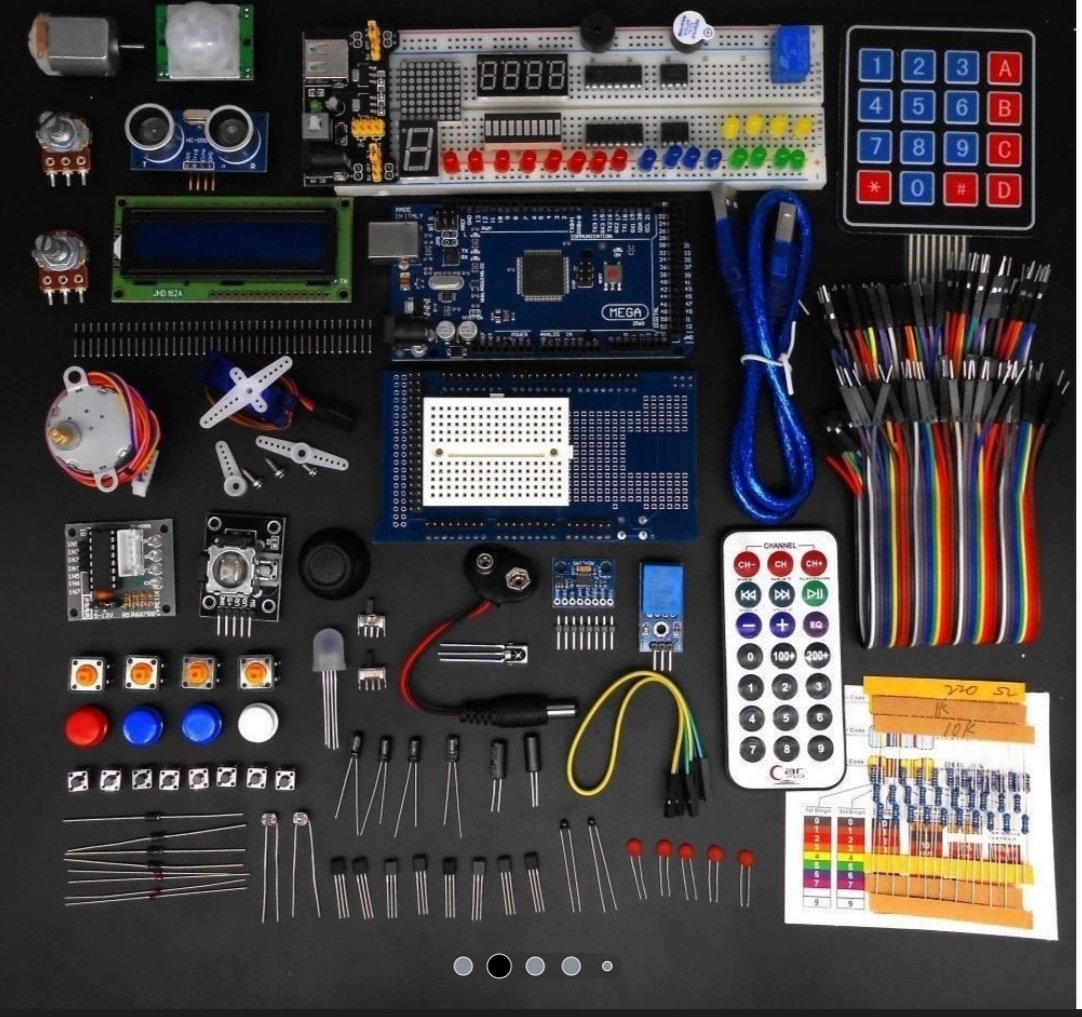
Gather all the parts
Assemble it in 4 steps
1. Поставете платката и бутоните
Поставете Arduino Uno и четирите бутона върху макетна платка. При бутон с четири крачета използвайте две срещуположни крачета, а не две от една и съща страна. Подредете бутоните отляво надясно и ги означете с 1, 2, 3 и 4.
- Завъртете всеки бутон така, че да пресича средния улей на макетната платка; така двете му страни няма да се окажат постоянно свързани.
2. Свържете бутоните
Свържете по едно краче от всеки бутон към GND на Arduino с черни проводници. Свържете другото краче на бутон 1 към D2, бутон 2 към D3, бутон 3 към D4 и бутон 4 към D5 с различни цветни проводници. Това са съответно сигналите за цифрите от кода.
- Бутоните не се нуждаят от отделни резистори; програмата използва вградената защита на Arduino.
- Бутон 1: GND → GND (ground), SIGNAL → D2 (signal). Бутон 2: GND → GND (ground), SIGNAL → D3 (signal). Бутон 3: GND → GND (ground), SIGNAL → D4 (signal). Бутон 4: GND → GND (ground), SIGNAL → D5 (signal).
3. Свържете моторчето за резето
На SG90 обикновено кафявият или черният проводник е GND, червеният е 5 V, а оранжевият или жълтият е сигнал. Свържете кафявия/черния към GND, червения към 5V и оранжевия/жълтия към D9 на Arduino. Поставете пластмасовото рамо на серво моторчето така, че при завъртане да влиза зад ръба на капака като резе.
- VCC → 5V (power), GND → GND (ground), SIGNAL → D9 (signal).
- Преди да закрепите рамото окончателно, включете захранването: при стартиране моторчето отива в заключено положение.
- Не насилвайте рамото на серво моторчето, когато е включено — това може да повреди зъбните колела.
- Ако Arduino се рестартира или USB се изключва при движение на моторчето, моторчето иска повече ток; спрете и използвайте отделно стабилно 5 V захранване за него, като GND остава обща с Arduino.
4. Поставете механичното резе в кутията
Направете малък отвор за оста на сервото в стената на кутията. Закрепете моторчето здраво с винтчета, двойнозалепваща лента или скоба, после настройте рамото така, че да освобождава капака при отключване и да го застопорява при заключване.
- Първо пробвайте движението с отворена кутия, за да не се заключи капакът накриво.
- Това е учебен сейф за малки предмети; пластмасовото серво не е защита срещу насилване.
Review all connections
1. Connections between "servo_lock" and "Arduino"
2. Connections between "button_1" and "Arduino"
3. Connections between "button_2" and "Arduino"
4. Connections between "button_3" and "Arduino"
5. Connections between "button_4" and "Arduino"
Deploy the firmware
#include <Arduino.h>
#include <Servo.h>

constexpr uint8_t SERVO_PIN = 9;
constexpr uint8_t BUTTON_PINS[] = {2, 3, 4, 5};
constexpr uint8_t CODE[] = {0, 1, 2, 3};  // Buttons 1, 2, 3, 4
constexpr uint8_t CODE_LENGTH = sizeof(CODE);
constexpr int LOCKED_ANGLE = 10;
constexpr int UNLOCKED_ANGLE = 95;
constexpr unsigned long DEBOUNCE_MS = 35;
constexpr unsigned long UNLOCK_TIME_MS = 5000;

Servo lockServo;
bool lastReading[4] = {HIGH, HIGH, HIGH, HIGH};
bool stableState[4] = {HIGH, HIGH, HIGH, HIGH};
unsigned long changedAt[4] = {0, 0, 0, 0};
uint8_t enteredCount = 0;
bool unlocked = false;
unsigned long unlockStartedAt = 0;

void lockSafe() {
  lockServo.write(LOCKED_ANGLE);
  unlocked = false;
  enteredCount = 0;
  Serial.println(F("Locked"));
}

void unlockSafe() {
  lockServo.write(UNLOCKED_ANGLE);
  unlocked = true;
  unlockStartedAt = millis();
  enteredCount = 0;
  Serial.println(F("Unlocked for 5 seconds"));
}

void handleButtonPress(uint8_t button) {
  if (unlocked) {
    return;
  }

  if (button == CODE[enteredCount]) {
    enteredCount++;
    Serial.println(F("Correct button"));
    if (enteredCount == CODE_LENGTH) {
      unlockSafe();
    }
  } else {
    enteredCount = (button == CODE[0]) ? 1 : 0;
    Serial.println(F("Wrong button - code reset"));
  }
}

void setup() {
  Serial.begin(9600);
  for (uint8_t i = 0; i < 4; ++i) {
    pinMode(BUTTON_PINS[i], INPUT_PULLUP);
    lastReading[i] = digitalRead(BUTTON_PINS[i]);
    stableState[i] = lastReading[i];
  }

  lockServo.attach(SERVO_PIN);
  lockSafe();
  Serial.println(F("Safe ready. Enter 1-2-3-4."));
}

void loop() {
  const unsigned long now = millis();

  if (unlocked && now - unlockStartedAt >= UNLOCK_TIME_MS) {
    lockSafe();
  }

  for (uint8_t i = 0; i < 4; ++i) {
    const bool reading = digitalRead(BUTTON_PINS[i]);

    if (reading != lastReading[i]) {
      changedAt[i] = now;
      lastReading[i] = reading;
    }

    if ((now - changedAt[i] >= DEBOUNCE_MS) && reading != stableState[i]) {
      stableState[i] = reading;
      if (stableState[i] == LOW) {
        handleButtonPress(i);
      }
    }
  }

  delay(1);
}
Remix this project
Make it yours in one click
Open a full copy of this project in your own Schematik workspace — diagram, code, parts, and assembly steps included. Swap the sensor, add features, or redesign the whole thing with AI. The author's original stays untouched.