Community project
Light-Following Solar Tracker
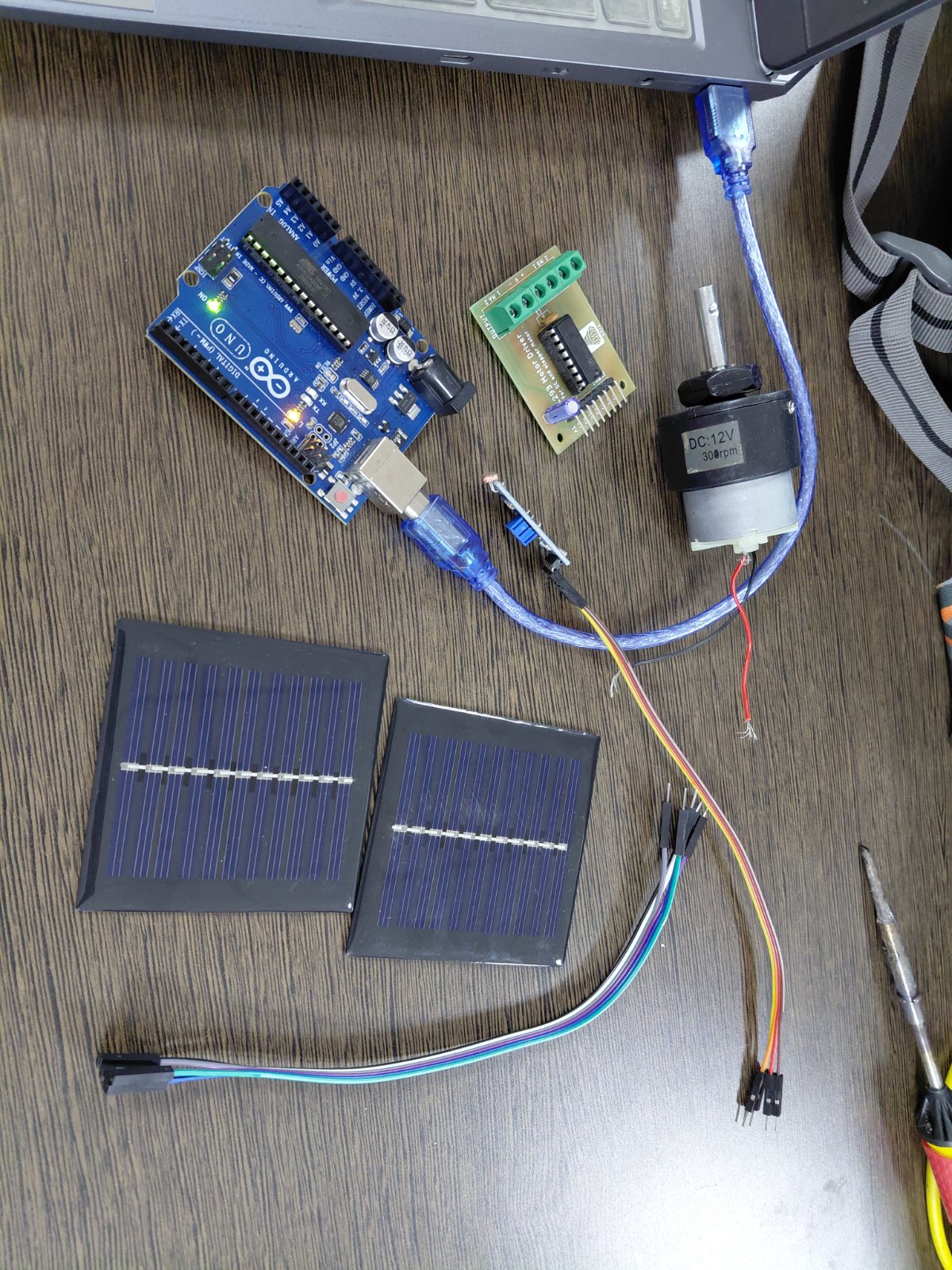
This project builds an automatic solar tracker that follows the sun across the sky to maximize panel exposure. Using two light sensors and a servo motor controlled by an Arduino Uno, the tracker continuously compares brightness on its left and right sides, then adjusts its angle to keep the light source centered.
The guide includes a complete parts list, wiring diagram showing how to connect the LM393 photoresistor modules and SG90 servo to the Arduino, ready-to-upload firmware with tunable parameters, and step-by-step assembly instructions for mounting the sensors and calibrating the servo range.
Wiring diagram

Gather all the parts
Assemble it in 5 steps
1. Choose the right servo and power
Use an SG90 standard positional servo, not a continuous-rotation version. Use an enclosed regulated 5 V 2 A supply with low-voltage terminals for the servo; power the Uno by USB.
- Leave the 6F22 battery, L293 and DC motors disconnected. Do not connect the solar panel as a power source or battery charger in this project.
2. Connect the two light sensors
With all power disconnected, connect both modules' VCC to Uno 5V and both GND pins to Uno GND. Connect the left module AO (sometimes printed A0) to Uno A0 and the right module AO to Uno A1. Leave both DO pins disconnected. Follow pin labels, not header position.
3. Connect the servo
Connect servo signal (usually orange) to D9, servo positive (usually red) to supply positive, and servo ground (usually brown) to supply negative. Connect supply negative to Uno GND as the common signal reference. Check your servo's wire identification before applying power.
- Do not connect supply positive to Uno 5V or power the servo from the Uno. Reversed polarity can damage the servo.
4. Center and mount the panel
First test with the servo arm removed. The program starts at center. Disconnect power, then mount the arm and a tiny lightweight panel so center points straight ahead. Support the panel on a balanced pivot rather than hanging its weight on the servo. Leave clearance throughout its travel.
- The servo may move immediately when powered. Keep fingers clear. SG90 is not suitable for a heavy panel or outdoor wind loads.
5. Mount and test the sensors
Mount both sensors on the moving panel facing the same way, side by side, with a small upright opaque divider between them. Shine a light from either side. If the panel moves away from it, power off and swap just the two AO wires at Uno A0 and A1. Both sensor modules must respond to light in the same direction. The module trimmers control DO, not AO.
- The program moves slowly and uses a quiet zone to reduce jitter. It holds its last position when readings match, including in darkness; it does not park automatically at night.
- Keep the electronics dry. This is a one-axis demonstration, not a weatherproof or self-powered tracker.
Review all connections
1. Connections between "left" and "Arduino"
2. Connections between "right" and "Arduino"
3. Connections between "servo" and "Arduino"
4. Connections between "supply" and "Arduino"
Deploy the firmware
#include <Arduino.h>
#include <Servo.h>

// For two matching four-pin LM393 LDR modules.
constexpr uint8_t LEFT_PIN = A0;
constexpr uint8_t RIGHT_PIN = A1;
constexpr uint8_t SERVO_PIN = 9;
constexpr int MIN_ANGLE = 45;
constexpr int MAX_ANGLE = 135;
constexpr int DEADBAND = 40; // Increase if the servo hunts back and forth.
constexpr bool BRIGHTER_IS_LOWER = true; // Change if your modules behave oppositely.
constexpr int DIRECTION = 1; // Change to -1 if the panel turns away from light.
Servo tracker;
int angle = 90;
unsigned long lastStep = 0;

int averageRead(uint8_t pin) {
  analogRead(pin); // Allow ADC input to settle after switching channels.
  long total = 0;
  for (uint8_t i = 0; i < 16; ++i) total += analogRead(pin);
  return total / 16;
}

void setup() {
  tracker.attach(SERVO_PIN, 1000, 2000);
  tracker.write(angle);
}

void loop() {
  if (millis() - lastStep < 150) return;
  lastStep = millis();
  int left = averageRead(LEFT_PIN);
  int right = averageRead(RIGHT_PIN);
  int difference = BRIGHTER_IS_LOWER ? right - left : left - right;
  int next = angle;
  if (difference > DEADBAND) next += DIRECTION;
  else if (difference < -DEADBAND) next -= DIRECTION;
  next = constrain(next, MIN_ANGLE, MAX_ANGLE);
  if (next != angle) {
    angle = next;
    tracker.write(angle);
  }
}
Remix this project
Make it yours in one click
Open a full copy of this project in your own Schematik workspace — diagram, code, parts, and assembly steps included. Swap the sensor, add features, or redesign the whole thing with AI. The author's original stays untouched.