Community project
Live Flight Scanner
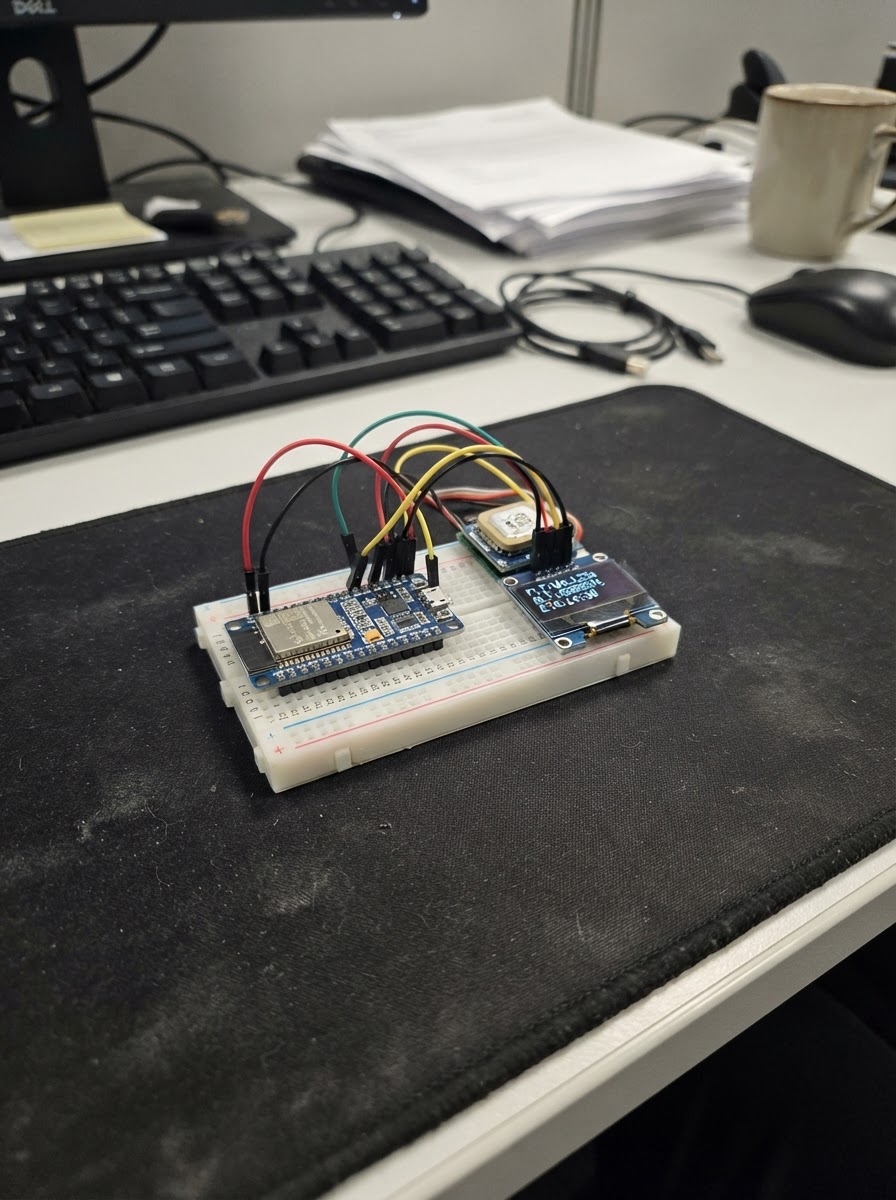
The Live Flight Scanner turns an M5Dial into a real-time aircraft tracker that displays nearby flights within a configurable radius. Using Wi-Fi to fetch live aircraft data, the device shows the nearest plane's callsign, altitude, speed, heading, and aircraft type on its circular display. Rotate the dial to adjust the search radius from 10 to 150 kilometers.
This guide provides the complete wiring diagram, parts list, and firmware needed to get the scanner running. Simply configure your Wi-Fi credentials and location coordinates in the code, connect the M5Dial via USB, and deploy. The device will automatically refresh flight data every 30 seconds and display the closest aircraft in your airspace.
Wiring diagram
Assemble it in 4 steps
1. Leave the Dial unmodified
This project uses the round screen, turning knob, and small sound hardware already inside your M5Stack Dial. Do not connect anything to the exposed ports for this version.
- Keep the Dial on a non-conductive surface so its metal back does not touch loose wires or tools.
- Do not connect power wires to the exposed ports while you are learning this project; a misplaced wire can damage the Dial.
2. Connect the USB cable
Plug a USB data cable into the Dial and then into your computer. The cable powers the Dial and lets Schematik install the scanner firmware.
- Use a cable that normally transfers files or charges a device; some very cheap cables provide power only.
- Do not force the USB plug. If it does not slide in easily, turn it over rather than pushing harder.
3. Add your own location and Wi-Fi details
Before deploying, replace YOUR_WIFI_NAME and YOUR_WIFI_PASSWORD in the firmware with your home network details. Replace the Denver location name, latitude, and longitude with the airport or city you want to scan around.
- Keep the quotation marks around the Wi-Fi name and password.
- The starting location is Denver International Airport, so the Dial will show nearby flights there until you change it.
- Use a 2.4 GHz Wi-Fi network if your router separates 2.4 GHz and 5 GHz networks; the Dial cannot join a 5 GHz-only network.
4. Deploy and use the scanner
Press Deploy in Schematik. After it starts, turn the large knob to choose a 10, 25, 50, 100, or 150 nautical-mile scan circle. The screen refreshes the live aircraft list about every 30 seconds and immediately after you change the range.
- The shown flight is the first aircraft returned by the public live feed; the line near the bottom tells you how many aircraft were found.
- If the display says no aircraft found, turn the knob clockwise to use a larger scan circle.
- The feed depends on Wi-Fi and public ADS-B receivers, so aircraft can be delayed, missing, or shown with incomplete details. Do not use it for navigation, safety, or air-traffic decisions.
Deploy the firmware
#include <Arduino.h>
#include <M5Dial.h>
#include <WiFi.h>
#include <HTTPClient.h>
#include <ArduinoJson.h>

struct FlightSummary {
  String callsign;
  String type;
  String hex;
  int altitudeFeet;
  int speedKnots;
  int heading;
  int aircraftCount;
  bool valid;
};

String cleanFlight(const char* value, const char* fallback);
void drawCentered(const String& text, int y, uint16_t color, uint8_t size);
void drawScreen();
void beginWiFi();
void fetchFlights();

const char* WIFI_SSID = "ABDoug";
const char* WIFI_PASSWORD = "absolute2017";
const char* LOCATION_NAME = "Denver International Airport";
const float SEARCH_LATITUDE = 39.8561f;
const float SEARCH_LONGITUDE = -104.6737f;

const int RADIUS_CHOICES[] = {10, 25, 50, 100, 150};
const int RADIUS_COUNT = sizeof(RADIUS_CHOICES) / sizeof(RADIUS_CHOICES[0]);
const uint32_t REFRESH_INTERVAL_MS = 30000;
const uint32_t WIFI_RETRY_INTERVAL_MS = 10000;

int radiusIndex = 2;
int32_t lastEncoderCount = 0;
uint32_t lastFetchMs = 0;
uint32_t lastWiFiAttemptMs = 0;
bool redrawNeeded = true;
bool fetching = false;
String statusLine = "Starting";
FlightSummary nearestFlight = {"", "", "", 0, 0, 0, 0, false};

String cleanFlight(const char* value, const char* fallback) {
  if (value == nullptr || value[0] == '\0') return String(fallback);
  String text(value);
  text.trim();
  return text.length() ? text : String(fallback);
}

void drawCentered(const String& text, int y, uint16_t color, uint8_t size) {
  M5Dial.Display.setTextColor(color, TFT_BLACK);
  M5Dial.Display.setTextSize(size);
  int16_t x = (240 - M5Dial.Display.textWidth(text)) / 2;
  M5Dial.Display.setCursor(x, y);
  M5Dial.Display.print(text);
}

void drawScreen() {
  M5Dial.Display.fillScreen(TFT_BLACK);
  M5Dial.Display.drawCircle(120, 120, 118, TFT_DARKCYAN);
  M5Dial.Display.drawCircle(120, 120, 116, TFT_DARKGREY);

  drawCentered("LIVE FLIGHT SCANNER", 15, TFT_CYAN, 1);
  drawCentered(String(RADIUS_CHOICES[radiusIndex]) + " NM around", 37, TFT_YELLOW, 2);
  drawCentered(LOCATION_NAME, 61, TFT_WHITE, 1);

  if (WiFi.status() != WL_CONNECTED) {
    drawCentered("Wi-Fi not connected", 104, TFT_ORANGE, 2);
    drawCentered("Edit Wi-Fi settings", 130, TFT_WHITE, 1);
    drawCentered("then deploy again", 146, TFT_WHITE, 1);
  } else if (fetching) {
    drawCentered("Scanning aircraft...", 116, TFT_CYAN, 2);
  } else if (nearestFlight.valid) {
    drawCentered(nearestFlight.callsign, 91, TFT_GREEN, 2);
    drawCentered(nearestFlight.type + "  " + nearestFlight.hex, 115, TFT_WHITE, 1);
    drawCentered(String(nearestFlight.altitudeFeet) + " ft   " + String(nearestFlight.speedKnots) + " kt", 137, TFT_YELLOW, 1);
    drawCentered("Heading " + String(nearestFlight.heading) + " deg", 154, TFT_YELLOW, 1);
    drawCentered(String(nearestFlight.aircraftCount) + " aircraft in range", 178, TFT_CYAN, 1);
  } else {
    drawCentered("No aircraft found", 112, TFT_ORANGE, 2);
    drawCentered("Try a larger scan range", 139, TFT_WHITE, 1);
  }

  drawCentered(statusLine, 208, TFT_LIGHTGREY, 1);
  drawCentered("Turn knob: range", 224, TFT_DARKGREY, 1);
  redrawNeeded = false;
}

void beginWiFi() {
  if (String(WIFI_SSID) == "YOUR_WIFI_NAME") {
    statusLine = "Set Wi-Fi name and password";
    redrawNeeded = true;
    return;
  }
  WiFi.mode(WIFI_STA);
  WiFi.begin(WIFI_SSID, WIFI_PASSWORD);
  lastWiFiAttemptMs = millis();
  statusLine = "Connecting to Wi-Fi";
  redrawNeeded = true;
}

void fetchFlights() {
  if (WiFi.status() != WL_CONNECTED || fetching) return;

  fetching = true;
  redrawNeeded = true;
  drawScreen();

  String url = "https://api.adsb.lol/v2/point/" + String(SEARCH_LATITUDE, 4) + "/" +
               String(SEARCH_LONGITUDE, 4) + "/" + String(RADIUS_CHOICES[radiusIndex]);
  HTTPClient http;
  http.setTimeout(12000);
  http.begin(url);
  int httpCode = http.GET();

  FlightSummary result = {"", "", "", 0, 0, 0, 0, false};
  if (httpCode == HTTP_CODE_OK) {
    JsonDocument document;
    DeserializationError error = deserializeJson(document, http.getStream());
    if (!error) {
      JsonArray aircraft = document["ac"].as<JsonArray>();
      result.aircraftCount = aircraft.size();
      if (!aircraft.isNull() && aircraft.size() > 0) {
        JsonObject plane = aircraft[0];
        result.callsign = cleanFlight(plane["flight"], "Unknown flight");
        result.type = cleanFlight(plane["t"], "Aircraft");
        result.hex = cleanFlight(plane["hex"], "------");
        result.altitudeFeet = plane["alt_baro"].is<int>() ? plane["alt_baro"].as<int>() : 0;
        result.speedKnots = plane["gs"].is<int>() ? plane["gs"].as<int>() : 0;
        result.heading = plane["track"].is<int>() ? plane["track"].as<int>() : 0;
        result.valid = true;
      }
      nearestFlight = result;
      statusLine = "Updated just now";
    } else {
      statusLine = "Flight data could not be read";
    }
  } else {
    statusLine = "Scanner service unavailable";
  }
  http.end();
  fetching = false;
  lastFetchMs = millis();
  redrawNeeded = true;
}

void setup() {
  auto config = M5.config();
  M5Dial.begin(config, true, false);
  M5Dial.Display.setRotation(0);
  M5Dial.Display.setTextDatum(TL_DATUM);
  lastEncoderCount = M5Dial.Encoder.read();
  statusLine = "Set Wi-Fi settings in code";
  drawScreen();
  beginWiFi();
}

void loop() {
  M5Dial.update();

  int32_t encoderCount = M5Dial.Encoder.read();
  if (encoderCount != lastEncoderCount) {
    if (encoderCount > lastEncoderCount && radiusIndex < RADIUS_COUNT - 1) radiusIndex++;
    if (encoderCount < lastEncoderCount && radiusIndex > 0) radiusIndex--;
    lastEncoderCount = encoderCount;
    statusLine = "Range changed - scanning";
    lastFetchMs = 0;
    redrawNeeded = true;
  }

  if (WiFi.status() != WL_CONNECTED) {
    if (String(WIFI_SSID) != "YOUR_WIFI_NAME" && millis() - lastWiFiAttemptMs >= WIFI_RETRY_INTERVAL_MS) {
      beginWiFi();
    }
  } else if (millis() - lastFetchMs >= REFRESH_INTERVAL_MS) {
    fetchFlights();
  }

  if (redrawNeeded && !fetching) drawScreen();
  delay(10);
}
Remix this project
Make it yours in one click
Open a full copy of this project in your own Schematik workspace — diagram, code, parts, and assembly steps included. Swap the sensor, add features, or redesign the whole thing with AI. The author's original stays untouched.