Community project
Mini Status Dashboard
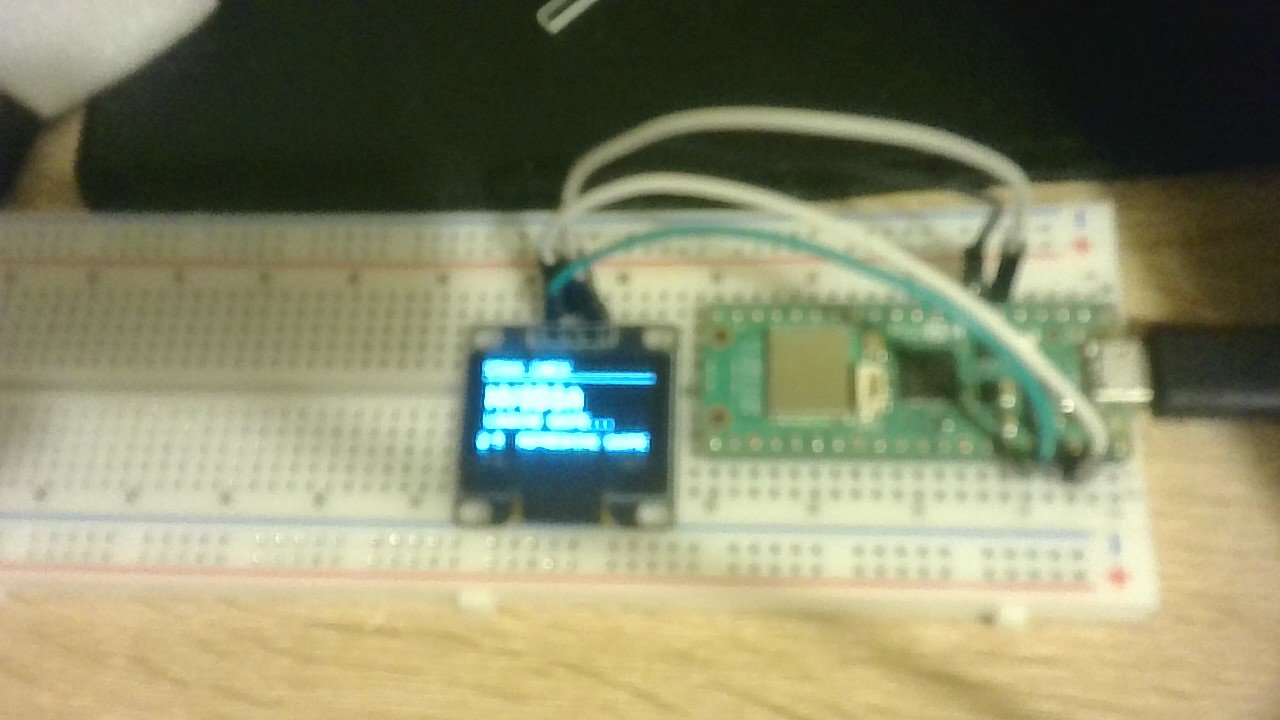
The Mini Status Dashboard is a compact display project that shows the current time and live stock market prices on a small OLED screen. Built around a Raspberry Pi Pico microcontroller and a 128×64 I2C OLED display, it fetches stock quotes from an online feed and updates them periodically while keeping accurate time via NTP.
This guide provides a complete parts list, wiring diagram showing the I2C connections between the Pico and display, and the full Arduino firmware needed to connect to WiFi, retrieve stock data, and render information on screen. Assembly takes just minutes: position the components, connect power and the two I2C signal wires, then upload the code and configure your WiFi credentials.
Wiring diagram

Gather all the parts
Assemble it in 4 steps
1. Place the Pico and screen
Put the Pico 2 W and the small display on a non-metal surface with both sets of labelled pins facing up, so you can read VCC, GND, SDA, and SCL on the display.
- Use four female-to-female jumper wires if both boards have exposed male pin headers.
- Do not let the metal underside of either board touch loose wires or a metal table; that can make a short circuit.
2. Connect screen power
Connect the display VCC pin to the Pico 3V3(OUT) pin (power). Connect the display GND pin to any Pico GND pin (ground).
- A red wire for 3V3 and a black wire for GND make the connections easier to check later.
- Make sure VCC and GND are not swapped — swapped power can damage the screen. Do not connect this assumed 3.3 V screen to the Pico's VSYS or 5 V pin.
3. Connect the two signal wires
Connect display SDA to Pico GP4 (data). Connect display SCL to Pico GP5 (clock). These two wires let the Pico send the clock picture to the screen.
- The labels on the display matter more than the order of its four pins, because different small displays arrange them differently.
- If SDA and SCL are swapped, the screen will stay blank even though its power wires are correct.
4. Power the finished project
Check the four connections one more time, then plug the Pico 2 W into your computer with its USB cable. The screen should show the Mission Clock after you deploy the firmware.
- The displayed time starts at 00:00:00 each time the Pico receives power; it is an uptime clock rather than a calendar clock.
- Only plug in USB after the display power and ground wires have been checked.
Review all connections
1. Connections between "oled_1" and "Raspberry Pi Pico"
Deploy the firmware
#include <Arduino.h>
#include <time.h>
#include <Wire.h>
#include <WiFi.h>
#include <WiFiUdp.h>
#include <NTPClient.h>
#include <Adafruit_GFX.h>
#include <Adafruit_SSD1306.h>

#define OLED_SDA_PIN 4
#define OLED_SCL_PIN 5
#define SCREEN_WIDTH 128
#define SCREEN_HEIGHT 64
#define OLED_ADDRESS 0x3C

// Before deploying, replace these two words with your home Wi-Fi details.
const char *WIFI_SSID = "Wessex_Int_A8F0";
const char *WIFI_PASSWORD = "gTPjfyb2YP";
// Symbols use the free Stooq daily quote feed. Prices are the most recent market close.
struct StockQuote {
  const char *symbol;
  const char *label;
  String close;
  bool available;
};

StockQuote stocks[] = {
  {"aapl.us", "APPLE", "--", false},
  {"nvda.us", "NVIDIA", "--", false},
  {"tsla.us", "TESLA", "--", false},
  {"msft.us", "MICROSOFT", "--", false},
  {"amzn.us", "AMAZON", "--", false}
};
const uint8_t STOCK_COUNT = sizeof(stocks) / sizeof(stocks[0]);

const unsigned long SCREEN_PERIOD_MS = 8000UL;
const unsigned long STOCK_PERIOD_MS = 15000UL;
const unsigned long WIFI_RETRY_MS = 60000UL;

Adafruit_SSD1306 display(SCREEN_WIDTH, SCREEN_HEIGHT, &Wire, -1);
WiFiUDP ntpUDP;
NTPClient clockClient(ntpUDP, "pool.ntp.org", 0, 60000UL);

unsigned long lastDrawSecond = ULONG_MAX;
unsigned long lastStockRequest = 0;
unsigned long lastWifiAttempt = 0;
uint8_t nextStockToFetch = 0;

String csvField(const String &line, uint8_t wantedField) {
  int start = 0;
  for (uint8_t field = 0; field < wantedField; ++field) {
    start = line.indexOf(',', start);
    if (start < 0) return "";
    ++start;
  }
  int end = line.indexOf(',', start);
  if (end < 0) end = line.length();
  return line.substring(start, end);
}

void connectWifi() {
  if (WiFi.status() == WL_CONNECTED || millis() - lastWifiAttempt < WIFI_RETRY_MS) return;
  lastWifiAttempt = millis();
  WiFi.begin(WIFI_SSID, WIFI_PASSWORD);
}

bool fetchStock(uint8_t stockIndex) {
  StockQuote &stock = stocks[stockIndex];
  WiFiClient client;
  if (!client.connect("stooq.com", 80)) return false;

  client.print(F("GET /q/l/?s="));
  client.print(stock.symbol);
  client.print(F("&i=d HTTP/1.1\r\nHost: stooq.com\r\nConnection: close\r\n\r\n"));

  unsigned long deadline = millis() + 8000UL;
  bool pastHeaders = false;
  while (client.connected() && millis() < deadline) {
    if (!client.available()) {
      delay(1);
      continue;
    }
    String line = client.readStringUntil('\n');
    line.trim();
    if (!pastHeaders) {
      if (line.length() == 0) pastHeaders = true;
      continue;
    }
    if (line.startsWith("No data") || line.startsWith("Symbol")) continue;
    String close = csvField(line, 6);
    if (close.length() > 0 && close != "N/D") {
      stock.close = close;
      stock.available = true;
      client.stop();
      return true;
    }
  }
  client.stop();
  return false;
}

void drawHeader(const __FlashStringHelper *title) {
  display.clearDisplay();
  display.setTextColor(SSD1306_WHITE);
  display.setTextSize(1);
  display.setCursor(0, 0);
  display.print(title);
  display.drawLine(0, 10, SCREEN_WIDTH - 1, 10, SSD1306_WHITE);
}

void drawMissionScreen(unsigned long totalSeconds) {
  unsigned long days = totalSeconds / 86400UL;
  uint8_t hours = (totalSeconds / 3600UL) % 24UL;
  uint8_t minutes = (totalSeconds / 60UL) % 60UL;
  uint8_t seconds = totalSeconds % 60UL;

  drawHeader(F("MISSION TIME"));
  display.setTextSize(2);
  display.setCursor(15, 17);
  if (hours < 10) display.print('0');
  display.print(hours);
  display.print(':');
  if (minutes < 10) display.print('0');
  display.print(minutes);
  display.print(':');
  if (seconds < 10) display.print('0');
  display.print(seconds);
  display.setTextSize(1);
  display.setCursor(0, 45);
  display.print(F("MISSION DAY: "));
  if (days < 10) display.print(F("00"));
  else if (days < 100) display.print('0');
  display.print(days);
  display.setCursor(0, 55);
  display.print(F("STATUS: NOMINAL"));
  display.display();
}

bool isUkSummerTime(time_t utcTime) {
  // UK summer time starts at 01:00 UTC on the last Sunday in March,
  // and ends at 01:00 UTC on the last Sunday in October.
  struct tm utc;
  gmtime_r(&utcTime, &utc);
  int year = utc.tm_year + 1900;

  struct tm lastDay = {};
  lastDay.tm_year = year - 1900;
  lastDay.tm_mon = 3;  // April: day zero becomes the last day of March.
  lastDay.tm_mday = 0;
  time_t marchLast = mktime(&lastDay);
  gmtime_r(&marchLast, &lastDay);
  time_t bstStart = marchLast - (lastDay.tm_wday * 86400L) + 3600L;

  lastDay = {};
  lastDay.tm_year = year - 1900;
  lastDay.tm_mon = 10; // November: day zero becomes the last day of October.
  lastDay.tm_mday = 0;
  time_t octoberLast = mktime(&lastDay);
  gmtime_r(&octoberLast, &lastDay);
  time_t bstEnd = octoberLast - (lastDay.tm_wday * 86400L) + 3600L;

  return utcTime >= bstStart && utcTime < bstEnd;
}

void drawClockScreen() {
  drawHeader(F("UK TIME"));
  display.setTextSize(2);
  display.setCursor(15, 22);
  if (clockClient.isTimeSet()) {
    time_t utcTime = clockClient.getEpochTime();
    bool bst = isUkSummerTime(utcTime);
    time_t ukTime = utcTime + (bst ? 3600L : 0L);
    struct tm local;
    gmtime_r(&ukTime, &local);
    if (local.tm_hour < 10) display.print('0');
    display.print(local.tm_hour);
    display.print(':');
    if (local.tm_min < 10) display.print('0');
    display.print(local.tm_min);
    display.print(':');
    if (local.tm_sec < 10) display.print('0');
    display.print(local.tm_sec);
    display.setTextSize(1);
    display.setCursor(0, 54);
    display.print(bst ? F("UK SUMMER TIME (BST)") : F("UK TIME (GMT)"));
  } else if (WiFi.status() == WL_CONNECTED) {
    display.print(F("SYNCING"));
  } else {
    display.print(F("NO WIFI"));
  }
  if (!clockClient.isTimeSet()) {
    display.setTextSize(1);
    display.setCursor(0, 54);
    display.print(F("TIME FROM INTERNET"));
  }
  display.display();
}

void drawStockScreen(uint8_t stockIndex) {
  const StockQuote &stock = stocks[stockIndex];
  drawHeader(F("STOCK CHECK"));
  display.setTextSize(2);
  display.setCursor(4, 19);
  display.print(stock.label);
  display.setTextSize(1);
  display.setCursor(4, 40);
  if (stock.available) {
    display.print(F("LAST CLOSE: $"));
    display.print(stock.close);
  } else if (WiFi.status() == WL_CONNECTED) {
    display.print(F("LOADING QUOTE..."));
  } else {
    display.print(F("CONNECT WIFI FIRST"));
  }
  display.setCursor(0, 55);
  display.print(stockIndex + 1);
  display.print('/');
  display.print(STOCK_COUNT);
  display.print(F("  REFRESHING QUOTES"));
  display.display();
}

void setup() {
  Wire.setSDA(OLED_SDA_PIN);
  Wire.setSCL(OLED_SCL_PIN);
  Wire.begin();
  if (!display.begin(SSD1306_SWITCHCAPVCC, OLED_ADDRESS)) {
    while (true) delay(1000);
  }
  connectWifi();
  clockClient.begin();
  drawMissionScreen(0);
}

void loop() {
  connectWifi();
  if (WiFi.status() == WL_CONNECTED) {
    clockClient.update();
    if (millis() - lastStockRequest >= STOCK_PERIOD_MS || lastStockRequest == 0) {
      lastStockRequest = millis();
      fetchStock(nextStockToFetch);
      nextStockToFetch = (nextStockToFetch + 1) % STOCK_COUNT;
    }
  }

  unsigned long nowSeconds = millis() / 1000UL;
  uint8_t screen = (millis() / SCREEN_PERIOD_MS) % 3;
  if (nowSeconds != lastDrawSecond) {
    lastDrawSecond = nowSeconds;
    if (screen == 0) drawMissionScreen(nowSeconds);
    else if (screen == 1) drawClockScreen();
    else drawStockScreen((millis() / SCREEN_PERIOD_MS) % STOCK_COUNT);
  }
}
Download project files
Remix this project
Make it yours in one click
Open a full copy of this project in your own Schematik workspace — diagram, code, parts, and assembly steps included. Swap the sensor, add features, or redesign the whole thing with AI. The author's original stays untouched.