Community project
Retro Payphone Simulator
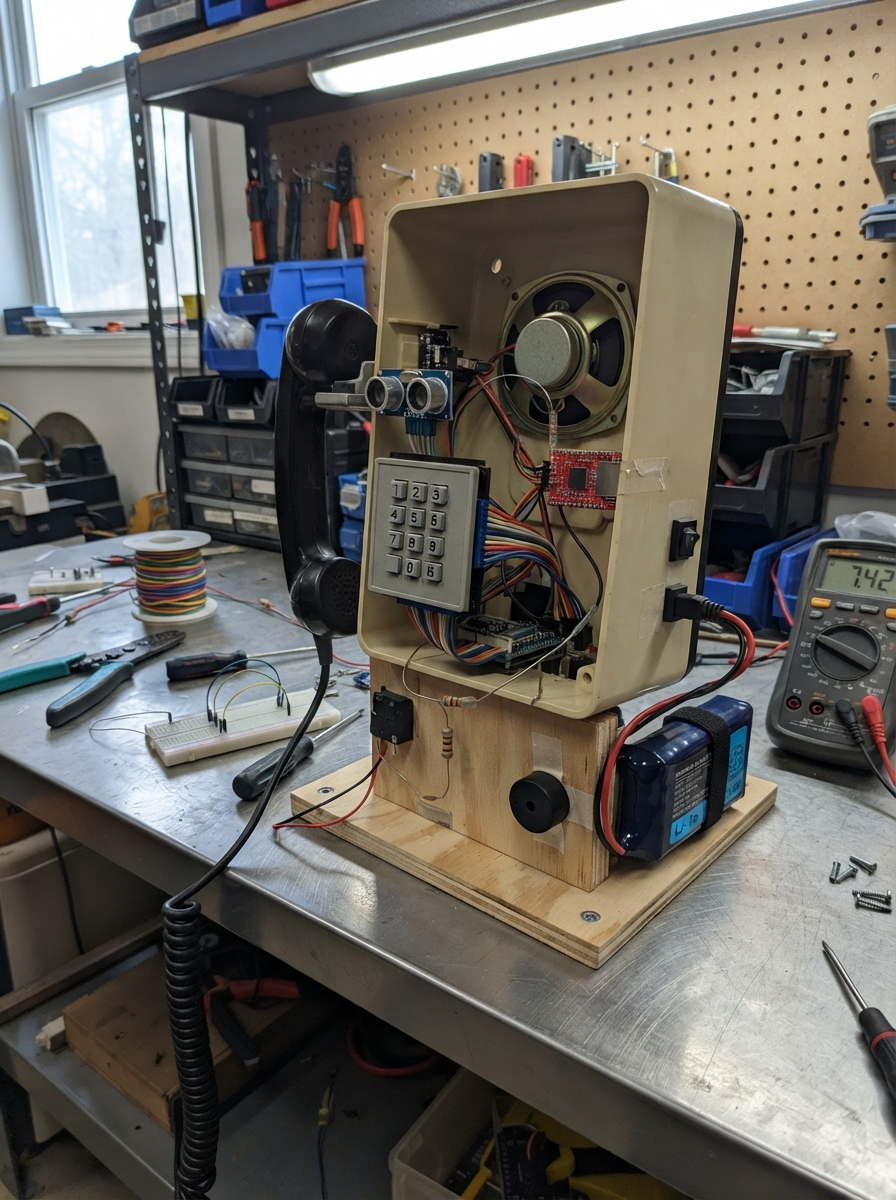
This retro payphone simulator brings back the charm of vintage telecommunications with modern maker technology. The project uses an Arduino Uno to manage a complete phone experience: callers lift the handset to activate the system, navigate language and question menus using a 4x4 keypad, record their voice through a microphone, and hear their message played back through an 8Ω speaker. A proximity sensor detects when someone approaches the phone, triggering a ring tone through the piezo buzzer.
This guide provides a complete wiring diagram, full parts list with battery management setup, and step-by-step assembly instructions for mounting all components safely. You'll load pre-recorded prompts onto an SD card via the DFPlayer Mini audio module, configure the firmware to handle phone states and audio recording, and test the entire call flow from handset pickup through message playback. The protected lithium battery pack and charging system ensure reliable operation for extended use.
Wiring diagram

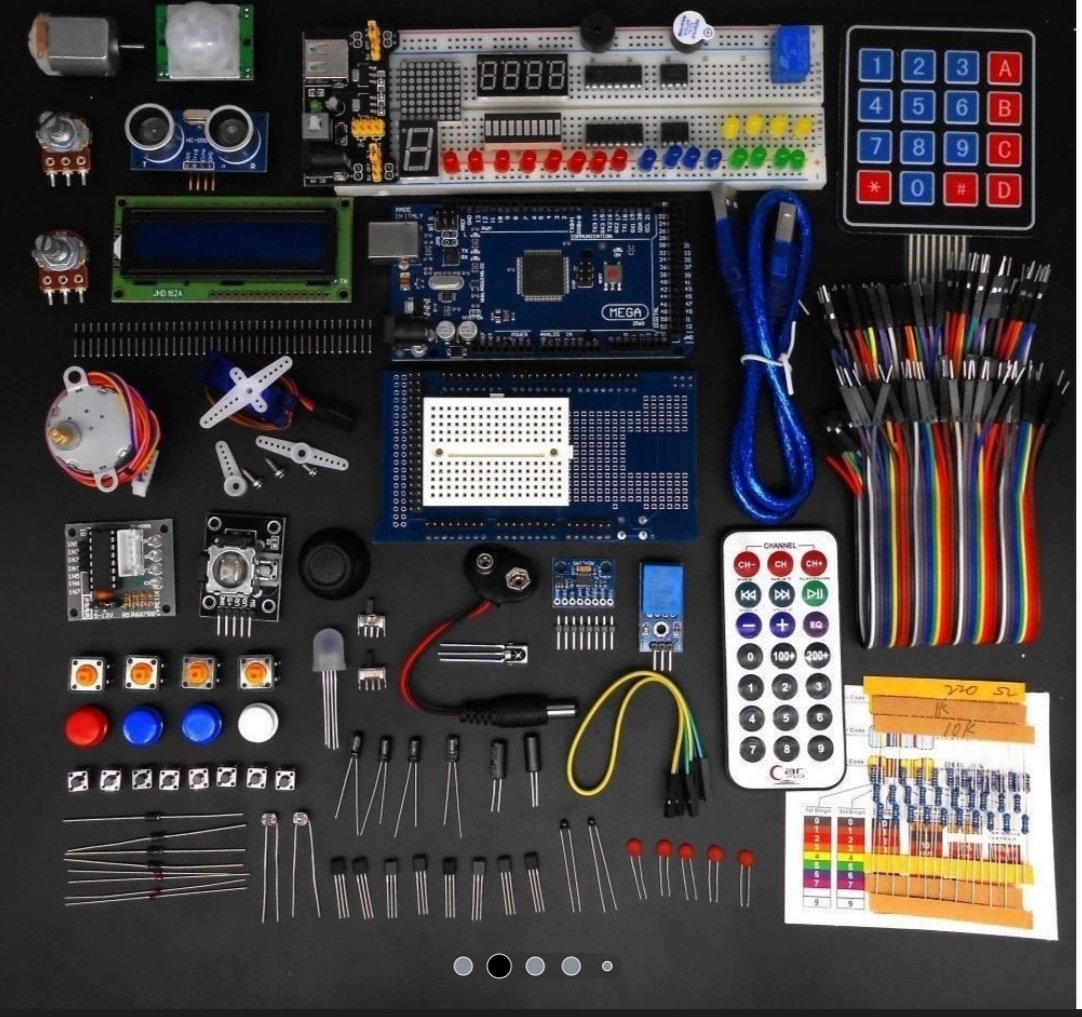
Gather all the parts
Assemble it in 7 steps
1. Mount the electronics safely
With battery_switch_1 OFF and battery_2s_5000mah_1 unplugged, mount the Arduino Mega 2560, DFPlayer, answer SD-card adapter, microphone_1, keypad, hook switch, speaker, sensor, buzzer, fuse, switch, and converter inside the phone. Keep microphone_1 behind the handset mouthpiece and away from speaker_1 so the speaker does not get recorded as the visitor’s voice.
- Leave access to both microSD cards: one belongs in the DFPlayer and one belongs in answer_sd_1.
- Use short wires for the microphone and keep them away from the battery and speaker wires.
- Do not allow the lithium battery or bare battery wiring to touch the metal phone enclosure; a short circuit can cause heat, fire, or battery damage.
2. Wire the protected battery supply
Connect battery_2s_5000mah_1 PACK+ to battery_fuse_1 IN (battery power). Connect battery_fuse_1 OUT to battery_switch_1 IN (fused battery power). Connect battery_switch_1 OUT to buck_5v_3a_1 IN+ (switched battery power). Connect battery_2s_5000mah_1 PACK- to buck_5v_3a_1 IN- (battery return). Connect buck_5v_3a_1 OUT+ to the Mega 5V pin (power) and OUT- to a Mega GND pin (ground).
- Use red wire for positive battery wiring and black wire for every ground wire.
- Before attaching the Mega, use a meter and adjust the converter output to exactly 5.0 V.
- Do not connect the converter output to VIN; use the 5V pin. Do not connect USB power while this battery supply is connected to the Mega 5V pin, because two supplies can damage the board or computer.
3. Connect the keypad and handset switch
Connect keypad_1 R1 to Mega D22 (button signal), R2 to D23 (button signal), R3 to D24 (button signal), R4 to D25 (button signal), C1 to D26 (button signal), C2 to D27 (button signal), C3 to D28 (button signal), and C4 to D29 (button signal). Connect hook_switch_1 COM to GND (ground) and NO to Mega D44 (handset signal).
- Test the hook switch by hand: the handset pressing it is the hung-up position.
- The keypad ribbon labels R1 through C4 are normally printed on its connector.
- Leave the hook switch NC terminal unconnected; using it instead of NO makes the handset state work backwards.
4. Connect the sound and visitor sensor
Connect ultrasonic_1 VCC to 5V (power), GND to GND (ground), TRIG to Mega D30 (distance signal), and ECHO to Mega D31 (distance signal). Connect ringer_1 Lead 1 to Mega D45 (ring signal) and Lead 2 to GND (ground). Connect dfplayer_1 VCC to 5V (power), GND to GND (ground), TX to Mega D19 (data), Mega D18 to dfplayer_rx_resistor_1 P1 (data), and dfplayer_rx_resistor_1 P2 to dfplayer_1 RX (data). Connect dfplayer_1 SPK1 to speaker_1 POS (sound) and SPK2 to speaker_1 NEG (sound).
- The 1 kΩ resistor has no direction.
- The two speaker wires both go to the DFPlayer; neither one goes to ground.
- Do not connect either DFPlayer speaker terminal to GND; doing so can damage the audio module.
5. Connect the microphone and answer card
Connect microphone_1 VDD to 5V (power), GND to GND (ground), and OUT to Mega A0 (voice signal). Connect answer_sd_1 VCC to 5V (power), GND to GND (ground), MISO to Mega D50 (data), MOSI to D51 (data), SCK to D52 (clock), and CS to D53 (card-select signal).
- Use a 5 V-compatible SPI microSD adapter with level shifters, not a bare 3.3 V socket.
- Fit a blank FAT32-formatted microSD card into answer_sd_1 before testing.
- Do not use the same card for answer_sd_1 and dfplayer_1. Removing the answer card while an answer is being saved can corrupt the recording.
6. Prepare the spoken prompts
Put the prompt MP3 files on a separate microSD card for dfplayer_1 and insert it into the DFPlayer. Name them 001.mp3 for the language menu, 002.mp3 for the Indonesian language message, 003.mp3 for the English digit prompt, 004.mp3 for the Indonesian digit prompt, 005.mp3 through 009.mp3 for English questions 1 through 5, and 010.mp3 through 014.mp3 for Indonesian questions 1 through 5.
- Digits 0 and 5 play question 1; 1 and 6 play question 2; 2 and 7 play question 3; 3 and 8 play question 4; 4 and 9 play question 5.
- The answer-card files are automatically named A00001.WAV, A00002.WAV, and so on.
- Do not place prompt MP3 files on the answer card; that card is reserved for visitor recordings.
7. Charge and try a full call
Connect charger_2s_8v4_1 CHARGE OUT+ to battery_2s_5000mah_1 CHARGE+ (charging power) and CHARGE OUT- to CHARGE- (charging ground). Only connect the charger’s supplied lead to AC IN. With charging disconnected, turn on battery_switch_1, lift the handset, press * for English or # for Indonesian, choose a digit, speak after its question has ended, press # to hear the question again, then press * to save the answer and end the call.
- Pressing * during a recording closes the WAV file before ending the call, so it is safe to remove the answer card later.
- Putting the handset back also ends a call; press * first when possible so the current audio buffer is fully saved.
- Use only the matching 8.4 V charger for the 2-cell battery. Stop charging if the pack, wires, or charger becomes unusually hot.
Review all connections
1. Connections between "ultrasonic_1" and "Arduino"
2. Connections between "dfplayer_1" and "Arduino"
3. Connections between "dfplayer_rx_resistor_1" and "Arduino"
4. Connections between "keypad_1" and "Arduino"
5. Connections between "hook_switch_1" and "Arduino"
6. Connections between "ringer_1" and "Arduino"
7. Connections between "microphone_1" and "Arduino"
8. Connections between "answer_sd_1" and "Arduino"
9. Connections between "battery_2s_5000mah_1" and "Arduino"
10. Connections between "battery_fuse_1" and "Arduino"
11. Connections between "battery_switch_1" and "Arduino"
12. Connections between "buck_5v_3a_1" and "Arduino"
13. Connections between "charger_2s_8v4_1" and "Arduino"
Deploy the firmware
#include <Arduino.h>
#include <Keypad.h>
#include <DFRobotDFPlayerMini.h>
#include <SD.h>
#include <SPI.h>
#include <NewPing.h>


// Hoisted type definitions
enum PhoneState { ON_HOOK, CHOOSE_LANGUAGE, CHOOSE_QUESTION, WAIT_FOR_QUESTION, RECORDING, REPLAYING };


// Forward declarations
bool handsetLifted();
void playTrack(uint8_t track);
uint8_t questionTrack();
void writeLE16(File &file, uint16_t value);
void writeLE32(File &file, uint32_t value);
void writeWavHeader(File &file, uint32_t dataBytes);
void startSampler();
void stopSampler();
uint16_t bufferedSamples();
void flushAudio(bool all);
bool openAnswerFile();
void beginRecording();
void finishRecording();
void pauseForReplay();
void resetCall();
void handleTrackFinished();
void pollPlayer();

const uint8_t DFPLAYER_TX_PIN = 18;
const uint8_t DFPLAYER_RX_PIN = 19;
const uint8_t HOOK_PIN = 44;
const uint8_t RINGER_PIN = 45;
const uint8_t MIC_PIN = A0;
const uint8_t SD_CS_PIN = 53;
const uint8_t TRIG_PIN = 30;
const uint8_t ECHO_PIN = 31;

const byte ROWS = 4;
const byte COLS = 4;
char keys[ROWS][COLS] = {
  {'1', '2', '3', 'A'},
  {'4', '5', '6', 'B'},
  {'7', '8', '9', 'C'},
  {'*', '0', '#', 'D'}
};
byte rowPins[ROWS] = {22, 23, 24, 25};
byte colPins[COLS] = {26, 27, 28, 29};
Keypad keypad = Keypad(makeKeymap(keys), rowPins, colPins, ROWS, COLS);
NewPing distanceSensor(TRIG_PIN, ECHO_PIN, 200);
HardwareSerial &dfSerial = Serial1;
DFRobotDFPlayerMini player;

// DFPlayer card: 001.mp3 English menu, 002.mp3 Indonesian menu,
// 003.mp3 English digit prompt, 004.mp3 Indonesian digit prompt,
// 005-009 English questions 1-5, 010-014 Indonesian questions 1-5.
const uint8_t TRACK_ENGLISH_MENU = 1;
const uint8_t TRACK_INDONESIAN_MENU = 2;
const uint8_t TRACK_ENGLISH_DIGIT = 3;
const uint8_t TRACK_INDONESIAN_DIGIT = 4;
const uint8_t TRACK_ENGLISH_Q1 = 5;
const uint8_t TRACK_INDONESIAN_Q1 = 10;


PhoneState state = ON_HOOK;
bool indonesian = false;
uint8_t selectedQuestion = 0;
bool sdReady = false;
File answerFile;
uint32_t answerNumber = 0;

const uint16_t SAMPLE_RATE = 8000;
const uint16_t AUDIO_BUFFER_SIZE = 2048;
volatile uint8_t audioBuffer[AUDIO_BUFFER_SIZE];
volatile uint16_t writeIndex = 0;
volatile uint16_t readIndex = 0;
volatile bool samplerRunning = false;
volatile uint32_t sampleCount = 0;

bool handsetLifted() { return digitalRead(HOOK_PIN) == HIGH; }

void playTrack(uint8_t track) {
  player.play(track);
}

uint8_t questionTrack() {
  return (indonesian ? TRACK_INDONESIAN_Q1 : TRACK_ENGLISH_Q1) + selectedQuestion;
}

void writeLE16(File &file, uint16_t value) {
  file.write((uint8_t)(value & 0xFF));
  file.write((uint8_t)(value >> 8));
}

void writeLE32(File &file, uint32_t value) {
  file.write((uint8_t)(value & 0xFF));
  file.write((uint8_t)((value >> 8) & 0xFF));
  file.write((uint8_t)((value >> 16) & 0xFF));
  file.write((uint8_t)((value >> 24) & 0xFF));
}

void writeWavHeader(File &file, uint32_t dataBytes) {
  file.write("RIFF", 4); writeLE32(file, 36 + dataBytes); file.write("WAVE", 4);
  file.write("fmt ", 4); writeLE32(file, 16); writeLE16(file, 1); writeLE16(file, 1);
  writeLE32(file, SAMPLE_RATE); writeLE32(file, SAMPLE_RATE); writeLE16(file, 1); writeLE16(file, 8);
  file.write("data", 4); writeLE32(file, dataBytes);
}

ISR(ADC_vect) {
  if (!samplerRunning) return;
  uint16_t next = (writeIndex + 1) & (AUDIO_BUFFER_SIZE - 1);
  if (next != readIndex) {
    audioBuffer[writeIndex] = ADCH;
    writeIndex = next;
    sampleCount++;
  }
}

ISR(TIMER3_COMPA_vect) {
  if (samplerRunning) ADCSRA |= _BV(ADSC);
}

void startSampler() {
  noInterrupts();
  writeIndex = 0;
  readIndex = 0;
  sampleCount = 0;
  ADMUX = _BV(REFS0) | _BV(ADLAR) | 0; // A0, 8-bit samples in ADCH
  ADCSRA = _BV(ADEN) | _BV(ADIE) | _BV(ADPS2) | _BV(ADPS0); // prescaler 32
  TCCR3A = 0;
  TCCR3B = _BV(WGM32) | _BV(CS31); // 2 MHz timer clock
  OCR3A = 249; // 8,000 sample triggers per second
  TCNT3 = 0;
  TIMSK3 = _BV(OCIE3A);
  samplerRunning = true;
  interrupts();
}

void stopSampler() {
  noInterrupts();
  samplerRunning = false;
  TIMSK3 &= ~_BV(OCIE3A);
  ADCSRA &= ~_BV(ADIE);
  interrupts();
}

uint16_t bufferedSamples() {
  noInterrupts();
  uint16_t amount = (writeIndex - readIndex) & (AUDIO_BUFFER_SIZE - 1);
  interrupts();
  return amount;
}

void flushAudio(bool all) {
  uint8_t block[128];
  while (answerFile && (all ? bufferedSamples() > 0 : bufferedSamples() >= sizeof(block))) {
    uint16_t count = min((uint16_t)sizeof(block), bufferedSamples());
    noInterrupts();
    for (uint16_t i = 0; i < count; i++) {
      block[i] = audioBuffer[readIndex];
      readIndex = (readIndex + 1) & (AUDIO_BUFFER_SIZE - 1);
    }
    interrupts();
    answerFile.write(block, count);
  }
}

bool openAnswerFile() {
  char name[13];
  for (uint32_t n = 1; n < 100000; n++) {
    snprintf(name, sizeof(name), "A%05lu.WAV", (unsigned long)n);
    if (!SD.exists(name)) {
      answerFile = SD.open(name, FILE_WRITE);
      answerNumber = n;
      if (answerFile) writeWavHeader(answerFile, 0);
      return (bool)answerFile;
    }
  }
  return false;
}

void beginRecording() {
  if (!sdReady || !openAnswerFile()) {
    tone(RINGER_PIN, 180, 600);
    state = CHOOSE_QUESTION;
    return;
  }
  startSampler();
  state = RECORDING;
}

void finishRecording() {
  stopSampler();
  flushAudio(true);
  if (answerFile) {
    uint32_t dataBytes = answerFile.size() - 44;
    answerFile.seek(0);
    writeWavHeader(answerFile, dataBytes);
    answerFile.close();
  }
  tone(RINGER_PIN, 1200, 120);
  state = ON_HOOK;
}

void pauseForReplay() {
  stopSampler();
  flushAudio(true);
  playTrack(questionTrack());
  state = REPLAYING;
}

void resetCall() {
  if (answerFile) finishRecording();
  else {
    stopSampler();
    state = ON_HOOK;
  }
}

void handleTrackFinished() {
  if (state == WAIT_FOR_QUESTION) beginRecording();
  else if (state == REPLAYING) {
    startSampler();
    state = RECORDING;
  }
}

void pollPlayer() {
  if (!player.available()) return;
  uint8_t event = player.readType();
  int value = player.read();
  (void)value;
  if (event == DFPlayerPlayFinished) handleTrackFinished();
}

void setup() {
  pinMode(HOOK_PIN, INPUT_PULLUP);
  pinMode(RINGER_PIN, OUTPUT);
  pinMode(SD_CS_PIN, OUTPUT);
  digitalWrite(SD_CS_PIN, HIGH);
  dfSerial.begin(9600);
  player.begin(dfSerial, true, true);
  player.volume(23); // 0 to 30
  sdReady = SD.begin(SD_CS_PIN);
  noTone(RINGER_PIN);
}

void loop() {
  pollPlayer();
  if (!handsetLifted()) {
    if (state != ON_HOOK) resetCall();
    delay(20);
    return;
  }

  if (state == ON_HOOK) {
    tone(RINGER_PIN, 850, 140);
    playTrack(TRACK_ENGLISH_MENU);
    state = CHOOSE_LANGUAGE;
  }

  if (state == RECORDING) flushAudio(false);
  char key = keypad.getKey();
  if (!key) return;

  if (state == CHOOSE_LANGUAGE) {
    if (key == '*') {
      indonesian = false;
      playTrack(TRACK_ENGLISH_DIGIT);
      state = CHOOSE_QUESTION;
    } else if (key == '#') {
      indonesian = true;
      playTrack(TRACK_INDONESIAN_MENU);
      state = CHOOSE_QUESTION;
    }
  } else if (state == CHOOSE_QUESTION && key >= '0' && key <= '9') {
    selectedQuestion = (key - '0') % 5; // 0/5, 1/6, 2/7, 3/8, 4/9
    playTrack(questionTrack());
    state = WAIT_FOR_QUESTION;
  } else if (state == RECORDING) {
    if (key == '*') finishRecording();
    else if (key == '#') pauseForReplay();
  }
}
Remix this project
Make it yours in one click
Open a full copy of this project in your own Schematik workspace — diagram, code, parts, and assembly steps included. Swap the sensor, add features, or redesign the whole thing with AI. The author's original stays untouched.