Community project
Secure Pokémon Card Trading Device
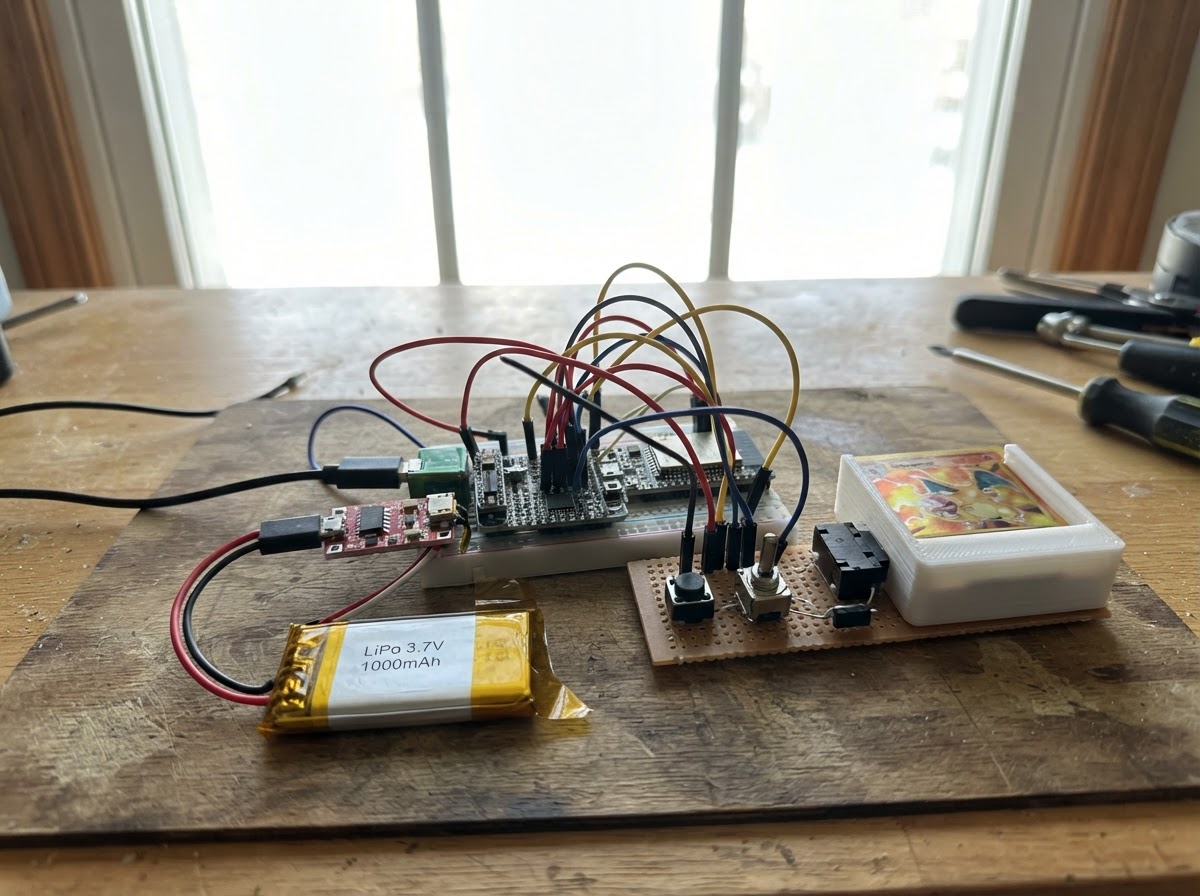
This guide builds a handheld device for secure Pokémon card trading that uses cryptographic authentication and tamper detection to protect valuable cards during peer-to-peer exchanges. The device combines an ESP32 microcontroller, a 3.5-inch color display, secure element chip (ATECC608A), real-time clock, and MicroSD storage in a battery-powered handheld form factor with a removable card carrier.
Builders will receive a complete wiring diagram, parts list, step-by-step assembly instructions for the power system and mechanical housing, and firmware that handles wireless trading negotiation, card authentication, tamper warnings, and access controls. The guide covers preparing the LiPo battery with charging protection, integrating the large TFT display, constructing the card carrier mechanism, and testing all security features before final assembly.
Wiring diagram

Gather all the parts
Assemble it in 7 steps
1. Prepare the battery power section
Mount the protected charger and boost converter away from the soft battery pouch. Connect battery positive to charger B+ (battery power) and battery negative to B- (battery ground). Connect charger OUT+ to boost VIN+ (power) and charger OUT- to boost VIN- (ground). Set the boost output to exactly 5.0 V with a meter before it reaches the main board.
- Keep the battery in a holder or pocket so it cannot be punctured.
- Use short, thicker wires for battery and boost connections.
- Do not reverse the battery wires — reversed battery wiring can overheat or damage the charger.
- Do not connect the boost output until it measures 5.0 V — a higher voltage can damage the handheld.
2. Fit the larger color screen
Mount the 3.5-inch ILI9488 screen in landscape behind the front window. Connect VCC to 3V3 (power), GND to GND (ground), SCK to GPIO12 (clock), MOSI to GPIO11 (screen data), CS to GPIO10 (screen select), DC to GPIO14 (command/data signal), RESET to GPIO15 (reset signal), and LED to GPIO16 (backlight brightness). Connect boost VOUT+ to the ESP32 5V/VIN input (board power) and boost VOUT- to ESP32 GND (ground).
- This 480×320 RGB TFT is much larger than the former display, so make the front opening about 85 mm by 56 mm.
- The display and removable card reader share SCK and MOSI; their separate CS wires tell the board which one is being used.
- Use the display's 3.3 V supply connection — 5 V on a 3.3 V-only screen can damage it.
- Make sure VCC and GND are not swapped — swapped power can damage the screen.
3. Build the removable PokePlate carrier
Make one removable carrier that holds the microSD board and secure identity chip. Connect microSD VCC to 3V3 (power), GND to GND (ground), SCK to GPIO12 (clock), MOSI to GPIO11 (data), MISO to GPIO13 (data back), and CS to GPIO17 (card select). Connect ATECC608A VCC to 3V3 (power), GND to GND (ground), SDA to GPIO8 (identity data), and SCL to GPIO9 (identity clock).
- Use a keyed connector so the carrier cannot be inserted backward.
- The secure chip and clock share the SDA and SCL wires, which is normal.
- Do not remove the PokePlate while its collection is being written — that can corrupt its card data.
- Keep every PokePlate signal at 3.3 V — 5 V can damage the microSD and identity chip.
4. Fit the battery-bay release latch
Place the battery above a small plastic cover hiding the PokePlate release. With the battery removed, pull the release switch so the cover pops loose, rotate the small hook, then slide the PokePlate carrier out. Wire one presence-switch leg to GND (ground) and the other to GPIO18 (fully-seated signal).
- Set the hook so it presses the presence switch only when the PokePlate is fully seated.
- Test the latch several times with power disconnected before closing the case.
- Do not force the carrier past the hook — bent connector contacts can cause unreliable collection reads.
5. Wire the controls and class detector
For each button, connect one leg to GND and the other leg to its signal: Up to GPIO1 (signal), Down to GPIO2 (signal), R to GPIO3 (signal), T to GPIO4 (signal), A to GPIO5 (signal), and B to GPIO6 (signal). Connect one class-open switch leg to GND (ground) and the other to GPIO7 (signal).
- The board enables internal pull-up resistors, so each button only needs to connect its input to ground when pressed.
- Test every button before the final enclosure assembly.
- Do not connect any button signal to 5 V — ESP32 inputs use 3.3 V logic and can be damaged by 5 V.
6. Add the battery-backed clock
Install the CR1220 cell in the clock board. Connect RTC VIN to 3V3 (power), GND to GND (ground), SDA to GPIO8 (time data), and SCL to GPIO9 (time clock). This preserves the two-hour class lock during a normal battery change.
- Keep the backup cell installed so time does not reset when the main battery is removed.
- Install the coin cell with its positive side aligned to the holder's positive marking — a reversed cell can leak or fail.
7. Close and test the handheld
Route wires so the battery can be removed without pulling on the PokePlate connector. Insert a provisioned PokePlate, reconnect the battery, and close the case. The screen should report that the PokePlate is verified. Nearby trading uses the ESP32-S3's built-in Wi-Fi/Bluetooth radio; no separate wireless module is needed.
- Keep the ESP32-S3 antenna area clear of the battery, metal screws, and large ground wires so nearby trading range is not reduced.
- Label the PokePlate carrier as removable collection storage.
- Stop if a module gets hot, smells unusual, or the battery swells — disconnect power before checking the wiring.
Review all connections
1. Connections between "pokeplate_sd" and "ESP32"
2. Connections between "pokeplate_secure" and "ESP32"
3. Connections between "btn_up" and "ESP32"
4. Connections between "btn_down" and "ESP32"
5. Connections between "btn_r" and "ESP32"
6. Connections between "btn_t" and "ESP32"
7. Connections between "btn_a" and "ESP32"
8. Connections between "btn_b" and "ESP32"
9. Connections between "class_open_switch" and "ESP32"
10. Connections between "pokeplate_present" and "ESP32"
11. Connections between "battery_1" and "ESP32"
12. Connections between "charger_1" and "ESP32"
13. Connections between "boost_1" and "ESP32"
14. Connections between "rtc_1" and "ESP32"
15. Connections between "display_1" and "ESP32"
Deploy the firmware
#include <Arduino.h>
#include <Wire.h>
#include <SPI.h>
#include <SD.h>
#include <WiFi.h>
#include <esp_now.h>
#include <Preferences.h>
#include <RTClib.h>
#include <Arduino_GFX_Library.h>
#define PIN_DOWN 2
#define PIN_R 3
#define PIN_T 4
#define PIN_A 5
#define PIN_B 6
#define PIN_CLASS_OPEN 7
#define I2C_SCL 9
#define TFT_SCK 12
#define SD_CS 17
#define PIN_PLATE_PRESENT 18
#define TFT_DC 14
#define TFT_RST 15
#define TFT_BL 16
// Generic prototype UI only. Do not ship third-party character names/art without permission.
enum class UiState : uint8_t { HOME, TRADE_SELECT, TRADE_WAIT, TRADE_ANIMATION, CLASS_WARNING, CLASS_FINAL, CLASS_LOCKED, PLATE_ERROR, TAMPER_LOCKED, TERMINAL };
// Forward declarations
uint32_t nowEpoch();
bool isPressed(int pin);
void center(const String &s, int y, uint16_t color, uint8_t size);
void drawScreen();
bool authenticatePokePlate();
bool forbiddenFastkey(const String ¯o);
bool mapFastkey(char key,const String ¯o);
void appendInput(char key);
void handleClassOpenAttempt();
void onPeerMessage(const esp_now_recv_info_t*, const uint8_t *data, int len);
void startWirelessTrading();
void sendTradeOffer();
void pollButtons();
constexpr int TFT_CS=10, TFT_DC=14, TFT_RST=15, TFT_BL=16;
constexpr int TFT_MOSI=11, TFT_SCK=12, TFT_MISO=13, SD_CS=17;
constexpr int PIN_UP=1, PIN_DOWN=2, PIN_R=3, PIN_T=4, PIN_A=5, PIN_B=6, PIN_CLASS_OPEN=7, PIN_PLATE_PRESENT=18;
constexpr int I2C_SDA=8, I2C_SCL=9;
constexpr uint32_t CLASS_BAN_SECONDS=7200UL, TAMPER_LOCK_SECONDS=360000UL;
constexpr uint8_t CLASS_ATTEMPT_LIMIT=25;
constexpr char DEV_SEQUENCE[]="RTUUDDTRDRRUPTTRUDTTTTRRUDR";
constexpr size_t DEV_SEQUENCE_LEN=sizeof(DEV_SEQUENCE)-1;
constexpr uint8_t ATECC608A_ADDRESS=0x60;
Arduino_DataBus *displayBus = new Arduino_ESP32SPI(TFT_DC, TFT_CS, TFT_SCK, TFT_MOSI, GFX_NOT_DEFINED, VSPI);
Arduino_GFX *gfx = new Arduino_ILI9488(displayBus, TFT_RST, 1, false);
RTC_DS3231 rtc;
Preferences prefs;
UiState uiState=UiState::HOME;
uint8_t classOpenAttempts=0;
uint32_t classBanUntil=0, invalidPlateSeconds=0, lastSecond=0;
String inputHistory, fastkeyA, fastkeyB;
bool plateAuthenticated=false, previousClassSwitch=false, previousPlatePresent=false;
volatile bool peerOfferReceived=false;
uint32_t nowEpoch(){ return rtc.now().unixtime(); }
bool isPressed(int pin){ return digitalRead(pin)==LOW; }
void center(const String &s, int y, uint16_t color, uint8_t size=2){
gfx->setTextSize(size); gfx->setTextColor(color, BLACK); int16_t x1,y1; uint16_t w,h;
gfx->getTextBounds(s,0,y,&x1,&y1,&w,&h); gfx->setCursor((gfx->width()-w)/2,y); gfx->print(s);
}
void drawScreen(){
gfx->fillScreen(BLACK);
switch(uiState){
case UiState::HOME: center("E-TRADER V1",30,YELLOW,3); center(plateAuthenticated?"PokePlate verified":"Insert verified PokePlate",95,plateAuthenticated?GREEN:RED,2); center("Wi-Fi / Bluetooth trading ready",150,WHITE,1); center("T: trade A/B: fastkey",205,WHITE,1); break;
case UiState::TRADE_SELECT: center("Choose a card",35,CYAN,3); center("Press UP to offer",115,WHITE,2); center("R cancels",195,WHITE,1); break;
case UiState::TRADE_WAIT: center("Offer sent",45,YELLOW,3); center("Looking for nearby peer",120,WHITE,2); break;
case UiState::TRADE_ANIMATION: center("Trade complete",30,GREEN,3); gfx->fillRoundRect(180,90,120,150,10,RED); center("Your card moves up",270,WHITE,2); break;
case UiState::CLASS_WARNING: center("Complete lesson first.",140,WHITE,2); break;
case UiState::CLASS_FINAL: center("I SAID COMPLETE",75,MAGENTA,3); center("LESSON",120,MAGENTA,3); center("Class usage 2 hour ban",210,YELLOW,2); break;
case UiState::CLASS_LOCKED: center("Good night",115,CYAN,4); center("Class lock active",185,WHITE,2); break;
case UiState::PLATE_ERROR: center("Unverified PokePlate",100,RED,3); center("Remove it and use a provisioned plate.",165,RED,1); break;
case UiState::TAMPER_LOCKED: center("Profile protected",100,RED,3); center("Service recovery required",165,YELLOW,2); break;
case UiState::TERMINAL: center("Developer terminal",55,GREEN,3); center("Restricted service mode",115,WHITE,2); break;
}
}
// Fails closed. Replace this presence/manifest probe with ATECC608A nonce-signature
// verification and a manufacturer public key before a production release.
bool authenticatePokePlate(){
if(!isPressed(PIN_PLATE_PRESENT)||!SD.begin(SD_CS)) return false;
Wire.beginTransmission(ATECC608A_ADDRESS); if(Wire.endTransmission()!=0) return false;
File manifest=SD.open("/collection.manifest",FILE_READ); if(!manifest) return false;
String header=manifest.readStringUntil('\n'); manifest.close(); return header=="ETRADER-PLATE-V1";
}
bool forbiddenFastkey(const String ¯o){ return macro.indexOf(DEV_SEQUENCE)>=0; }
bool mapFastkey(char key,const String ¯o){
if(!macro.length()||macro.length()>64||forbiddenFastkey(macro)) return false;
if(key=='A'){fastkeyA=macro; prefs.putString("fastA",macro); return true;}
if(key=='B'){fastkeyB=macro; prefs.putString("fastB",macro); return true;} return false;
}
void appendInput(char key){
inputHistory+=key; if(inputHistory.length()>DEV_SEQUENCE_LEN) inputHistory.remove(0,inputHistory.length()-DEV_SEQUENCE_LEN);
if(inputHistory==DEV_SEQUENCE){uiState=UiState::TERMINAL; inputHistory=""; drawScreen();}
}
void handleClassOpenAttempt(){
if(nowEpoch()<classBanUntil){uiState=UiState::CLASS_LOCKED; drawScreen(); return;}
prefs.putUChar("classN",++classOpenAttempts);
if(classOpenAttempts>=CLASS_ATTEMPT_LIMIT){classBanUntil=nowEpoch()+CLASS_BAN_SECONDS; prefs.putULong("banUntil",classBanUntil); classOpenAttempts=0; prefs.putUChar("classN",0); uiState=UiState::CLASS_FINAL; drawScreen(); delay(1800); uiState=UiState::CLASS_LOCKED;}
else uiState=UiState::CLASS_WARNING;
drawScreen();
}
// ESP-NOW uses the ESP32-S3's onboard 2.4 GHz Wi-Fi radio for nearby offers.
// Production trading must add mutual plate attestation and signed atomic updates.
void onPeerMessage(const esp_now_recv_info_t*, const uint8_t *data, int len){
if(len==5 && memcmp(data,"OFFER",5)==0) peerOfferReceived=true;
}
void startWirelessTrading(){
WiFi.mode(WIFI_STA);
if(esp_now_init()==ESP_OK) esp_now_register_recv_cb(onPeerMessage);
}
void sendTradeOffer(){
const uint8_t offer[]={'O','F','F','E','R'};
const uint8_t broadcast[]={0xFF,0xFF,0xFF,0xFF,0xFF,0xFF};
esp_now_peer_info_t peer={}; memcpy(peer.peer_addr,broadcast,6); peer.channel=0; peer.encrypt=false;
if(!esp_now_is_peer_exist(broadcast)) esp_now_add_peer(&peer);
esp_now_send(broadcast,offer,sizeof(offer));
}
void pollButtons(){
static uint32_t lastButton=0; if(millis()-lastButton<160) return; char key=0;
if(isPressed(PIN_R))key='R'; else if(isPressed(PIN_T))key='T'; else if(isPressed(PIN_UP))key='U'; else if(isPressed(PIN_DOWN))key='D'; else if(isPressed(PIN_A))key='A'; else if(isPressed(PIN_B))key='B';
if(!key)return; lastButton=millis(); if(key=='R'||key=='T'||key=='U'||key=='D')appendInput(key);
if(uiState==UiState::TERMINAL||uiState==UiState::CLASS_LOCKED||uiState==UiState::TAMPER_LOCKED)return;
if(key=='T'&&plateAuthenticated){uiState=UiState::TRADE_SELECT;drawScreen();}
else if(key=='U'&&uiState==UiState::TRADE_SELECT){sendTradeOffer();uiState=UiState::TRADE_WAIT;drawScreen();}
else if(key=='R'){uiState=UiState::HOME;drawScreen();}
}
void setup(){
pinMode(TFT_BL,OUTPUT); digitalWrite(TFT_BL,HIGH);
for(int pin:{PIN_UP,PIN_DOWN,PIN_R,PIN_T,PIN_A,PIN_B,PIN_CLASS_OPEN,PIN_PLATE_PRESENT})pinMode(pin,INPUT_PULLUP);
SPI.begin(TFT_SCK,TFT_MISO,TFT_MOSI,SD_CS); Wire.begin(I2C_SDA,I2C_SCL); rtc.begin();
gfx->begin(); gfx->setRotation(1); prefs.begin("etrader",false); startWirelessTrading();
classOpenAttempts=prefs.getUChar("classN",0); classBanUntil=prefs.getULong("banUntil",0); invalidPlateSeconds=prefs.getULong("badSecs",0);
fastkeyA=prefs.getString("fastA",""); fastkeyB=prefs.getString("fastB",""); plateAuthenticated=authenticatePokePlate();
uiState=invalidPlateSeconds>=TAMPER_LOCK_SECONDS?UiState::TAMPER_LOCKED:(nowEpoch()<classBanUntil?UiState::CLASS_LOCKED:(plateAuthenticated?UiState::HOME:UiState::PLATE_ERROR));
previousClassSwitch=isPressed(PIN_CLASS_OPEN); previousPlatePresent=isPressed(PIN_PLATE_PRESENT); lastSecond=millis(); drawScreen();
}
void loop(){
bool classSwitch=isPressed(PIN_CLASS_OPEN); if(classSwitch&&!previousClassSwitch)handleClassOpenAttempt(); previousClassSwitch=classSwitch;
bool platePresent=isPressed(PIN_PLATE_PRESENT); if(platePresent!=previousPlatePresent){plateAuthenticated=authenticatePokePlate(); if(uiState!=UiState::TAMPER_LOCKED&&nowEpoch()>=classBanUntil){uiState=plateAuthenticated?UiState::HOME:UiState::PLATE_ERROR;drawScreen();}} previousPlatePresent=platePresent;
if(millis()-lastSecond>=1000){lastSecond+=1000; if(!plateAuthenticated&&platePresent&&uiState!=UiState::TAMPER_LOCKED){invalidPlateSeconds++;if(invalidPlateSeconds%60==0)prefs.putULong("badSecs",invalidPlateSeconds);if(invalidPlateSeconds>=TAMPER_LOCK_SECONDS){prefs.putULong("badSecs",invalidPlateSeconds);uiState=UiState::TAMPER_LOCKED;drawScreen();}} if(uiState==UiState::CLASS_LOCKED&&nowEpoch()>=classBanUntil){uiState=plateAuthenticated?UiState::HOME:UiState::PLATE_ERROR;drawScreen();}}
if(peerOfferReceived&&uiState==UiState::TRADE_WAIT){peerOfferReceived=false;uiState=UiState::TRADE_ANIMATION;drawScreen();}
pollButtons();
}Remix this project
Make it yours in one click
Open a full copy of this project in your own Schematik workspace — diagram, code, parts, and assembly steps included. Swap the sensor, add features, or redesign the whole thing with AI. The author's original stays untouched.