Community project
Solar Clap-Controlled Follow-Me Home
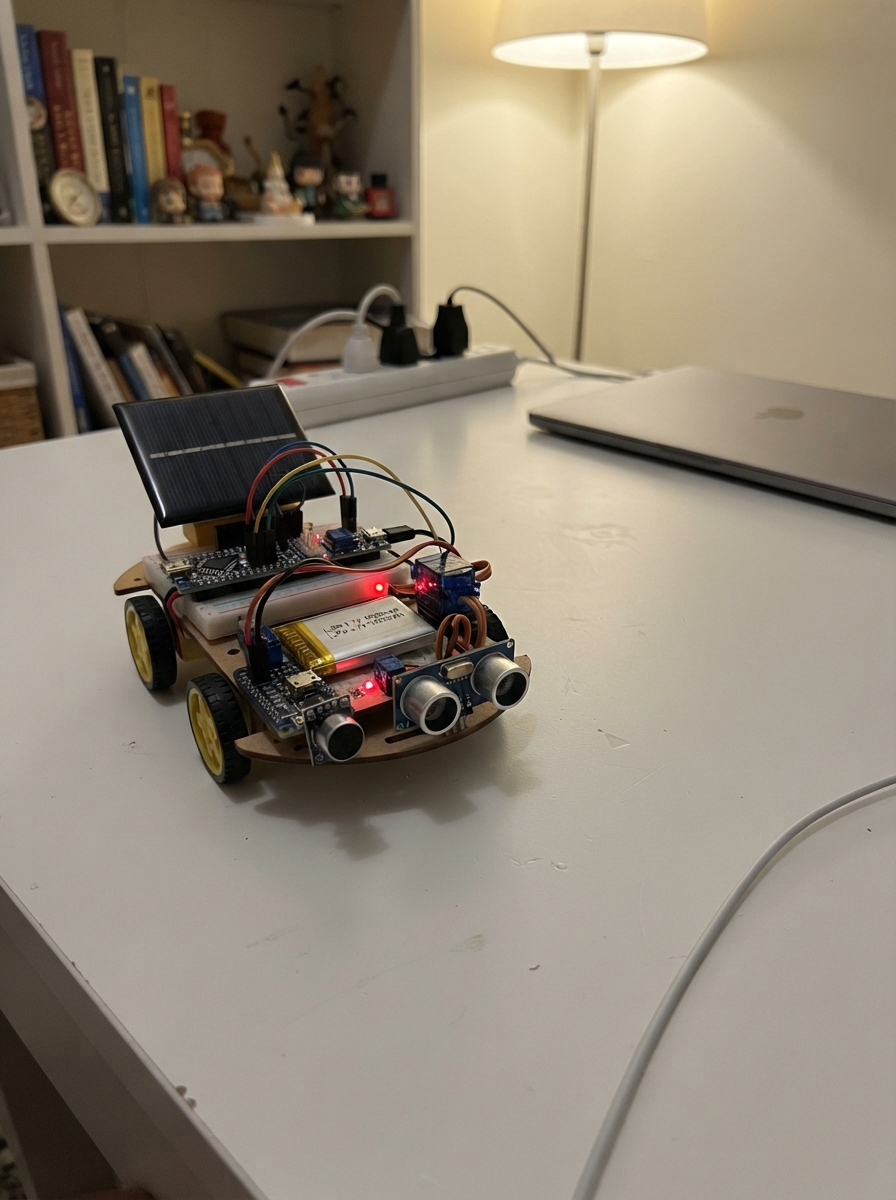
This solar-powered project uses a clap sensor to trigger a servo-controlled fan and LED strip that follows you as you move. The HC-SR04 ultrasonic distance sensor continuously scans for the closest object in the room, rotating the servo to point the fan and lights toward detected motion within 25 to 180 centimeters. Single claps toggle the LED strip on and off, while double claps activate the fan to follow your position.
The guide includes a complete wiring diagram showing how to connect the solar charging circuit, sound and distance sensors, servo motor, MOSFET-switched fan and LED strip, and all supporting components to an Arduino Uno. Assembly steps walk through power management with the LiPo battery and solar panel, sensor calibration, and firmware upload. Makers will also receive the full Arduino sketch with clap detection logic, distance scanning, and servo control routines ready to customize.
Wiring diagram
Gather all the parts
Assemble it in 6 steps
1. Place the parts and choose the short light strip
Put the Arduino Uno, solar-power board, battery, fan, servo, ultrasonic sensor, sound sensor, and the two MOSFETs on a firm base. Use only a short 5 V COB LED strip marked 200 mA maximum; a longer strip can overload this solar power system. Mount the ultrasonic sensor on the servo so both face the same direction.
- Use red wires for 5 V and black wires for ground so the power wiring is easy to inspect.
- Keep hair, fingers, and loose wires away from the fan blades.
2. Connect the solar power parts
With the solar panel covered or indoors, connect solar_panel V+ to solar_power_board VIN (charging power), and solar_panel GND to solar_power_board GND (ground). Connect battery +V to solar_power_board BAT (battery), and battery GND to GND (ground). Connect solar_power_board 5V to the Uno 5V pin (power), and solar_power_board GND to an Uno GND pin (ground).
- The battery keeps the system running when a cloud covers the panel.
- Never connect the solar board 5 V output to Uno VIN; use the Uno 5V pin. Do not connect the battery directly to the Uno.
3. Connect the clap sensor and moving distance sensor
Connect sound_sensor VCC to 5 V (power), sound_sensor GND to GND (ground), and sound_sensor DO to Uno D2 (clap signal). Connect distance_sensor VCC to 5 V (power), distance_sensor GND to GND (ground), distance_sensor TRIG to Uno D4 (send signal), and distance_sensor ECHO to Uno D5 (return signal). Connect fan_servo VCC to 5 V (power), fan_servo GND to GND (ground), and fan_servo SIGNAL to Uno D9 (turning signal).
- Turn the small screw on the sound sensor until a nearby clap changes its indicator but normal room noise does not.
- Every part must share GND with the Uno, otherwise the control signals will not work.
4. Wire the fan switch
Connect fan V+ to 5 V (power) and fan GND to fan_switch DRAIN (switched return). Connect fan_switch SOURCE to GND (ground). Connect Uno D10 to gate_resistor P1 (fan control), gate_resistor P2 to fan_switch GATE (switch control), and connect gate_pulldown from that same GATE point to GND (keeps fan off while starting). Connect fan_flyback across the fan: its striped Cathode goes to fan V+/5 V (protection), and its unstriped Anode goes to the fan GND/DRAIN point (protection).
- The fan’s red wire is normally positive and its black wire is normally negative.
- The diode stripe must face the fan’s 5 V wire. A reversed diode makes a short circuit when the fan turns on.
5. Wire the COB strip switch
Connect cob_strip V+ to 5 V (power) and cob_strip GND to lamp_switch DRAIN (switched return). Connect lamp_switch SOURCE to GND (ground). Connect Uno D3 to lamp_gate_resistor P1 (light control), lamp_gate_resistor P2 to lamp_switch GATE (switch control), and connect lamp_gate_pulldown from that same GATE point to GND (keeps the strip off while starting).
- The COB strip does not need a series resistor because it is already a complete 5 V lamp module.
- Do not fit a flyback diode across the COB strip; that diode is needed only on the fan motor.
6. Check and test the system
Check that the two MOSFET SOURCE pins, the Uno, sensors, servo, fan, COB strip, battery board, and solar panel all share the GND connections described above. Power the Uno from USB for the first test. A quick double clap changes the COB strip between off and on. Stand 25 cm to 180 cm in front of the sensor and the servo should point the fan toward the closest detected person.
- Use the solar board and battery only after the USB-powered test behaves correctly.
- If a wire, board, battery, MOSFET, or LED strip becomes hot, disconnect power immediately and recheck the wiring.
Review all connections
1. Connections between "battery" and "Arduino"
2. Connections between "sound_sensor" and "Arduino"
3. Connections between "distance_sensor" and "Arduino"
4. Connections between "fan_servo" and "Arduino"
5. Connections between "gate_resistor" and "Arduino"
6. Connections between "gate_pulldown" and "Arduino"
7. Connections between "fan_switch" and "Arduino"
8. Connections between "fan" and "Arduino"
9. Connections between "fan_flyback" and "Arduino"
10. Connections between "solar_panel" and "Arduino"
11. Connections between "solar_power_board" and "Arduino"
12. Connections between "cob_strip" and "Arduino"
13. Connections between "lamp_switch" and "Arduino"
14. Connections between "lamp_gate_resistor" and "Arduino"
15. Connections between "lamp_gate_pulldown" and "Arduino"
Deploy the firmware
#include <Arduino.h>
#include <Servo.h>

const uint8_t SOUND_PIN = 2;
const uint8_t LIGHT_PIN = 3;
const uint8_t TRIG_PIN = 4;
const uint8_t ECHO_PIN = 5;
const uint8_t SERVO_PIN = 9;
const uint8_t FAN_PIN = 10;

const unsigned long CLAP_DEBOUNCE_MS = 90;
const unsigned long DOUBLE_CLAP_WINDOW_MS = 650;
const unsigned long SCAN_INTERVAL_MS = 70;
const int MIN_TARGET_CM = 25;
const int MAX_TARGET_CM = 180;
const int SCAN_MIN_ANGLE = 30;
const int SCAN_MAX_ANGLE = 150;
const int SCAN_STEP = 5;

Servo fanServo;
bool lightOn = false;
bool previousSoundState = HIGH;
bool waitingForSecondClap = false;
unsigned long firstClapMs = 0;
unsigned long lastClapMs = 0;
unsigned long lastScanMs = 0;
int scanAngle = 90;
int scanStep = SCAN_STEP;
int closestDistance = 999;
int closestAngle = 90;

long readDistanceCm() {
  digitalWrite(TRIG_PIN, LOW);
  delayMicroseconds(2);
  digitalWrite(TRIG_PIN, HIGH);
  delayMicroseconds(10);
  digitalWrite(TRIG_PIN, LOW);

  unsigned long pulse = pulseIn(ECHO_PIN, HIGH, 25000UL);
  if (pulse == 0) {
    return 0;
  }
  return (long)(pulse / 58UL);
}

void toggleLight() {
  lightOn = !lightOn;
  digitalWrite(LIGHT_PIN, lightOn ? HIGH : LOW);
}

void handleClaps(unsigned long now) {
  bool soundState = digitalRead(SOUND_PIN);
  bool clapEdge = (previousSoundState == HIGH && soundState == LOW);
  previousSoundState = soundState;

  if (clapEdge && now - lastClapMs >= CLAP_DEBOUNCE_MS) {
    lastClapMs = now;
    if (waitingForSecondClap && now - firstClapMs <= DOUBLE_CLAP_WINDOW_MS) {
      toggleLight();
      waitingForSecondClap = false;
    } else {
      firstClapMs = now;
      waitingForSecondClap = true;
    }
  }

  if (waitingForSecondClap && now - firstClapMs > DOUBLE_CLAP_WINDOW_MS) {
    waitingForSecondClap = false;
  }
}

void scanForPerson(unsigned long now) {
  if (now - lastScanMs < SCAN_INTERVAL_MS) {
    return;
  }
  lastScanMs = now;

  fanServo.write(scanAngle);
  delay(18);
  long distance = readDistanceCm();
  if (distance >= MIN_TARGET_CM && distance <= MAX_TARGET_CM && distance < closestDistance) {
    closestDistance = distance;
    closestAngle = scanAngle;
  }

  scanAngle += scanStep;
  if (scanAngle >= SCAN_MAX_ANGLE || scanAngle <= SCAN_MIN_ANGLE) {
    scanAngle = constrain(scanAngle, SCAN_MIN_ANGLE, SCAN_MAX_ANGLE);
    scanStep = -scanStep;

    if (closestDistance != 999) {
      fanServo.write(closestAngle);
      digitalWrite(FAN_PIN, HIGH);
    } else {
      digitalWrite(FAN_PIN, LOW);
    }
    closestDistance = 999;
    closestAngle = 90;
  }
}

void setup() {
  pinMode(SOUND_PIN, INPUT_PULLUP);
  pinMode(LIGHT_PIN, OUTPUT);
  pinMode(TRIG_PIN, OUTPUT);
  pinMode(ECHO_PIN, INPUT);
  pinMode(FAN_PIN, OUTPUT);

  digitalWrite(LIGHT_PIN, LOW);
  digitalWrite(FAN_PIN, LOW);
  digitalWrite(TRIG_PIN, LOW);

  fanServo.attach(SERVO_PIN);
  fanServo.write(90);
}

void loop() {
  unsigned long now = millis();
  handleClaps(now);
  scanForPerson(now);
  delay(5);
}
Remix this project
Make it yours in one click
Open a full copy of this project in your own Schematik workspace — diagram, code, parts, and assembly steps included. Swap the sensor, add features, or redesign the whole thing with AI. The author's original stays untouched.
Related projects
Solar Light Tracker
Arduino · October 19, 2026kelleyriverarodriguez1969
RC Kontrollü Balıkçı Gemisi
Arduino · October 19, 2026hasan azmi hacıfettahoğlu
Decodificador De Nombres 7 Segmentos
Arduino · October 18, 2026VASCONCELOS SANCHEZ CHRISOFER RICARDO