Community project
Variable Heater Temperature Control
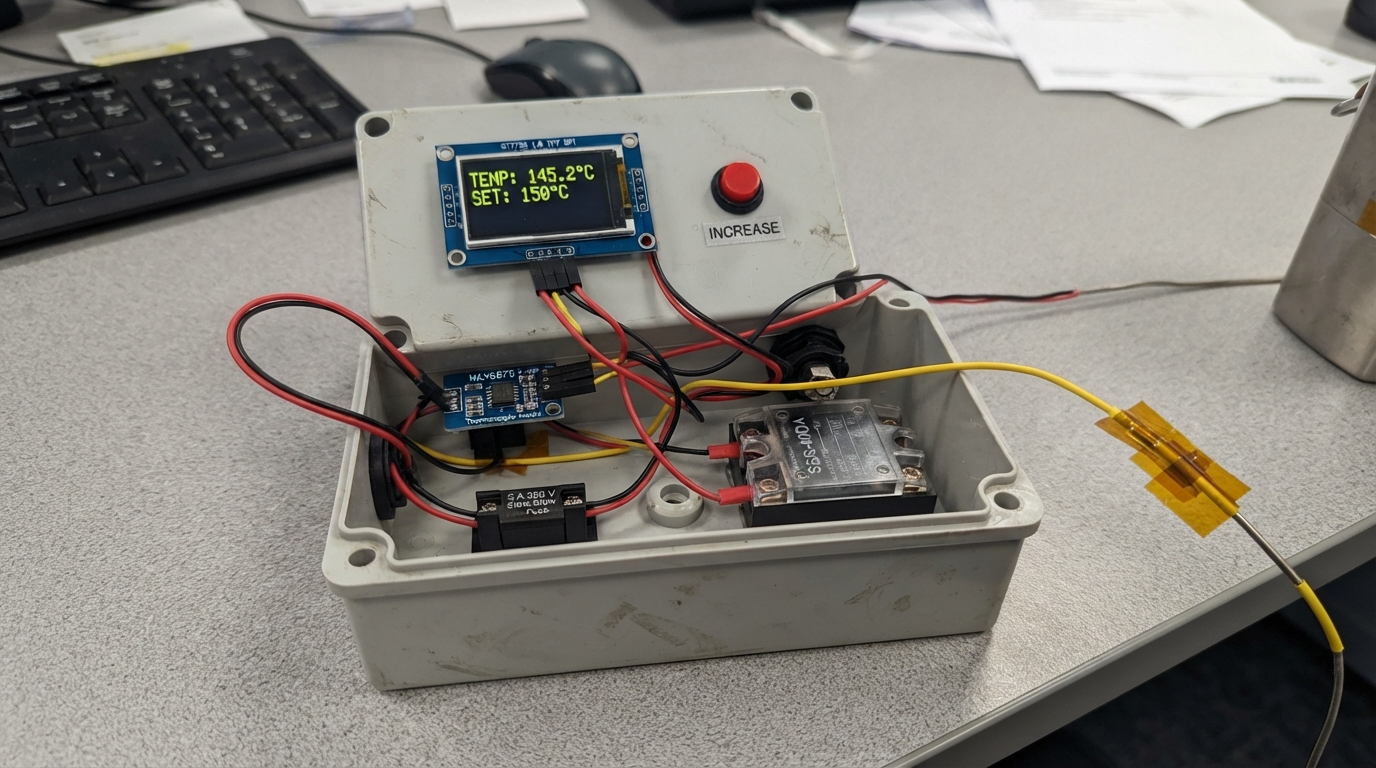
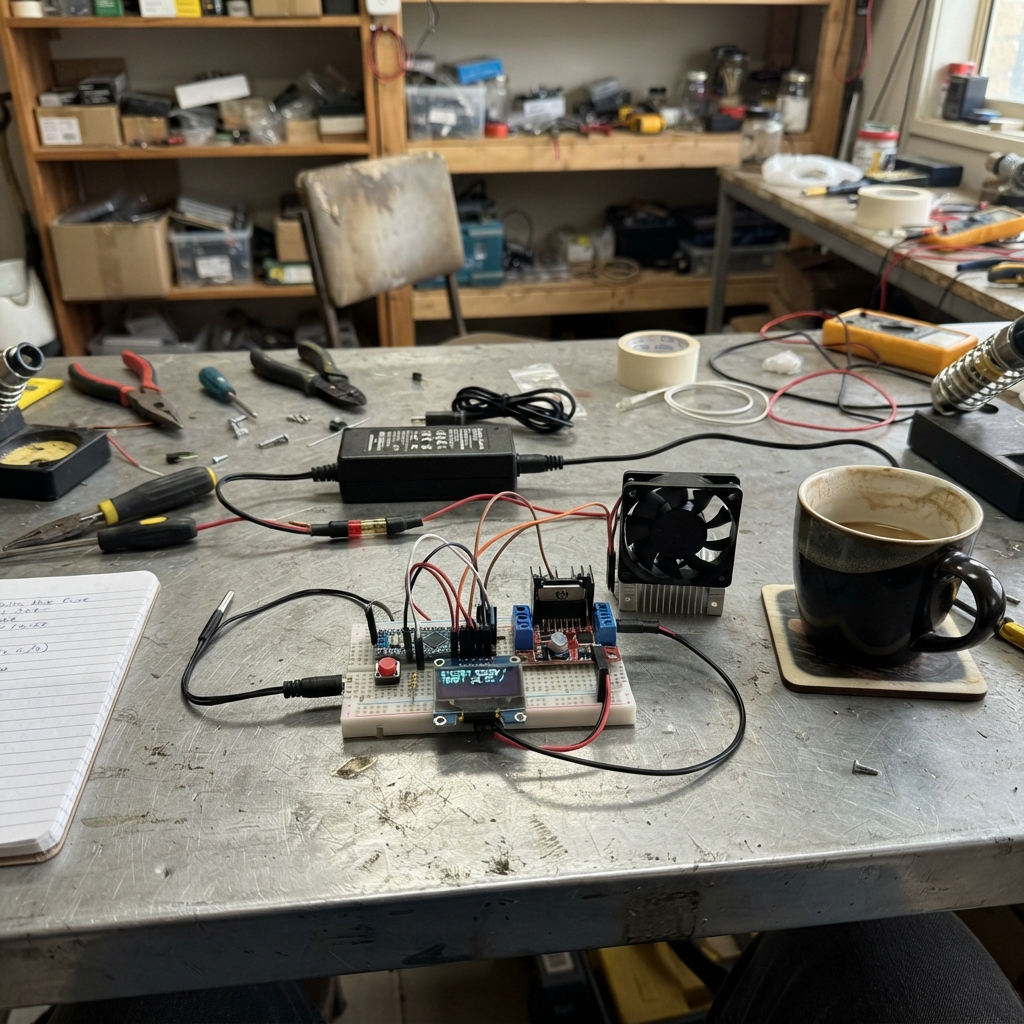
This project builds a microcontroller-based temperature controller for a 600 W cartridge heater, using a K-type thermocouple to monitor temperature and a solid-state relay to switch mains power. The ESP32 reads the thermocouple via a MAX6675 module, displays the current and target temperatures on a 1.8-inch TFT screen, and lets the operator adjust the setpoint with three pushbuttons while maintaining safety interlocks.
The guide provides a complete wiring diagram, parts list with sourcing guidance, and step-by-step assembly instructions that emphasize safe mains handling and proper separation of low-voltage control circuits from high-voltage power distribution. Builders will also receive the full Arduino firmware with debounced button input, proportional control logic, and a safety cutout that prevents operation above 300°C.
Wiring diagram

Gather all the parts
Assemble it in 6 steps
1. Keep the mains side physically separate
Fit mains_inlet_1, fuse_1, thermal_cutout_1, ssr_1, heater_1, and ssr_heatsink_1 inside enclosure_1. Keep all 230 V terminals covered and separated from the ESP32, display, buttons, and thermocouple wiring by a solid barrier or separate compartment.
- Mount the SSR flat to its aluminium heat sink with a very thin smear of thermal paste before fitting it in the enclosure.
- Do not work on this circuit while it is plugged in. Exposed 230 V wiring can cause fatal electric shock or start a fire.
2. Have the 230 V safety wiring installed
A qualified electrician should connect the inlet live terminal to fuse_1 LINE IN, then fuse_1 LINE OUT to thermal_cutout_1 IN, thermal_cutout_1 OUT to ssr_1 LOAD 1, and ssr_1 LOAD 2 to heater_1 L. Connect inlet neutral directly to heater_1 N. Bond the inlet protective-earth terminal firmly to enclosure_1 PE BOND and to any exposed conductive heater mounting hardware that requires protective earth.
- The thermal cutout must touch the heated assembly and have a trip temperature chosen for the material and process being heated.
- Never run mains live straight to the heater; the fuse, independent thermal cutout, and SSR must remain in the live path. The thermal cutout is a separate safety device, not a software feature.
3. Wire the display and MAX6675 reader
With USB and mains unplugged, connect tft_1 VCC to ESP32 3V3 (power), GND to GND (ground), SCK to GPIO18 (clock), MOSI to GPIO23 (data), CS to GPIO4 (display select), DC to GPIO16 (display command/data), RST to GPIO17 (display reset), and BLK to 3V3 (backlight power). Connect thermocouple_interface_1 VCC to 3V3 (power), GND to GND (ground), SCK to GPIO18 (clock), SO to GPIO19 (temperature data), and CS to GPIO25 (reader select).
- The SCK wire is intentionally shared by the screen and MAX6675 reader; their separate CS wires let the ESP32 talk to one part at a time.
- Use only 3.3 V for the ESP32-side display and MAX6675 connections; applying 5 V to a GPIO can damage the ESP32.
4. Connect the temperature probe and the relay control
Connect thermocouple_1 K+ to thermocouple_interface_1 T+ (temperature signal) and K- to T- (temperature signal). Connect ssr_1 DC+ to GPIO26 (heating command) and DC- to ESP32 GND (control ground). Route the thermocouple lead away from the 230 V wires and away from the heater power leads.
- If the displayed temperature does not rise when the heated part warms, check that the thermocouple plug or leads have not been reversed.
- GPIO26 and the SSR DC terminals are low voltage only. Do not connect any ESP32 pin to the SSR LOAD terminals.
5. Wire the three control buttons
For button_up_1, connect one leg to GPIO32 (signal) and the other leg to GND (ground). For button_down_1, connect one leg to GPIO33 (signal) and the other leg to GND (ground). For button_enable_1, connect one leg to GPIO27 (signal) and the other leg to GND (ground). Use opposite legs of each four-leg tactile switch, not two legs on the same side.
- The buttons use the ESP32's built-in pull-up resistors, so no extra resistors are needed.
6. Check the safe start condition
Place thermocouple_1 securely against the part whose temperature you want to control. Plug in USB only first. The screen should show STOPPED, and the SSR must be off. Use UP and DOWN to choose 30 to 280 C in 5 C steps; press EN only after the probe is installed and the mains enclosure is fully closed.
- If the screen shows FAULT: OFF, do not bypass it. Disconnect power and correct the thermocouple or overheating condition before restarting.
Review all connections
1. Connections between "tft_1" and "ESP32"
2. Connections between "thermocouple_interface_1" and "ESP32"
3. Connections between "thermocouple_1" and "ESP32"
4. Connections between "ssr_1" and "ESP32"
5. Connections between "button_up_1" and "ESP32"
6. Connections between "button_down_1" and "ESP32"
7. Connections between "button_enable_1" and "ESP32"
8. Connections between "fuse_1" and "ESP32"
9. Connections between "thermal_cutout_1" and "ESP32"
10. Connections between "mains_inlet_1" and "ESP32"
Deploy the firmware
#include <Arduino.h>
#include <SPI.h>
#include <Adafruit_GFX.h>
#include <Adafruit_ST7735.h>
#include <max6675.h>

constexpr int TFT_CS = 4;
constexpr int TFT_DC = 16;
constexpr int TFT_RST = 17;
constexpr int SPI_SCK = 18;
constexpr int SPI_MISO = 19;
constexpr int SPI_MOSI = 23;
constexpr int THERMO_CS = 25;
constexpr int SSR_PIN = 26;
constexpr int BUTTON_ENABLE = 27;
constexpr int BUTTON_UP = 32;
constexpr int BUTTON_DOWN = 33;

constexpr float MIN_SETPOINT_C = 30.0F;
constexpr float MAX_SETPOINT_C = 280.0F;
constexpr float START_SETPOINT_C = 150.0F;
constexpr float HARD_LIMIT_C = 300.0F;
constexpr float SETPOINT_STEP_C = 5.0F;
constexpr unsigned long SENSOR_INTERVAL_MS = 250;
constexpr unsigned long CONTROL_WINDOW_MS = 2000;
constexpr unsigned long DEBOUNCE_MS = 35;

Adafruit_ST7735 tft(TFT_CS, TFT_DC, TFT_RST);
MAX6675 thermocouple(SPI_SCK, THERMO_CS, SPI_MISO);

struct Button {
  int pin;
  bool rawLast;
  bool stablePressed;
  unsigned long changedAt;
};

Button enableButton = {BUTTON_ENABLE, false, false, 0};
Button upButton = {BUTTON_UP, false, false, 0};
Button downButton = {BUTTON_DOWN, false, false, 0};

float temperatureC = NAN;
float setpointC = START_SETPOINT_C;
bool heatEnabled = false;
bool safetyFault = false;
bool ssrOn = false;
unsigned long lastSensorAt = 0;
unsigned long controlWindowStart = 0;

char lastTempText[18] = "";
char lastSetText[18] = "";
char lastStatusText[20] = "";

bool buttonPressed(Button &button, unsigned long now) {
  bool rawPressed = digitalRead(button.pin) == LOW;
  if (rawPressed != button.rawLast) {
    button.rawLast = rawPressed;
    button.changedAt = now;
  }
  if ((now - button.changedAt) >= DEBOUNCE_MS && rawPressed != button.stablePressed) {
    button.stablePressed = rawPressed;
    return button.stablePressed;
  }
  return false;
}

void drawStaticScreen() {
  tft.fillScreen(ST77XX_BLACK);
  tft.setTextWrap(false);
  tft.setTextSize(1);
  tft.setTextColor(ST77XX_CYAN);
  tft.setCursor(4, 4);
  tft.print("CARTRIDGE HEATER");
  tft.drawFastHLine(0, 16, 160, ST77XX_BLUE);
  tft.setTextColor(ST77XX_WHITE);
  tft.setCursor(4, 27);
  tft.print("NOW");
  tft.setCursor(4, 67);
  tft.print("SET");
  tft.setCursor(4, 120);
  tft.print("UP/DN: 5C  EN: start");
}

void drawField(int16_t y, const char *text, uint16_t color, char *lastText, size_t lastTextSize) {
  if (strcmp(text, lastText) == 0) {
    return;
  }
  tft.fillRect(4, y, 152, 24, ST77XX_BLACK);
  tft.setTextSize(2);
  tft.setTextColor(color);
  tft.setCursor(4, y + 3);
  tft.print(text);
  strncpy(lastText, text, lastTextSize - 1);
  lastText[lastTextSize - 1] = '\0';
}

void updateDisplay() {
  char tempText[18];
  char setText[18];
  char statusText[20];

  if (isnan(temperatureC)) {
    snprintf(tempText, sizeof(tempText), "TEMP: --.- C");
  } else {
    snprintf(tempText, sizeof(tempText), "TEMP:%5.1f C", temperatureC);
  }
  snprintf(setText, sizeof(setText), "SET :%5.0f C", setpointC);

  uint16_t statusColor = ST77XX_YELLOW;
  if (safetyFault) {
    snprintf(statusText, sizeof(statusText), "FAULT: OFF");
    statusColor = ST77XX_RED;
  } else if (!heatEnabled) {
    snprintf(statusText, sizeof(statusText), "STOPPED");
  } else if (ssrOn) {
    snprintf(statusText, sizeof(statusText), "HEATING");
    statusColor = ST77XX_GREEN;
  } else {
    snprintf(statusText, sizeof(statusText), "HOLDING");
    statusColor = ST77XX_GREEN;
  }

  drawField(38, tempText, ST77XX_WHITE, lastTempText, sizeof(lastTempText));
  drawField(78, setText, ST77XX_YELLOW, lastSetText, sizeof(lastSetText));
  drawField(96, statusText, statusColor, lastStatusText, sizeof(lastStatusText));
}

void setHeater(bool on) {
  ssrOn = on;
  digitalWrite(SSR_PIN, on ? HIGH : LOW);
}

void updateControl(unsigned long now) {
  if (safetyFault || !heatEnabled || isnan(temperatureC)) {
    setHeater(false);
    return;
  }

  if (temperatureC >= HARD_LIMIT_C) {
    safetyFault = true;
    heatEnabled = false;
    setHeater(false);
    return;
  }

  float errorC = setpointC - temperatureC;
  float powerPercent = constrain(errorC * 12.0F, 0.0F, 100.0F);
  if (errorC <= -1.0F) {
    powerPercent = 0.0F;
  }

  if (now - controlWindowStart >= CONTROL_WINDOW_MS) {
    controlWindowStart = now;
  }
  unsigned long onTime = (unsigned long)(CONTROL_WINDOW_MS * (powerPercent / 100.0F));
  setHeater((now - controlWindowStart) < onTime);
}

void setup() {
  pinMode(SSR_PIN, OUTPUT);
  digitalWrite(SSR_PIN, LOW);
  pinMode(BUTTON_ENABLE, INPUT_PULLUP);
  pinMode(BUTTON_UP, INPUT_PULLUP);
  pinMode(BUTTON_DOWN, INPUT_PULLUP);

  SPI.begin(SPI_SCK, SPI_MISO, SPI_MOSI, TFT_CS);
  tft.initR(INITR_BLACKTAB);
  tft.setRotation(1);
  drawStaticScreen();
  updateDisplay();
  controlWindowStart = millis();
}

void loop() {
  const unsigned long now = millis();

  if (buttonPressed(upButton, now)) {
    setpointC = min(MAX_SETPOINT_C, setpointC + SETPOINT_STEP_C);
  }
  if (buttonPressed(downButton, now)) {
    setpointC = max(MIN_SETPOINT_C, setpointC - SETPOINT_STEP_C);
  }
  if (buttonPressed(enableButton, now) && !safetyFault) {
    heatEnabled = !heatEnabled;
  }

  if (now - lastSensorAt >= SENSOR_INTERVAL_MS) {
    lastSensorAt = now;
    float reading = thermocouple.readCelsius();
    if (isnan(reading) || reading < 0.0F || reading > 1024.0F) {
      temperatureC = NAN;
      safetyFault = true;
      heatEnabled = false;
    } else {
      temperatureC = reading;
    }
  }

  updateControl(now);
  updateDisplay();
  delay(5);
}
Remix this project
Make it yours in one click
Open a full copy of this project in your own Schematik workspace — diagram, code, parts, and assembly steps included. Swap the sensor, add features, or redesign the whole thing with AI. The author's original stays untouched.