Community project
Crea Con La Scheda Es3c28p Uno Sketch Che
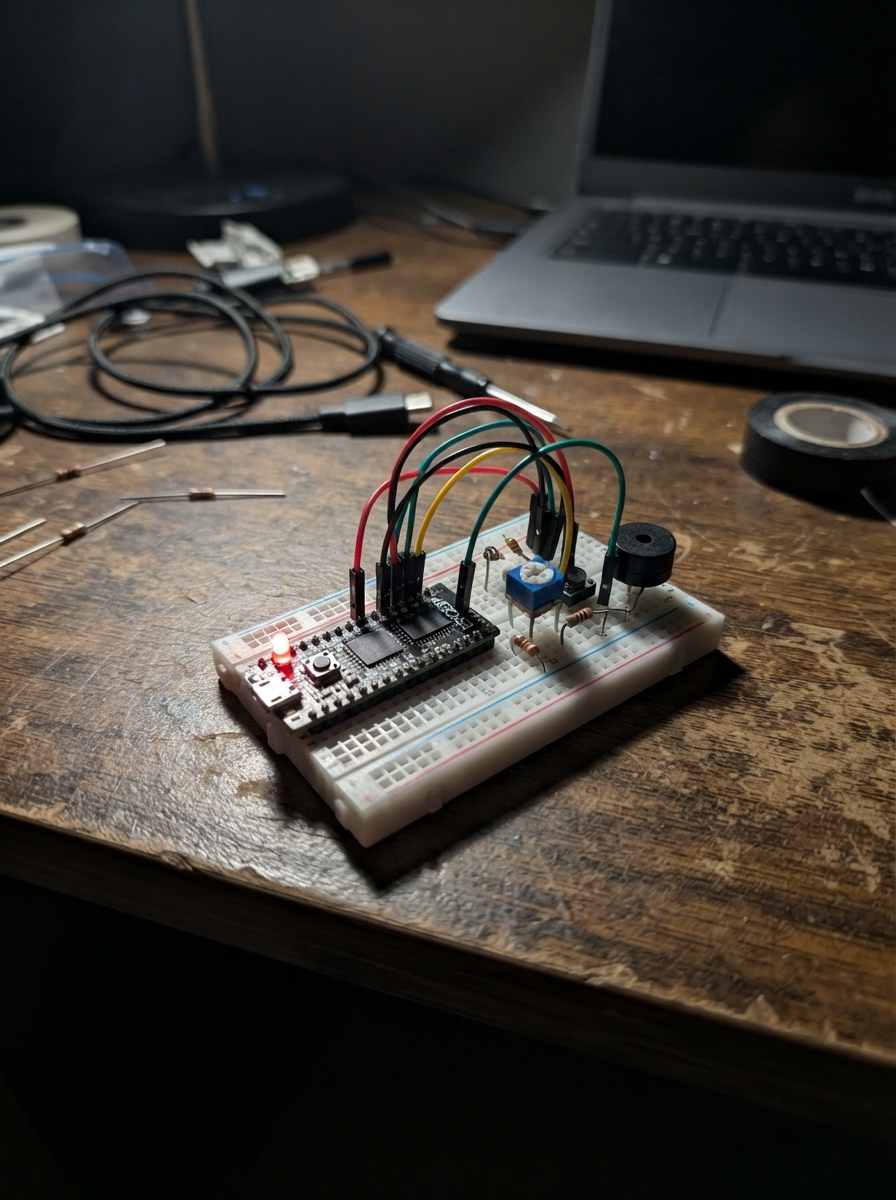
This project transforms an ESP32 development board into a file manager with a touchscreen interface and microSD card storage. Users can browse, select, and delete files directly from the display using touch controls, then access the archive wirelessly through a built-in web server.
The guide provides a complete wiring diagram connecting the ESP32 to an SD card module and display, a full parts list, the Arduino firmware sketch, and step-by-step assembly instructions. Builders will learn how to set up microSD card communication, implement touch-based file navigation, and serve files over Wi-Fi from an embedded device.
Wiring diagram
Assemble it in 4 steps
1. Prepara la microSD
Formatta una microSD in FAT32, poi inseriscila nello slot microSD della scheda ES3C28P con i contatti dorati rivolti verso l'interno dello slot. Questa è la memoria che conterrà i file.
- Usa una microSD affidabile; se la scheda resta sulla schermata che chiede la microSD, estraila e reinseriscila a scheda scollegata.
- Non estrarre la microSD mentre un caricamento o una cancellazione è in corso: il file system può danneggiarsi.
2. Alimenta la scheda
Collega la porta USB-C della ES3C28P a una porta USB del computer o a un alimentatore USB da 5 V. Non servono fili esterni: LCD, touch e lettore microSD sono già collegati sulla scheda.
- Dopo l'avvio il display mostra il nome Archivio SD, lo spazio totale, occupato e libero e un grafico circolare colorato.
- Usa solo alimentazione USB da 5 V tramite la porta USB-C; non collegare tensioni esterne ai pin della scheda.
3. Usa il touch per scegliere o eliminare un file
Tocca una riga del file sullo schermo LCD per selezionarla: la riga diventa verde. Tocca ELIMINA per rimuovere definitivamente il file selezionato oppure AGGIORNA per rileggere la cartella.
- La cancellazione dal touch non passa dal computer e non può essere annullata.
- Prima di toccare ELIMINA, controlla che la riga verde sia proprio il file che vuoi eliminare.
4. Apri l'archivio dal Wi-Fi
Dal telefono o computer collegati alla rete Wi-Fi ES3C28P-Archivio, usa la password archivio28. Apri poi un browser e visita http://192.168.4.1 per caricare, scaricare o eliminare i file della microSD.
- La rete Wi-Fi è creata dalla scheda e non richiede Internet. La pagina mostra anche lo spazio libero e occupato.
- Chi conosce la password della rete può gestire i file: cambia la password nel firmware prima di usare la scheda in un luogo condiviso.
Deploy the firmware
// Il simulatore non possiede un'implementazione coerente di SD_MMC e WebServer;
// mantiene quindi un entrypoint vuoto. Il firmware ESP32 reale qui sotto resta identico.
#if defined(__wasm__) || defined(__wasm32__)
#include <Arduino.h>
void setup() {}
void loop() {}
#else
#include <Arduino.h>
#include <WiFi.h>
#include <WebServer.h>
#include <SD_MMC.h>
#include <Wire.h>
#include <Arduino_GFX_Library.h>
#include "archivio_usb_excel_splash.h"
// The browser simulator has only an empty SD_MMC header facade. These inert
// declarations are compiled only for its WebAssembly target; ESP32 hardware
// continues to use the real SD_MMC driver above.
#if defined(__wasm__) || defined(__wasm32__)
#ifndef FILE_READ
#define FILE_READ 0
#endif
#ifndef FILE_WRITE
#define FILE_WRITE 1
#endif
class File {
public:
File() = default;
operator bool() const { return false; }
bool isDirectory() const { return false; }
const char *name() const { return ""; }
size_t size() const { return 0; }
File openNextFile() { return File(); }
size_t write(const uint8_t *, size_t) { return 0; }
void close() {}
};
class SimulatorSDMMC {
public:
void setPins(int, int, int, int, int, int) {}
bool begin(const char *, bool, bool, int) { return false; }
uint64_t totalBytes() const { return 0; }
uint64_t usedBytes() const { return 0; }
File open(const String &, int = FILE_READ) { return File(); }
bool remove(const String &) { return false; }
};
static SimulatorSDMMC SD_MMC;
#endif
// LCDWIKI ES3C28P built-in hardware
// Forward declarations
String htmlEscape(const String &s);
String safeName(String name);
String humanBytes(uint64_t bytes);
uint64_t usedBytes();
void drawPie(int cx, int cy, int radius, uint64_t used, uint64_t total);
void drawScreen();
bool readTouch(uint16_t &x, uint16_t &y);
void selectRow(int row);
void handleTouch();
String fileListJson();
void serveHome();
void setupServer();
constexpr int TFT_CS = 10;
constexpr int TFT_DC = 46;
constexpr int TFT_SCK = 12;
constexpr int TFT_MOSI = 11;
constexpr int TFT_MISO = 13;
constexpr int TFT_BL = 45;
constexpr int TOUCH_SDA = 16;
constexpr int TOUCH_SCL = 15;
constexpr int TOUCH_RST = 18;
constexpr int SD_CLK = 38;
constexpr int SD_CMD = 40;
constexpr int SD_D0 = 39;
constexpr int SD_D1 = 41;
constexpr int SD_D2 = 48;
constexpr int SD_D3 = 47;
const char *AP_NAME = "ES3C28P-Archivio";
const char *AP_PASSWORD = "archivio28"; // At least 8 characters for Wi-Fi.
const uint8_t TOUCH_ADDR = 0x38;
Arduino_DataBus *bus = new Arduino_ESP32SPI(TFT_DC, TFT_CS, TFT_SCK, TFT_MOSI, TFT_MISO);
Arduino_GFX *lcd = new Arduino_ILI9341(bus, GFX_NOT_DEFINED, 1, false);
WebServer server(80);
File uploadingFile;
String selectedFile;
bool sdMounted = false;
uint32_t lastTouchMs = 0;
String htmlEscape(const String &s) {
String r;
for (size_t i = 0; i < s.length(); ++i) {
char c = s[i];
if (c == '&') r += "&";
else if (c == '<') r += "<";
else if (c == '>') r += ">";
else if (c == '\"') r += """;
else r += c;
}
return r;
}
String safeName(String name) {
name.replace("\\", "_");
name.replace("/", "_");
name.replace("..", "_");
#if defined(__wasm__) || defined(__wasm32__)
// The simulator String facade lacks remove(); its inert SD path never writes.
if (name.startsWith(".")) name = "file";
#else
while (name.startsWith(".")) name.remove(0, 1);
#endif
if (name.length() == 0) name = "file";
return name;
}
String humanBytes(uint64_t bytes) {
if (bytes >= 1024ULL * 1024ULL * 1024ULL) return String((double)bytes / 1073741824.0, 2) + " GB";
if (bytes >= 1024ULL * 1024ULL) return String((double)bytes / 1048576.0, 1) + " MB";
if (bytes >= 1024ULL) return String((double)bytes / 1024.0, 1) + " KB";
return String((unsigned long)bytes) + " B";
}
uint64_t usedBytes() {
if (!sdMounted) return 0;
return SD_MMC.usedBytes();
}
// Torta stile Excel: bordo inferiore scuro per la profondita', faccia superiore
// leggermente sollevata e due settori ben distinguibili.
void drawPie(int cx, int cy, int radius, uint64_t used, uint64_t total) {
float ratio = total ? (float)used / (float)total : 0.0f;
ratio = constrain(ratio, 0.0f, 1.0f);
const int start = -90;
const int usedEnd = start + (int)(ratio * 360.0f);
const int depth = 7;
// Profondita' 3D: disegna prima gli strati inferiori, piu' scuri.
for (int z = depth; z > 0; --z) {
for (int a = 0; a < 360; a += 3) {
bool occupied = a + start < usedEnd;
uint16_t side = occupied ? 0xA280 : 0x0451; // oro scuro / blu scuro
float r1 = (a + start) * PI / 180.0f;
float r2 = (a + 3 + start) * PI / 180.0f;
lcd->fillTriangle(cx, cy + z, cx + cos(r1) * radius, cy + z + sin(r1) * radius,
cx + cos(r2) * radius, cy + z + sin(r2) * radius, side);
}
}
// Faccia superiore: oro per l'occupato e blu Excel per il libero.
for (int a = 0; a < 360; a += 3) {
bool occupied = a + start < usedEnd;
uint16_t face = occupied ? 0xFD20 : 0x1D9B; // oro / blu Microsoft
float r1 = (a + start) * PI / 180.0f;
float r2 = (a + 3 + start) * PI / 180.0f;
lcd->fillTriangle(cx, cy, cx + cos(r1) * radius, cy + sin(r1) * radius,
cx + cos(r2) * radius, cy + sin(r2) * radius, face);
}
// Separatore bianco tra i due valori, come nei grafici a torta Excel.
if (ratio > 0.0f && ratio < 1.0f) {
float split = usedEnd * PI / 180.0f;
lcd->drawLine(cx, cy, cx + cos(split) * radius, cy + sin(split) * radius, 0xFFFF);
}
lcd->drawCircle(cx, cy, radius, 0xFFFF);
lcd->fillRoundRect(cx - 19, cy - 9, 38, 18, 7, 0xFFFF);
lcd->setTextColor(0x0000);
lcd->setTextSize(1);
lcd->setCursor(cx - 15, cy - 3);
lcd->print(total ? String((int)(ratio * 100)) + "%" : "0%");
}
void drawScreen() {
lcd->fillScreen(0xFFFF);
lcd->fillRect(0, 0, 320, 30, 0x001F);
lcd->setTextColor(0xFFFF);
lcd->setTextSize(2);
lcd->setCursor(8, 7);
lcd->print("Archivio SD");
if (!sdMounted) {
lcd->setTextColor(0xF800);
lcd->setTextSize(2);
lcd->setCursor(20, 82);
lcd->print("microSD assente");
lcd->setTextColor(0x0000);
lcd->setTextSize(1);
lcd->setCursor(20, 112);
lcd->print("Wi-Fi e pagina web attivi");
lcd->setCursor(20, 128);
lcd->print("Inserire una microSD FAT32");
return;
}
uint64_t total = SD_MMC.totalBytes();
uint64_t used = usedBytes();
uint64_t freeBytes = total > used ? total - used : 0;
drawPie(278, 65, 35, used, total);
lcd->setTextColor(0x0000);
lcd->setTextSize(1);
lcd->setCursor(8, 38); lcd->print("Totale: " + humanBytes(total));
lcd->setCursor(8, 50); lcd->print("Usato: " + humanBytes(used));
lcd->setCursor(8, 62); lcd->print("Libero: " + humanBytes(freeBytes));
lcd->fillRect(8, 76, 9, 9, 0xFBE0);
lcd->setCursor(21, 76); lcd->print("Occupato");
lcd->fillRect(84, 76, 9, 9, 0x07FF);
lcd->setCursor(97, 76); lcd->print("Libero");
lcd->drawFastHLine(0, 105, 320, 0xC618);
File root = SD_MMC.open("/");
File entry = root.openNextFile();
int row = 0;
while (entry && row < 5) {
String name = String(entry.name());
if (!entry.isDirectory()) {
int y = 110 + row * 20;
bool picked = name == selectedFile;
lcd->fillRect(4, y, 312, 18, picked ? 0x07E0 : 0xE71C);
lcd->setTextColor(0x0000);
lcd->setTextSize(1);
lcd->setCursor(8, y + 5);
String shown = name;
if (shown.length() > 30) shown = shown.substring(0, 27) + "...";
lcd->print(shown + " " + humanBytes(entry.size()));
row++;
}
entry = root.openNextFile();
}
root.close();
lcd->fillRect(4, 214, 152, 22, 0x001F);
lcd->fillRect(164, 214, 152, 22, selectedFile.length() ? 0xF800 : 0xC618);
lcd->setTextColor(0xFFFF);
lcd->setTextSize(1);
lcd->setCursor(21, 221); lcd->print("AGGIORNA");
lcd->setCursor(194, 221); lcd->print("ELIMINA");
}
bool readTouch(uint16_t &x, uint16_t &y) {
Wire.beginTransmission(TOUCH_ADDR);
Wire.write(0x02);
if (Wire.endTransmission(false) != 0 || Wire.requestFrom((int)TOUCH_ADDR, 5) != 5) return false;
uint8_t points = Wire.read() & 0x0F;
uint8_t xh = Wire.read();
uint8_t xl = Wire.read();
uint8_t yh = Wire.read();
uint8_t yl = Wire.read();
if (points == 0) return false;
uint16_t rawX = ((xh & 0x0F) << 8) | xl;
uint16_t rawY = ((yh & 0x0F) << 8) | yl;
// Native touch area is 240x320; this is its normal landscape transform.
x = min((uint16_t)319, rawY);
y = min((uint16_t)239, (uint16_t)(239 - min((uint16_t)239, rawX)));
return true;
}
void selectRow(int row) {
File root = SD_MMC.open("/");
File entry = root.openNextFile();
int n = 0;
while (entry) {
if (!entry.isDirectory()) {
if (n == row) { selectedFile = String(entry.name()); break; }
n++;
}
entry = root.openNextFile();
}
root.close();
drawScreen();
}
void handleTouch() {
if (!sdMounted || millis() - lastTouchMs < 350) return;
uint16_t x, y;
if (!readTouch(x, y)) return;
lastTouchMs = millis();
if (y >= 110 && y < 210) {
selectRow((y - 110) / 20);
} else if (y >= 214 && x < 156) {
drawScreen();
} else if (y >= 214 && x >= 164 && selectedFile.length()) {
SD_MMC.remove(selectedFile);
selectedFile = "";
drawScreen();
}
}
String fileListJson() {
#if defined(__wasm__) || defined(__wasm32__)
return "[]";
#else
if (!sdMounted) return "[]";
String json = "[";
bool first = true;
File root = SD_MMC.open("/");
File entry = root.openNextFile();
while (entry) {
if (!entry.isDirectory()) {
if (!first) json += ",";
String name = String(entry.name());
json += "{\"name\":\"" + htmlEscape(name) + "\",\"size\":\"" + humanBytes(entry.size()) + "\"}";
first = false;
}
entry = root.openNextFile();
}
root.close();
return json + "]";
#endif
}
void serveHome() {
const char page[] PROGMEM = R"HTML(<!doctype html><html lang='it'><head><meta name='viewport' content='width=device-width,initial-scale=1'><title>Archivio ES3C28P</title><style>body{margin:0;background:#f3f5f9;color:#172033;font:15px Segoe UI,Arial,sans-serif}.bar{padding:18px 6%;background:#075cbd;color:#fff;font-size:22px;font-weight:600}.wrap{max-width:960px;margin:24px auto;padding:0 16px}.card{background:#fff;border-radius:14px;padding:20px;margin:16px 0;box-shadow:0 2px 10px #0001}button,.upload{border:0;border-radius:8px;padding:10px 15px;background:#0969da;color:#fff;font-size:14px;cursor:pointer}.danger{background:#d92d20}.meter{height:18px;border-radius:9px;background:#dce8f8;overflow:hidden}.meter div{height:100%;background:#20a464}.files{width:100%;border-collapse:collapse}.files td,.files th{padding:12px;border-bottom:1px solid #e5e7eb;text-align:left}.files tr:hover{background:#f0f7ff}.muted{color:#5d6b82}</style></head><body><div class='bar'>📁 Archivio microSD — ES3C28P</div><main class='wrap'><section class='card'><b>Spazio della microSD</b><p id='space' class='muted'>Lettura in corso…</p><div class='meter'><div id='bar'></div></div></section><section class='card'><b>Carica un file</b><p class='muted'>Il file viene salvato direttamente nella cartella principale della microSD.</p><form id='form'><input type='file' id='file' required> <button>Carica</button></form><p id='status'></p></section><section class='card'><b>File</b><table class='files'><thead><tr><th>Nome</th><th>Dimensione</th><th>Azioni</th></tr></thead><tbody id='files'></tbody></table></section></main><script>const esc=s=>s.replace(/[&<>"']/g,c=>({'&':'&','<':'<','>':'>','"':'"'}[c]));async function refresh(){let s=await fetch('/api/space').then(r=>r.json());space.textContent=`Totale ${s.total} · Occupato ${s.used} · Libero ${s.free}`;bar.style.width=s.percent+'%';let a=await fetch('/api/files').then(r=>r.json());files.innerHTML=a.map(f=>`<tr><td>📄 ${esc(f.name)}</td><td>${f.size}</td><td><a href='/download?name=${encodeURIComponent(f.name)}'><button>Scarica</button></a> <button class='danger' onclick='del(${JSON.stringify(f.name)})'>Elimina</button></td></tr>`).join('')||'<tr><td colspan=3 class=muted>Nessun file nella microSD.</td></tr>'}async function del(n){if(confirm('Eliminare definitivamente '+n+'?')){await fetch('/delete?name='+encodeURIComponent(n),{method:'POST'});refresh()}}form.onsubmit=async e=>{e.preventDefault();let f=file.files[0],d=new FormData();d.append('file',f);status.textContent='Caricamento…';let r=await fetch('/upload',{method:'POST',body:d});status.textContent=await r.text();file.value='';refresh()};refresh();</script></body></html>)HTML";
server.send_P(200, "text/html; charset=utf-8", page);
}
void setupServer() {
server.on("/", HTTP_GET, serveHome);
server.on("/api/files", HTTP_GET, [](){ server.send(200, "application/json", fileListJson()); });
server.on("/api/space", HTTP_GET, [](){
if (!sdMounted) { server.send(200, "application/json", "{\"total\":\"microSD assente\",\"used\":\"-\",\"free\":\"-\",\"percent\":0}"); return; }
uint64_t total = SD_MMC.totalBytes(), used = usedBytes();
uint64_t freeBytes = total > used ? total - used : 0;
int pct = total ? (int)((used * 100ULL) / total) : 0;
server.send(200, "application/json", "{\"total\":\"" + humanBytes(total) + "\",\"used\":\"" + humanBytes(used) + "\",\"free\":\"" + humanBytes(freeBytes) + "\",\"percent\":" + String(pct) + "}");
});
server.on("/download", HTTP_GET, [](){
if (!sdMounted) { server.send(503, "text/plain", "microSD non disponibile"); return; }
String name = safeName(server.arg("name"));
File f = SD_MMC.open("/" + name, FILE_READ);
if (!f || f.isDirectory()) { server.send(404, "text/plain", "File non trovato"); return; }
server.sendHeader("Content-Disposition", "attachment; filename=\"" + name + "\"");
#if defined(__wasm__) || defined(__wasm32__)
server.send(501, "text/plain", "Download microSD non disponibile nel simulatore browser.");
#else
server.streamFile(f, "application/octet-stream");
#endif
f.close();
});
server.on("/delete", HTTP_POST, [](){
if (!sdMounted) { server.send(503, "text/plain", "microSD non disponibile"); return; }
String name = safeName(server.arg("name"));
if (SD_MMC.remove("/" + name)) { if (selectedFile == "/" + name) selectedFile = ""; drawScreen(); server.send(200, "text/plain", "File eliminato."); }
else server.send(404, "text/plain", "File non trovato.");
});
#if defined(__wasm__) || defined(__wasm32__)
server.on("/upload", HTTP_POST, [](){
server.send(501, "text/plain", "Caricamento su microSD non disponibile nel simulatore browser.");
});
#else
server.on("/upload", HTTP_POST, [](){
if (!sdMounted) { server.send(503, "text/plain", "microSD non disponibile: inserire una scheda FAT32 e riavviare."); return; }
server.send(200, "text/plain", "File caricato nella microSD."); drawScreen();
}, [](){
if (!sdMounted) return;
HTTPUpload &upload = server.upload();
if (upload.status == UPLOAD_FILE_START) {
String name = safeName(upload.filename);
uploadingFile = SD_MMC.open("/" + name, FILE_WRITE);
} else if (upload.status == UPLOAD_FILE_WRITE && uploadingFile) {
uploadingFile.write(upload.buf, upload.currentSize);
} else if (upload.status == UPLOAD_FILE_END && uploadingFile) {
uploadingFile.close();
} else if (upload.status == UPLOAD_FILE_ABORTED && uploadingFile) {
uploadingFile.close();
}
});
#endif
server.begin();
}
void setup() {
Serial.begin(115200);
pinMode(TFT_BL, OUTPUT);
digitalWrite(TFT_BL, HIGH);
lcd->begin();
// Schermata iniziale incorporata nel firmware: non dipende dalla microSD.
#if defined(__wasm__) || defined(__wasm32__)
lcd->fillScreen(0x001B);
lcd->setTextColor(0xFFFF);
lcd->setTextSize(2);
lcd->setCursor(34, 104);
lcd->print("ARCHIVIO USB");
#else
lcd->draw16bitRGBBitmap(0, 0, ARCHIVIO_USB_EXCEL_SPLASH_DATA,
ARCHIVIO_USB_EXCEL_SPLASH_WIDTH, ARCHIVIO_USB_EXCEL_SPLASH_HEIGHT);
#endif
delay(2200);
pinMode(TOUCH_RST, OUTPUT);
digitalWrite(TOUCH_RST, LOW); delay(20); digitalWrite(TOUCH_RST, HIGH); delay(100);
Wire.begin(TOUCH_SDA, TOUCH_SCL);
WiFi.mode(WIFI_AP);
WiFi.softAP(AP_NAME, AP_PASSWORD);
setupServer();
SD_MMC.setPins(SD_CLK, SD_CMD, SD_D0, SD_D1, SD_D2, SD_D3);
sdMounted = SD_MMC.begin("/sdcard", false, false, 8);
if (!sdMounted) Serial.println("microSD assente: pagina web comunque disponibile.");
drawScreen();
Serial.printf("Apri http://%s Wi-Fi: %s\n", WiFi.softAPIP().toString().c_str(), AP_NAME);
}
void loop() {
server.handleClient();
handleTouch();
}
#endif // simulatore isolato; codice precedente compilato sulla ES3C28PRemix this project
Make it yours in one click
Open a full copy of this project in your own Schematik workspace — diagram, code, parts, and assembly steps included. Swap the sensor, add features, or redesign the whole thing with AI. The author's original stays untouched.