Community project
Display IMU Acceleration Data
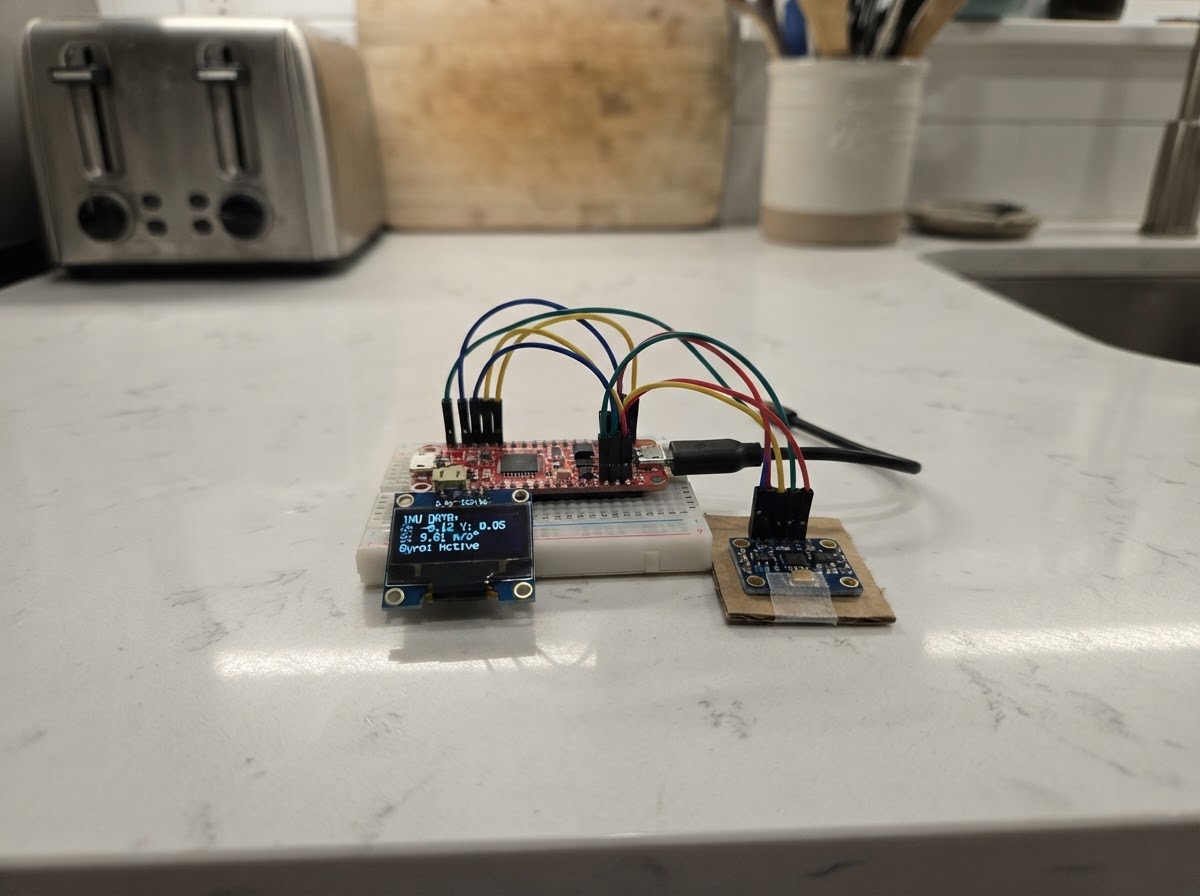
This project reads acceleration and gyroscope data from the QMI8658C IMU sensor built into the ESP32-based UNIHIKER K10 platform and displays the motion values on the device's screen. The guide provides a complete firmware implementation using LVGL for the display interface, I2C communication with the IMU, and real-time data sampling.
Builders will receive a wiring diagram confirming the onboard hardware connections, a full parts list, ready-to-flash firmware code, and step-by-step assembly instructions. After powering up the device, the IMU orientation and acceleration data appear immediately on the display, making this an ideal starting point for motion-sensing applications.
Wiring diagram
Assemble it in 2 steps
1. 确认板载硬件
本项目使用 UNIHIKER K10 新版板载 QMI8658C IMU 与板载 2.8 英寸显示屏,不需要外接传感器、杜邦线或电阻。
- QMI8658C 的加速度数据以 mg 显示;1000 mg 等于 1 g。
- 请勿自行把板载屏幕或 IMU 所占用的接口接到外部模块。
2. 供电并观察姿态数据
使用 USB 数据线为 K10 供电。部署程序后,轻轻左右、前后倾斜板子,观察屏幕上的 X、Y、Z 数值变化。
- 板子静止平放时,一个轴通常接近 +1000 mg 或 -1000 mg,这是重力投影,属于正常现象。
- 串口波特率为 9600,输出内容与屏幕三轴数据一致。
- 避免猛甩、跌落或扭拉 USB 接口。
Deploy the firmware
#include <Arduino.h>
#include "unihiker_k10.h"
#include "lvgl.h"
#include <Wire.h>
#include <math.h>

// Newer K10 IMU: QMI8658C on the internal I2C bus.
#define QMI8658_ADDR       0x6B
#define QMI8658_REG_CTRL1  0x02
#define QMI8658_REG_CTRL2  0x03
#define QMI8658_REG_CTRL3  0x04
#define QMI8658_REG_CTRL7  0x08
#define QMI8658_REG_AX_L   0x35


// Hoisted type definitions
enum DashboardPage : uint8_t { ENV_PAGE, MOTION_PAGE, IO_PAGE, PAGE_COUNT };


// Forward declarations
static void qmiWrite(uint8_t reg, uint8_t value);
static bool qmiRead(uint8_t reg, uint8_t *buffer, uint8_t length);
static void initQMI8658C();
static bool readMotion(float &ax, float &ay, float &az, float &gx, float &gy, float &gz);
static void setRow(uint8_t index, const String &text);
static void setFooter(const String &text);
static void drawPageFrame();
static void showData();

UNIHIKER_K10 k10;
AHT20 aht20;


static DashboardPage page = ENV_PAGE;
static lv_obj_t *titleLabel;
static lv_obj_t *pageLabel;
static lv_obj_t *rowLabels[6];
static lv_obj_t *footerLabel;
static String lastRows[6];
static String lastFooter;
static bool lastA = false;
static bool lastB = false;
static unsigned long lastSampleMs = 0;
static unsigned long lastButtonMs = 0;

static void qmiWrite(uint8_t reg, uint8_t value) {
  Wire.beginTransmission(QMI8658_ADDR);
  Wire.write(reg);
  Wire.write(value);
  Wire.endTransmission();
}

static bool qmiRead(uint8_t reg, uint8_t *buffer, uint8_t length) {
  Wire.beginTransmission(QMI8658_ADDR);
  Wire.write(reg);
  if (Wire.endTransmission(false) != 0) return false;
  if (Wire.requestFrom((uint8_t)QMI8658_ADDR, length) != length) return false;
  for (uint8_t i = 0; i < length; ++i) buffer[i] = Wire.read();
  return true;
}

static void initQMI8658C() {
  qmiWrite(QMI8658_REG_CTRL1, 0x40); // auto address increment
  delay(10);
  qmiWrite(QMI8658_REG_CTRL2, 0x25); // accelerometer: +/-8 g, 125 Hz
  delay(10);
  qmiWrite(QMI8658_REG_CTRL3, 0x75); // gyroscope: +/-2048 dps, 125 Hz
  delay(10);
  qmiWrite(QMI8658_REG_CTRL7, 0x03); // enable accelerometer and gyroscope
  delay(10);
}

static bool readMotion(float &ax, float &ay, float &az, float &gx, float &gy, float &gz) {
  uint8_t data[12];
  if (!qmiRead(QMI8658_REG_AX_L, data, sizeof(data))) return false;
  int16_t axRaw = (int16_t)((data[1] << 8) | data[0]);
  int16_t ayRaw = (int16_t)((data[3] << 8) | data[2]);
  int16_t azRaw = (int16_t)((data[5] << 8) | data[4]);
  int16_t gxRaw = (int16_t)((data[7] << 8) | data[6]);
  int16_t gyRaw = (int16_t)((data[9] << 8) | data[8]);
  int16_t gzRaw = (int16_t)((data[11] << 8) | data[10]);
  ax = axRaw * (8000.0f / 32768.0f);
  ay = ayRaw * (8000.0f / 32768.0f);
  az = azRaw * (8000.0f / 32768.0f);
  gx = gxRaw * (2048.0f / 32768.0f);
  gy = gyRaw * (2048.0f / 32768.0f);
  gz = gzRaw * (2048.0f / 32768.0f);
  return true;
}

static void setRow(uint8_t index, const String &text) {
  if (lastRows[index] != text) {
    lv_label_set_text(rowLabels[index], text.c_str());
    lastRows[index] = text;
  }
}

static void setFooter(const String &text) {
  if (lastFooter != text) {
    lv_label_set_text(footerLabel, text.c_str());
    lastFooter = text;
  }
}

static void drawPageFrame() {
  for (uint8_t i = 0; i < 6; ++i) lastRows[i] = "";
  lastFooter = "";
  const char *name = page == ENV_PAGE ? "ENVIRONMENT" : (page == MOTION_PAGE ? "QMI8658C MOTION" : "SOUND & INPUT");
  char indicator[24];
  snprintf(indicator, sizeof(indicator), "%d / %d", page + 1, PAGE_COUNT);
  lv_label_set_text(titleLabel, name);
  lv_label_set_text(pageLabel, indicator);
}

static void showData() {
  bool pressedA = k10.buttonA->isPressed();
  bool pressedB = k10.buttonB->isPressed();

  if (page == ENV_PAGE) {
    float temperature = aht20.getData(AHT20::eAHT20TempC);
    float humidity = aht20.getData(AHT20::eAHT20HumiRH);
    uint16_t light = k10.readALS();
    setRow(0, "Temperature: " + String(temperature, 1) + " C");
    setRow(1, "Humidity:    " + String(humidity, 1) + " %RH");
    setRow(2, "Light:       " + String(light) + " level");
    setRow(3, "AHT20: onboard");
    setRow(4, "LTR303ALS: onboard");
    setRow(5, "A/B: change page");
  } else if (page == MOTION_PAGE) {
    float ax, ay, az, gx, gy, gz;
    if (readMotion(ax, ay, az, gx, gy, gz)) {
      setRow(0, "AX: " + String(ax, 0) + " mg");
      setRow(1, "AY: " + String(ay, 0) + " mg");
      setRow(2, "AZ: " + String(az, 0) + " mg");
      setRow(3, "GX: " + String(gx, 1) + " dps");
      setRow(4, "GY: " + String(gy, 1) + " dps");
      setRow(5, "GZ: " + String(gz, 1) + " dps");
    } else {
      setRow(0, "QMI8658C read error");
      for (uint8_t i = 1; i < 6; ++i) setRow(i, "");
    }
  } else {
    int micLevel = k10.readMICData();
    setRow(0, "Microphone: " + String(micLevel));
    setRow(1, "Dual MEMS microphones");
    setRow(2, "Button A: " + String(pressedA ? "PRESSED" : "released"));
    setRow(3, "Button B: " + String(pressedB ? "PRESSED" : "released"));
    setRow(4, "Camera: GC2145 onboard");
    setRow(5, "Camera is available to apps");
  }
  setFooter("A: previous   B: next");

  Serial.print("Page ");
  Serial.print(page + 1);
  Serial.print(" | Button A=");
  Serial.print(pressedA);
  Serial.print(" B=");
  Serial.println(pressedB);
}

void setup() {
  Serial.begin(9600);
  Wire.begin();
  initQMI8658C();

  k10.begin();
  k10.initScreen();
  k10.setScreenBackground(0x101820);

  titleLabel = lv_label_create(lv_scr_act());
  lv_obj_set_style_text_color(titleLabel, lv_color_hex(0x5EEDFF), 0);
  lv_obj_set_style_text_font(titleLabel, &lv_font_montserrat_14, 0);
  lv_obj_set_pos(titleLabel, 18, 14);

  pageLabel = lv_label_create(lv_scr_act());
  lv_obj_set_style_text_color(pageLabel, lv_color_hex(0xB0BAC5), 0);
  lv_obj_set_style_text_font(pageLabel, &lv_font_montserrat_14, 0);
  lv_obj_set_pos(pageLabel, 270, 14);

  for (uint8_t i = 0; i < 6; ++i) {
    rowLabels[i] = lv_label_create(lv_scr_act());
    lv_obj_set_style_text_color(rowLabels[i], lv_color_white(), 0);
    lv_obj_set_style_text_font(rowLabels[i], &lv_font_montserrat_14, 0);
    lv_obj_set_pos(rowLabels[i], 18, 52 + i * 31);
  }

  footerLabel = lv_label_create(lv_scr_act());
  lv_obj_set_style_text_color(footerLabel, lv_color_hex(0xA0A8B0), 0);
  lv_obj_set_style_text_font(footerLabel, &lv_font_montserrat_14, 0);
  lv_obj_set_pos(footerLabel, 18, 250);
  drawPageFrame();
}

void loop() {
  lv_timer_handler();
  unsigned long now = millis();
  bool pressedA = k10.buttonA->isPressed();
  bool pressedB = k10.buttonB->isPressed();

  if (now - lastButtonMs > 180) {
    if (pressedA && !lastA) {
      page = (DashboardPage)((page + PAGE_COUNT - 1) % PAGE_COUNT);
      drawPageFrame();
      lastButtonMs = now;
    } else if (pressedB && !lastB) {
      page = (DashboardPage)((page + 1) % PAGE_COUNT);
      drawPageFrame();
      lastButtonMs = now;
    }
  }
  lastA = pressedA;
  lastB = pressedB;

  if (now - lastSampleMs >= 100) {
    lastSampleMs = now;
    showData();
  }
  delay(5);
}
Remix this project
Make it yours in one click
Open a full copy of this project in your own Schematik workspace — diagram, code, parts, and assembly steps included. Swap the sensor, add features, or redesign the whole thing with AI. The author's original stays untouched.