Community project
ESP32 Circuit Design
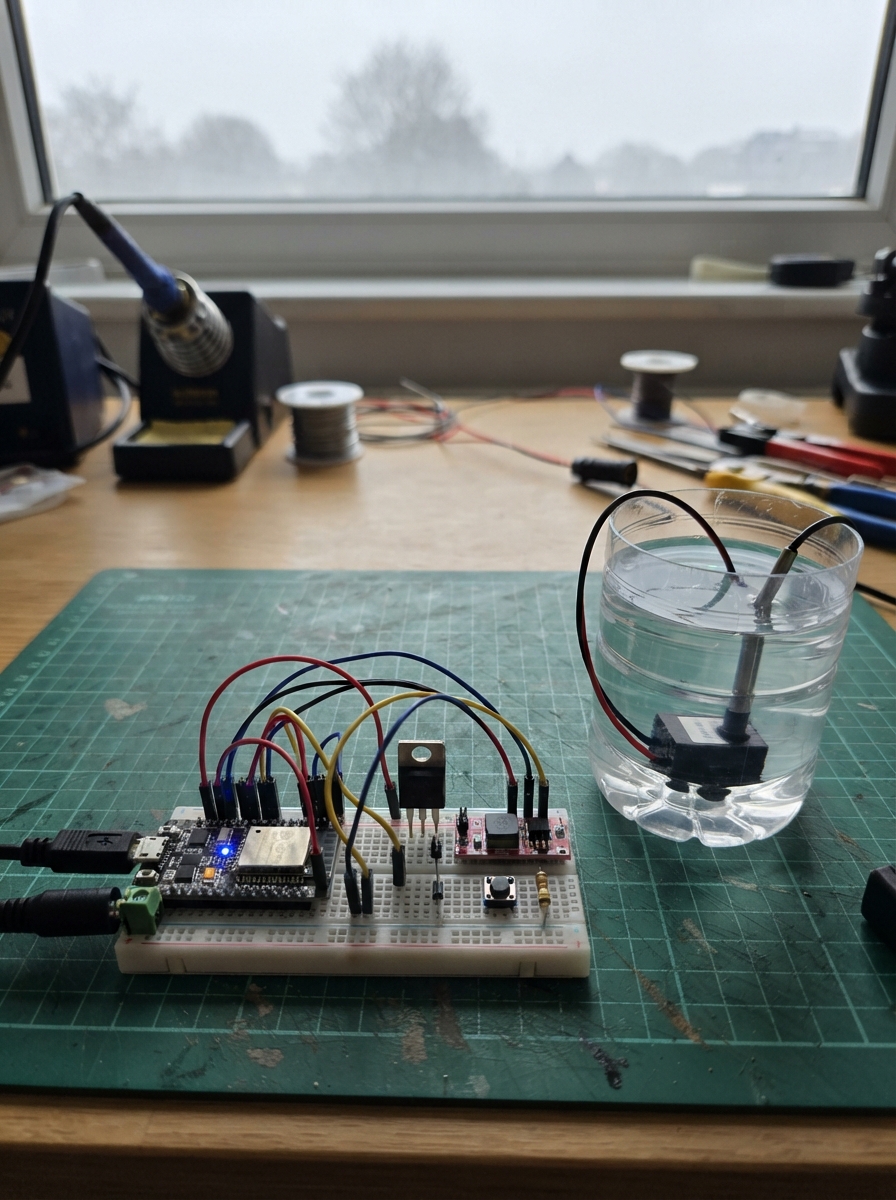
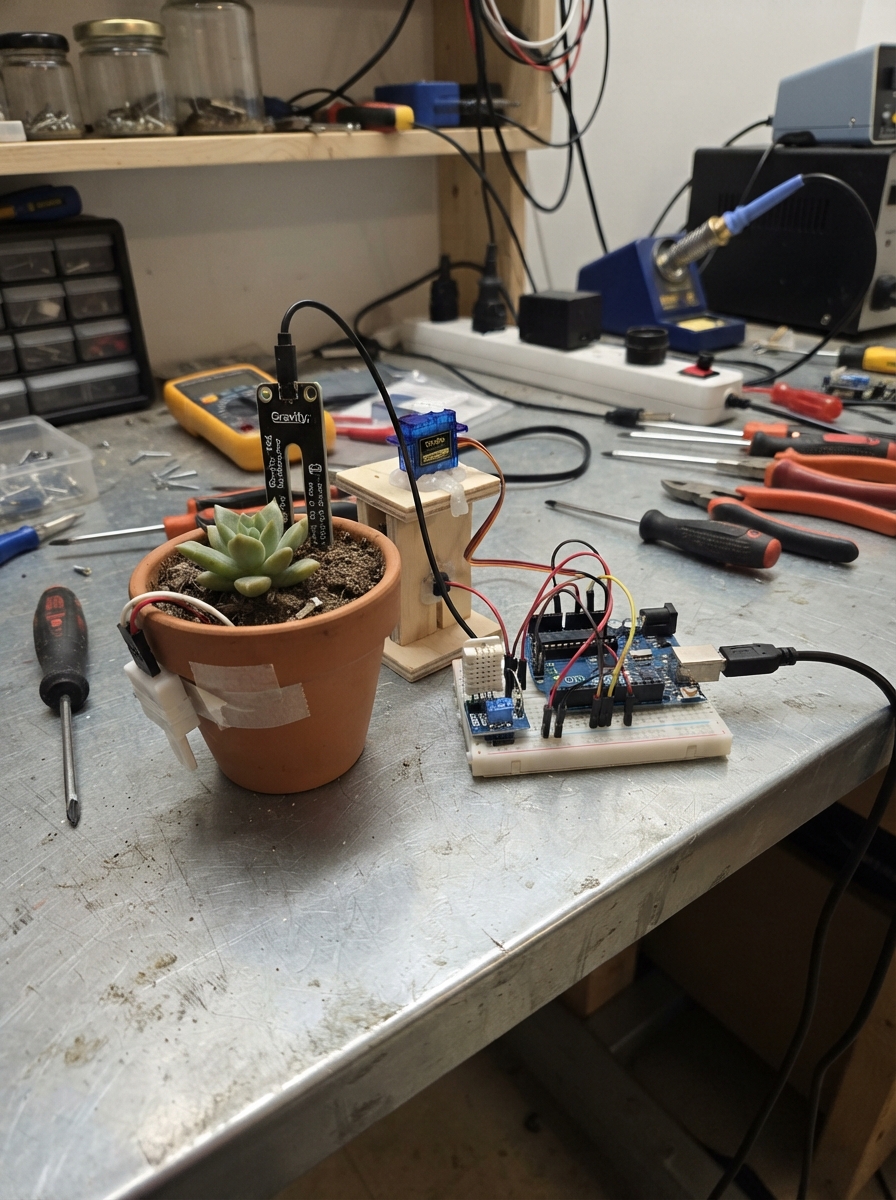
This project builds an automated watering system controlled by an ESP32 microcontroller. The system monitors water temperature using a DS18B20 sensor and activates a 12V submersible pump when conditions are met, with manual override buttons for immediate control. The pump is driven by an IRLZ44N MOSFET for safe switching, protected by a 1N4007 diode against voltage spikes.
The guide provides a complete wiring diagram showing how to connect the temperature probe, control buttons, and pump circuit to the ESP32. Assembly steps walk through configuring the buck converter, building the MOSFET switch stage, and integrating all components. Firmware is included to handle temperature monitoring, button debouncing, and automatic or manual pump activation.
Wiring diagram
Gather all the parts
Assemble it in 6 steps
1. Set the 5 V converter before joining the ESP32
With the ESP32 unplugged, connect the 12 V adapter’s positive lead to buck_5v VIN+ and its negative lead to buck_5v VIN-. Use a multimeter and turn the small adjuster on the converter until VOUT+ to VOUT- measures 5.0 V. Connect buck_5v VOUT+ to the ESP32 VIN/5V pin and buck_5v VOUT- to an ESP32 GND pin.
- Keep the 12 V pump wires separate from the thin sensor wires so electrical noise is less likely to affect readings.
- Do not connect the converter to the ESP32 until its output is 5.0 V — a higher setting can damage the ESP32.
- Unplug the 12 V adapter while moving any wires.
2. Wire the temperature probe
Connect temp_sensor VCC to ESP32 3V3 (power), GND to ESP32 GND (ground), and DATA to GPIO4 (temperature signal). Put sensor_pullup, the 4.7 kΩ resistor, between the same DATA connection and ESP32 3V3; resistors have no direction.
- Put only the metal probe into the water. Keep the cable joint and the ESP32 dry.
- Do not connect the sensor VCC to the 12 V pump supply — that can damage the sensor.
3. Add the two control buttons
Connect one leg of start_button to GPIO18 (start signal) and its other leg to GND (ground). Connect one leg of stop_button to GPIO19 (stop signal) and its other leg to GND (ground). The code uses the ESP32’s internal pull-up, so each button works by joining its GPIO to ground when pressed.
- Place the buttons across the breadboard’s centre gap so their four legs are not accidentally all joined together.
4. Build the pump switch
Connect gate_resistor, the 220 Ω resistor, from GPIO23 (control signal) to pump_mosfet GATE. Connect gate_pulldown, the 10 kΩ resistor, from that GATE connection to GND (keeps the pump off at startup). Connect pump_mosfet SOURCE to the shared 12 V adapter negative/GND and connect DRAIN to water_pump PUMP-.
- For a bare IRLZ44N with the writing facing you and legs downward, the usual left-to-right pins are Gate, Drain, Source; check the marking or datasheet for the exact part before powering it.
- The ESP32 ground, converter negative, and 12 V adapter negative must all join together — without this shared return, the pump switch will not work reliably.
5. Connect the pump and its protection diode
Connect water_pump PUMP+ to the 12 V adapter positive lead. Connect flyback_diode across the pump: its striped Cathode end goes to PUMP+ (12 V), and its unstriped Anode end goes to PUMP- / the MOSFET DRAIN connection. Attach the flexible tubing and nozzle firmly to the pump outlet, then put the pump into the water tray.
- Secure the tubing with a tie or clamp so it cannot spray the breadboard.
- The diode stripe must face the pump’s positive 12 V wire — reversing it makes a short circuit when power is connected.
- Keep all breadboard electronics above and away from the water tray; spilled water can cause a short circuit.
6. Mount and test the finished unit
Fix the ESP32, breadboard, and converter on the foam board above the tray. Plug in the ESP32 by USB for programming, then connect the 12 V adapter. Press START to allow pumping only when the probe reads 30 °C or warmer; press STOP to turn the pump off immediately.
- Test the pump nozzle over an empty container before aiming it at plants or equipment.
- Do not run the submersible pump dry unless its own instructions explicitly allow it — it can overheat or fail.
Review all connections
1. Connections between "supply_12v" and "ESP32"
2. Connections between "buck_5v" and "ESP32"
3. Connections between "temp_sensor" and "ESP32"
4. Connections between "sensor_pullup" and "ESP32"
5. Connections between "start_button" and "ESP32"
6. Connections between "stop_button" and "ESP32"
7. Connections between "gate_resistor" and "ESP32"
8. Connections between "gate_pulldown" and "ESP32"
9. Connections between "pump_mosfet" and "ESP32"
10. Connections between "flyback_diode" and "ESP32"
Deploy the firmware
#include <OneWire.h>
#include <DallasTemperature.h>

const int TEMP_DATA_PIN = 4;
const int START_BUTTON_PIN = 18;
const int STOP_BUTTON_PIN = 19;
const int PUMP_GATE_PIN = 23;
const float PUMP_ON_TEMPERATURE_C = 30.0f;
const unsigned long SENSOR_INTERVAL_MS = 1000;
const unsigned long DEBOUNCE_MS = 40;

OneWire oneWire(TEMP_DATA_PIN);
DallasTemperature temperatureSensor(&oneWire);

bool automaticWateringEnabled = false;
bool pumpIsOn = false;
bool lastStartReading = HIGH;
bool lastStopReading = HIGH;
unsigned long lastStartChangeMs = 0;
unsigned long lastStopChangeMs = 0;
unsigned long lastSensorReadMs = 0;
float lastTemperatureC = DEVICE_DISCONNECTED_C;

void setPump(bool shouldRun) {
  if (pumpIsOn == shouldRun) return;
  pumpIsOn = shouldRun;
  digitalWrite(PUMP_GATE_PIN, pumpIsOn ? HIGH : LOW);
  Serial.println(pumpIsOn ? "Pump ON" : "Pump OFF");
}

bool pressedOnce(int pin, bool &lastReading, unsigned long &lastChangeMs) {
  bool reading = digitalRead(pin);
  if (reading != lastReading) {
    lastChangeMs = millis();
    lastReading = reading;
  }
  if (reading == LOW && millis() - lastChangeMs >= DEBOUNCE_MS) {
    while (digitalRead(pin) == LOW) delay(1);
    lastReading = HIGH;
    return true;
  }
  return false;
}

void readTemperatureAndControlPump() {
  temperatureSensor.requestTemperatures();
  float temperatureC = temperatureSensor.getTempCByIndex(0);
  if (temperatureC == DEVICE_DISCONNECTED_C) {
    Serial.println("Temperature sensor not found; pump kept off.");
    setPump(false);
    return;
  }

  if (temperatureC != lastTemperatureC) {
    lastTemperatureC = temperatureC;
    Serial.print("Water temperature: ");
    Serial.print(temperatureC, 1);
    Serial.println(" C");
  }
  setPump(automaticWateringEnabled && temperatureC >= PUMP_ON_TEMPERATURE_C);
}

void setup() {
  Serial.begin(115200);
  pinMode(PUMP_GATE_PIN, OUTPUT);
  digitalWrite(PUMP_GATE_PIN, LOW);
  pinMode(START_BUTTON_PIN, INPUT_PULLUP);
  pinMode(STOP_BUTTON_PIN, INPUT_PULLUP);
  temperatureSensor.begin();
  Serial.println("Pump controller ready. START enables automatic pumping at 30 C; STOP turns it off.");
}

void loop() {
  if (pressedOnce(START_BUTTON_PIN, lastStartReading, lastStartChangeMs)) {
    automaticWateringEnabled = true;
    Serial.println("Automatic pump control enabled.");
    readTemperatureAndControlPump();
  }

  if (pressedOnce(STOP_BUTTON_PIN, lastStopReading, lastStopChangeMs)) {
    automaticWateringEnabled = false;
    setPump(false);
    Serial.println("Automatic pump control disabled.");
  }

  if (millis() - lastSensorReadMs >= SENSOR_INTERVAL_MS) {
    lastSensorReadMs = millis();
    readTemperatureAndControlPump();
  }
  delay(1);
}
Remix this project
Make it yours in one click
Open a full copy of this project in your own Schematik workspace — diagram, code, parts, and assembly steps included. Swap the sensor, add features, or redesign the whole thing with AI. The author's original stays untouched.