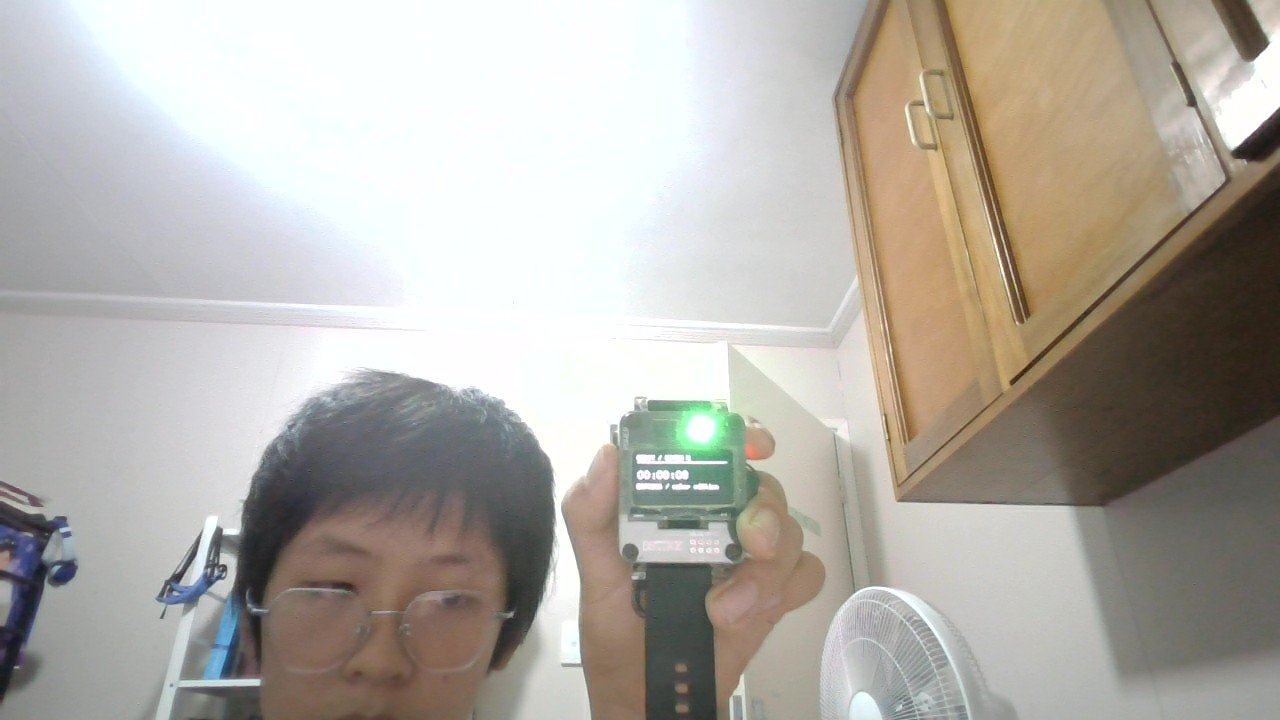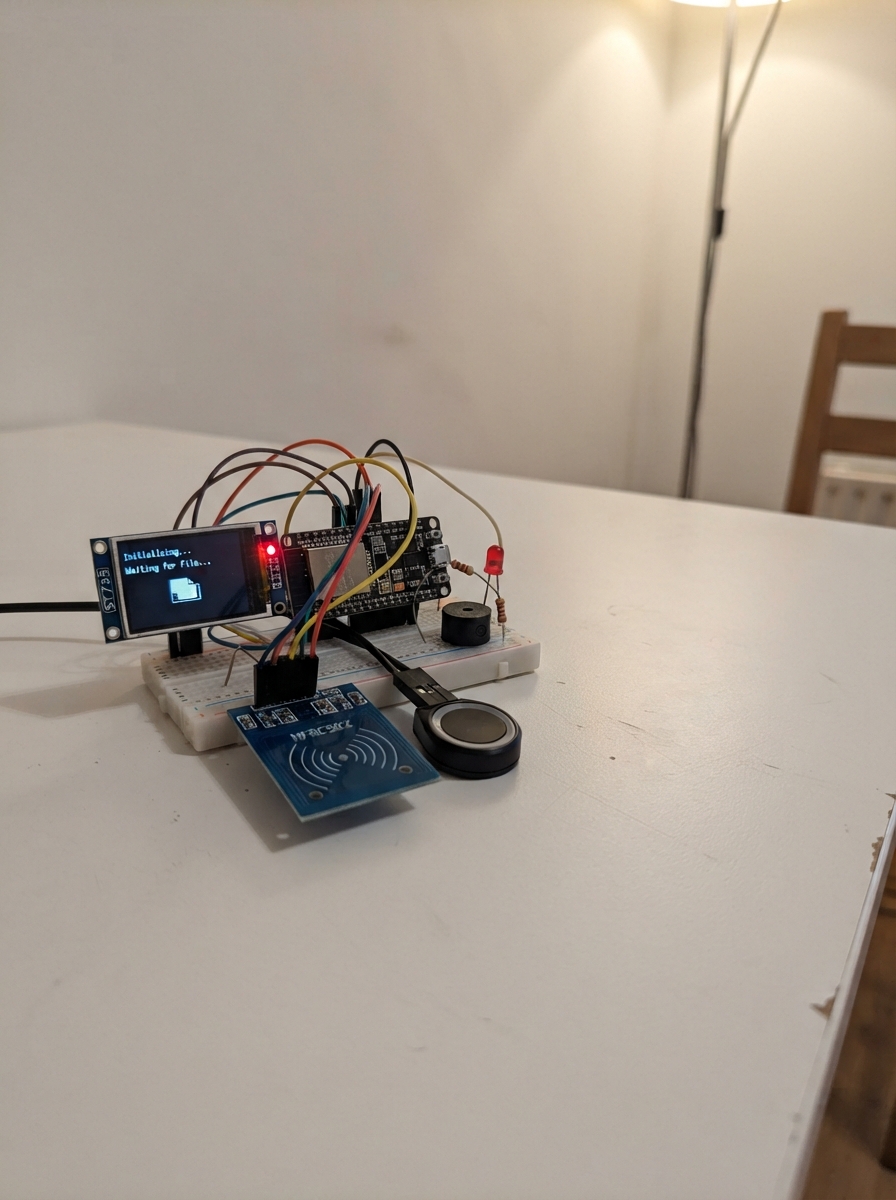
This project builds a multi-factor access control system using an ESP32 that combines fingerprint scanning, RFID card reading, and a web-based administration interface. The system displays real-time status on a 1.8-inch TFT screen and provides audio-visual feedback through LEDs and a piezo buzzer.
The guide includes a complete wiring diagram showing how to connect the fingerprint sensor, RFID reader, TFT display, status indicators, and buzzer to the ESP32. Builders will receive a parts list, step-by-step assembly instructions, and the full firmware with enrollment and verification logic that stores user credentials in flash storage and serves a local web page for managing access records.
Wiring diagram
Gather all the parts
Assemble it in 7 steps
1. Prepare the unpowered board
Unplug USB before wiring. Use the ESP32-S3-DevKitC-1 N8R2. Power the finished circuit from USB only; no separate 5V supply is needed. The firmware does not need the extra PSRAM. All GND connections join together.
- Never wire or move parts while power is connected.
2. Connect the fingerprint reader
On the R307S connector, connect pin 1 (VCC) to board 3V3 and pin 2 (GND) to GND. Connect pin 3 (TXD, sensor data out) to GPIO18 and pin 4 (RXD, commands in) to GPIO17. Leave touch pins 5 and 6 disconnected. This wiring uses your confirmed 3.3V-compatible sensor configuration. Both power and UART signals are 3.3V.
- Identify connector pin numbers from the sensor markings/manual, not cable colours.
3. Connect the card reader
Use the SPI RC522 module, not an I2C RFID unit. VCC goes to 3V3, GND to GND, SCK to GPIO12 (clock), MOSI to GPIO11 (commands), MISO to GPIO13 (card data), SDA/SS to GPIO7 (chip select) and RST to GPIO6 (reset). Leave IRQ unused.
- Never connect RC522 VCC or signal pins to 5V.
4. Connect the ST7735 screen
Use the 1.8-inch 128x160 ST7735. Connect VCC and BLK to 3V3, GND to GND, SCK to GPIO14 (clock), MOSI to GPIO15 (data), RST to GPIO8 (reset), DC to GPIO9 (command/data), and CS to GPIO10 (screen select). Leave MISO unused. Keep the screen bus separate from RFID. If the fingerprint sensor fails its startup communication check, the screen says Fingerprint doesn't work.
5. Open the local administration page
Keep the former RTC completely disconnected. Join Wi-Fi Hassan_Kadim with password 12345678, open 192.168.4.1 and sign in using admin / admin. The Pulse page offers enrollment, member removal and attendance CSV download. No clock display or clock controls are included. New attendance records use seconds since startup, resetting on each reboot; older records are not rewritten.
- Change default credentials before real use. Download CSV regularly; there is no cloud backup.
6. Connect three separate status LEDs
With USB unplugged, replace the RGB LED with three individual LEDs. Connect GPIO4 through rred (330 ohms) to the red LED anode (positive leg), GPIO5 through rgreen (330 ohms) to the green LED anode, and GPIO3 through rblue (330 ohms) to the blue LED anode. Connect each cathode (negative leg, normally the short leg beside the flat edge) to GND. Normal mode is all off; success is green only; mismatch or physical error is red only. Server errors light red and green together. Blue stays off in these modes.
- Each LED must have its own 330-ohm series resistor. This active-high wiring is not for a common-anode RGB LED.
7. Connect the low-current active buzzer
With USB unplugged, remove the transistor, its two resistors and diode. Connect the 3.3V active piezo buzzer positive lead to GPIO21 and negative lead to GND. Beep timing is unchanged.
- Direct connection requires a 3.3V active piezo buzzer rated at no more than 5mA including startup. The user's current rating is not verified. Do not power this circuit until that rating is confirmed.
- A higher-current or magnetic buzzer requires a driver; do not connect it directly to GPIO21.
Review all connections
1. Connections between "screen" and "ESP32"
2. Connections between "reader" and "ESP32"
3. Connections between "finger" and "ESP32"
4. Connections between "buzzer" and "ESP32"
5. Connections between "rred" and "ESP32"
6. Connections between "redled" and "ESP32"
7. Connections between "greenled" and "ESP32"
8. Connections between "blueled" and "ESP32"
9. Connections between "rgreen" and "ESP32"
10. Connections between "rblue" and "ESP32"
Deploy the firmware
#include <Arduino.h>
#include <SPI.h>
#include <WiFi.h>
#include <WebServer.h>
#include <Preferences.h>
#include <LittleFS.h>
#include <Adafruit_ST7735.h>
#include <Fonts/FreeSans9pt7b.h>
#include <Adafruit_Fingerprint.h>
#include <MFRC522.h>
// Dedicated hardware SPI isolates the always-selected TFT from RFID.
SPIClass displaySPI(HSPI);
Adafruit_ST7735 tft(&displaySPI,10,9,8);
MFRC522 reader(7,6);
HardwareSerial sensorSerial(1);
Adafruit_Fingerprint finger(&sensorSerial);
WebServer web(80);
Preferences prefs;
struct Person { char name[25]; char uid[21]; } people[101] = {};
enum Mode {IDLE, ENROLL_CARD, ENROLL_FIRST, ENROLL_LIFT, ENROLL_SECOND, VERIFY, RESULT};
Mode mode=IDLE;
int selected=0; unsigned long deadline=0,lastPoll=0,lastSeen[101]={};
bool sensorOK=false,fsOK=false;
constexpr bool BUZZER_ACTIVE_LOW=false;
bool buzzerOn=false;
unsigned long buzzerUntil=0;
void buzzerWrite(bool on){digitalWrite(21,BUZZER_ACTIVE_LOW?!on:on);}
void beep(unsigned long duration){buzzerUntil=millis()+duration;buzzerOn=true;buzzerWrite(true);}
String statusText,lastScreen, pendingName,pendingUID;
// Landscape ST7735 interface; redraw only when status changes.
void show(String s,int color=ST77XX_WHITE){
statusText=s;
String k=s+"#"+String(color)+"#"+String((int)mode);
if(k==lastScreen)return;lastScreen=k;
const uint16_t bg=0x0842,orange=0xFC60;
tft.fillScreen(bg);tft.setFont(nullptr);tft.setTextSize(1);tft.setTextWrap(false);
tft.setTextColor(orange);tft.setCursor(5,6);tft.print("PULSE / ATTENDANCE");
tft.drawFastHLine(5,19,150,orange);
tft.setCursor(5,26);tft.print(mode==IDLE?"READY":mode==VERIFY?"VERIFY IDENTITY":mode==RESULT?"CHECK-IN RESULT":"ENROLLMENT");
tft.setTextColor(color);
int pos=0;
for(int row=0;row<6 && pos<(int)s.length();row++){
String line="";
while(pos<(int)s.length() && line.length()<25){
char c=s[pos++];if(c=='\n')break;line+=c;
}
tft.setCursor(5,42+row*11);tft.print(line);
}
tft.setTextColor(orange);tft.setCursor(5,117);tft.print("ADMIN / 192.168.4.1");
}
void lights(bool r,bool g,bool b){
// Common-anode LED channels: LOW turns on, HIGH turns off.
digitalWrite(4,r?LOW:HIGH);
digitalWrite(5,g?LOW:HIGH);
digitalWrite(3,b?LOW:HIGH);
}
void idle(){mode=IDLE;lights(0,0,0);if(!sensorOK)show("Fingerprint doesn't work\nCheck cables and power",ST77XX_RED);else show("Welcome!\nPresent your\naccess card");}
// Server error lights the separate red and green LEDs together.
void result(String s,bool ok,bool serverError=false){
mode=RESULT;deadline=millis()+2500;
if(serverError)lights(true,true,false); // Yellow: red + green only.
else if(ok)lights(false,true,false); // Success: green only.
else lights(true,false,false); // Unregistered/error: red only.
beep(ok?120:400);
show(s,serverError?ST77XX_YELLOW:(ok?ST77XX_GREEN:ST77XX_RED));
}
void serverFault(String s){result(s,false,true);}
String key(int id){return String("p")+id;}
void savePerson(int id){prefs.putBytes(key(id).c_str(),&people[id],sizeof(Person));}
String card(){
if(!reader.PICC_IsNewCardPresent()||!reader.PICC_ReadCardSerial())return "";
String s;for(byte i=0;i<reader.uid.size;i++){if(reader.uid.uidByte[i]<16)s+='0';s+=String(reader.uid.uidByte[i],HEX);}s.toUpperCase();reader.PICC_HaltA();return s;
}
String clean(String s){String out;for(size_t i=0;i<s.length()&&out.length()<24;i++)if(isalnum((unsigned char)s[i])||s[i]==' '||s[i]=='-'||s[i]=='_')out+=s[i];return out;}
bool auth(){if(web.authenticate("admin","admin"))return true;web.requestAuthentication();return false;}
String htmlEscape(String text){
text.replace("&","&");text.replace("<","<");text.replace(">",">");text.replace("\"",""");text.replace("'","'");return text;
}
void records(){
if(!auth())return;
web.setContentLength(CONTENT_LENGTH_UNKNOWN);
web.send(200,"text/html; charset=utf-8","");
web.sendContent("<!doctype html><html lang='en'><head><meta charset='utf-8'><meta name='viewport' content='width=device-width,initial-scale=1'><title>Pulse | Records</title><style>body{background:#0d1012;color:#e5edf5;font:16px system-ui;margin:0}main{max-width:900px;margin:auto;padding:28px}h1,th{color:#ff9a3c}a{display:inline-block;background:#ff9a3c;color:#201408;padding:12px 18px;border-radius:10px;text-decoration:none;font-weight:bold;margin:8px 8px 16px 0}section{background:#171c20;padding:24px;border:1px solid #34383c;border-radius:20px}table{width:100%;border-collapse:collapse;text-align:left}td,th{padding:14px;border-bottom:1px solid #34383c}td{color:#8fcaff;overflow-wrap:anywhere}p{line-height:1.6}</style></head><body><main><h1>Records</h1><p>Saved check-ins after a registered card and matching fingerprint. Each row is a successful recorded check-in.</p><a href='/'>Home</a><a href='/records'>Refresh records</a><section>");
if(!fsOK){
web.sendContent("<p>Record storage is unavailable. Existing records have not been erased. Check-ins cannot be saved until storage is repaired.</p>");
}else if(!LittleFS.exists("/attendance.csv")){
web.sendContent("<p>No successful check-ins recorded yet.</p>");
}else{
File f=LittleFS.open("/attendance.csv","r");
if(!f)web.sendContent("<p>Unable to open saved records. Please retry.</p>");
else{
web.sendContent("<table><thead><tr><th>Student ID</th><th>Student name</th></tr></thead><tbody>");
unsigned int count=0;
while(f.available()){
String line=f.readStringUntil('\n');line.trim();
int first=line.indexOf(',');int second=line.indexOf(',',first+1);
if(first<0||second<0)continue;
String id=line.substring(first+1,second);
bool valid=id.length()>0;for(size_t i=0;i<id.length();i++)if(!isdigit((unsigned char)id[i]))valid=false;
if(!valid||id.toInt()<1||id.toInt()>100)continue;
web.sendContent("<tr><td>"+htmlEscape(id)+"</td><td>"+htmlEscape(line.substring(second+1))+"</td></tr>");count++;
}
f.close();
if(!count)web.sendContent("<tr><td colspan='2'>No successful check-ins recorded yet.</td></tr>");
web.sendContent("</tbody></table>");
}
}
web.sendContent("</section><p>Records remain saved across restarts. Failed scans and enrollment do not add entries. Repeat check-ins within one minute are not added.</p></main></body></html>");
web.sendContent("");
}
void home(){
if(!auth())return;
int count=0;for(int i=1;i<=100;i++)if(people[i].name[0])count++;
String h=R"HTML(<!doctype html><html lang="en"><head><meta charset="utf-8"><meta name="viewport" content="width=device-width,initial-scale=1"><title>Pulse | Attendance</title><style>
:root{color-scheme:dark;--orange:#ff9a3c;--muted:#a8aaa9}*{box-sizing:border-box}body{margin:0;background:#0d1012;color:#f4f4ed;font:15px system-ui,sans-serif}a{color:inherit}header{padding:22px 5vw;border-bottom:1px solid #303438;display:flex;justify-content:space-between;align-items:center}.brand{font-weight:800;letter-spacing:4px;color:var(--orange)}.badge{border:1px solid #705037;border-radius:30px;padding:8px 14px;color:var(--orange);font-size:12px}main{max-width:1150px;padding:36px 22px;margin:auto}.eyebrow{font-size:12px;letter-spacing:3px;color:var(--orange)}h1{font-size:clamp(36px,6vw,64px);line-height:1.08;margin:15px 0}p{line-height:1.7;color:var(--muted)}.hero{display:grid;grid-template-columns:2fr 1fr;gap:22px;margin-bottom:30px}.metric{border:1px solid #34383c;border-radius:20px;padding:26px;background:#171c20}.count{font-size:64px;font-weight:750;color:var(--orange)}.grid{display:grid;grid-template-columns:1fr 1fr;gap:22px}.panel{background:#171c20;border:1px solid #34383c;border-radius:20px;padding:26px;margin-bottom:22px}h2{font-size:20px;margin:0 0 14px}.status{white-space:pre-line;font-size:21px;color:#f4f4ed;border-left:3px solid var(--orange);padding-left:18px;min-height:80px}label{display:block;color:#c7cbc9;font-size:13px;margin:15px 0 8px}input{width:100%;background:#0d1012;border:1px solid #41474c;border-radius:10px;padding:13px;color:#fff;font:inherit}button,.link{display:inline-block;text-decoration:none;background:var(--orange);color:#201408;font:700 14px system-ui;border:0;border-radius:10px;padding:13px 18px;margin-top:16px;cursor:pointer}.secondary,.danger{background:#303131;color:#ffb776}.danger{padding:8px 12px;margin:0}button:hover,.link:hover{filter:brightness(1.15)}:focus-visible{outline:2px solid var(--orange);outline-offset:4px}.tablewrap{overflow-x:auto}table{width:100%;border-collapse:collapse;text-align:left}td,th{padding:16px 9px;border-bottom:1px solid #34383c}th{color:var(--orange);font-size:12px;letter-spacing:1px}footer{color:var(--muted);font-size:12px;margin:28px 0}.steps{padding-left:20px;color:var(--muted);line-height:2}@media(max-width:700px){.hero,.grid{grid-template-columns:1fr}.panel{padding:20px}header{padding:20px}.badge{font-size:10px}}
</style></head><body><header><span class="brand">PULSE.</span><span class="badge">LOCAL ATTENDANCE CONSOLE</span></header><main><div class="hero"><div><span class="eyebrow">PEOPLE / ACCESS / ARRIVALS</span><h1>A better welcome.<br>Every single day.</h1><p>Card and fingerprint check-in. Managed right here, on your device.</p></div>)HTML";
h+="<div class='metric'><span class='eyebrow'>YOUR COMMUNITY</span><div class='count'>"+String(count)+"<span style='font-size:20px;color:#a8aaa9'> / 100</span></div><p>Registered members</p></div></div><div class='grid'>";
h+="<section class='panel'><span class='eyebrow'>01 / LIVE DESK</span><h2>Device activity</h2><p class='status'>"+statusText+"</p><a class='link secondary' href='/'>Refresh activity</a> <a class='link' href='/records'>records</a><ol class='steps'><li>Present your registered card.</li><li>Scan the matching finger.</li><li>Wait for check-in confirmation.</li></ol></section>";
h+="<section class='panel'><span class='eyebrow'>02 / NEW MEMBER</span><h2>Make room for someone new.</h2><form method='post' action='/enroll'><label for='id'>Unused member ID (1–100)</label><input id='id' name='id' type='number' min='1' max='100' required><label for='name'>Full name</label><input id='name' name='name' maxlength='24' placeholder='Member name' required><button>Start enrollment →</button></form><p>Next: present a new card, then scan the same finger twice.</p></section></div>";
h+="<section class='panel'><span class='eyebrow'>03 / DIRECTORY</span><h2>The people who belong here.</h2><div class='tablewrap'><table><thead><tr><th>ID</th><th>Full name</th><th>Manage</th></tr></thead><tbody>";
for(int i=1;i<=100;i++)if(people[i].name[0]){
h+="<tr><td>"+String(i)+"</td><td>"+String(people[i].name)+"</td><td><form method='post' action='/delete' onsubmit=\"return confirm('Remove this student, card and fingerprint? Past check-ins will remain.');\"><input type='hidden' name='id' value='"+String(i)+"'><button class='danger'>Remove</button></form></td></tr>";
}
if(!count)h+="<tr><td colspan='3'>No students yet. Register the first student above.</td></tr>";
h+="</tbody></table></div><p>Removing a member deletes their card association and fingerprint. Past attendance records remain.</p></section><section class='panel'><span class='eyebrow'>04 / CHECK-INS</span><h2>Successful student records.</h2><p>View student IDs and names saved after matching card and fingerprint verification.</p><a class='link' href='/records'>records</a></section><footer>PULSE / LOCAL STORAGE · NO CLOUD BACKUP</footer></main></body></html>";
web.send(200,"text/html; charset=utf-8",h);
}
void setup(){
Serial.begin(115200);
// Deselect RFID before starting its dedicated hardware SPI bus.
pinMode(7,OUTPUT);digitalWrite(7,HIGH);
SPI.begin(12,13,11,7);
Serial.println("TFT: initializing ST7735");
displaySPI.begin(14,-1,15,-1);
tft.initR(INITR_BLACKTAB);
tft.setSPISpeed(4000000);
tft.setRotation(1);
show("Starting...\nDisplay ready");
Serial.println("TFT: startup colours sent (no display readback)");
lights(0,0,0);pinMode(4,OUTPUT);pinMode(5,OUTPUT);pinMode(3,OUTPUT);lights(0,0,0);pinMode(21,OUTPUT);buzzerWrite(false);
pinMode(7,OUTPUT);digitalWrite(7,HIGH);
reader.PCD_Init();
sensorSerial.begin(57600,SERIAL_8N1,18,17);finger.begin(57600);delay(1000);
// Retry startup communication, then verify the sensor can return its settings.
sensorOK=false;
for(int attempt=0;attempt<3 && !sensorOK;attempt++){
if(finger.verifyPassword())sensorOK=(finger.getParameters()==FINGERPRINT_OK);
if(!sensorOK)delay(200);
}
if(!sensorOK)show("Fingerprint doesn't work\nCheck cables and power",ST77XX_RED);
prefs.begin("attendance",false);for(int i=1;i<=100;i++)if(prefs.getBytesLength(key(i).c_str())==sizeof(Person))prefs.getBytes(key(i).c_str(),&people[i],sizeof(Person));
fsOK=LittleFS.begin(false); // Do not erase records automatically on a mount failure.
if(!fsOK && !prefs.getBool("fsinit",false)){if(LittleFS.format())fsOK=LittleFS.begin(false);}
if(fsOK)prefs.putBool("fsinit",true);
WiFi.mode(WIFI_AP);WiFi.softAP("Sadigh","12345678");
web.on("/",home);
web.on("/records",HTTP_GET,records);
web.on("/enroll",HTTP_POST,[](){
if(!auth())return;if(mode!=IDLE){web.send(409,"text/plain","Busy. Wait for the current operation to finish or time out.");return;}
int id=web.arg("id").toInt();String n=clean(web.arg("name"));
if(!sensorOK||id<1||id>100||id>=finger.capacity||n.length()==0||people[id].name[0]){web.send(400,"text/plain","Need working sensor, unused ID 1-100 and a name.");return;}
selected=id;pendingName=n;pendingUID="";mode=ENROLL_CARD;deadline=millis()+60000;show("Add member\nPresent a new\naccess card");web.sendHeader("Location","/");web.send(303);
});
web.on("/delete",HTTP_POST,[](){
if(!auth())return;
if(mode!=IDLE){web.send(409,"text/plain","Busy. Wait for the current operation to finish or time out before deleting a person.");return;}
String value=web.arg("id");
for(size_t i=0;i<value.length();i++)if(!isdigit((unsigned char)value[i])){web.send(400,"text/plain","Invalid ID");return;}
int id=value.toInt();
if(id<1||id>100||!people[id].name[0]){web.send(400,"text/plain","Registered ID 1-100 required.");return;}
if(!sensorOK||finger.deleteModel(id)!=FINGERPRINT_OK){
result("Scanner fault\nDeletion failed",false);web.send(503,"text/plain","Fingerprint deletion failed. Check sensor power and wiring, then retry. Person entry kept.");return;
}
if(!prefs.remove(key(id).c_str())){
serverFault("Server fault\nCould not delete\nsaved entry");web.send(500,"text/plain","Fingerprint removed, but person entry could not be erased. Retry deletion before using this ID.");return;
}
people[id]=Person{};lastSeen[id]=0;
result("Member removed",true);
web.sendHeader("Location","/");web.send(303);
});
web.on("/download",HTTP_GET,[](){
if(!auth())return;
if(!fsOK || !LittleFS.exists("/attendance.csv")){web.send(404,"text/plain","No attendance records yet");return;}
File f=LittleFS.open("/attendance.csv","r");
if(!f){web.send(500,"text/plain","Cannot open records");return;}
web.sendHeader("Content-Disposition","attachment; filename=attendance.csv");web.streamFile(f,"text/csv");f.close();
});
web.begin();idle();
}
void loop(){
if(buzzerOn&&(long)(millis()-buzzerUntil)>=0){buzzerWrite(false);buzzerOn=false;}
web.handleClient();unsigned long now=millis();
if(mode==RESULT){if((long)(now-deadline)>=0)idle();return;}
if(mode!=IDLE&&(long)(now-deadline)>=0){result("Time expired\nPlease restart",false);return;}
if(now-lastPoll<120)return;lastPoll=now;
if(mode==IDLE||mode==ENROLL_CARD){
String uid=card();if(uid=="")return;
int id=0;for(int i=1;i<=100;i++)if(people[i].name[0]&&uid==people[i].uid){id=i;break;}
if(mode==ENROLL_CARD){if(id){result("Card in use\nChoose another",false);return;}pendingUID=uid;mode=ENROLL_FIRST;show("Touch scanner\nCapture 1 of 2");return;}
if(!id){result("Card not found\nEnroll it first",false);return;}
if(!sensorOK){result("Scanner offline",false);return;}selected=id;mode=VERIFY;deadline=now+15000;show(String(people[id].name)+"\nTouch scanner");return;
}
uint8_t p=finger.getImage();
if(mode==ENROLL_LIFT){if(p==FINGERPRINT_NOFINGER){mode=ENROLL_SECOND;show("Touch again\nSame finger\nCapture 2 of 2");}return;}
if(p==FINGERPRINT_NOFINGER)return;
if(p!=FINGERPRINT_OK){result("Scanner fault\nPlease retry",false);return;}
if(finger.image2Tz(mode==ENROLL_SECOND?2:1)!=FINGERPRINT_OK){result("Unclear scan\nPlease retry",false);return;}
if(mode==ENROLL_FIRST){
if(finger.fingerFastSearch()==FINGERPRINT_OK){result("Finger in use\nChoose another",false);return;}
mode=ENROLL_LIFT;show("Release scanner\nLift your finger");return;
}
if(mode==ENROLL_SECOND){
if(finger.createModel()!=FINGERPRINT_OK||finger.storeModel(selected)!=FINGERPRINT_OK){result("Setup failed\nPlease retry",false);return;}
pendingName.toCharArray(people[selected].name,25);pendingUID.toCharArray(people[selected].uid,21);savePerson(selected);result("Member added\nReady to use",true);return;
}
if(mode==VERIFY){
if(finger.fingerFastSearch()!=FINGERPRINT_OK||finger.fingerID!=selected){result("No match\nUse your saved\nfinger",false);return;}
if(lastSeen[selected]&&now-lastSeen[selected]<60000){result("Already saved\nRetry after\none minute",false);return;}
if(!fsOK||LittleFS.totalBytes()-LittleFS.usedBytes()<512){serverFault("Storage blocked\nFull or offline");return;}
File f=LittleFS.open("/attendance.csv","a");if(!f){serverFault("Storage fault");return;}
if(f.size()==0)f.println("utc,id,name");
char stamp[32];
snprintf(stamp,sizeof(stamp),"uptime-%lus",(unsigned long)(millis()/1000));
String line=String(stamp)+","+selected+","+people[selected].name+"\n";size_t written=f.print(line);f.close();if(written!=line.length()){serverFault("Save failed\nPlease retry");return;}lastSeen[selected]=now;result(String("Check-in saved\n")+people[selected].name,true);
}
}Remix this project
Make it yours in one click
Open a full copy of this project in your own Schematik workspace, diagram, code, parts, and assembly steps included. Swap the sensor, add features, or redesign the whole thing with AI. The author's original stays untouched.