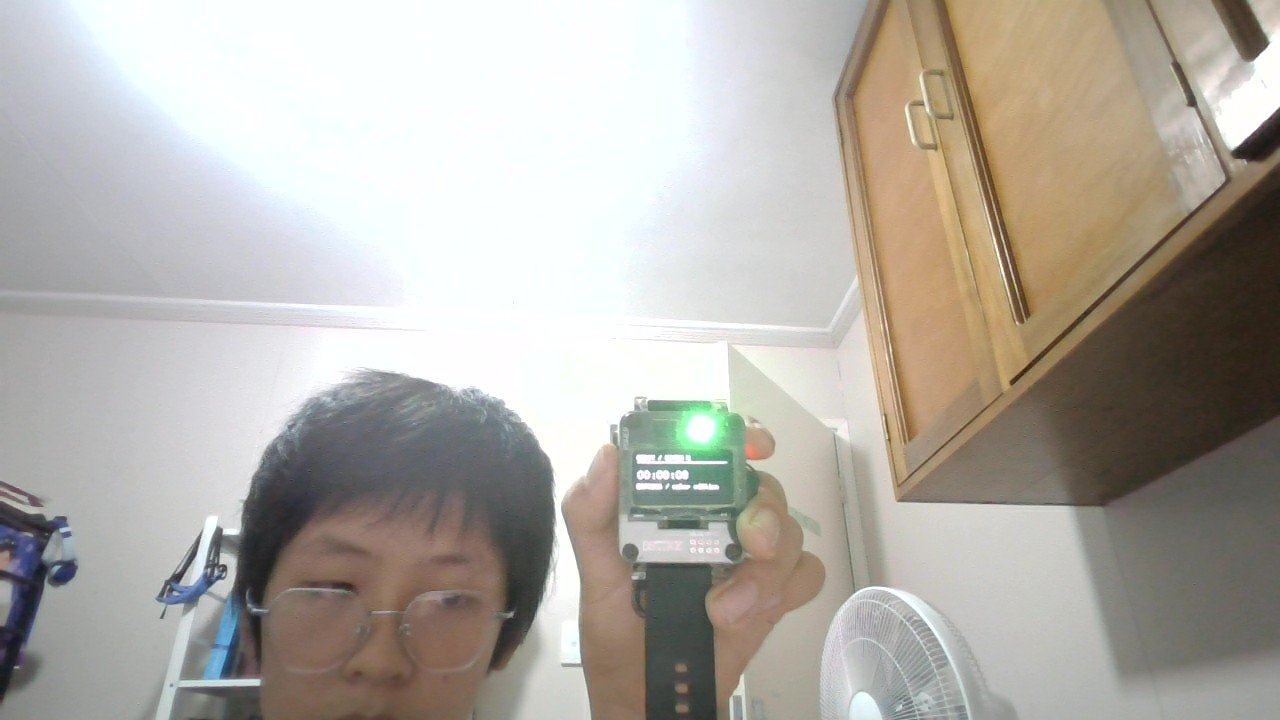
The Portable WiFi Security Watch is a wearable ESP32 device that combines network monitoring, ESP-NOW mesh communication, and entertainment features in a compact watch form factor. Built around an OLED display, NeoPixel LED, and the ORBIT Watch OS, this project delivers a fully functional smartwatch capable of scanning WiFi networks, exchanging peer-to-peer messages, and running a suite of built-in applications.
This guide provides a complete parts list, wiring diagram, and step-by-step assembly instructions to get the watch operational. Readers will learn how to configure the charging socket, navigate the expanded app menu, set up ESP-NOW communication with other devices, explore the new navigation and survey tools, control the watch remotely via browser interface, and manage recorded data selectively. The firmware supports 29 applications including games, wellness tools, a weather display, and a web control interface.
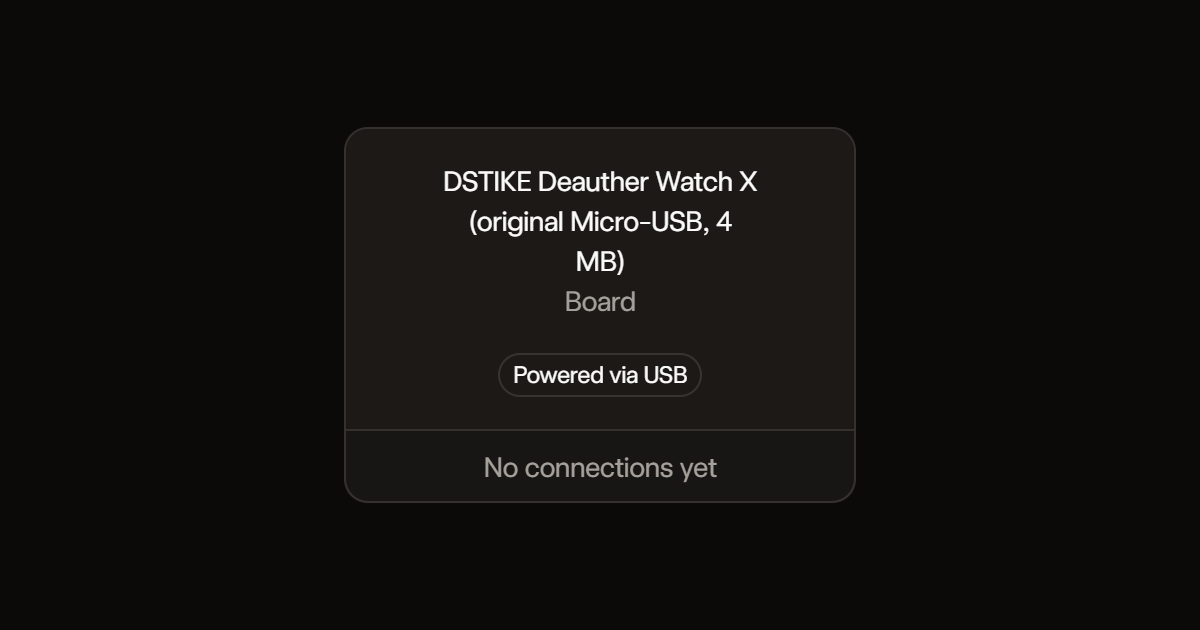
Wiring diagram
Assemble it in 17 steps
1. Keep the watch assembled
All screen, switch and LED connections are already inside the original Micro-USB Watch X. No additional parts or wires are needed.
- Custom firmware replaces the factory firmware. Save a recovery copy of the original firmware before deploying.
2. Check the charging socket
Use an undamaged Micro-USB data cable and the watch's existing charging circuit. Do not connect anything to the internal GPIO pads or battery.
- Stop using the watch if its battery is swollen, damaged or unusually hot.
3. Use the new menus
Up and Down scroll; Select opens a page. Hold Select for 0.6 seconds (or hold Up for 1.2 seconds) to return to the previous menu. Games includes Snake (left/right turns), Pong (move paddle), and Dino Runner (press to jump). Select restarts after game over. In Settings, select RGB to cycle brightness.
4. Exchange ESP-NOW messages
Open ESP-NOW on two watches running this firmware. Select sends a hello message; received messages appear on screen. Both use channel 1. Messages are unencrypted broadcasts, so do not send private information. A queued message is not proof of delivery.
- DS3231 hardware clock support is enabled; verify time retention on your watch after deployment. The buzzer settings page explains why sound is disabled; GPIO0 is left untouched.
5. Use the extra tools
Tools contains a stopwatch, a countdown timer, a two-dice roller, and device information. Select starts or pauses timing. When paused, Up or Down resets the stopwatch or adjusts the countdown by one minute. The countdown keeps running while you browse other pages and opens a visual alert at zero. Select rolls the dice. All timing resets when power is removed. The countdown makes no sound.
6. Explore ORBIT Watch OS
The watch boots to a watch face. The watch face is locked; choose a face in Settings; Select opens the app-card launcher. Up and Down browse apps and Select opens one. Hold Select for 0.6 seconds (or hold Up for 1.2 seconds) returns to the previous menu. Breathe has a four-second inhale/exhale guide. Focus has a visual work timer that runs while browsing. Flashlight now lights the verified RGB LED white and the OLED. The separate flashlight LED wiring on the original Watch X remains unverified and is not driven. Hold Select for 0.6 seconds (or hold Up for 1.2 seconds) turns the RGB flashlight off and returns to the previous menu. Calculator uses Select to choose the first number, operator or second number and Up/Down to adjust it. Settings saves RGB brightness, face and OLED contrast across power cycles. Apps are built into firmware, not downloadable. No Bluetooth phone notifications, fitness tracking or touch input are provided. The clock reads the DS3231 when it responds with valid time; sound remains disabled.
7. Explore ten new apps
Open More apps for Star Dodger, Flappy Dot, Breakout, Memory Match, Reaction, Tally counter, Number picker, Decision coin, Interval coach and Pixel studio. Up/Down moves in Star Dodger and Breakout; Select flaps in Flappy Dot. Select starts or retries games. Memory uses Up/Down to choose a card and Select to reveal it. Reaction requires waiting for GO before pressing Select. Tally uses Up/Down to count and Select to clear. Number picker uses Up/Down to change its range and Select to roll. Select flips the coin. Interval coach alternates work/rest with visual cues only; Select starts/stops and Up/Down adjusts the interval while stopped. Pixel studio uses Up/Down to choose a column and Select to toggle a pixel and advance the row. Hold Select for 0.6 seconds (or hold Up for 1.2 seconds) returns to the previous menu. New app state and drawings are not saved across power-off. These are built-in apps, not downloadable apps.
8. Use the new navigation and survey apps
Display rotation is unchanged in this update. The main clock face is locked; change faces only in Settings. Every other page shows Back at the bottom. Hold Down for 0.6 seconds to highlight Back, release it, then press Select. Hold Select still returns to the previous menu directly. Packet activity counts received frames on one channel, without storing addresses, handshakes or payloads; it is not a radio-frequency spectrum analyzer. Select starts monitoring and Select again saves the 32-second count history. Up/Down changes the channel from 1 to 11. Pet cat now has Feed, Clean, Medicine and Pet actions selected with Up/Down and performed with Select. It gets hungry, leaves poo and pee, and can get sick. It animates walking, jumping, lying down and a visual meow. It becomes a teen after seven powered-on days and an adult after twenty-one powered-on days, with a flashing evolution animation. Age and care are saved every five minutes and after care or exiting the pet; the last five minutes can be lost on sudden power-off. Age does not advance while powered off. Saved records automatically scroll through the most recent summary; Up/Down switches records and Select broadcasts numbered text chunks using ESP-NOW. This reviews recorded summaries, not over-the-air packet replay. Summary storage is limited to eight networks and 32 packet-count samples. Firmware creates these records internally; no data-file upload is required.
- Saved network names can reveal nearby locations. ESP-NOW sharing is unencrypted and has no delivery acknowledgement; the receiver displays individual chunks, not an assembled file.
9. Control the watch from a browser
Open Web control and press Select. Join ORBIT-Watch using the password displayed on the watch, then open http://192.168.4.1. The page provides Up, Down, Select and Back controls and saved summaries. The launcher must be opened and apps selected physically; browser Select is disabled in the launcher to prevent radio mode changes during requests. Keep the server running while browsing watch apps; Select on Web control stops it. Wi-Fi scans, packet monitoring and ESP-NOW disable the server because the watch has one radio. This local network does not provide Internet access.
- Only share the displayed Wi-Fi password with trusted people. Anyone connected can control the watch and read its saved surveys. The password is device-specific but not cryptographically random.
10. Save only recordings you want
Scans stay in memory until you scroll to Save survey and select Save. Stopping Packet activity opens Save or Discard, with Discard selected by default. Saving replaces the previous record rather than appending files. Saved packet counts are separate from the live graph. No raw packet payloads are stored. Cat and preference saves remain automatic.
11. Use the browser keyboard and weather
Start Web control and open its address. Type your home Wi-Fi name and password into the browser form to connect the watch; credentials are not saved to flash. Refresh to see the watch IP, which can be used from a device on the same home network. Weather uses latitude and longitude entered in the browser and Open-Meteo; the browser needs its own Internet access. Weather is shown in the browser, not on the watch. This is a connected utility, not an AI model.
- The local control page uses HTTP, not encrypted HTTPS. Only use trusted devices and networks. Internet Wi-Fi, ESP-NOW and packet monitoring share one radio and cannot operate simultaneously.
12. Use the on-watch keyboard and weather
Open Weather, press Select to scan, choose a visible 2.4 GHz network with Up/Down and press Select. Use Up/Down to choose a QWERTY row, press Select, then use Up/Down to choose a key and Select to type it. After each character you return to row selection. The bottom action row contains SPACE, DEL, CASE, 123/# and DONE; select this row then choose an action. CASE switches lower/uppercase; 123/# switches symbols. DONE connects. Passwords are case-sensitive and must contain 8–63 characters for secured networks. The connection screen reports wrong passwords, missing networks, rejected connections or timeouts. Use a 2.4 GHz WPA2-Personal network, not WPA3-only or enterprise Wi-Fi. Passwords are not saved. After connecting, press Select and enter latitude then longitude, finishing each with DONE. Weather is fetched directly by the watch from Open-Meteo and shown on its screen as temperature in Celsius, wind in km/h and a WMO condition code. A lookup can pause controls for several seconds. Other radio apps interrupt the Internet connection. Hold Select cancels text entry. Weather needs Internet access; captive-portal networks are unsupported.
- Weather uses encrypted HTTPS without server certificate verification. Only public coordinates are sent, but results cannot be authenticated. Never enter sensitive information as coordinates.
13. Ask the offline fact helper
Open Offline facts and press Select to type a question with the same keyboard. Choose DONE to answer. Up/Down scrolls the answer. The helper recognizes a small set of built-in topics including Mars moons, Earth moons, the Sun, Solar System planets, Jupiter, boiling water and ESP8266 capabilities. It is not an AI model or general fact-checking service and reports Unknown for unsupported questions.
14. Set and verify the hardware clock
DS3231 support uses the existing I2C bus, SDA GPIO5 and SCL GPIO4. Firmware reads time at boot and every second without overwriting it. Open Clock, press Select, adjust hours with Up/Down, press Select, adjust minutes, then press Select to highlight SAVE and press again to write the RTC. Leaving before SAVE cancels the edit. The existing calendar and alarms are preserved. If the RTC reports lost time, set and save the time first. Missing or failed RTC reads show a software fallback message rather than claiming the hardware clock works. The maker archive names the RTC-equipped hardware Watch V2; the current Watch X listing confirms an RTC but does not explicitly name its chip. Verify detection and time retention on your original Watch X after deployment. No extra wiring is needed.
- Time retention depends on the RTC remaining powered by the watch battery. Removing or exhausting the battery may require setting time again. This update sets hours and minutes only, not the calendar date.
- Buzzer remains disabled; GPIO0 drive behavior is not verified and that boot pin is untouched.
15. Diagnose an RTC failure
Open Clock and read the status line. No RTC reply at 0x68 means the addressed chip is not responding. Register read failed or Invalid RTC time data means the assumed DS3231 protocol cannot be used reliably. RTC lost time means set hours and minutes and explicitly SAVE. A failed save now keeps the time editor open. RTC clock not ticking means the time registers have stopped advancing. Serial output at 115200 baud also reports changed status and raw clock registers for diagnosis. A responding address alone does not prove the RTC model. After Deploy, verify that seconds advance and that saved time survives powering the watch off and on; this diagnostic update does not establish that the hardware works.
16. Keep a diary and save pixel pictures
Diary / Journal has four saved entries, each up to 200 characters. Up/Down chooses entries or actions. Select an entry to read the next portion; Edit selected entry opens the existing on-watch keyboard. New replaces the selected slot only when DONE is chosen; holding Select cancels without saving. Clear selected entry deletes immediately. Pixel Studio now opens an action menu on Select, with Paint, Next row, Save, Choose save slot, Clear canvas and Resume. Choose one of six slots and Save to store or replace its picture. Art pictures lets you browse the six saved pictures and Select loads one into Pixel Studio for editing. Clearing the canvas does not delete the saved copy until you explicitly save over it. Fixed slots prevent unbounded storage growth. Notes are plain text, not encrypted; do not store passwords or private information. Existing cat progress and recordings use their original storage locations.
17. Play the original Maze Blaster game
Open Maze Blaster in the launcher. Select starts, Up/Down turns, movement is automatic and Select fires at the crosshair. Clear four creatures before losing five health points. Select after winning or losing restarts. Hold Select returns to the launcher. This is a tiny original monochrome maze shooter with ray-cast walls, not DOOM and not a DOOM engine or asset port. Other existing games and apps remain available.
Deploy the firmware
#include <Arduino.h>
#include <ESP8266WiFi.h>
#include <Wire.h>
#include <U8g2lib.h>
#include <Adafruit_NeoPixel.h>
#include <math.h>
#include <EEPROM.h>
extern "C" {
#include <espnow.h>
#include <user_interface.h>
}
// Original Watch X: maker GPIO reference. Buzzer GPIO0 intentionally untouched.
U8G2_SH1106_128X64_NONAME_F_HW_I2C oled(U8G2_R0, U8X8_PIN_NONE, 4, 5);
Adafruit_NeoPixel led(1,15,NEO_GRB+NEO_KHZ800);
enum Page {MENU, SCANNING, NETWORKS, DETAILS, SETTINGS, ABOUT, CLOCK, COMMS, GAMES, GAME, TIMESET, SOUND, TOOLS, STOPWATCH, TIMER, DICE, DEVICE, HOME, BREATH, FOCUS, LIGHT, CALC, EXTRA_MENU, EXTRA, SPECTRUM, PET, RECORDS, WEB, SAVE_RECORD, WEATHER, FACTS, KEYBOARD, JOIN_SCAN, JOIN_LIST, JOURNAL, ART_PICTURES, STUDIO_MENU, MAZE, FAVORITES, ART_OPTIONS, CONFIRM, ARCADE, SPACE_SIM, CHESS, WELLNESS, DIFFICULTY};
Page page=HOME;
const char* entries[]={"Wi-Fi scan","Clock","ESP-NOW","Games","Settings","Tools","Breathe","Focus","Flashlight","Calculator","More apps","About","Packet activity","Pet cat","Saved records","Web control","Weather","ELIZA chat","Diary / Journal","Art pictures","Maze Blaster","Space Invaders","Tetris","Geometry Jump","Lunar Lander","Space simulator","Chess","Wellness","Difficulty"};
const int appCount=29;
int difficulty=0;
int difficultyChoice=0;
const char* difficultyNames[]={"Easy","Medium","Hard"};
int choice=0,net=0,count=0,brightness=20,angle=0;
bool dirty=true;
int face=0,contrast=160,calcA=0,calcB=0,calcField=0,calcOp=0;
bool breathing=false,focusRunning=false;
uint32_t breathStart=0,focusStart=0,focusRemaining=25UL*60000;
const char* ops[]={"+","-","x","/"};
void savePrefs(){EEPROM.write(0,0xA7);EEPROM.write(1,brightness);EEPROM.write(2,face);EEPROM.write(3,contrast);EEPROM.commit();}
uint32_t focusMs(){if(!focusRunning)return focusRemaining;uint32_t spent=millis()-focusStart;return spent>=focusRemaining?0:focusRemaining-spent;}

uint32_t lastFrame=0,pressed=0,lastButton[3]={0,0,0};
bool previous[3]={false,false,false},rawButtons[3]={false,false,false},held=false;
uint32_t upPressed=0;
bool upHeld=false;
const uint8_t buttons[]={12,13,14};
// ESP-NOW text protocol: plain UTF-8, at most 31 bytes, channel 1.
uint8_t broadcastMac[6]={255,255,255,255,255,255};
bool radio=false; volatile bool rxPending=false; char rxBuffer[32]={0};
String message="No messages yet";
bool rtcBusResponds=false;
bool rtcValid=false;
String rtcMessage="RTC not responding";
uint32_t rtcPoll=0;
uint32_t editTime=0;
uint32_t uptimeBase=0, clockBase=0, gameTick=0; int setting=0, gameChoice=0;
const char* gameNames[]={"Snake","Pong","Dino Runner"};
const char* toolNames[]={"Stopwatch","Countdown","Dice roller","Device info"};
int toolChoice=0, die1=1, die2=1;
uint32_t watchElapsed=0,watchStart=0,timerDuration=300000,timerRemaining=300000,timerStart=0;
bool watchRunning=false,timerRunning=false,timerDone=false;
uint32_t stopwatchMs(){return watchElapsed+(watchRunning?millis()-watchStart:0);}
uint32_t countdownMs(){if(!timerRunning)return timerRemaining;uint32_t spent=millis()-timerStart;return spent>=timerRemaining?0:timerRemaining-spent;}
String durationText(uint32_t ms){char b[24];uint32_t seconds=ms/1000;snprintf(b,sizeof(b),"%02lu:%02lu:%02lu",(unsigned long)(seconds/3600),(unsigned long)(seconds/60%60),(unsigned long)(seconds%60));return String(b);}
int score=0, px=10,py=28,bx=64,by=30,vx=2,vy=1,obstacle=120,jump=0;
int sx[128],sy[128],length=4,dir=0,nextDir=0,foodX=20,foodY=6;
bool over=false;
void receiveMessage(uint8_t*,uint8_t* data,uint8_t len){
 if(rxPending)return; uint8_t n=min((int)len,31); memcpy(rxBuffer,data,n);rxBuffer[n]=0;rxPending=true;
}
void stopRadio(){if(radio){esp_now_deinit();radio=false;}}
void stopWeb();
void stopMonitor();
void startRadio(){
 stopWeb();stopMonitor();
 WiFi.scanDelete();wifi_set_channel(1);
 radio=esp_now_init()==0;
 if(radio){esp_now_set_self_role(ESP_NOW_ROLE_COMBO);esp_now_register_recv_cb(receiveMessage);
 if(esp_now_add_peer(broadcastMac,ESP_NOW_ROLE_COMBO,1,NULL,0)!=0){stopRadio();}}
 message=radio?"SEL: compose message":"Radio init failed";
}
void newFood(){bool hit;do{foodX=random(0,30);foodY=random(0,11);hit=false;for(int i=0;i<length;i++)if(sx[i]==foodX&&sy[i]==foodY)hit=true;}while(hit);}
void resetGame(){score=0;over=false;px=10;py=28;bx=64;by=30;vx=2;vy=1;obstacle=120;jump=0;length=4;dir=nextDir=0;for(int i=0;i<4;i++){sx[i]=10-i;sy[i]=5;}newFood();gameTick=millis();}
uint32_t clockSeconds();
#include "rtc.h"
uint32_t clockSeconds(){return clockBase+(millis()-uptimeBase)/1000;}
String clockText(){uint32_t t=clockSeconds()%86400;char b[12];snprintf(b,sizeof(b),"%02lu:%02lu:%02lu",(unsigned long)(t/3600),(unsigned long)(t/60%60),(unsigned long)(t%60));return String(b);}
void tickGame(){
 if(over)return;
 if(gameChoice==0){dir=nextDir;int x=sx[0]+(dir==0)-(dir==2),y=sy[0]+(dir==1)-(dir==3);bool eat=x==foodX&&y==foodY;
 if(x<0||x>=30||y<0||y>=11){over=true;return;}
 for(int i=0;i<length-(eat?0:1);i++)if(sx[i]==x&&sy[i]==y){over=true;return;}
 if(eat&&length<127){length++;score++;}for(int i=length-1;i>0;i--){sx[i]=sx[i-1];sy[i]=sy[i-1];}sx[0]=x;sy[0]=y;if(eat)newFood();
 }else if(gameChoice==1){bx+=vx;by+=vy;if(by<15||by>53)vy=-vy;if(bx>=120)vx=-abs(vx);if(bx<=8){if(abs(by-py)<=10){vx=abs(vx);score++;}else over=true;}}
 else{obstacle-=4;if(obstacle<0){obstacle=128;score++;}if(jump>0)jump--;int height=jump>0?int(24*sin(3.14159*jump/18)):0;if(obstacle<22&&obstacle>4&&height<12)over=true;}
}
void text(int y,String s);
#include "extras.h"
#include "cat.h"
void backupRoutes();
String backupLinks();
#include "watchplus.h"
void render();
void writeNote(String s);
void backupRoutes();
String backupLinks();
#include "connected.h"
#include "creative.h"
#include "arcade.h"
#include "chess.h"
void polishTick();
void status(){led.setBrightness(brightness);led.setPixelColor(0,page==LIGHT?led.Color(255,255,255):(page==SCANNING||weatherScan||page==JOIN_SCAN)?led.Color(0,0,255):led.Color(0,255,0));led.show();}
void back(){
 backFocus=false;
 if(page==CONFIRM){pendingNote="";page=confirmReturn;dirty=true;return;}
 if(page==ART_OPTIONS){slideshow=false;page=ART_PICTURES;dirty=true;return;}
 if(page==KEYBOARD){typed="";page=typeTask==5?COMMS:typeTask==4?JOURNAL:typeTask==3?FACTS:WEATHER;dirty=true;return;}
 if(page==JOIN_SCAN||page==JOIN_LIST){page=WEATHER;dirty=true;return;}
 if(page==PET){if(catCareMenu){catCareMenu=false;dirty=true;return;}saveCat();}
 if(page==STUDIO_MENU)page=EXTRA;
 else if(page==DETAILS)page=NETWORKS;
 else if(page==TIMESET)page=CLOCK;
 else if(page==SOUND)page=SETTINGS;
 else if(page==GAME)page=GAMES;
 else if(page==EXTRA)page=EXTRA_MENU;
 else if(page==STOPWATCH||page==TIMER||page==DICE||page==DEVICE)page=TOOLS;
 else if(page==MENU)page=FAVORITES;
 else if(page==FAVORITES){page=favEdit?SETTINGS:HOME;favEdit=false;}
 else if(page!=HOME){stopMonitor();stopRadio();page=MENU;}
 breathing=false;dirty=true;status();
}
void selectItem(){
 if(page==DIFFICULTY){if(backFocus){back();return;}difficulty=difficultyChoice;dirty=true;return;}
 if(page==CHESS){chessSelect();dirty=true;return;}
 if(page==WELLNESS){wellSelect();dirty=true;return;}
 if(page==ARCADE||page==SPACE_SIM){if(backFocus)back();else arcadeSelect();return;}
 if(backFocus&&page!=HOME){back();return;}
 if(page==JOURNAL||page==ART_PICTURES||page==STUDIO_MENU||page==MAZE||page==FAVORITES||page==ART_OPTIONS||page==CONFIRM){creativeSelect();return;}
 if(page==WEATHER||page==FACTS||page==KEYBOARD||page==JOIN_LIST){connectedSelect();return;}
 if(page==PET){careCat();dirty=true;return;}
 if(page==SAVE_RECORD){if(saveChoice==0){if(saveKind==0)saveSurvey();else saveSamples();}page=saveKind==0?NETWORKS:SPECTRUM;dirty=true;return;}
 if(page==SPECTRUM){if(monitorOn){stopMonitor();saveKind=1;saveChoice=1;page=SAVE_RECORD;}else startMonitor();dirty=true;return;}
 if(page==WEB){if(webOn)stopWeb();else startWeb();dirty=true;return;}
 if(page==RECORDS){shareRecord();dirty=true;return;}
 if(page==EXTRA_MENU){page=EXTRA;resetExtra();}
 else if(page==EXTRA){if(extraChoice==9){studioAction=0;page=STUDIO_MENU;}else extraSelect();}
 else
 if(page==HOME){page=FAVORITES;favCursor=0;}
 else if(page==BREATH){breathing=!breathing;breathStart=millis();}
 else if(page==FOCUS){if(focusRunning){focusRemaining=focusMs();focusRunning=false;}else{if(!focusRemaining)focusRemaining=25UL*60000;focusStart=millis();focusRunning=true;}}
 else if(page==CALC){calcField=(calcField+1)%3;}
 else if(page==MENU){if(choice==0){stopWeb();stopMonitor();stopRadio();WiFi.scanDelete();WiFi.scanNetworks(true,true);page=SCANNING;status();}
 else if(choice==1)page=CLOCK;else if(choice==2){if(WiFi.scanComplete()==WIFI_SCAN_RUNNING){page=COMMS;message="Scan busy; try later";}else{page=COMMS;startRadio();}}else if(choice==3)page=GAMES;else if(choice==4)page=SETTINGS;else if(choice==5)page=TOOLS;else if(choice==6)page=BREATH;else if(choice==7)page=FOCUS;else if(choice==8)page=LIGHT;else if(choice==9)page=CALC;else if(choice==10)page=EXTRA_MENU;else if(choice==11)page=ABOUT;else if(choice==12)page=SPECTRUM;else if(choice==13)page=PET;else if(choice==14)page=RECORDS;else if(choice==15)page=WEB;else if(choice==16)page=WEATHER;else if(choice==17)page=FACTS;else if(choice==18)page=JOURNAL;else if(choice==19)page=ART_PICTURES;else if(choice==20){page=MAZE;resetMaze();}else if(choice<25){page=ARCADE;arcadeKind=choice-21;resetArcade();}else if(choice==25){page=SPACE_SIM;arcadeTick=millis();}else if(choice==26){page=CHESS;chessReset();}else if(choice==27){page=WELLNESS;}else{page=DIFFICULTY;difficultyChoice=difficulty;}status();}
 else if(page==TOOLS){page=toolChoice==0?STOPWATCH:toolChoice==1?TIMER:toolChoice==2?DICE:DEVICE;}
 else if(page==STOPWATCH){if(watchRunning){watchElapsed=stopwatchMs();watchRunning=false;}else{watchStart=millis();watchRunning=true;}}
 else if(page==TIMER){if(timerRunning){timerRemaining=countdownMs();timerRunning=false;}else{if(!timerRemaining)timerRemaining=timerDuration;timerStart=millis();timerRunning=true;timerDone=false;}}
 else if(page==DICE){die1=random(1,7);die2=random(1,7);}
 else if(page==NETWORKS){if(net==count){saveKind=0;saveChoice=1;page=SAVE_RECORD;}else if(count>0)page=DETAILS;}
 else if(page==STUDIO_MENU)page=EXTRA;
 else if(page==DETAILS)page=NETWORKS;
 else if(page==CLOCK){editTime=clockSeconds()%86400;page=TIMESET;setting=0;}
 else if(page==TIMESET){if(setting<2)setting++;else{if(saveRtcTime(editTime))page=CLOCK;}}
 else if(page==COMMS&&radio)keyboardStart(5,"Message: 31 chars");
 else if(page==GAMES){page=GAME;resetGame();}
 else if(page==GAME){if(over)resetGame();else if(gameChoice==2&&jump==0)jump=18;}
 else if(page==SETTINGS){if(setting==4){page=FAVORITES;favEdit=true;favCursor=0;}else if(setting==1)page=SOUND;else if(setting==2){face=(face+1)%3;savePrefs();}else if(setting==3){contrast=contrast==80?160:contrast==160?240:80;oled.setContrast(contrast);savePrefs();}else {brightness=(brightness+20)%101;status();savePrefs();}}
 dirty=true;
}
void move(int direction){
 if(page==DIFFICULTY){if(backFocus)backFocus=false;else difficultyChoice=(difficultyChoice+direction+3)%3;dirty=true;return;}
 if(page==CHESS){chessMove(direction);dirty=true;return;}
 if(page==WELLNESS){wellMode=(wellMode+direction+3)%3;dirty=true;return;}
 if(page==ARCADE||page==SPACE_SIM){if(backFocus){backFocus=false;}else arcadeMove(direction);return;}
 if(backFocus){backFocus=false;dirty=true;return;}
 if(page==JOURNAL||page==ART_PICTURES||page==STUDIO_MENU||page==MAZE||page==FAVORITES||page==ART_OPTIONS||page==CONFIRM){creativeMove(direction);return;}
 if(page==WEATHER||page==FACTS||page==KEYBOARD||page==JOIN_LIST){connectedMove(direction);return;}
 if(page==SAVE_RECORD){saveChoice=1-saveChoice;dirty=true;return;}
 if(page==PET){if(catCareMenu)catAction=(catAction+direction+6)%6;dirty=true;return;}
 if(page==SPECTRUM){channel=(channel-1+direction+11)%11+1;if(monitorOn){wifi_promiscuous_enable(0);wifi_set_channel(channel);packetCounter=0;for(auto &n:samples)n=0;wifi_promiscuous_enable(1);monitorTick=millis();}dirty=true;return;}
 if(page==RECORDS){recordIndex=1-recordIndex;dirty=true;return;}
 if(page==EXTRA_MENU)extraChoice=(extraChoice+direction+10)%10;
 else if(page==EXTRA)extraMove(direction);
 else
 if(page==HOME){/* Locked face: change only in Settings. */}
 else if(page==FOCUS&&!focusRunning){focusRemaining=constrain((long)focusRemaining+direction*300000L,300000L,3600000L);}
 else if(page==CALC){if(calcField==0)calcA=constrain(calcA+direction,-99,99);else if(calcField==1)calcOp=(calcOp+direction+4)%4;else calcB=constrain(calcB+direction,-99,99);}
 else if(page==MENU)choice=(choice+direction+appCount)%appCount;
 else if(page==TOOLS)toolChoice=(toolChoice+direction+4)%4;
 else if(page==STOPWATCH&&!watchRunning)watchElapsed=0;
 else if(page==TIMER&&!timerRunning){timerDuration=constrain((long)timerDuration+direction*60000L,60000L,3594000L);timerRemaining=timerDuration;timerDone=false;}
 else if(page==DICE){die1=random(1,7);die2=random(1,7);}
 else if(page==NETWORKS)net=(net+direction+count+1)%(count+1);
 else if(page==DETAILS&&count>0)net=(net+direction+count)%count;
 else if(page==SETTINGS){setting=(setting+direction+5)%5;}
 else if(page==TIMESET&&setting<2){editTime=(editTime+86400+direction*(setting==0?3600:60))%86400;}
 else if(page==GAMES)gameChoice=(gameChoice+direction+3)%3;
 else if(page==GAME){if(gameChoice==0){nextDir=(dir+direction+4)%4;}else if(gameChoice==1)py=constrain(py+direction*6,22,46);else if(jump==0)jump=18;}
 dirty=true;
}
void text(int y,String s){oled.drawStr(0,y,s.c_str());}
void render(){
 oled.clearBuffer();oled.setFont(u8g2_font_5x8_tf);
 if(page==CHESS)chessRender();
 else if(page==WELLNESS)wellRender();
 else if(page==ARCADE||page==SPACE_SIM)arcadeRender();
 else if(page==JOURNAL||page==ART_PICTURES||page==STUDIO_MENU||page==MAZE||page==FAVORITES||page==ART_OPTIONS||page==CONFIRM)creativeRender();
 else if(page==WEATHER||page==FACTS||page==KEYBOARD||page==JOIN_SCAN||page==JOIN_LIST)connectedRender();
 else if(page==SPECTRUM||page==PET||page==RECORDS||page==WEB)plusRender();
 else if(page==EXTRA_MENU){text(9,"ORBIT / More apps");for(int i=0;i<3;i++){int n=(extraChoice+i)%10;text(25+i*12,String(i==0?"> ":"  ")+extraNames[n]);}}
 else if(page==EXTRA)renderExtra();
 else if(page==HOME){
 text(8,"ORBIT / WATCH X");oled.drawHLine(0,11,128);
 if(face==1){oled.drawCircle(64,35,21);uint32_t t=clockSeconds()%86400;float m=(t/60%60)*0.1047198f-1.5707963f,h=(t/3600%12+t/60%60/60.0f)*0.5235988f-1.5707963f;
 oled.drawLine(64,35,64+17*cos(m),35+17*sin(m));oled.drawLine(64,35,64+12*cos(h),35+12*sin(h));}
 else {oled.setFont(u8g2_font_9x15_tf);text(34,clockText());oled.setFont(u8g2_font_5x8_tf);text(48,face==2?"ESP8266 / maker edition":"Select: app launcher");}
 }else if(page==DIFFICULTY){text(9,"Game difficulty");
 for(int i=0;i<3;i++)text(23+i*10,String(i==difficultyChoice?"> ":"  ")+difficultyNames[i]+(i==difficulty?" [SET]":""));
 text(54,"Select: apply | Hold: back");
 }else if(page==MENU){text(9,"WATCH X / apps   "+String(choice+1)+"/"+String(appCount));
 int first=(choice/3)*3;
 for(int i=0;i<3;i++){int n=first+i;if(n>=appCount)break;int y=14+i*16;
 oled.drawFrame(0,y,128,15);oled.drawFrame(3,y+3,9,9);
 if(n==choice)oled.drawBox(5,y+5,5,5);
 oled.drawStr(17,y+10,entries[n]);}}
 else if(page==BREATH){text(8,"Breathe / select start");uint32_t phase=breathing?(millis()-breathStart)%8000:0;int radius=breathing?8+int(12*(1-cos(phase*0.000785398f))/2):8;
 oled.drawCircle(91,34,radius);text(30,breathing?(phase<4000?"INHALE":"EXHALE"):"Ready");text(48,"4 sec in / 4 sec out");}
 else if(page==FOCUS){text(9,focusRunning?"FOCUS / stay on task":"Focus timer");oled.setFont(u8g2_font_9x15_tf);text(32,durationText((focusMs()+999)/1000*1000));oled.setFont(u8g2_font_5x8_tf);text(47,focusRunning?"Select: pause":"+/- 5 min | Select start");}
 else if(page==LIGHT){oled.drawBox(0,0,128,55);oled.setDrawColor(0);text(28,"RGB LED FLASHLIGHT");oled.setDrawColor(1);}
 else if(page==CALC){text(9,"Pocket calculator");text(24,String(calcA)+" "+ops[calcOp]+" "+calcB);String result;
 if(calcOp==0)result=String(calcA+calcB);else if(calcOp==1)result=String(calcA-calcB);else if(calcOp==2)result=String(calcA*calcB);else result=calcB?String((float)calcA/calcB,2):"Divide by zero";
 text(38,"= "+result);text(51,String("Edit: ")+(calcField==0?"first number":calcField==1?"operator":"second number"));}
 else if(page==SCANNING){text(8,"Scanning 2.4 GHz...");oled.drawCircle(64,39,21);oled.drawCircle(64,39,11);float a=angle*0.0174533f;oled.drawLine(64,39,64+20*cos(a),39+20*sin(a));}
 else if(page==SAVE_RECORD){text(9,"Save this recording?");text(27,String(saveChoice==0?"> ":"  ")+"Save / replace previous");text(41,String(saveChoice==1?"> ":"  ")+"Discard (no flash write)");text(53,"Up/down choose | Select");}
 else if(page==NETWORKS){text(9,String(count)+" networks / manual save");for(int i=0;i<3;i++){int n=net+i;if(n>count)break;text(25+i*12,String(i==0?"> ":"  ")+(n==count?String("Save survey..."):WiFi.SSID(n).substring(0,21)));}}

 else if(page==DETAILS){text(9,WiFi.SSID(net).length()?WiFi.SSID(net).substring(0,25):"<hidden>");text(21,WiFi.BSSIDstr(net));text(33,"RSSI: "+String(WiFi.RSSI(net))+" dBm");text(45,"Channel: "+String(WiFi.channel(net)));uint8_t e=WiFi.encryptionType(net);text(57,String("Security: ")+(e==ENC_TYPE_NONE?"Open":e==ENC_TYPE_WEP?"WEP":e==ENC_TYPE_TKIP?"WPA":e==ENC_TYPE_CCMP?"WPA2":"WPA/WPA2"));}
 else if(page==SETTINGS){text(9,"Settings / select to edit");const String labels[]={"RGB: "+String(brightness),"Buzzer (disabled)","Clock screen: "+String(face+1),"Display: "+String(contrast),"Edit favorites"};for(int i=0;i<3;i++){int n=(setting+i)%5;text(25+i*12,String(i==0?"> ":"  ")+labels[n]);}}
 else if(page==TOOLS){text(9,"Tools");for(int i=0;i<3;i++){int n=(toolChoice+i)%4;text(25+i*12,String(i==0?"> ":"  ")+toolNames[n]);}}
 else if(page==STOPWATCH){text(9,"Stopwatch");oled.setFont(u8g2_font_9x15_tf);text(30,durationText(stopwatchMs()));oled.setFont(u8g2_font_5x8_tf);text(43,watchRunning?"Select: pause":"Select: start/resume");text(54,"Paused: up/down reset");}
 else if(page==TIMER){text(9,timerDone?"TIME IS UP!":"Countdown (visual alarm)");oled.setFont(u8g2_font_9x15_tf);text(30,durationText((countdownMs()+999)/1000*1000));oled.setFont(u8g2_font_5x8_tf);text(43,timerRunning?"Select: pause":"Select: start/resume");text(54,"Paused: +/- one minute");}
 else if(page==DICE){text(9,"Dice / select to roll");oled.setFont(u8g2_font_9x15_tf);text(31,String(die1)+" + "+die2+" = "+(die1+die2));oled.setFont(u8g2_font_5x8_tf);text(48,"Two six-sided dice");}
 else if(page==DEVICE){text(9,"Device information");text(21,"Heap: "+String(ESP.getFreeHeap())+" B");text(33,"Flash: "+String(ESP.getFlashChipRealSize()/1024)+" KiB");text(45,"Uptime: "+durationText(millis()));text(55,"ESP8266 / "+String(ESP.getCpuFreqMHz())+" MHz");}
 else if(page==SOUND){text(9,"Buzzer: safely disabled");text(24,"GPIO0 control unverified");text(38,"No sound output enabled");text(51,"Boot pin left untouched");}
 else if(page==HOME||page==FOCUS||page==CLOCK||page==TIMESET){text(9,rtcMessage);oled.setFont(u8g2_font_9x15_tf);text(31,page==TIMESET?durationText(editTime*1000):clockText());oled.setFont(u8g2_font_5x8_tf);text(45,page==CLOCK?"Select: set time":setting==0?"Adjust HOUR / select next":setting==1?"Adjust MINUTE / select next":"Select: SAVE time");text(54,rtcValid?"Hardware timekeeping":rtcBusResponds?"Set time, then SAVE":"Software fallback only");}
 else if(page==COMMS){text(9,"ESP-NOW text / channel 1");text(22,WiFi.macAddress());text(36,message.substring(0,25));text(49,message.substring(25));}
 else if(page==GAMES){text(9,"Games");for(int i=0;i<3;i++)text(25+i*12,String(gameChoice==i?"> ":"  ")+gameNames[i]);}
 else if(page==GAME){text(9,String(gameNames[gameChoice])+" "+score);
 if(gameChoice==0){oled.drawFrame(3,12,122,46);for(int i=0;i<length;i++)oled.drawBox(4+sx[i]*4,13+sy[i]*4,3,3);oled.drawFrame(4+foodX*4,13+foodY*4,4,4);}
 else if(gameChoice==1){oled.drawBox(4,py-8,3,16);oled.drawBox(123,constrain(by-8,14,38),3,16);oled.drawBox(bx,by,3,3);}
 else{int h=jump>0?int(24*sin(3.14159*jump/18)):0;oled.drawHLine(0,54,128);oled.drawBox(10,44-h,8,10);oled.drawBox(obstacle,42,7,12);}
 if(over)text(36,"GAME OVER - select retry");}
 else{ text(9,"ORBIT Watch OS v3.1");text(22,"Scanner / games / ESP-NOW");text(34,"No attack transmissions");text(46,"DS3231 clock / sound off"); }
 if(page!=HOME){oled.setDrawColor(0);oled.drawBox(0,57,128,7);oled.setDrawColor(1);text(64,backFocus?"> BACK (press Select)":"Hold SEL: previous menu");}
 oled.sendBuffer();dirty=false;
}
void setup(){
 Serial.begin(115200);
 pinMode(12,INPUT_PULLUP);pinMode(13,INPUT_PULLUP);pinMode(14,INPUT_PULLUP);
 Wire.begin(5,4);oled.setI2CAddress(0x3C*2);oled.begin();oled.setDisplayRotation(U8G2_R0);led.begin();status();
 EEPROM.begin(4096);EEPROM.get(16,petXP);if(petXP==0xffffffff)petXP=0;uint16_t savedLen;EEPROM.get(24,savedLen);if(savedLen>0&&savedLen<=700){savedSurvey="";for(int i=0;i<savedLen;i++)savedSurvey+=(char)EEPROM.read(26+i);}for(int i=0;i<32;i++){EEPROM.get(736+i*2,savedSamples[i]);if(savedSamples[i]==65535)savedSamples[i]=0;}if(EEPROM.read(0)==0xA7){brightness=min((int)EEPROM.read(1),100);face=EEPROM.read(2)%3;contrast=EEPROM.read(3);}oled.setContrast(contrast);status();
 pollRtc();rtcDiagnostics();
 setupJoinEvents();loadPolish();loadCat();randomSeed(ESP.getCycleCount());
 WiFi.persistent(false);WiFi.mode(WIFI_STA);WiFi.disconnect();render();
}
void loop(){
 uint32_t now=millis();if(now-rtcPoll>=1000&&page!=TIMESET){rtcPoll=now;pollRtc();rtcDiagnostics();}plusTick();chessTick();catUpdate();connectedTick();polishTick();
 // Accept a change only after the electrical reading stays stable for 30 ms.
 for(int i=0;i<3;i++){
  bool raw=digitalRead(buttons[i])==LOW;
  if(raw!=rawButtons[i]){rawButtons[i]=raw;lastButton[i]=now;}
  if(raw!=previous[i]&&now-lastButton[i]>=30){
   previous[i]=raw;
   if(i<2&&raw){move(i==0?-1:1);if(i==0){upPressed=now;upHeld=false;}else{downPressed=now;downHeld=false;}}
   if(i==2){if(raw){pressed=now;held=false;}else if(!held)selectItem();}
  }
 }
 if(previous[2]&&!held&&now-pressed>=600){held=true;back();}
 if(previous[1]&&!downHeld&&now-downPressed>=600&&page!=HOME&&page!=KEYBOARD){downHeld=true;backFocus=true;dirty=true;}
 // A second exit gesture is available even if pressing the switch inward is awkward.
 if(previous[0]&&!upHeld&&now-upPressed>=1200&&page!=KEYBOARD){upHeld=true;back();}
 // Continue servicing an asynchronous scan even when the user leaves its page.
 int result=WiFi.scanComplete();
 if(page==SCANNING&&result>=0){count=result;net=0;page=NETWORKS;dirty=true;status();}
 else if(page==SCANNING&&result==WIFI_SCAN_FAILED){count=0;page=NETWORKS;dirty=true;status();}
 if(focusRunning&&focusMs()==0){focusRunning=false;focusRemaining=0;page=FOCUS;dirty=true;status();}
 if(page==BREATH&&breathing&&now-lastFrame>=100){lastFrame=now;dirty=true;}
 if(timerRunning&&countdownMs()==0){timerRunning=false;timerRemaining=0;timerDone=true;page=TIMER;dirty=true;status();}
 if(page==SCANNING&&now-lastFrame>=100){lastFrame=now;angle=(angle+15)%360;dirty=true;}
 if(rxPending){message="RX: "+String(rxBuffer);rxPending=false;if(page==COMMS)dirty=true;}
 if((page==HOME||page==FOCUS||page==CLOCK||page==TIMESET||page==STOPWATCH||page==TIMER||page==DEVICE||page==WELLNESS)&&now-lastFrame>=1000){lastFrame=now;dirty=true;}
 if(page==GAME&&now-gameTick>=(gameChoice==0?240-difficulty*65:70-difficulty*15)&&!over){gameTick=now;tickGame();dirty=true;}
 arcadeUpdate();
 mazeUpdate();
 if(page==EXTRA)extraTick();
 static bool wasScanning=false;bool scanningNow=page==SCANNING||weatherScan||page==JOIN_SCAN;if(scanningNow!=wasScanning){wasScanning=scanningNow;status();}
 if(dirty)render();delay(1);
}
Remix this project
Make it yours in one click
Open a full copy of this project in your own Schematik workspace, diagram, code, parts, and assembly steps included. Swap the sensor, add features, or redesign the whole thing with AI. The author's original stays untouched.