Community project
ESP32 Weather Station
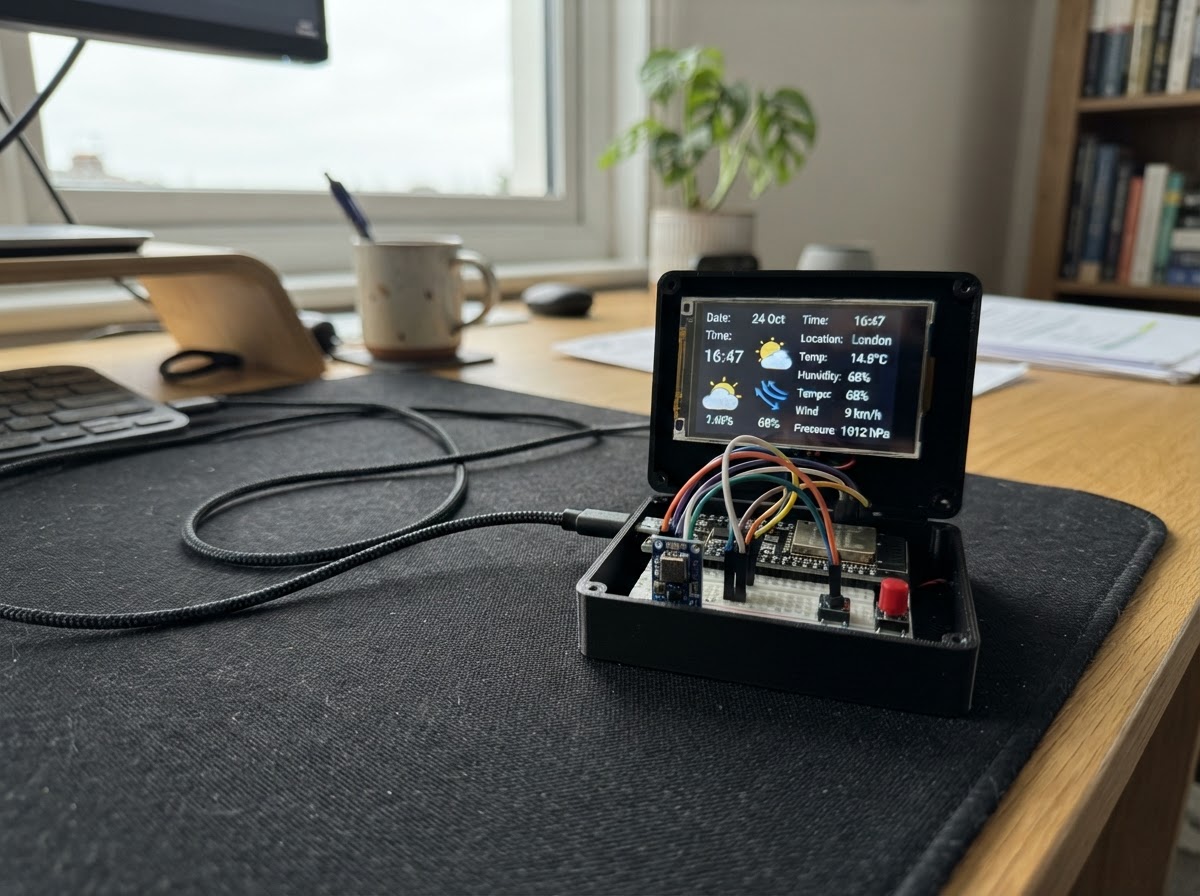
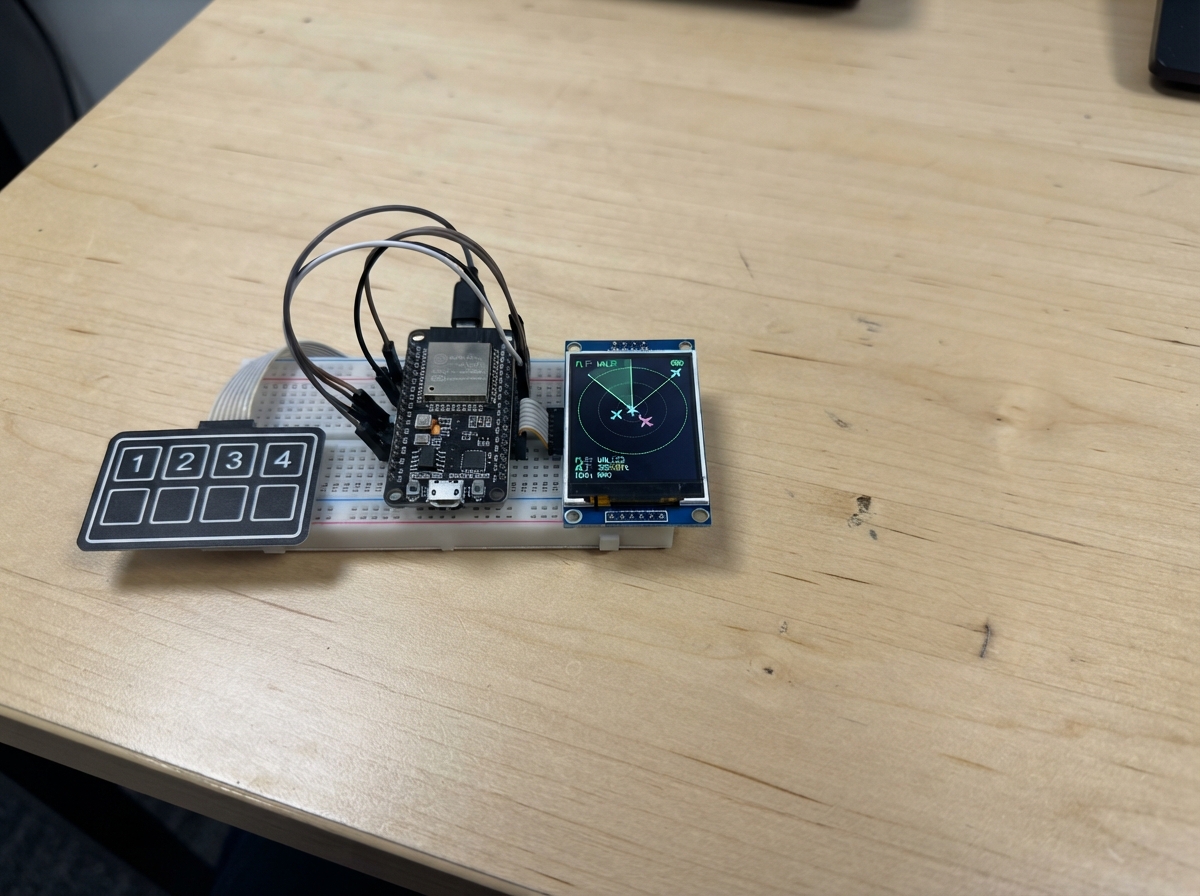
Build a connected weather station that displays current conditions and forecasts on a 2.8-inch touchscreen. The ESP32 fetches real-time weather data from the internet, shows temperature, humidity, wind speed, and a five-day forecast with weather icons. An optional BME280 sensor provides local atmospheric readings, and a setup button lets you configure Wi-Fi and select your location without touching code.
This guide includes a complete wiring diagram, parts list, and step-by-step assembly instructions. The provided firmware handles Wi-Fi provisioning, weather API integration, display rendering, and automatic brightness control. Once assembled and powered via USB, the station updates every 15 minutes and displays sunrise/sunset times alongside day-by-day forecasts.
Wiring diagram

Gather all the parts
Assemble it in 5 steps
1. Prepare the USB-powered controller
Place the ESP32 DevKit v1 in the enclosure or on a breadboard. It is powered only through its USB-C/USB 5 V connector; use a reliable 5 V USB supply rated at least 1 A.
- Keep the USB connector accessible after closing the enclosure.
- Do not feed 5 V into the ESP32 3V3 pin.
2. Connect the 2.8-inch ILI9341 display
Power the TFT from ESP32 3V3 and GND. Connect its SPI pins MOSI to GPIO23, MISO to GPIO19, and SCK/CLK to GPIO18. Connect TFT_CS to GPIO27, TFT_DC to GPIO26, TFT_RST to GPIO25, TFT_BL/LED to GPIO4, and TOUCH_CS to GPIO33. Leave TOUCH_IRQ unconnected; the touch layer is not used.
- This design expects a 3.3 V logic ILI9341 SPI module. Check the pin labels on the module; some boards label SCK as CLK and MOSI as SDI.
- If your display has no MISO or touch pins, omit only those absent pins; all other listed TFT connections remain required.
- Do not connect a bare 3.3 V TFT logic input directly to 5 V.
- Confirm VCC and GND before applying power; swapped power can permanently damage the display.
3. Connect the optional local BME280 sensor
Connect BME280 VCC to ESP32 3V3 and GND to GND. Connect SDA to GPIO21 and SCL/SCK to GPIO22. Leave SDO unconnected for I2C address 0x77; the firmware also automatically tries 0x76.
- Mount the sensor away from the ESP32 voltage regulator and display backlight so it measures room air rather than self-heating.
- This component is optional: the weather station works without it and simply omits the green Local line.
- Use a BME280, not a BMP280, if local humidity is required.
4. Install the setup button
Connect one terminal of a normally-open pushbutton to GPIO32 and the opposite terminal to GND. No external resistor is needed because the firmware enables the ESP32 internal pull-up resistor.
- Hold this button for three seconds to reopen Wi-Fi and city configuration.
- For a four-leg tactile switch, use two legs on opposite sides of the switch rather than two legs on the same internally connected side.
- Do not connect GPIO32 to 3.3 V when the button is pressed; the button must short GPIO32 only to GND.
5. First power-up and placement
Power the ESP32 by USB. On first start it creates the Wi-Fi network WeatherStation; connect with a phone, open 192.168.4.1, select your home Wi-Fi and enter the city using Latin letters. The display then obtains weather from Open-Meteo and time from NTP. Place the finished unit on a desk or shelf with ventilation slots near the BME280.
- Weather refreshes every 15 minutes. The screen dims automatically from 22:00 to 07:00 local time.
- The city configuration is stored in ESP32 nonvolatile memory.
- The city field accepts Latin spelling reliably, for example Moscow, Saint Petersburg, Berlin, or Almaty.
Review all connections
1. Connections between "tft_ili9341" and "ESP32"
2. Connections between "bme280_local" and "ESP32"
3. Connections between "setup_button" and "ESP32"
Deploy the firmware
#include <Arduino.h>
#include <WiFi.h>
#include <WiFiManager.h>
#include <HTTPClient.h>
#include <ArduinoJson.h>
#include <Preferences.h>
#include <Wire.h>
#include <Adafruit_GFX.h>
#include <Adafruit_ILI9341.h>
#include <Adafruit_BME280.h>
#include <time.h>
#define TFT_CS 27
#define TFT_DC 26
#define TFT_RST 25
#define TFT_BL 4
#define SETUP_BUTTON 32
#define I2C_SDA 21
#define I2C_SCL 22
// Local RGB565 colours keep the display code portable across TFT headers and the browser facade.
struct WeatherData {
bool valid = false;
float temp, apparent, humidity, pressure, wind;
int code;
String sunrise, sunset, days[5];
int dayCode[5];
float dayMin[5], dayMax[5];
uint8_t count = 0;
time_t updated = 0;
} weather;
static const uint16_t COLOR_NAVY = 0x000F;
static const uint16_t COLOR_DARK_GREY = 0x7BEF;
static const uint16_t COLOR_LIGHT_GREY = 0xC618;
// Forward declarations
String encode(const String &s);
String hhmm(const String &s);
String dayDate(const String &s);
String dow(const String &s);
const char* condition(int c);
void icon(int x,int y,int code,uint8_t s);
void brightness();
void screen();
bool getJson(const String &url, JsonDocument &doc);
bool fetchWeather();
void portal();
const char *NTP_SERVER = "pool.ntp.org";
const uint32_t WEATHER_INTERVAL_MS = 15UL * 60UL * 1000UL;
const uint32_t BUTTON_HOLD_MS = 3000;
const int NIGHT_START_HOUR = 22, NIGHT_END_HOUR = 7;
Adafruit_ILI9341 tft(TFT_CS, TFT_DC, TFT_RST);
Adafruit_BME280 bme;
Preferences prefs;
bool bmePresent = false, portalTriggered = false;
char city[48] = "Moscow", placeName[64] = "";
uint32_t lastWeatherAttempt = 0, buttonDownAt = 0;
int lastMinute = -1;
String encode(const String &s) {
String r; const char *h="0123456789ABCDEF";
for (uint16_t i=0;i<s.length();i++) { char c=s[i]; if (isalnum((unsigned char)c)||c=='-'||c=='_'||c=='.') r+=c; else { r+='%'; r+=h[(c>>4)&15]; r+=h[c&15]; } }
return r;
}
String hhmm(const String &s) { return s.length() >= 16 ? s.substring(11,16) : "--:--"; }
String dayDate(const String &s) { return s.length() >= 10 ? s.substring(8,10)+"."+s.substring(5,7) : "--.--"; }
String dow(const String &s) {
if (s.length()<10) return "---";
tm x={}; x.tm_year=s.substring(0,4).toInt()-1900; x.tm_mon=s.substring(5,7).toInt()-1; x.tm_mday=s.substring(8,10).toInt(); mktime(&x);
const char *n[]={"Sun","Mon","Tue","Wed","Thu","Fri","Sat"}; return n[x.tm_wday];
}
const char* condition(int c) { if(c==0)return "Clear"; if(c<=2)return "Partly cloudy"; if(c==3)return "Overcast"; if(c<=48)return "Fog"; if(c<=57)return "Drizzle"; if(c<=67)return "Rain"; if(c<=77)return "Snow"; if(c<=82)return "Showers"; return "Storm"; }
void icon(int x,int y,int code,uint8_t s=1) {
if(code==0||code==1) { tft.fillCircle(x+18*s,y+18*s,10*s,ILI9341_YELLOW); for(int a=0;a<8;a++){float q=a*PI/4; tft.drawLine(x+18*s+cos(q)*14*s,y+18*s+sin(q)*14*s,x+18*s+cos(q)*19*s,y+18*s+sin(q)*19*s,ILI9341_YELLOW);} if(code==0)return; }
tft.fillCircle(x+16*s,y+22*s,9*s,COLOR_LIGHT_GREY); tft.fillCircle(x+27*s,y+18*s,12*s,COLOR_LIGHT_GREY); tft.fillCircle(x+39*s,y+23*s,8*s,COLOR_LIGHT_GREY); tft.fillRect(x+15*s,y+22*s,31*s,9*s,COLOR_LIGHT_GREY);
if((code>=51&&code<=67)||code>=80) for(int i=0;i<3;i++)tft.drawLine(x+(18+i*10)*s,y+35*s,x+(15+i*10)*s,y+43*s,ILI9341_CYAN);
if(code>=71&&code<=77) for(int i=0;i<3;i++)tft.drawPixel(x+(18+i*10)*s,y+39*s,ILI9341_WHITE);
}
void brightness() { tm x; if(!getLocalTime(&x,20)){ledcWrite(0,180);return;} ledcWrite(0,(x.tm_hour>=NIGHT_START_HOUR||x.tm_hour<NIGHT_END_HOUR)?25:220); }
void screen() {
tft.fillScreen(COLOR_NAVY); tft.setTextWrap(false); tft.setTextColor(ILI9341_WHITE,COLOR_NAVY); tft.setTextSize(2); tft.setCursor(8,7); tft.print(placeName[0]?placeName:city);
tm now; tft.setTextSize(1); tft.setCursor(8,30); if(getLocalTime(&now,20)){char b[24];strftime(b,sizeof(b),"%d.%m.%Y %H:%M",&now);tft.print(b);}else tft.print("NTP time synchronizing"); tft.drawFastHLine(0,42,240,COLOR_DARK_GREY);
if(!weather.valid){tft.setTextSize(2);tft.setCursor(15,75);tft.print("Weather loading...");tft.setTextSize(1);tft.setCursor(15,125);tft.print("Hold SETUP 3 sec: Wi-Fi/city");return;}
icon(10,52,weather.code,2); tft.setTextSize(4);tft.setCursor(105,59);tft.printf("%.1fC",weather.temp); tft.setTextSize(1);tft.setCursor(106,99);tft.printf("Feels %.1fC %s",weather.apparent,condition(weather.code));
tft.setCursor(8,130);tft.printf("Humidity %.0f%% Pressure %.0f hPa",weather.humidity,weather.pressure);tft.setCursor(8,146);tft.printf("Wind %.1f km/h Rise %s Set %s",weather.wind,hhmm(weather.sunrise).c_str(),hhmm(weather.sunset).c_str());
if(bmePresent){tft.setTextColor(ILI9341_GREEN,COLOR_NAVY);tft.setCursor(8,162);tft.printf("Local: %.1fC %.0f%% %.0f hPa",bme.readTemperature(),bme.readHumidity(),bme.readPressure()/100.0F);tft.setTextColor(ILI9341_WHITE,COLOR_NAVY);}
tft.drawFastHLine(0,178,240,COLOR_DARK_GREY);tft.setCursor(8,184);tft.print("FORECAST");
for(uint8_t i=0;i<weather.count&&i<3;i++){int x=7+i*78;tft.setCursor(x,201);tft.print(dow(weather.days[i]));tft.setCursor(x,213);tft.print(dayDate(weather.days[i]));icon(x+12,225,weather.dayCode[i]);tft.setCursor(x,274);tft.printf("%.0f/%.0fC",weather.dayMin[i],weather.dayMax[i]);}
tft.setTextColor(COLOR_LIGHT_GREY,COLOR_NAVY);tft.setCursor(8,305);tm u;if(weather.updated&&localtime_r(&weather.updated,&u)){char b[8];strftime(b,sizeof(b),"%H:%M",&u);tft.printf("Updated %s | hold button: setup",b);}else tft.print("Hold button: setup");
}
bool getJson(const String &url, JsonDocument &doc) { HTTPClient h;h.setTimeout(12000);h.begin(url);int status=h.GET();if(status!=HTTP_CODE_OK){h.end();return false;}DeserializationError e=deserializeJson(doc,h.getStream());h.end();return !e; }
bool fetchWeather() {
JsonDocument geo; if(!getJson("https://geocoding-api.open-meteo.com/v1/search?count=1&language=en&format=json&name="+encode(city),geo))return false;
if(!geo["results"].is<JsonArray>()||geo["results"].size()==0)return false; JsonObject loc=geo["results"][0]; float lat=loc["latitude"]|0.0,lon=loc["longitude"]|0.0; const char *pn=loc["name"]|city; snprintf(placeName,sizeof(placeName),"%s",pn);
JsonDocument doc; String u="https://api.open-meteo.com/v1/forecast?latitude="+String(lat,5)+"&longitude="+String(lon,5)+"¤t=temperature_2m,relative_humidity_2m,apparent_temperature,surface_pressure,wind_speed_10m,weather_code&daily=weather_code,temperature_2m_min,temperature_2m_max,sunrise,sunset&timezone=auto&forecast_days=5";
if(!getJson(u,doc))return false; long offset=doc["utc_offset_seconds"]|0; configTime(offset,0,NTP_SERVER); JsonObject c=doc["current"];weather.temp=c["temperature_2m"]|0.0;weather.humidity=c["relative_humidity_2m"]|0.0;weather.apparent=c["apparent_temperature"]|0.0;weather.pressure=c["surface_pressure"]|0.0;weather.wind=c["wind_speed_10m"]|0.0;weather.code=c["weather_code"]|-1;
JsonObject d=doc["daily"];weather.sunrise=d["sunrise"][0].as<String>();weather.sunset=d["sunset"][0].as<String>();weather.count=min((size_t)5,d["time"].size());for(uint8_t i=0;i<weather.count;i++){weather.days[i]=d["time"][i].as<String>();weather.dayCode[i]=d["weather_code"][i]|-1;weather.dayMin[i]=d["temperature_2m_min"][i]|0.0;weather.dayMax[i]=d["temperature_2m_max"][i]|0.0;}weather.updated=time(nullptr);weather.valid=true;return true;
}
void portal() {
WiFiManager wm;
#if defined(__EMSCRIPTEN__)
// The browser facade provides Wi-Fi credentials only; the ESP32 path below remains unchanged.
wm.setConfigPortalTimeout(180);
#else
char buf[48]; strncpy(buf, city, sizeof(buf)); buf[47] = 0;
WiFiManagerParameter cityField("city", "City (Latin letters)", buf, 47);
wm.addParameter(&cityField);
wm.setConfigPortalTimeout(180);
#endif
tft.fillScreen(COLOR_NAVY);tft.setTextColor(ILI9341_WHITE);tft.setTextSize(2);tft.setCursor(10,70);tft.print("Setup portal active");tft.setTextSize(1);tft.setCursor(10,105);tft.print("Wi-Fi: WeatherStation");tft.setCursor(10,120);tft.print("Open 192.168.4.1");
if(wm.startConfigPortal("WeatherStation")){
#if !defined(__EMSCRIPTEN__)
strncpy(city,cityField.getValue(),sizeof(city));city[47]=0;prefs.putString("city",city);
#endif
weather.valid=false;fetchWeather();
}
screen();
}
void setup() {
pinMode(SETUP_BUTTON,INPUT_PULLUP);ledcSetup(0,5000,8);ledcAttachPin(TFT_BL,0);ledcWrite(0,220);tft.begin();tft.setRotation(0);tft.fillScreen(COLOR_NAVY);Wire.begin(I2C_SDA,I2C_SCL);bmePresent=bme.begin(0x77);if(!bmePresent)bmePresent=bme.begin(0x76);prefs.begin("weather",false);prefs.getString("city","Moscow").toCharArray(city,sizeof(city));WiFiManager wm;wm.setConfigPortalTimeout(180);if(!wm.autoConnect("WeatherStation"))ESP.restart();fetchWeather();screen();
}
void loop() {
brightness();bool down=digitalRead(SETUP_BUTTON)==LOW;if(down&&buttonDownAt==0){buttonDownAt=millis();portalTriggered=false;}if(down&&!portalTriggered&&millis()-buttonDownAt>=BUTTON_HOLD_MS){portalTriggered=true;portal();}if(!down)buttonDownAt=0;
if(millis()-lastWeatherAttempt>=WEATHER_INTERVAL_MS){lastWeatherAttempt=millis();if(WiFi.status()==WL_CONNECTED)fetchWeather();screen();}tm n;if(getLocalTime(&n,10)&&n.tm_min!=lastMinute){lastMinute=n.tm_min;screen();}delay(30);
}Remix this project
Make it yours in one click
Open a full copy of this project in your own Schematik workspace — diagram, code, parts, and assembly steps included. Swap the sensor, add features, or redesign the whole thing with AI. The author's original stays untouched.