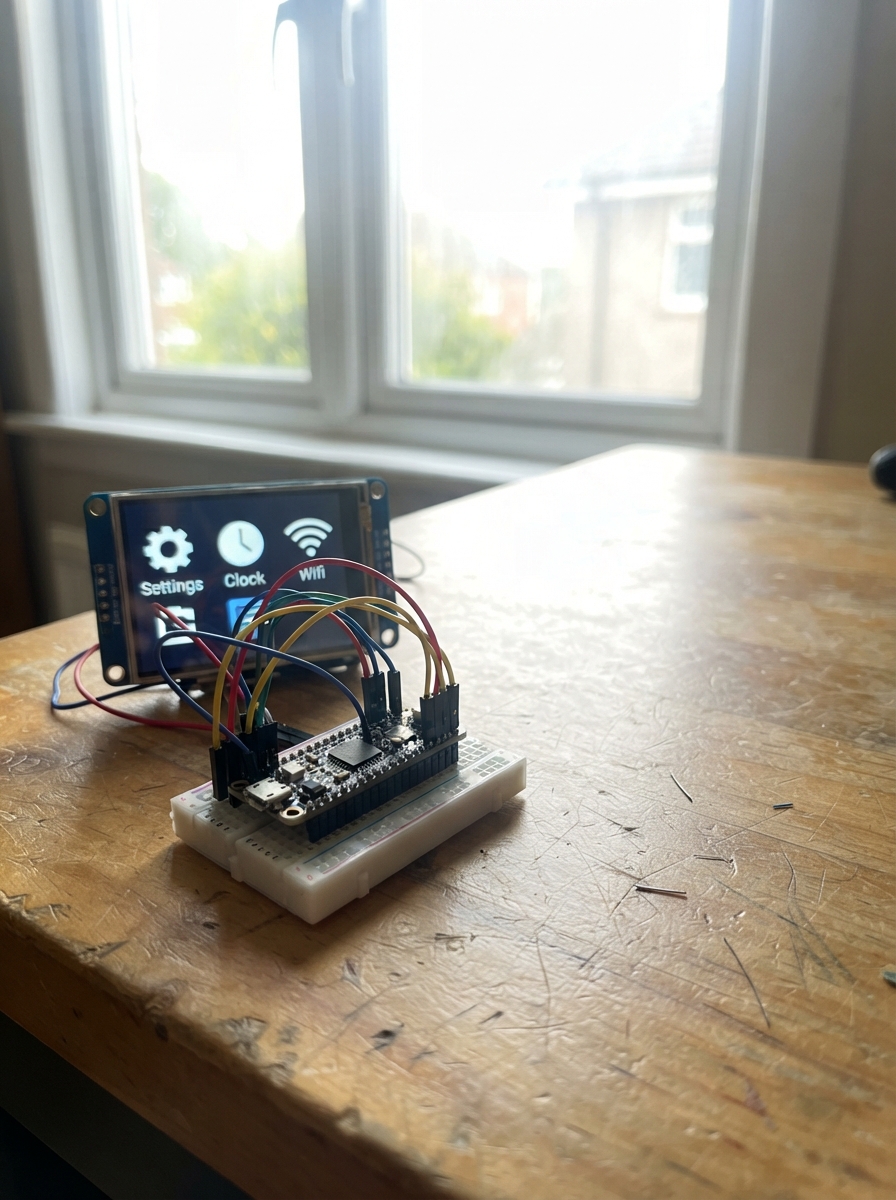
This project brings a responsive touch interface to the ESP32 by combining its built-in ILI9488 display with a capacitive touch controller. The result is a smooth, iPhone-like UI experience powered by the LVGL graphics library, with touch input handled through I2C communication. An Android companion app extends functionality, allowing remote control and data exchange with the device.
The guide includes a complete wiring diagram showing how to connect the display and touch panel to the ESP32's GPIO pins, a full parts list, and ready-to-compile firmware that handles display initialization, touch coordinate mapping, and LVGL rendering. Step-by-step assembly instructions walk through physical setup and software configuration to get the touch UI responding to gestures and interactions.
Wiring diagram
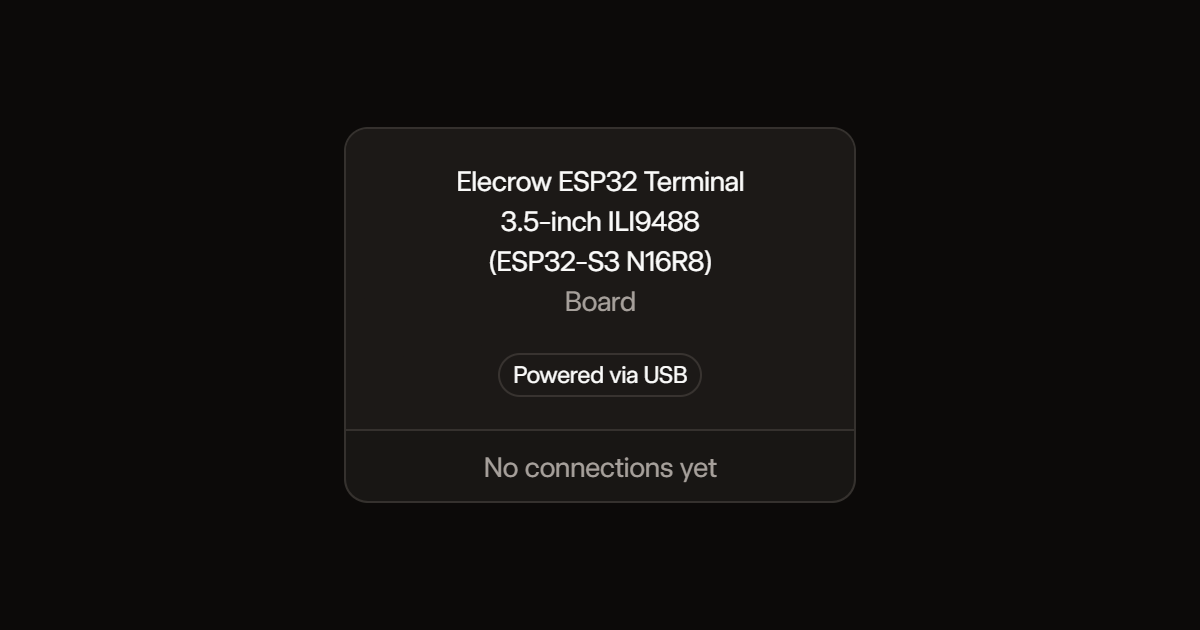
Assemble it in 2 steps
1. Use the built-in screen
No external parts or wires are needed. Place the terminal on a dry, nonconductive surface and connect its USB-C socket to a USB power source using a data-capable cable.
- Use a 5 V USB supply capable of at least 500 mA.
- Leave the battery socket and external ports disconnected for this project.
- Do not connect bare display pins or bridge exposed contacts while powered.
2. Connect the Android companion app
Install Chronos from https://chronos.ke/app?id=esp32. Turn on Bluetooth and allow Nearby Devices and notification access when requested. In Chronos, open Watches, Pair New Devices, then select Elecrow Navigation. Connect inside Chronos, not Android Bluetooth settings. Enable the app's navigation sharing and start Google Maps turn-by-turn navigation.
- Allow Chronos to run in the background; disable battery restrictions for it if Android stops updates.
- This is a directions display, not the Google Maps app or a live map.
- Google Maps notification changes on newer Android versions may prevent Chronos from forwarding directions. A Bluetooth connection alone does not prove compatibility.
- Notification access can expose private notifications to the companion app. Only grant it if you trust the app.
- Test while stationary. Never operate the screen or phone while driving.
- If directions do not update, use the phone for navigation rather than relying on stale information here.
Deploy the firmware
#include <Arduino.h>
#include <Wire.h>
#include <LovyanGFX.hpp>
class Display: public lgfx::LGFX_Device {
 lgfx::Panel_ILI9488 panel; lgfx::Bus_Parallel16 bus;
 public: Display(){
 auto b=bus.config(); b.port=0; b.freq_write=80000000;
 b.pin_wr=18;b.pin_rd=48;b.pin_rs=45;
 b.pin_d0=47;b.pin_d1=21;b.pin_d2=14;b.pin_d3=13;b.pin_d4=12;b.pin_d5=11;b.pin_d6=10;b.pin_d7=9;
 b.pin_d8=3;b.pin_d9=8;b.pin_d10=16;b.pin_d11=15;b.pin_d12=7;b.pin_d13=6;b.pin_d14=5;b.pin_d15=4;
 bus.config(b);panel.setBus(&bus);
 auto p=panel.config();p.pin_cs=-1;p.pin_rst=-1;p.pin_busy=-1;
 p.memory_width=320;p.memory_height=480;p.panel_width=320;p.panel_height=480;
 p.offset_x=0;p.offset_y=0;p.offset_rotation=2;p.dummy_read_pixel=8;p.dummy_read_bits=1;
 p.readable=true;p.invert=false;p.rgb_order=false;p.dlen_16bit=true;p.bus_shared=true;
 panel.config(p);setPanel(&panel);
 }
} tft;

#include <lvgl.h>
// Read the touch count and first point together so coordinates cannot
// come from different samples. Native panel coordinates are 320 x 480.
bool touch(int &x,int &y){
 Wire.beginTransmission(0x38);Wire.write(2);
 if(Wire.endTransmission(false)!=0)return false;
 if(Wire.requestFrom(0x38,5)!=5)return false;
 uint8_t count=Wire.read(),xh=Wire.read(),xl=Wire.read(),yh=Wire.read(),yl=Wire.read();
 if((count&15)==0||(xh>>6)==1)return false;
 int rx=((xh&15)<<8)|xl,ry=((yh&15)<<8)|yl;
 if(rx>=320||ry>=480)return false;
 // Factory landscape rotation 1 (panel offset_rotation 2).
 x=479-ry;y=rx;return true;
}


#include <ChronosESP32.h>
#include <atomic>
#include <freertos/FreeRTOS.h>
#include <freertos/queue.h>
ChronosESP32 watch("Elecrow Navigation");
std::atomic<bool> connected{false}, changed{true};
alignas(4) static uint16_t pixels[480*32];
static lv_obj_t *statusLabel,*turnLabel,*directionsLabel,*tripLabel;
static lv_obj_t *turnIcon,*iconPlaceholder;
static uint16_t arrowPixels[192*192];
static lv_image_dsc_t arrowImage;
void updateArrow(const Navigation &nav,bool linked){
 bool visible=linked&&nav.active&&nav.hasIcon;
 if(!visible){
  lv_obj_add_flag(turnIcon,LV_OBJ_FLAG_HIDDEN);
  lv_obj_remove_flag(iconPlaceholder,LV_OBJ_FLAG_HIDDEN);
  return;
 }
 // Chronos sends a row-major 48 x 48 bitmap, most significant bit first.
 // Expand each pixel fourfold for a crisp 192 x 192 turn symbol.
 for(int y=0;y<192;y++)for(int x=0;x<192;x++){
  int sx=x/4,sy=y/4;
  bool on=(nav.icon[(sy*48+sx)/8]>>(7-sx%8))&1;
  arrowPixels[y*192+x]=on?0xffff:0x10c4;
 }
 lv_obj_add_flag(iconPlaceholder,LV_OBJ_FLAG_HIDDEN);
 lv_obj_remove_flag(turnIcon,LV_OBJ_FLAG_HIDDEN);
 lv_obj_invalidate(turnIcon);
}
static lv_obj_t *popup,*popupTitle,*popupMessage;
struct PopupText { char title[100]; char message[360]; };
static QueueHandle_t popupQueue;
static uint32_t popupDeadline=0;
static bool popupVisible=false;
void notificationCallback(Notification n){
 PopupText item{};
 String heading=n.app+": "+n.title;
 heading.toCharArray(item.title,sizeof(item.title));
 n.message.toCharArray(item.message,sizeof(item.message));
 if(popupQueue)xQueueOverwrite(popupQueue,&item);
}
void dismissPopup(lv_event_t *){
 lv_obj_add_flag(popup,LV_OBJ_FLAG_HIDDEN);popupVisible=false;
}
void updatePopup(){
 PopupText item;
 if(popupQueue&&xQueueReceive(popupQueue,&item,0)==pdTRUE){
  lv_label_set_text(popupTitle,item.title);
  lv_label_set_text(popupMessage,item.message);
  lv_obj_remove_flag(popup,LV_OBJ_FLAG_HIDDEN);
  lv_obj_move_foreground(popup);popupVisible=true;popupDeadline=millis()+10000;
 }
 if(popupVisible&&(int32_t)(millis()-popupDeadline)>=0)dismissPopup(nullptr);
}
static uint32_t lastPoll=0;
static String previous;
void flush(lv_display_t *d,const lv_area_t *a,uint8_t *data){
 tft.startWrite();tft.pushImage(a->x1,a->y1,a->x2-a->x1+1,a->y2-a->y1+1,(uint16_t*)data);
 tft.endWrite();lv_display_flush_ready(d);
}
void readTouch(lv_indev_t *,lv_indev_data_t *d){int x,y;if(touch(x,y)){d->point.x=x;d->point.y=y;d->state=LV_INDEV_STATE_PRESSED;}else d->state=LV_INDEV_STATE_RELEASED;}
uint32_t ticks(){return millis();}
lv_obj_t *text(const char *s,int x,int y,int width){
 auto o=lv_label_create(lv_screen_active());lv_label_set_text(o,s);lv_obj_set_pos(o,x,y);lv_obj_set_width(o,width);lv_label_set_long_mode(o,LV_LABEL_LONG_WRAP);return o;
}
void connectionCallback(bool state){connected.store(state);changed.store(true);}
void configCallback(Config config,uint32_t a,uint32_t b){
 if(config==CF_NAV_DATA||(config==CF_NAV_ICON&&a==2))changed.store(true);
}
void updateNavigation(){
 if(millis()-lastPoll<500&&!changed.load())return;
 lastPoll=millis();changed.store(false);
 bool linked=connected.load(); Navigation nav=watch.getNavigation();
 String key=String(linked)+String(nav.active)+nav.title+"|"+nav.directions+"|"+nav.distance+"|"+nav.duration+"|"+nav.eta+"|"+String(nav.hasIcon)+"|"+String(nav.iconCRC);
 if(key==previous)return;previous=key;
 updateArrow(nav,linked);
 lv_label_set_text(statusLabel,linked?"Phone connected":"Phone disconnected");
 if(linked&&nav.active){
  lv_label_set_text(turnLabel,nav.title.c_str());
  lv_label_set_text(directionsLabel,nav.directions.c_str());
  String trip=nav.distance+"   "+nav.duration+"\nETA: "+nav.eta;
  lv_label_set_text(tripLabel,trip.c_str());
 }else{
  lv_label_set_text(turnLabel,linked?"Ready to navigate":"Connect your phone");
  lv_label_set_text(directionsLabel,linked?"Start a route in Google Maps.\nEnable navigation sharing in Chronos.":"Open Chronos on Android and connect\nto Elecrow Navigation inside the app.");
  lv_label_set_text(tripLabel,"Waiting for phone directions\nNo map or GPS runs on this screen");
 }
}
void setup(){
 Serial.begin(115200);tft.begin();tft.setRotation(1);tft.setSwapBytes(true);tft.fillScreen(0);delay(500);pinMode(46,OUTPUT);digitalWrite(46,HIGH);Wire.begin(38,39);Wire.setTimeOut(30);
 lv_init();lv_tick_set_cb(ticks);auto display=lv_display_create(480,320);lv_display_set_color_format(display,LV_COLOR_FORMAT_RGB565);lv_display_set_buffers(display,pixels,nullptr,sizeof(pixels),LV_DISPLAY_RENDER_MODE_PARTIAL);lv_display_set_flush_cb(display,flush);
 auto input=lv_indev_create();lv_indev_set_type(input,LV_INDEV_TYPE_POINTER);lv_indev_set_read_cb(input,readTouch);
 auto screen=lv_screen_active();lv_obj_remove_flag(screen,LV_OBJ_FLAG_SCROLLABLE);lv_obj_set_style_bg_color(screen,lv_color_hex(0x101827),0);lv_obj_set_style_text_color(screen,lv_color_hex(0xffffff),0);lv_obj_set_style_text_font(screen,&lv_font_montserrat_18,0);
 text("ELECROW  /  NAVIGATION",16,12,448);
 statusLabel=text("Starting Bluetooth...",16,38,448);
 lv_obj_set_style_text_color(statusLabel,lv_color_hex(0x61dba3),0);
 turnLabel=text("Connect your phone",16,76,244);lv_obj_set_style_text_font(turnLabel,&lv_font_montserrat_32,0);lv_obj_set_height(turnLabel,76);lv_label_set_long_mode(turnLabel,LV_LABEL_LONG_SCROLL_CIRCULAR);
 directionsLabel=text("",16,158,244);lv_obj_set_style_text_font(directionsLabel,&lv_font_montserrat_20,0);lv_obj_set_height(directionsLabel,84);lv_label_set_long_mode(directionsLabel,LV_LABEL_LONG_SCROLL_CIRCULAR);
 tripLabel=text("",16,254,244);lv_obj_set_style_text_font(tripLabel,&lv_font_montserrat_20,0);lv_obj_set_height(tripLabel,60);lv_label_set_long_mode(tripLabel,LV_LABEL_LONG_SCROLL_CIRCULAR);
 arrowImage.header.magic=LV_IMAGE_HEADER_MAGIC;
 arrowImage.header.cf=LV_COLOR_FORMAT_RGB565;
 arrowImage.header.w=192;arrowImage.header.h=192;arrowImage.header.stride=192*2;
 arrowImage.data_size=sizeof(arrowPixels);
 arrowImage.data=reinterpret_cast<const uint8_t *>(arrowPixels);
 turnIcon=lv_image_create(screen);lv_image_set_src(turnIcon,&arrowImage);
 lv_obj_set_pos(turnIcon,276,88);lv_obj_add_flag(turnIcon,LV_OBJ_FLAG_HIDDEN);
 iconPlaceholder=text("Waiting for\nturn icon",292,160,160);
 lv_obj_set_style_text_align(iconPlaceholder,LV_TEXT_ALIGN_CENTER,0);
 lv_obj_set_style_text_color(iconPlaceholder,lv_color_hex(0x91a3bb),0);
 popup=lv_obj_create(lv_layer_top());lv_obj_set_size(popup,250,150);
 lv_obj_align(popup,LV_ALIGN_TOP_RIGHT,-8,8);
 lv_obj_remove_flag(popup,LV_OBJ_FLAG_SCROLLABLE);
 lv_obj_set_style_bg_color(popup,lv_color_hex(0x25344a),0);
 lv_obj_set_style_bg_opa(popup,LV_OPA_COVER,0);
 lv_obj_set_style_text_color(popup,lv_color_hex(0xffffff),0);
 lv_obj_set_style_radius(popup,12,0);lv_obj_set_style_pad_all(popup,10,0);
 popupTitle=lv_label_create(popup);lv_obj_set_width(popupTitle,226);
 lv_label_set_long_mode(popupTitle,LV_LABEL_LONG_DOT);lv_obj_set_pos(popupTitle,0,0);
 popupMessage=lv_label_create(popup);lv_obj_set_width(popupMessage,226);
 lv_obj_set_height(popupMessage,96);lv_obj_set_pos(popupMessage,0,28);
 lv_label_set_long_mode(popupMessage,LV_LABEL_LONG_WRAP);
 lv_obj_add_flag(popupTitle,LV_OBJ_FLAG_EVENT_BUBBLE);
 lv_obj_add_flag(popupMessage,LV_OBJ_FLAG_EVENT_BUBBLE);
 lv_obj_add_event_cb(popup,dismissPopup,LV_EVENT_CLICKED,nullptr);
 lv_obj_add_flag(popup,LV_OBJ_FLAG_HIDDEN);
 popupQueue=xQueueCreate(1,sizeof(PopupText));
 watch.setNotificationCallback(notificationCallback);
 watch.setConnectionCallback(connectionCallback);watch.setConfigurationCallback(configCallback);watch.begin();
 Serial.println("Navigation BLE ready: connect using Chronos Android app");
}
void loop(){watch.loop();updateNavigation();updatePopup();lv_timer_handler();delay(5);}
Remix this project
Make it yours in one click
Open a full copy of this project in your own Schematik workspace, diagram, code, parts, and assembly steps included. Swap the sensor, add features, or redesign the whole thing with AI. The author's original stays untouched.