Community project
Jc2432w328
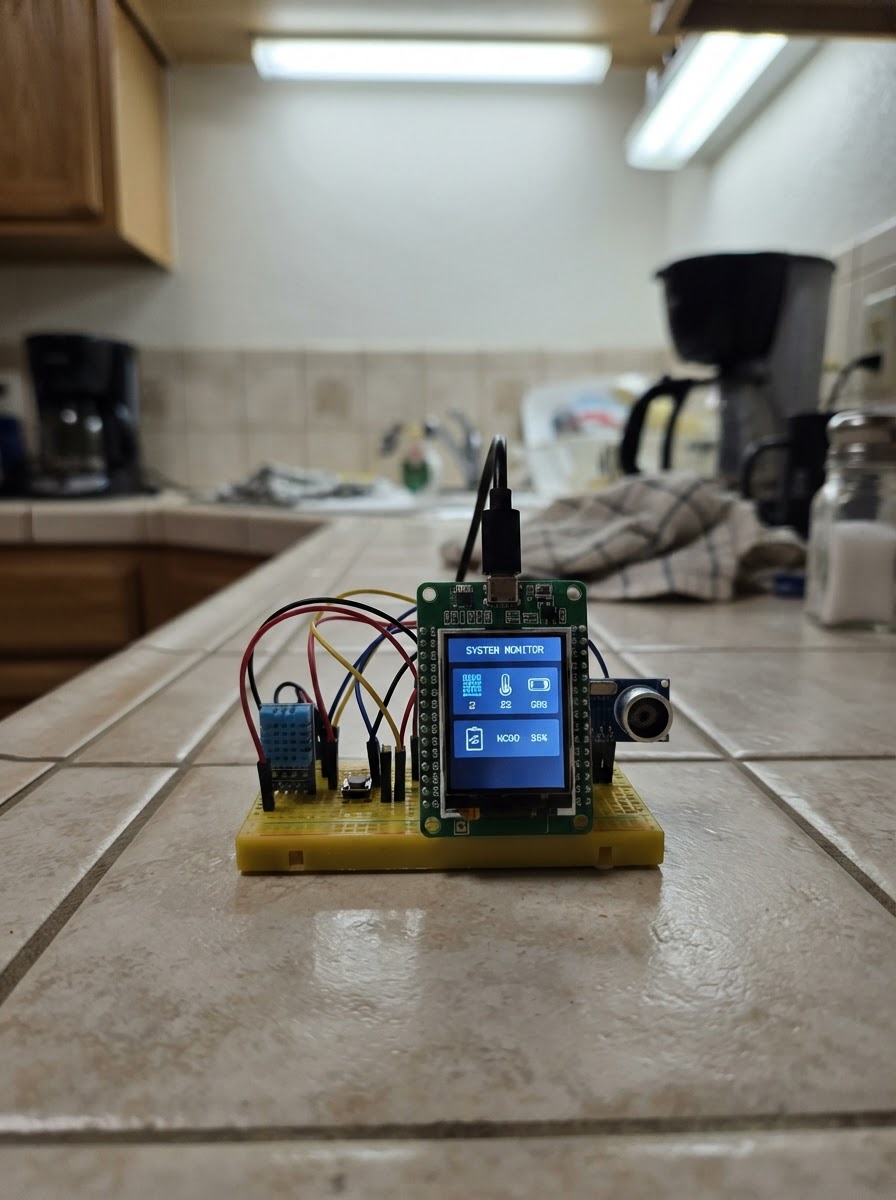
The Jc2432w328 is a focus timer built around an ESP32 microcontroller and a 240×320 touchscreen display. It implements a 25-minute Pomodoro-style timer with tap-to-start controls and a hold-to-reset function, making it a simple productivity tool for focused work sessions.
This guide provides a wiring diagram, complete parts list, and step-by-step assembly instructions. You'll connect the display board, attach the USB power cable, and load the provided firmware to get your focus timer running. The touchscreen interface makes it easy to start, pause, and reset your work intervals.
Wiring diagram
Assemble it in 3 steps
1. Place the display board safely
Put the JC2432W328C board on a dry, non-metal surface with its screen facing up. Nothing else needs to be wired because the screen and touch panel are already built into this board.
- Keep the board away from loose wires, coins, and metal tools while it is powered.
- Do not place the underside on metal — it can connect exposed contacts together and damage the board.
2. Connect the USB cable
Plug a data-capable USB cable into the board’s USB socket, then connect the other end to your computer. The USB cable supplies power and lets Schematik load the timer.
- If the board does not appear to power up, try another USB cable; some cables provide power only.
- Use the USB socket only; do not connect a separate battery or power supply at the same time.
3. Use the focus timer
After deploying the firmware, tap anywhere on the screen to start or pause the 25-minute countdown. Touch and hold the screen for about one second, then lift your finger, to return to 25:00.
- The screen only redraws when the timer value or its running state changes, so the display remains steady.
- Do not press hard on the screen — a light fingertip touch is enough.
Deploy the firmware
#include <Arduino.h>
#include <Wire.h>
#include <Arduino_GFX_Library.h>


// Forward declarations
void drawStaticScreen();
void drawTimer();
bool touchIsDown();
void resetTimer();

constexpr int TFT_DC = 2;
constexpr int TFT_CS = 15;
constexpr int TFT_SCK = 14;
constexpr int TFT_MOSI = 13;
constexpr int TFT_BACKLIGHT = 27;
constexpr int TOUCH_SDA = 21;
constexpr int TOUCH_SCL = 22;
constexpr int TOUCH_INT = 36;
constexpr int TOUCH_RST = 33;
constexpr uint8_t TOUCH_ADDRESS = 0x15;
constexpr uint32_t FOCUS_SECONDS = 25UL * 60UL;

Arduino_DataBus *bus = new Arduino_ESP32SPI(TFT_DC, TFT_CS, TFT_SCK, TFT_MOSI, GFX_NOT_DEFINED);
Arduino_GFX *display = new Arduino_ST7789(bus, GFX_NOT_DEFINED, 0, true, 240, 320, 0, 0, 0, 0);

bool running = false;
bool wasTouched = false;
uint32_t remainingSeconds = FOCUS_SECONDS;
uint32_t lastSecondTick = 0;
uint32_t touchStartedAt = 0;
uint32_t shownSeconds = UINT32_MAX;
bool shownRunning = !running;

void drawStaticScreen() {
  display->fillScreen(BLACK);
  display->fillRoundRect(12, 12, 216, 296, 18, 0x1082);
  display->setTextColor(0x07FF);
  display->setTextSize(2);
  display->setCursor(48, 42);
  display->print("FOCUS TIMER");
  display->drawRoundRect(20, 82, 200, 108, 14, 0x07FF);
  display->setTextColor(WHITE);
  display->setTextSize(1);
  display->setCursor(35, 218);
  display->print("Tap: start / pause");
  display->setCursor(31, 242);
  display->print("Hold: reset 25 minutes");
}

void drawTimer() {
  display->fillRect(32, 102, 176, 68, 0x1082);
  uint32_t minutes = remainingSeconds / 60;
  uint32_t seconds = remainingSeconds % 60;
  char text[8];
  snprintf(text, sizeof(text), "%02lu:%02lu", (unsigned long)minutes, (unsigned long)seconds);
  display->setTextColor(WHITE);
  display->setTextSize(5);
  display->setCursor(39, 119);
  display->print(text);

  display->fillRect(32, 178, 176, 24, 0x1082);
  display->setTextSize(2);
  display->setTextColor(running ? 0x07E0 : 0xFFE0);
  display->setCursor(running ? 70 : 77, 181);
  display->print(running ? "RUNNING" : "PAUSED");
}

bool touchIsDown() {
  Wire.beginTransmission(TOUCH_ADDRESS);
  Wire.write(0x02);
  if (Wire.endTransmission(false) != 0) return false;
  if (Wire.requestFrom((int)TOUCH_ADDRESS, 1) != 1) return false;
  return (Wire.read() & 0x0F) != 0;
}

void resetTimer() {
  running = false;
  remainingSeconds = FOCUS_SECONDS;
  lastSecondTick = millis();
}

void setup() {
  pinMode(TFT_BACKLIGHT, OUTPUT);
  digitalWrite(TFT_BACKLIGHT, HIGH);

  pinMode(TOUCH_RST, OUTPUT);
  digitalWrite(TOUCH_RST, LOW);
  delay(10);
  digitalWrite(TOUCH_RST, HIGH);
  delay(50);
  pinMode(TOUCH_INT, INPUT);
  Wire.begin(TOUCH_SDA, TOUCH_SCL);

  display->begin();
  display->setRotation(0);
  drawStaticScreen();
  drawTimer();
  shownSeconds = remainingSeconds;
  shownRunning = running;
  lastSecondTick = millis();
}

void loop() {
  uint32_t now = millis();
  bool touched = touchIsDown();

  if (touched && !wasTouched) {
    touchStartedAt = now;
  }
  if (!touched && wasTouched) {
    if (now - touchStartedAt >= 900) {
      resetTimer();
    } else {
      running = !running;
      lastSecondTick = now;
    }
  }
  wasTouched = touched;

  if (running && now - lastSecondTick >= 1000) {
    uint32_t elapsedSeconds = (now - lastSecondTick) / 1000;
    lastSecondTick += elapsedSeconds * 1000;
    if (elapsedSeconds >= remainingSeconds) {
      remainingSeconds = 0;
      running = false;
    } else {
      remainingSeconds -= elapsedSeconds;
    }
  }

  if (shownSeconds != remainingSeconds || shownRunning != running) {
    drawTimer();
    shownSeconds = remainingSeconds;
    shownRunning = running;
  }
  delay(20);
}
Remix this project
Make it yours in one click
Open a full copy of this project in your own Schematik workspace — diagram, code, parts, and assembly steps included. Swap the sensor, add features, or redesign the whole thing with AI. The author's original stays untouched.