Community project
K10 趣味小游戏
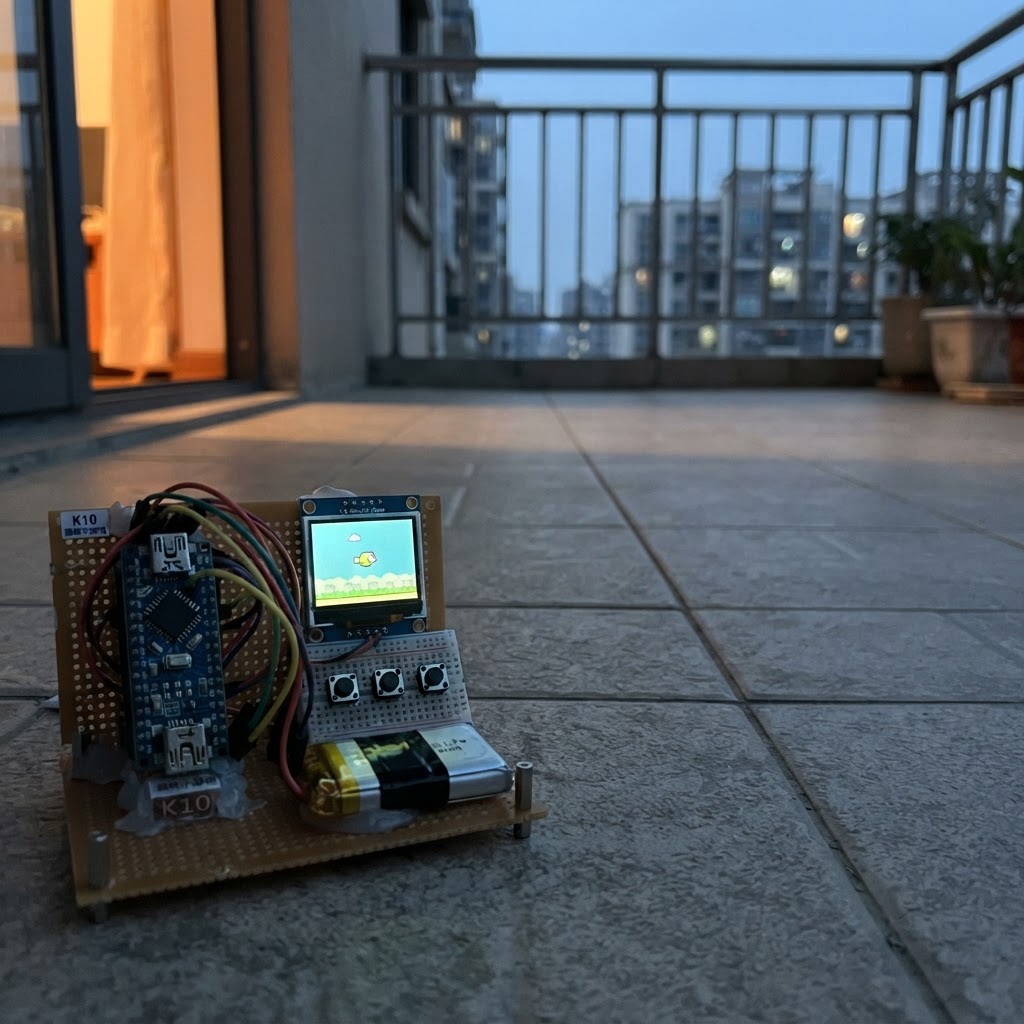
This fun arcade-style game runs on an ESP32 microcontroller with a display, challenging players to dodge falling obstacles and rack up points. The guide provides a wiring diagram, complete parts list, pre-built firmware, and step-by-step assembly instructions to get the game up and running in minutes.
Built with the UNIHIKER K10 platform and LVGL graphics library, the game features smooth animations, collision detection, and score tracking. Players control a character using buttons to avoid obstacles scrolling down the screen, with difficulty increasing as the score climbs.
Wiring diagram
Assemble it in 3 steps
1. 放好开发板
把 UNIHIKER K10 放在平稳、不导电的桌面上,屏幕朝上;这个小游戏只使用板子已经装好的屏幕、两个按键和彩灯,不需要额外零件或跳线。
- 先不要把任何线插到边缘插针或 Gravity 接口,这样可避免误接电源。
- 不要让金属物品同时碰到板子上的两排插针,可能造成短路。
2. 确认操作按键
找到板子正面的 A 和 B 按键。游戏中按住 A 会让绿色飞船往左移动,按住 B 会让它往右移动;撞到红色陨石后,按任意一个按键重新开始。
- 屏幕顶部会显示分数;每成功躲过一颗陨石,分数增加一分,陨石会逐渐变快。
3. 接上 USB 线
使用一根能传输数据的 USB 线把 K10 接到电脑;USB 同时给板子供电。
- 如果屏幕没有亮起,先检查 USB 插头是否插到底,并换一根确认能传数据的线。
- 不要从外部电源和 USB 同时给板子供电,错误接线可能损坏开发板。
Deploy the firmware
#include <Arduino.h>
#include "unihiker_k10.h"
#include <lvgl.h>


// Forward declarations
void setObjectColor(lv_obj_t *object, uint32_t color);
void setScoreText();
bool overlaps();
void resetGame();
void finishGame();
void buildScreen();

UNIHIKER_K10 k10;

static const int SCREEN_W = 320;
static const int SCREEN_H = 240;
static const int PLAYER_W = 24;
static const int PLAYER_H = 16;
static const int PLAYER_Y = 205;
static const int OBSTACLE_W = 30;
static const int OBSTACLE_H = 18;
static const unsigned long FRAME_MS = 50;

lv_obj_t *player;
lv_obj_t *obstacle;
lv_obj_t *scoreLabel;
lv_obj_t *titleLabel;
lv_obj_t *hintLabel;
lv_obj_t *gameOverLabel;

int playerX = (SCREEN_W - PLAYER_W) / 2;
int obstacleX = 80;
int obstacleY = 42;
int score = 0;
int fallStep = 4;
bool running = true;
unsigned long lastFrame = 0;

void setObjectColor(lv_obj_t *object, uint32_t color) {
  lv_obj_set_style_bg_color(object, lv_color_hex(color), LV_PART_MAIN);
  lv_obj_set_style_bg_opa(object, LV_OPA_COVER, LV_PART_MAIN);
  lv_obj_set_style_border_width(object, 0, LV_PART_MAIN);
}

void setScoreText() {
  char text[24];
  snprintf(text, sizeof(text), "SCORE: %d", score);
  lv_label_set_text(scoreLabel, text);
}

bool overlaps() {
  return playerX < obstacleX + OBSTACLE_W &&
         playerX + PLAYER_W > obstacleX &&
         PLAYER_Y < obstacleY + OBSTACLE_H &&
         PLAYER_Y + PLAYER_H > obstacleY;
}

void resetGame() {
  playerX = (SCREEN_W - PLAYER_W) / 2;
  obstacleX = 35 + (esp_random() % (SCREEN_W - OBSTACLE_W - 70));
  obstacleY = 42;
  score = 0;
  fallStep = 4;
  running = true;
  lv_obj_add_flag(gameOverLabel, LV_OBJ_FLAG_HIDDEN);
  lv_obj_add_flag(hintLabel, LV_OBJ_FLAG_HIDDEN);
  lv_obj_set_pos(player, playerX, PLAYER_Y);
  lv_obj_set_pos(obstacle, obstacleX, obstacleY);
  setScoreText();
}

void finishGame() {
  running = false;
  lv_label_set_text(gameOverLabel, "CRASH!");
  lv_obj_clear_flag(gameOverLabel, LV_OBJ_FLAG_HIDDEN);
  lv_obj_clear_flag(hintLabel, LV_OBJ_FLAG_HIDDEN);
  k10.rgb->write(-1, 80, 0, 0);
}

void buildScreen() {
  k10.setScreenBackground(0x07111F);
  lv_obj_t *screen = lv_scr_act();

  titleLabel = lv_label_create(screen);
  lv_label_set_text(titleLabel, "METEOR DODGE");
  lv_obj_set_style_text_color(titleLabel, lv_color_hex(0x5DEBFF), LV_PART_MAIN);
  lv_obj_set_style_text_font(titleLabel, &lv_font_montserrat_14, LV_PART_MAIN);
  lv_obj_set_pos(titleLabel, 10, 10);

  scoreLabel = lv_label_create(screen);
  lv_obj_set_style_text_color(scoreLabel, lv_color_hex(0xFFFFFF), LV_PART_MAIN);
  lv_obj_set_style_text_font(scoreLabel, &lv_font_montserrat_14, LV_PART_MAIN);
  lv_obj_set_pos(scoreLabel, 205, 10);

  lv_obj_t *line = lv_obj_create(screen);
  lv_obj_set_size(line, 300, 2);
  lv_obj_set_pos(line, 10, 32);
  setObjectColor(line, 0x246A86);

  player = lv_obj_create(screen);
  lv_obj_set_size(player, PLAYER_W, PLAYER_H);
  lv_obj_set_style_radius(player, 5, LV_PART_MAIN);
  setObjectColor(player, 0x38F28A);

  obstacle = lv_obj_create(screen);
  lv_obj_set_size(obstacle, OBSTACLE_W, OBSTACLE_H);
  lv_obj_set_style_radius(obstacle, 9, LV_PART_MAIN);
  setObjectColor(obstacle, 0xFF6B55);

  gameOverLabel = lv_label_create(screen);
  lv_label_set_text(gameOverLabel, "CRASH!");
  lv_obj_set_style_text_color(gameOverLabel, lv_color_hex(0xFFCB4F), LV_PART_MAIN);
  lv_obj_set_style_text_font(gameOverLabel, &lv_font_montserrat_14, LV_PART_MAIN);
  lv_obj_set_pos(gameOverLabel, 125, 95);
  lv_obj_add_flag(gameOverLabel, LV_OBJ_FLAG_HIDDEN);

  hintLabel = lv_label_create(screen);
  lv_label_set_text(hintLabel, "PRESS A OR B TO RESTART");
  lv_obj_set_style_text_color(hintLabel, lv_color_hex(0xFFFFFF), LV_PART_MAIN);
  lv_obj_set_style_text_font(hintLabel, &lv_font_montserrat_14, LV_PART_MAIN);
  lv_obj_set_pos(hintLabel, 37, 125);
  lv_obj_add_flag(hintLabel, LV_OBJ_FLAG_HIDDEN);

  resetGame();
}

void setup() {
  k10.begin();
  k10.initScreen(2);
  buildScreen();
  k10.rgb->brightness(25);
  k10.rgb->write(-1, 0, 20, 35);
}

void loop() {
  lv_timer_handler();

  unsigned long now = millis();
  if (now - lastFrame < FRAME_MS) {
    return;
  }
  lastFrame = now;

  bool leftPressed = k10.buttonA->isPressed();
  bool rightPressed = k10.buttonB->isPressed();

  if (!running) {
    if (leftPressed || rightPressed) {
      resetGame();
      k10.rgb->write(-1, 0, 20, 35);
    }
    return;
  }

  if (leftPressed && !rightPressed) {
    playerX -= 7;
  } else if (rightPressed && !leftPressed) {
    playerX += 7;
  }
  if (playerX < 6) playerX = 6;
  if (playerX > SCREEN_W - PLAYER_W - 6) playerX = SCREEN_W - PLAYER_W - 6;
  lv_obj_set_x(player, playerX);

  obstacleY += fallStep;
  if (obstacleY > SCREEN_H) {
    score++;
    fallStep = 4 + score / 4;
    obstacleY = 40;
    obstacleX = 8 + (esp_random() % (SCREEN_W - OBSTACLE_W - 16));
    setScoreText();
    k10.rgb->write(-1, 0, 35, 8);
  }
  lv_obj_set_pos(obstacle, obstacleX, obstacleY);

  if (overlaps()) {
    finishGame();
  }
}
Remix this project
Make it yours in one click
Open a full copy of this project in your own Schematik workspace — diagram, code, parts, and assembly steps included. Swap the sensor, add features, or redesign the whole thing with AI. The author's original stays untouched.