Community project
K10 Sen0502
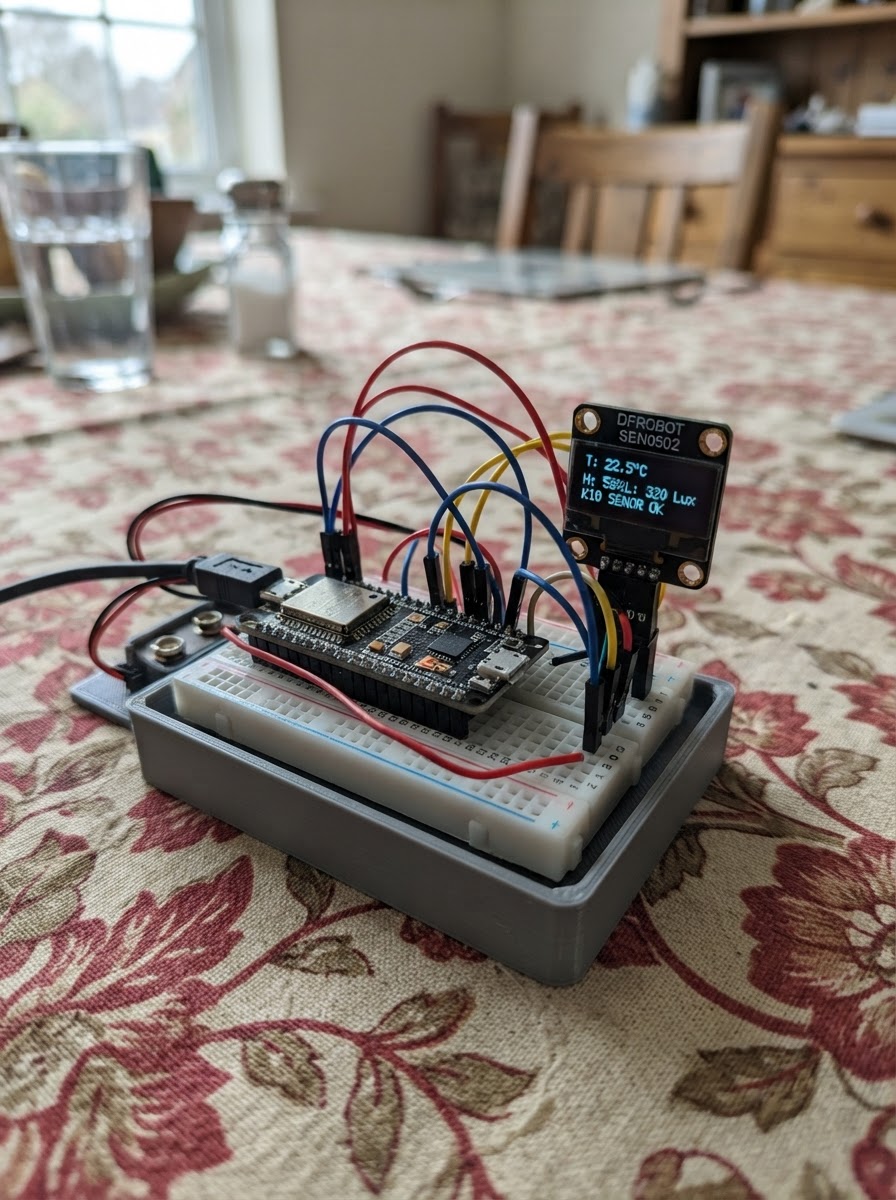
This project demonstrates multi-encoder control using three DFRobot Visual Rotary Encoders connected to an ESP32 via I2C, each configured with a unique address and precision level. The K10 expansion board displays real-time feedback for each encoder on an LVGL interface, showing rotation values, turn counts, and LED indicators that respond to encoder position.
The guide provides a complete wiring diagram for connecting three encoders in parallel to the K10, a parts list with all components, and step-by-step assembly instructions for setting encoder addresses and verifying operation across all three channels. The included firmware handles multi-encoder polling, precision gain settings, and visual feedback rendering on the K10 display.
Wiring diagram
Assemble it in 3 steps
1. 给三个旋钮设定不同地址
先拔掉 K10 的 USB 线。把三只 SEN0502 分别贴上 A、B、C 标签;设定背面拨码,使 A 为 0x54、B 为 0x55、C 为 0x56。不同地址让它们共用同一组线时仍能被屏幕分别识别。
- 调整前先拍下拨码位置,之后检查会更容易。
- 三只模块如果地址相同,它们会同时回应,K10 将不能可靠地区分旋钮。
2. 并联三只旋钮到 K10
用一分三 Gravity 线或分线板,把三只 SEN0502 的 VCC 都接到 K10 的 3.3V(电源),GND 都接到 K10 的 GND(地线),SDA 都接到 K10 的 P20/SDA(数据),SCL 都接到 K10 的 P19/SCL(时钟)。三只模块的同名线可以接在同一个分线点。
- 先接地线和电源线,再接两根数据线。
- 把插头完全插到底;松动的四芯线会让某一只旋钮没有反应。
- 务必使用 3.3V;不要把 5V 接到模块的 VCC。
- 不要交换 VCC 和 GND,接反电源可能损坏旋钮模块。
3. 确认三行档位
重新用 USB 连接 K10。屏幕从上到下依次显示 A、B、C:转动 A 时只改变 A 的 1–51 档;转动 B 时只改变 B 的 1–10 档;C 只有 1 个档位,因此始终显示 1 / 1。
- 若某一行不变,先核对对应旋钮的地址拨码,以及 SDA、SCL 两根线是否插好。
- 接通电源时不要让裸露金属插针互相碰到,以免短路。
Deploy the firmware
#include <Arduino.h>
#include <Wire.h>
#include <lvgl.h>
#include <unihiker_k10.h>
#include <DFRobot_VisualRotaryEncoder.h>


struct EncoderCard {
  lv_obj_t *arc;
  lv_obj_t *valueLabel;
  lv_obj_t *countLabel;
  uint16_t displayedValue;
  int32_t displayedTurns;
  uint16_t previousValue;
  int32_t completedTurns;
  uint8_t clockwiseDetents;
  uint16_t clockwiseValueRemainder;
  bool hasPreviousValue;
  bool encoder1ArmedAtZero;
};


// Forward declarations
uint8_t ledsFromValue(uint16_t value);
void refreshCard(uint8_t index, uint16_t encoderValue, bool force);
void processEncoder(uint8_t index, uint16_t encoderValue, bool buttonPressed);
void createCard(uint8_t index, int16_t y);

constexpr uint8_t I2C_SDA = 47;
constexpr uint8_t I2C_SCL = 48;
constexpr uint8_t ADDRESS_A = 0x54;
constexpr uint8_t ADDRESS_B = 0x55;
constexpr uint8_t ADDRESS_C = 0x56;
constexpr uint16_t ENCODER_MAX_VALUE = 1023;
constexpr uint8_t LED_COUNT = 20;
constexpr uint8_t GAIN_A = 51;
constexpr uint8_t GAIN_B = 5;
constexpr uint8_t GAIN_C = 1;
constexpr uint8_t DETENTS_PER_TURN = 20;
constexpr uint32_t POLL_INTERVAL_MS = 30;


UNIHIKER_K10 k10;
DFRobot_VisualRotaryEncoder_I2C encoderA(ADDRESS_A, &Wire);
DFRobot_VisualRotaryEncoder_I2C encoderB(ADDRESS_B, &Wire);
DFRobot_VisualRotaryEncoder_I2C encoderC(ADDRESS_C, &Wire);
EncoderCard cards[3];
uint32_t lastPollMs = 0;

const uint32_t CARD_COLORS[3] = {0x28C76F, 0x3D8BFF, 0xFF9F43};
const char *STEP_TEXT[3] = {
  "Precision: 51",
  "Precision: 5",
  "Precision: 1"
};

uint8_t ledsFromValue(uint16_t value) {
  return static_cast<uint8_t>((static_cast<uint32_t>(value) * LED_COUNT + ENCODER_MAX_VALUE / 2) / ENCODER_MAX_VALUE);
}

void refreshCard(uint8_t index, uint16_t encoderValue, bool force) {
  EncoderCard &card = cards[index];
  const uint16_t value = min(encoderValue, ENCODER_MAX_VALUE);
  const int32_t turns = card.completedTurns;
  if (!force && card.displayedValue == value && card.displayedTurns == turns) return;

  card.displayedValue = value;
  card.displayedTurns = turns;
  char valueText[16];
  char countText[24];
  snprintf(valueText, sizeof(valueText), "%u/%u", value, ENCODER_MAX_VALUE);
  snprintf(countText, sizeof(countText), "Turn Count: %ld", static_cast<long>(turns));
  lv_label_set_text(card.valueLabel, valueText);
  lv_label_set_text(card.countLabel, countText);
  lv_arc_set_value(card.arc, value);
}

void processEncoder(uint8_t index, uint16_t encoderValue, bool buttonPressed) {
  EncoderCard &card = cards[index];
  const uint16_t value = min(encoderValue, ENCODER_MAX_VALUE);

  if (!card.hasPreviousValue) {
    card.previousValue = value;
    card.hasPreviousValue = true;
  } else if (!buttonPressed) {
    if (index == 0) {
      if (value == 0) {
        card.encoder1ArmedAtZero = true;
      }
      if (card.encoder1ArmedAtZero && card.previousValue < ENCODER_MAX_VALUE &&
          value == ENCODER_MAX_VALUE) {
        card.completedTurns++;
        card.encoder1ArmedAtZero = false;
      }
    } else if (value > card.previousValue) {
      const uint16_t interval = (index == 1) ? 101 : 20;
      uint16_t oldBoundary = card.previousValue / interval;
      uint16_t newBoundary = value / interval;

      // Encoder 3 uses 20 value units per turn, but its 0–1023 range
      // represents exactly 50 turns. Clamp the final partial range so
      // 1020–1023 remains turn 50 rather than becoming a false turn 51.
      if (index == 2) {
        oldBoundary = min<uint16_t>(oldBoundary, 50);
        newBoundary = min<uint16_t>(newBoundary, 50);
      }

      if (newBoundary > oldBoundary) {
        card.completedTurns += newBoundary - oldBoundary;
      }
    }
    card.previousValue = value;
  }

  if (buttonPressed) {
    card.previousValue = 0;
    card.hasPreviousValue = true;
    if (index == 0) card.encoder1ArmedAtZero = true;
  }

  refreshCard(index, value, false);
}

void createCard(uint8_t index, int16_t y) {
  const lv_color_t accent = lv_color_hex(CARD_COLORS[index]);
  lv_obj_t *card = lv_obj_create(lv_scr_act());
  lv_obj_set_size(card, 240, 102);
  lv_obj_set_pos(card, 0, y);
  lv_obj_set_style_bg_opa(card, LV_OPA_TRANSP, 0);
  lv_obj_set_style_border_width(card, 0, 0);
  lv_obj_set_style_radius(card, 0, 0);
  lv_obj_set_style_pad_all(card, 0, 0);
  lv_obj_clear_flag(card, LV_OBJ_FLAG_SCROLLABLE);

  lv_obj_t *dot = lv_obj_create(card);
  lv_obj_set_size(dot, 10, 10);
  // Center the color dot on the ENCODER title's text line.
  lv_obj_set_pos(dot, 10, 13);
  lv_obj_set_style_bg_color(dot, accent, 0);
  lv_obj_set_style_border_width(dot, 0, 0);
  lv_obj_set_style_radius(dot, LV_RADIUS_CIRCLE, 0);

  lv_obj_t *title = lv_label_create(card);
  lv_obj_set_pos(title, 28, 10);
  lv_obj_set_style_text_color(title, lv_color_hex(0x1F2937), 0);
  lv_obj_set_style_text_font(title, &lv_font_montserrat_14, 0);
  char titleText[16];
  snprintf(titleText, sizeof(titleText), "ENCODER %u", index + 1);
  lv_label_set_text(title, titleText);

  lv_obj_t *steps = lv_label_create(card);
  lv_obj_set_pos(steps, 14, 38);
  lv_obj_set_style_text_color(steps, lv_color_hex(0x52606D), 0);
  lv_obj_set_style_text_font(steps, &lv_font_montserrat_14, 0);
  lv_label_set_text(steps, STEP_TEXT[index]);

  cards[index].arc = lv_arc_create(card);
  lv_obj_set_size(cards[index].arc, 82, 82);
  lv_obj_set_pos(cards[index].arc, 140, 10);
  lv_arc_set_range(cards[index].arc, 0, ENCODER_MAX_VALUE);
  lv_arc_set_rotation(cards[index].arc, 270);
  lv_arc_set_bg_angles(cards[index].arc, 0, 360);
  lv_obj_remove_style(cards[index].arc, NULL, LV_PART_KNOB);
  lv_obj_set_style_arc_width(cards[index].arc, 7, LV_PART_MAIN);
  lv_obj_set_style_arc_color(cards[index].arc, lv_color_hex(0xD9E2EC), LV_PART_MAIN);
  lv_obj_set_style_arc_width(cards[index].arc, 7, LV_PART_INDICATOR);
  lv_obj_set_style_arc_color(cards[index].arc, accent, LV_PART_INDICATOR);
  lv_obj_clear_flag(cards[index].arc, LV_OBJ_FLAG_CLICKABLE);

  cards[index].valueLabel = lv_label_create(card);
  lv_obj_set_width(cards[index].valueLabel, 82);
  lv_obj_set_pos(cards[index].valueLabel, 140, 44);
  lv_obj_set_style_text_align(cards[index].valueLabel, LV_TEXT_ALIGN_CENTER, 0);
  lv_obj_set_style_text_color(cards[index].valueLabel, lv_color_hex(0x1F2937), 0);
  lv_obj_set_style_text_font(cards[index].valueLabel, &lv_font_montserrat_14, 0);

  cards[index].countLabel = lv_label_create(card);
  lv_obj_set_pos(cards[index].countLabel, 14, 66);
  lv_obj_set_style_text_color(cards[index].countLabel, lv_color_hex(0x334E68), 0);
  lv_obj_set_style_text_font(cards[index].countLabel, &lv_font_montserrat_14, 0);

  cards[index].displayedValue = 65535;
  cards[index].displayedTurns = INT32_MIN;
  cards[index].completedTurns = 0;
  cards[index].clockwiseDetents = 0;
  cards[index].clockwiseValueRemainder = 0;
  cards[index].hasPreviousValue = false;
  cards[index].encoder1ArmedAtZero = false;
}

void setup() {
  k10.begin();
  k10.initScreen();
  // Soft cool-gray background reduces glare while keeping the dark text crisp.
  k10.setScreenBackground(0xF3F5F7);
  Wire.begin(I2C_SDA, I2C_SCL);
  encoderA.begin();
  encoderB.begin();
  encoderC.begin();

  encoderA.setGainCoefficient(GAIN_A);
  encoderB.setGainCoefficient(GAIN_B);
  encoderC.setGainCoefficient(GAIN_C);

  createCard(0, 2);
  createCard(1, 109);
  createCard(2, 216);

  for (int16_t lineY : {106, 213}) {
    lv_obj_t *separator = lv_obj_create(lv_scr_act());
    lv_obj_set_size(separator, 224, 1);
    lv_obj_set_pos(separator, 8, lineY);
    lv_obj_set_style_bg_color(separator, lv_color_hex(0xD9E2EC), 0);
    lv_obj_set_style_border_width(separator, 0, 0);
    lv_obj_set_style_radius(separator, 0, 0);
    lv_obj_set_style_pad_all(separator, 0, 0);
    lv_obj_clear_flag(separator, LV_OBJ_FLAG_SCROLLABLE);
  }

  processEncoder(0, encoderA.getEncoderValue(), false);
  processEncoder(1, encoderB.getEncoderValue(), false);
  processEncoder(2, encoderC.getEncoderValue(), false);
}

void loop() {
  lv_timer_handler();
  const uint32_t now = millis();
  if (now - lastPollMs < POLL_INTERVAL_MS) return;
  lastPollMs = now;

  const bool buttonA = encoderA.detectButtonDown();
  const bool buttonB = encoderB.detectButtonDown();
  const bool buttonC = encoderC.detectButtonDown();

  if (buttonA) encoderA.setEncoderValue(0);
  if (buttonB) encoderB.setEncoderValue(0);
  if (buttonC) encoderC.setEncoderValue(0);

  processEncoder(0, buttonA ? 0 : encoderA.getEncoderValue(), buttonA);
  processEncoder(1, buttonB ? 0 : encoderB.getEncoderValue(), buttonB);
  processEncoder(2, buttonC ? 0 : encoderC.getEncoderValue(), buttonC);
}
Remix this project
Make it yours in one click
Open a full copy of this project in your own Schematik workspace — diagram, code, parts, and assembly steps included. Swap the sensor, add features, or redesign the whole thing with AI. The author's original stays untouched.