Community project
M5stick S3
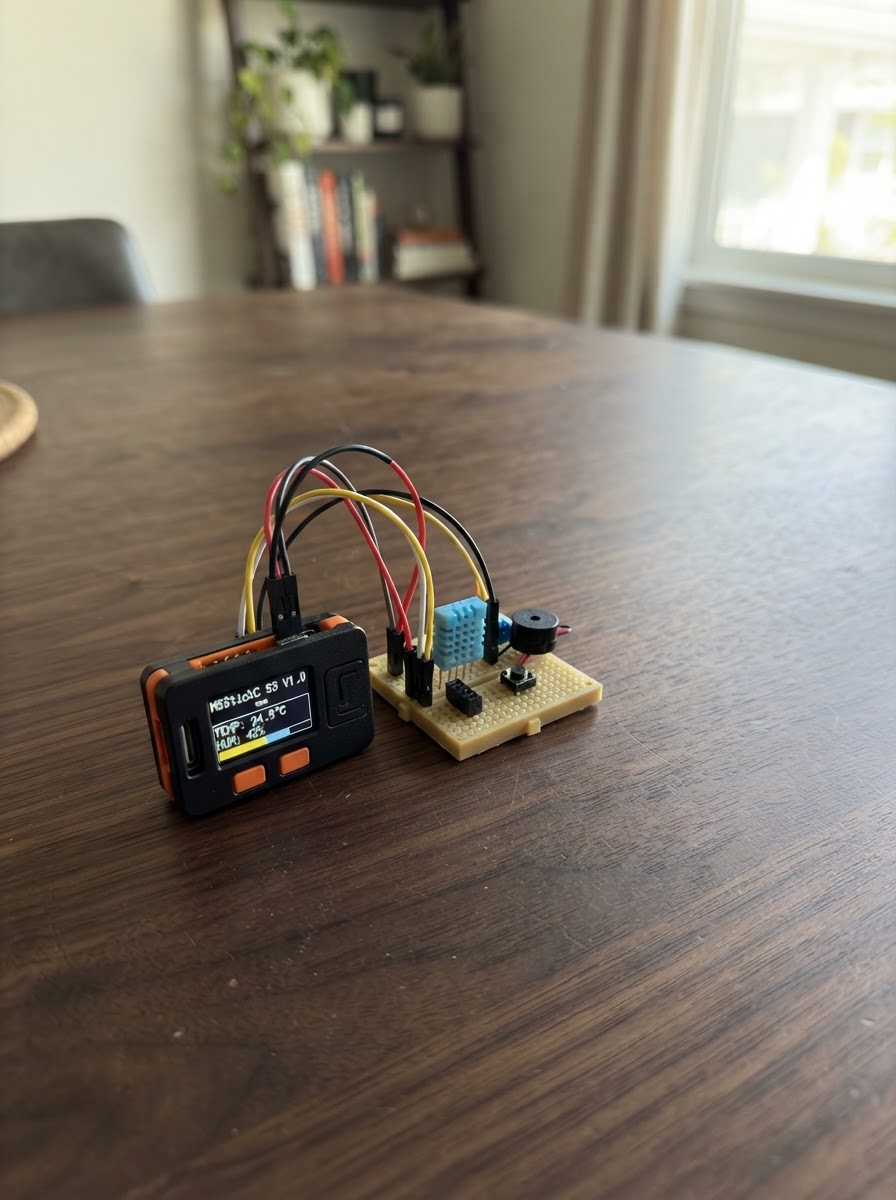
This project turns an M5StickS3 into a badminton coaching tool that analyzes your high-clear swing technique. Mount the device on your racket handle, perform a reference swing to establish your form, then execute test swings to receive real-time feedback on your motion consistency. The guide includes a wiring diagram, parts list, complete firmware with WiFi and MQTT connectivity, and step-by-step assembly instructions.
The system captures motion data from the StickS3's built-in sensors and compares each swing against your reference template, scoring your technique on a 0-100 scale. Firmware handles WiFi connection, MQTT communication with a camera system for enhanced analysis, and displays results on the device's screen. Perfect for players looking to refine their stroke mechanics with objective, repeatable measurements.
Wiring diagram
Assemble it in 3 steps
1. Charge and inspect the StickS3
Charge the M5Stack StickS3 through its USB-C port. No external sensor, resistor, or jumper wire is required because the BMI270 motion sensor and display are built into the board.
- Use the board's built-in screen and two front buttons only.
- Do not open the case or connect anything to the exposed header for this project.
2. Mount it on the racket handle
Secure the StickS3 tightly along the racket handle using a non-slip strap, tape, or a small holder. Put the screen facing the same direction every time, preferably facing the player, and keep the board from shifting.
- Mount it below the grip area so it does not interfere with the hand.
- A firm mount is essential: a loose board measures vibration rather than racket motion.
- Do not cover the USB-C port if charging is needed.
- Stop using the setup if it could detach during a swing.
3. Use a consistent reference swing
Stand in a clear area. For both learning and testing, hold the racket and make the ready-racket, backswing, and forward-swing phases in the same orientation and at a safe, controlled pace.
- Make the learning example your intended good technique; later scores measure similarity to that example.
- Leave enough clearance around you before swinging the racket.
Deploy the firmware
#include <Arduino.h>
#include <M5Unified.h>
#include <Preferences.h>
#include <WiFi.h>
#include <PubSubClient.h>

// Badminton high-clear motion coach for M5StickS3.
// Secure the device to the racket handle and keep its orientation unchanged.

// ---------- Wi-Fi and MQTT constants ----------

enum ScreenMode { HOME, TRAIN, WAIT_CAMERA, CAPTURING, RESULT };


// Forward declarations
void drawHeader(const char* title);
void drawNetworkStatus();
void drawHome();
void readTemplate();
void saveTemplate();
void beep();
void captureFeatures(float out[4]);
void drawTrainPrompt();
void drawWaitCamera();
int compareStage(const float ref[4], const float test[4]);
void publishFinalScore();
void drawResults();
bool publishStickCode(int code);
void mqttCallback(char* topic, byte* payload, unsigned int length);
void maintainNetwork();
void startCameraCapture();

const char* WIFI_SSID = "Curioo002";
const char* WIFI_PASSWORD = "2024Curioo0808";

const char* MQTT_SERVER = "192.168.0.192";
const uint16_t MQTT_PORT = 1883;
const char* MQTT_CLIENT_ID = "m5stick-s3-clear-coach";
const char* MQTT_USERNAME = "siot";
const char* MQTT_PASSWORD = "dfrobot";

// MQTT coordination protocol.
const char* TOPIC_CAM = "siot/cam";          // Subscribe: camera sends 2, 4, then 6.
const char* TOPIC_STICK = "Siot/stick";      // Publish: StickS3 sends 1, 3, then 5.
const char* TOPIC_SCORE = "siot/score";      // Publish final total score (0 to 100).
const char* TOPIC_AI_SCORE = "siot/ai/score"; // Subscribe: AI confidence, 0.00 to 1.00.
const float AI_CONFIDENCE_THRESHOLD = 0.80f;

const uint16_t SAMPLE_HZ = 50;
const uint16_t CAPTURE_MS = 1400;
const uint16_t BEEP_FREQUENCY_HZ = 2400;
const uint16_t BEEP_DURATION_MS = 120;
const uint8_t STAGES = 3;
const char* stageName[STAGES] = {"1 Ready racket", "2 Backswing", "3 Forward swing"};


Preferences prefs;
WiFiClient wifiClient;
PubSubClient mqttClient(wifiClient);
ScreenMode mode = HOME;
uint8_t stage = 0;
float learned[STAGES][4];
float measured[STAGES][4];
int stageScore[STAGES] = {0, 0, 0};
bool templateReady = false;
int pendingCameraCommand = 0;
float pendingAiConfidence = 0.0f;
bool aiConfidenceReceived = false;
uint32_t lastWifiAttempt = 0;
uint32_t lastMqttAttempt = 0;

void drawHeader(const char* title) {
  M5.Display.fillScreen(TFT_BLACK);
  M5.Display.setTextColor(TFT_CYAN, TFT_BLACK);
  M5.Display.setTextSize(2);
  M5.Display.setCursor(4, 3);
  M5.Display.print(title);
  M5.Display.drawFastHLine(0, 24, M5.Display.width(), TFT_DARKGREY);
  M5.Display.setTextColor(TFT_WHITE, TFT_BLACK);
}

void drawNetworkStatus() {
  M5.Display.setTextSize(1);
  M5.Display.fillRect(0, 120, M5.Display.width(), 15, TFT_BLACK);
  M5.Display.setCursor(4, 122);
  M5.Display.setTextColor(WiFi.status() == WL_CONNECTED ? TFT_GREEN : TFT_RED, TFT_BLACK);
  M5.Display.print(WiFi.status() == WL_CONNECTED ? "WiFi: connected" : "WiFi: offline");
  M5.Display.setCursor(133, 122);
  M5.Display.setTextColor(mqttClient.connected() ? TFT_GREEN : TFT_RED, TFT_BLACK);
  M5.Display.print(mqttClient.connected() ? "MQTT: connected" : "MQTT: offline");
  M5.Display.setTextColor(TFT_WHITE, TFT_BLACK);
}

void drawHome() {
  drawHeader("Badminton Trainer");
  M5.Display.setTextSize(1);
  M5.Display.setCursor(4, 34);
  M5.Display.println("Mount firmly; keep orientation.");
  M5.Display.setTextColor(TFT_YELLOW, TFT_BLACK);
  M5.Display.setCursor(4, 57);
  M5.Display.println("A: learn three phases");
  M5.Display.println("B: request camera test");
  M5.Display.setTextColor(templateReady ? TFT_GREEN : TFT_ORANGE, TFT_BLACK);
  M5.Display.setCursor(4, 88);
  M5.Display.println(templateReady ? "Template saved" : "No template: learn first");
  M5.Display.setTextColor(TFT_CYAN, TFT_BLACK);
  M5.Display.setCursor(4, 102);
  M5.Display.println("Test flow: B->1, cam 2/4/6");
  drawNetworkStatus();
}

void readTemplate() {
  prefs.begin("clearcoach", true);
  templateReady = prefs.getBool("ready", false);
  if (templateReady) {
    for (uint8_t s = 0; s < STAGES; s++) {
      for (uint8_t f = 0; f < 4; f++) {
        char key[8];
        snprintf(key, sizeof(key), "t%u%u", s, f);
        learned[s][f] = prefs.getFloat(key, 0.0f);
      }
    }
  }
  prefs.end();
}

void saveTemplate() {
  prefs.begin("clearcoach", false);
  for (uint8_t s = 0; s < STAGES; s++) {
    for (uint8_t f = 0; f < 4; f++) {
      char key[8];
      snprintf(key, sizeof(key), "t%u%u", s, f);
      prefs.putFloat(key, learned[s][f]);
    }
  }
  prefs.putBool("ready", true);
  prefs.end();
  templateReady = true;
}

void beep() {
  M5.Speaker.tone(BEEP_FREQUENCY_HZ, BEEP_DURATION_MS);
}

void captureFeatures(float out[4]) {
  float sumX = 0, sumY = 0, sumZ = 0, peak = 0;
  uint16_t count = 0;
  uint32_t nextSample = millis();
  uint32_t endTime = millis() + CAPTURE_MS;
  while ((int32_t)(millis() - endTime) < 0) {
    M5.update();
    if (mqttClient.connected()) mqttClient.loop();
    if ((int32_t)(millis() - nextSample) >= 0) {
      nextSample += 1000 / SAMPLE_HZ;
      float gx, gy, gz;
      M5.Imu.getGyro(&gx, &gy, &gz);
      sumX += fabsf(gx);
      sumY += fabsf(gy);
      sumZ += fabsf(gz);
      float total = sqrtf(gx * gx + gy * gy + gz * gz);
      if (total > peak) peak = total;
      count++;
      int remain = (int)(endTime - millis());
      M5.Display.fillRect(4, 101, 180, 15, TFT_BLACK);
      M5.Display.setCursor(4, 101);
      M5.Display.setTextSize(1);
      M5.Display.printf("Recording %1.1fs", max(0, remain) / 1000.0f);
    }
    delay(1);
  }
  out[0] = sumX / count;
  out[1] = sumY / count;
  out[2] = sumZ / count;
  out[3] = peak;
}

void drawTrainPrompt() {
  drawHeader("LEARN MODE");
  M5.Display.setTextSize(2);
  M5.Display.setCursor(4, 35);
  M5.Display.print(stageName[stage]);
  M5.Display.setTextSize(1);
  M5.Display.setCursor(4, 66);
  M5.Display.println("Prepare this pose/motion.");
  M5.Display.println("Press A, then move for 1.4 s.");
  drawNetworkStatus();
}

void drawWaitCamera() {
  drawHeader("CAMERA TEST");
  M5.Display.setTextSize(2);
  M5.Display.setCursor(4, 37);
  M5.Display.print("Waiting cam");
  M5.Display.setTextSize(1);
  M5.Display.setCursor(4, 68);
  M5.Display.printf("Cam %d + AI > %.2f", stage == 0 ? 2 : (stage == 1 ? 4 : 6), AI_CONFIDENCE_THRESHOLD);
  M5.Display.setCursor(4, 83);
  M5.Display.print(stageName[stage]);
  M5.Display.setCursor(4, 96);
  if (aiConfidenceReceived) {
    M5.Display.printf("AI confidence: %.2f", pendingAiConfidence);
  } else {
    M5.Display.print("Waiting AI confidence");
  }
  M5.Display.setCursor(4, 108);
  M5.Display.print("B: cancel test");
  drawNetworkStatus();
}

int compareStage(const float ref[4], const float test[4]) {
  float error = 0;
  for (uint8_t i = 0; i < 4; i++) {
    float scale = max(ref[i], 12.0f);
    error += min(fabsf(test[i] - ref[i]) / scale, 2.0f);
  }
  return constrain((int)lroundf(100.0f - error * 24.0f), 0, 100);
}

void publishFinalScore() {
  if (!mqttClient.connected()) return;
  int total = (stageScore[0] + stageScore[1] + stageScore[2]) / 3;
  char message[4];
  snprintf(message, sizeof(message), "%d", total);
  mqttClient.publish(TOPIC_SCORE, message);
}

void drawResults() {
  drawHeader("SCORE");
  int total = (stageScore[0] + stageScore[1] + stageScore[2]) / 3;
  M5.Display.setTextSize(3);
  M5.Display.setTextColor(total >= 75 ? TFT_GREEN : (total >= 55 ? TFT_YELLOW : TFT_RED), TFT_BLACK);
  M5.Display.setCursor(34, 32);
  M5.Display.printf("%d/100", total);
  M5.Display.setTextSize(1);
  M5.Display.setTextColor(TFT_WHITE, TFT_BLACK);
  for (uint8_t i = 0; i < STAGES; i++) {
    M5.Display.setCursor(4, 70 + i * 13);
    M5.Display.printf("%s: %d", stageName[i], stageScore[i]);
  }
  M5.Display.setTextColor(TFT_CYAN, TFT_BLACK);
  M5.Display.setCursor(4, 110);
  M5.Display.print("Score sent: siot/score");
  drawNetworkStatus();
}

bool publishStickCode(int code) {
  if (!mqttClient.connected()) return false;
  char text[2] = {(char)('0' + code), '\0'};
  return mqttClient.publish(TOPIC_STICK, text);
}

void mqttCallback(char* topic, byte* payload, unsigned int length) {
  if (length == 0 || length > 15) return;
  char message[16];
  memcpy(message, payload, length);
  message[length] = '\0';

  if (strcmp(topic, TOPIC_CAM) == 0) {
    int value = atoi(message);
    if (value == 2 || value == 4 || value == 6) pendingCameraCommand = value;
  } else if (strcmp(topic, TOPIC_AI_SCORE) == 0) {
    char* endPtr = nullptr;
    float confidence = strtof(message, &endPtr);
    if (endPtr != message && confidence >= 0.0f && confidence <= 1.0f) {
      pendingAiConfidence = roundf(confidence * 100.0f) / 100.0f;
      aiConfidenceReceived = true;
      if (mode == WAIT_CAMERA) drawWaitCamera();
    }
  }
}

void maintainNetwork() {
  uint32_t now = millis();
  if (WiFi.status() != WL_CONNECTED) {
    if (now - lastWifiAttempt >= 5000) {
      lastWifiAttempt = now;
      WiFi.begin(WIFI_SSID, WIFI_PASSWORD);
    }
    return;
  }
  if (!mqttClient.connected() && now - lastMqttAttempt >= 3000) {
    lastMqttAttempt = now;
    bool connected = MQTT_USERNAME[0] ?
      mqttClient.connect(MQTT_CLIENT_ID, MQTT_USERNAME, MQTT_PASSWORD) :
      mqttClient.connect(MQTT_CLIENT_ID);
    if (connected) {
      mqttClient.subscribe(TOPIC_CAM);
      mqttClient.subscribe(TOPIC_AI_SCORE);
      if (mode == HOME) drawHome();
    }
  }
  if (mqttClient.connected()) mqttClient.loop();
}

void startCameraCapture() {
  int expected = stage == 0 ? 2 : (stage == 1 ? 4 : 6);
  if (pendingCameraCommand != expected || mode != WAIT_CAMERA) return;
  if (!aiConfidenceReceived || pendingAiConfidence <= AI_CONFIDENCE_THRESHOLD) return;
  pendingCameraCommand = 0;
  aiConfidenceReceived = false;  // Require a new AI confidence for the next phase.
  pendingAiConfidence = 0.0f;
  mode = CAPTURING;
  drawHeader("CAMERA TEST");
  M5.Display.setTextSize(2);
  M5.Display.setCursor(4, 35);
  M5.Display.print(stageName[stage]);
  M5.Display.setTextSize(1);
  M5.Display.setCursor(4, 66);
  M5.Display.println("Camera confirmed: capture now.");
  captureFeatures(measured[stage]);
  stageScore[stage] = compareStage(learned[stage], measured[stage]);
  beep();

  if (stage == 0) {
    publishStickCode(3);
    stage = 1;
    mode = WAIT_CAMERA;
    drawWaitCamera();
  } else if (stage == 1) {
    publishStickCode(5);
    stage = 2;
    mode = WAIT_CAMERA;
    drawWaitCamera();
  } else {
    mode = RESULT;
    publishFinalScore();
    drawResults();
  }
}

void setup() {
  auto cfg = M5.config();
  M5.begin(cfg);
  M5.Display.setRotation(1);
  mqttClient.setServer(MQTT_SERVER, MQTT_PORT);
  mqttClient.setCallback(mqttCallback);
  WiFi.mode(WIFI_STA);
  WiFi.begin(WIFI_SSID, WIFI_PASSWORD);
  readTemplate();
  drawHome();
}

void loop() {
  M5.update();
  maintainNetwork();

  if (mode == HOME) {
    if (M5.BtnA.wasPressed()) {
      mode = TRAIN;
      stage = 0;
      drawTrainPrompt();
    } else if (M5.BtnB.wasPressed()) {
      if (!templateReady) {
        M5.Display.setTextColor(TFT_RED, TFT_BLACK);
        M5.Display.setCursor(4, 110);
        M5.Display.print("Learn a template first.");
      } else if (!publishStickCode(1)) {
        M5.Display.setTextColor(TFT_RED, TFT_BLACK);
        M5.Display.setCursor(4, 110);
        M5.Display.print("MQTT offline: cannot send 1");
      } else {
        stage = 0;
        pendingCameraCommand = 0;
        pendingAiConfidence = 0.0f;
        aiConfidenceReceived = false;
        mode = WAIT_CAMERA;
        drawWaitCamera();
      }
    }
  } else if (mode == TRAIN && M5.BtnA.wasPressed()) {
    captureFeatures(learned[stage]);
    stage++;
    if (stage == STAGES) {
      saveTemplate();
      mode = HOME;
      drawHome();
    } else {
      drawTrainPrompt();
    }
  } else if (mode == WAIT_CAMERA) {
    if (M5.BtnB.wasPressed()) {
      pendingCameraCommand = 0;
      pendingAiConfidence = 0.0f;
      aiConfidenceReceived = false;
      mode = HOME;
      drawHome();
    } else {
      startCameraCapture();
    }
  } else if (mode == RESULT && M5.BtnB.wasPressed()) {
    mode = HOME;
    drawHome();
  }

  if (mode == HOME && (millis() % 1000) < 10) drawNetworkStatus();
  delay(8);
}
Remix this project
Make it yours in one click
Open a full copy of this project in your own Schematik workspace — diagram, code, parts, and assembly steps included. Swap the sensor, add features, or redesign the whole thing with AI. The author's original stays untouched.