Community project
Real-Time Bluetooth Lyrics
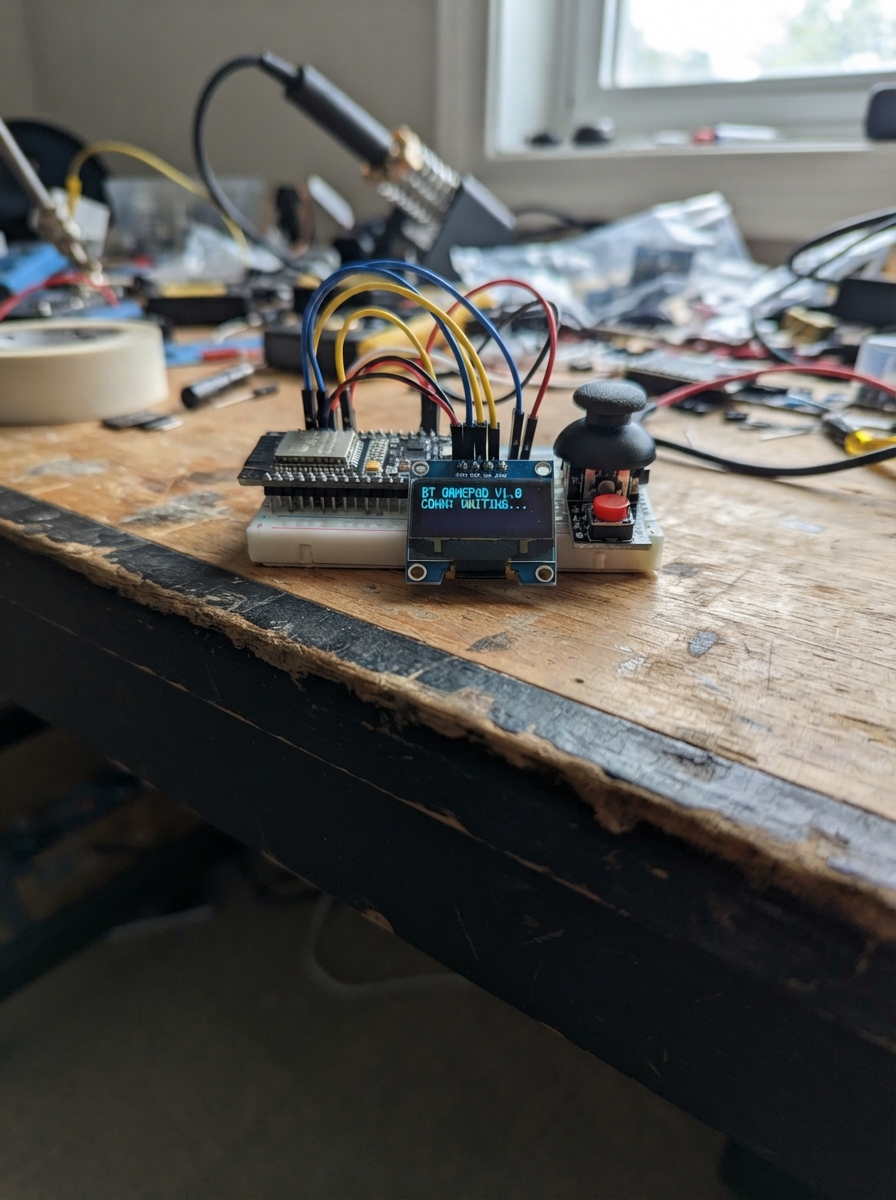
This project turns an ESP32 microcontroller into a portable lyrics display device with Bluetooth connectivity. The 2.4-inch ST7789 TFT screen shows real-time lyrics synchronized with music playback, while six push buttons provide intuitive navigation and control across a multi-page interface including home, settings, WiFi configuration, and more.
Builders will receive a complete wiring diagram showing how to connect the display module and button array to the ESP32, a full parts list, and firmware with web server capabilities for remote control. The guide includes step-by-step assembly instructions for powering the display, routing signal lines, mounting the control buttons, and launching the interface.
Wiring diagram

Gather all the parts
Assemble it in 4 steps
1. Nối nguồn cho màn hình
Khi ESP32-S3 đang rút USB, nối VCC của tft_st7789_240x320 tới chân 3V3 của ESP32-S3 (power), GND tới GND (ground), và BL tới 3V3 (backlight).
- Không nối VCC hoặc BL của màn hình vào 5V — điện áp sai có thể làm hỏng màn hình 3.3V.
2. Nối các dây hình ảnh
Nối SCK của tft_st7789_240x320 tới GPIO12 (clock), chân DIN/MOSI/SDA của màn hình tới GPIO11 (data), CS tới GPIO10 (select), DC tới GPIO14 (control), và RST tới GPIO15 (reset).
- Giữ các dây SPI ngắn và chắc; chân DIN trên một số màn hình cũng được in là SDA hoặc MOSI.
3. Lắp sáu nút điều khiển
Đặt mỗi nút nhấn bốn chân sao cho hai bên chân của nút không cùng nằm trên một hàng breadboard. Với từng nút, nối một chân GND tới GND (ground), rồi nối chân SIGNAL còn lại: button_up tới GPIO1 (signal), button_down tới GPIO2 (signal), button_left tới GPIO3 (signal), button_right tới GPIO4 (signal), button_push tới GPIO5 (signal), và button_back tới GPIO6 (signal).
- Nút chỉ hoạt động khi chân GPIO và GND nằm ở hai phía tiếp điểm; nhấn thử từng nút sau khi nạp firmware.
- PUSH là nút chọn/mở; BACK quay lại; các nút mũi tên di chuyển trong menu.
- Không nối các GPIO nút trực tiếp tới 3V3, vì firmware đã dùng kéo lên bên trong và nút phải kéo chân xuống GND.
4. Cấp điện và mở giao diện
Kiểm tra lại không có dây nguồn bị chạm nhau, sau đó cắm ESP32-S3 vào USB. Màn hình sẽ hiện trang chính với bốn ô Settings, Weather & Date, Connect WiFi và Bluetooth.
- Vào Connect WiFi, chọn tên mạng bằng UP/DOWN, nhấn PUSH, nhập mật khẩu bằng bàn phím trên màn hình rồi nhấn DOWN để kết nối. Khi thành công, đầu màn hình chính hiện WiFi ON.
Review all connections
1. Connections between "tft_st7789_240x320" and "ESP32"
2. Connections between "button_up" and "ESP32"
3. Connections between "button_down" and "ESP32"
4. Connections between "button_left" and "ESP32"
5. Connections between "button_right" and "ESP32"
6. Connections between "button_push" and "ESP32"
7. Connections between "button_back" and "ESP32"
Deploy the firmware
#include <Arduino.h>
#include <SPI.h>
#include <WiFi.h>
#include <WebServer.h>
#include <Preferences.h>
#include <time.h>
#include <Adafruit_GFX.h>
#include <Adafruit_ST7789.h>

static const int TFT_SCK=12,TFT_MOSI=11,TFT_CS=10,TFT_DC=14,TFT_RST=15;
static const int BTN_UP=1,BTN_DOWN=2,BTN_LEFT=3,BTN_RIGHT=4,BTN_PUSH=5,BTN_BACK=6;
Adafruit_ST7789 tft(TFT_CS,TFT_DC,TFT_RST); WebServer server(80); Preferences prefs;
enum Page {HOME, SETTINGS, WEATHER, WIFI_LIST, PASSWORD, ABOUT};
Page page=HOME; int selected=0,fontScale=2,colourIndex=0,wifiCount=0,selectedWifi=0,keyRow=0,keyCol=0; bool needDraw=true; String networks[12],chosenSsid,passwordText,lyricLine;
const uint16_t CYBER_BG=0x0841, CYBER_PANEL=0x1082, CYBER_DIM=0x39E7, CYBER_CYAN=0x07FF, CYBER_GREEN=0x07E0, CYBER_ORANGE=0xFD20;
uint16_t colors[]={ST77XX_WHITE,CYBER_CYAN,ST77XX_YELLOW,CYBER_GREEN,ST77XX_MAGENTA}; const char* keys[]={"ABCDEFGHIJ","KLMNOPQRST","UVWXYZ0123","456789.-_ "}; unsigned long lastPress=0;
void tx(int x,int y,const String&s,uint16_t c,uint8_t z=1){tft.setTextColor(c,CYBER_BG);tft.setTextSize(z);tft.setCursor(x,y);tft.print(s);}
void ct(int y,const String&s,uint16_t c,uint8_t z=1){int16_t x1,y1;uint16_t w,h;tft.setTextSize(z);tft.getTextBounds(s,0,y,&x1,&y1,&w,&h);tx(max(3,(240-(int)w)/2),y,s,c,z);}
void corners(int x,int y,int w,int h,uint16_t c){tft.drawFastHLine(x,y,14,c);tft.drawFastVLine(x,y,14,c);tft.drawFastHLine(x+w-14,y,14,c);tft.drawFastVLine(x+w,y,14,c);tft.drawFastHLine(x,y+h,14,c);tft.drawFastVLine(x,y+h-14,14,c);tft.drawFastHLine(x+w-14,y+h,14,c);tft.drawFastVLine(x+w,y+h-14,14,c);}
void head(const String&s){tft.fillRect(0,0,240,31,CYBER_PANEL);tft.drawFastHLine(0,30,240,CYBER_CYAN);tx(7,8,"// CYBER LYRICS",CYBER_CYAN);tx(7,20,s,CYBER_DIM);tx(177,8,WiFi.status()==WL_CONNECTED?"NET:ON":"NET:--",WiFi.status()==WL_CONNECTED?CYBER_GREEN:CYBER_ORANGE);}
void row(int y,const String&s,bool on){uint16_t edge=on?CYBER_CYAN:CYBER_DIM;tft.fillRect(10,y,220,45,on?0x10A4:CYBER_PANEL);corners(10,y,220,45,edge);tx(19,y+7,on?">":" ",on?CYBER_CYAN:CYBER_DIM,2);tx(42,y+15,s,on?ST77XX_WHITE:CYBER_DIM,1);if(on)tx(203,y+15,"[+]",CYBER_CYAN);}
void home(){tft.fillScreen(CYBER_BG);head("MAIN MENU");tx(10,39,"SYSTEM / SELECT MODULE",CYBER_DIM);const char* m[]={"SETTINGS","WEATHER + DATE","NETWORK / WIFI","ABOUT"};for(int i=0;i<4;i++)row(55+i*51,m[i],i==selected);tft.drawFastHLine(10,265,220,CYBER_DIM);tx(10,275,"UP/DOWN: NAVIGATE",CYBER_DIM);tx(10,289,"PUSH: OPEN  BACK: INFO",CYBER_DIM);if(lyricLine.length()){tft.fillRect(0,302,240,18,CYBER_PANEL);ct(305,lyricLine,colors[colourIndex]);}}
void settings(){tft.fillScreen(CYBER_BG);head("CONFIGURATION");corners(10,43,220,150,CYBER_DIM);tx(20,59,"DISPLAY PARAMETERS",CYBER_CYAN);tx(20,88,"TEXT SIZE",ST77XX_WHITE);tx(172,88,String(fontScale),colors[colourIndex],2);tx(20,119,"TEXT COLOUR",ST77XX_WHITE);tx(172,119,String(colourIndex+1)+"/5",colors[colourIndex],2);tx(20,150,"FONT PROFILE",ST77XX_WHITE);tx(20,169,"SEGOE SCRIPT: FILE REQUIRED",CYBER_ORANGE);row(221,"RETURN TO MENU",selected==2);tx(10,287,"LEFT/RIGHT: CHANGE",CYBER_DIM);}
void weather(){tft.fillScreen(ST77XX_BLACK);head("Weather & Date");struct tm n;if(getLocalTime(&n,10)){char d[20],w[20];strftime(d,20,"%d/%m/%Y",&n);strftime(w,20,"%A",&n);ct(60,w,colors[colourIndex],2);ct(100,d,ST77XX_WHITE,3);}else ct(80,"Connect WiFi",ST77XX_YELLOW,2);ct(160,"Weather API needs city",0xC618);ct(180,"and API key",0xC618);}
void wifiList(){tft.fillScreen(ST77XX_BLACK);head("Select WiFi");if(!wifiCount){ct(100,"No networks found",ST77XX_YELLOW,2);return;}for(int i=0;i<wifiCount;i++){bool on=i==selectedWifi;tft.fillRoundRect(6,34+i*30,228,26,4,on?0x2945:0x18E3);if(on)tft.drawRoundRect(6,34+i*30,228,26,4,ST77XX_CYAN);tx(12,42+i*30,networks[i],on?ST77XX_WHITE:0xC618);}tx(8,292,"PUSH: choose BACK: home",0xC618);}
void password(){tft.fillScreen(ST77XX_BLACK);head("WiFi password");tx(8,35,chosenSsid,ST77XX_YELLOW);String m;for(size_t i=0;i<passwordText.length();i++)m+='*';tx(8,54,m,ST77XX_WHITE,2);for(int r=0;r<4;r++)tx(8,92+r*31,keys[r],r==keyRow?ST77XX_CYAN:ST77XX_WHITE,2);tx(8,222,"PUSH:add  RIGHT:next",0xC618);tx(8,238,"BACK:delete DOWN:connect",0xC618);}
void about(){tft.fillScreen(CYBER_BG);head("SYSTEM INFO");corners(10,48,220,165,CYBER_CYAN);ct(67,"CYBER LYRICS TERMINAL",CYBER_CYAN);tft.drawFastHLine(22,88,196,CYBER_DIM);ct(106,"Powered by William Kreese",ST77XX_WHITE);ct(137,"IG : williamkreese21",ST77XX_WHITE);ct(158,"github : Williamkreese21",ST77XX_WHITE);ct(190,"STATUS: READY",CYBER_GREEN);tx(25,249,"PUSH / BACK: RETURN",CYBER_CYAN);}
void draw(){if(!needDraw)return;needDraw=false;switch(page){case HOME:home();break;case SETTINGS:settings();break;case WEATHER:weather();break;case WIFI_LIST:wifiList();break;case PASSWORD:password();break;case ABOUT:about();break;}}
void scan(){tft.fillScreen(ST77XX_BLACK);head("Scanning WiFi");ct(130,"Please wait...",ST77XX_WHITE,2);int n=WiFi.scanNetworks();wifiCount=min(n,12);for(int i=0;i<wifiCount;i++)networks[i]=WiFi.SSID(i);selectedWifi=0;page=WIFI_LIST;needDraw=true;}
void connect(){WiFi.begin(chosenSsid.c_str(),passwordText.c_str());tft.fillScreen(ST77XX_BLACK);head("Connecting");ct(120,"Connecting...",ST77XX_WHITE,2);unsigned long t=millis();while(WiFi.status()!=WL_CONNECTED&&millis()-t<15000)delay(150);if(WiFi.status()==WL_CONNECTED){prefs.begin("lyrics",false);prefs.putString("ssid",chosenSsid);prefs.putString("pass",passwordText);prefs.end();configTime(0,0,"pool.ntp.org","time.nist.gov");lyricLine="WiFi connected";}else lyricLine="WiFi failed";page=HOME;needDraw=true;}
void press(int p){if(millis()-lastPress<160)return;lastPress=millis();if(page==HOME){if(p==BTN_UP)selected=(selected+3)%4;else if(p==BTN_DOWN)selected=(selected+1)%4;else if(p==BTN_PUSH){page=(Page)(selected+1);if(page==WIFI_LIST)scan();}else if(p==BTN_BACK)page=ABOUT;}else if(page==SETTINGS){if(p==BTN_UP)selected=max(0,selected-1);else if(p==BTN_DOWN)selected=min(2,selected+1);else if((p==BTN_LEFT||p==BTN_RIGHT)&&selected==0)fontScale=constrain(fontScale+(p==BTN_RIGHT?1:-1),1,3);else if((p==BTN_LEFT||p==BTN_RIGHT)&&selected==1)colourIndex=(colourIndex+(p==BTN_RIGHT?1:4))%5;else if((p==BTN_PUSH&&selected==2)||p==BTN_BACK)page=HOME;}else if(page==WEATHER){if(p==BTN_BACK)page=HOME;}else if(page==WIFI_LIST){if(p==BTN_UP)selectedWifi=(selectedWifi+wifiCount-1)%max(1,wifiCount);else if(p==BTN_DOWN)selectedWifi=(selectedWifi+1)%max(1,wifiCount);else if(p==BTN_PUSH&&wifiCount){chosenSsid=networks[selectedWifi];passwordText="";page=PASSWORD;}else if(p==BTN_BACK)page=HOME;}else if(page==PASSWORD){if(p==BTN_UP)keyRow=(keyRow+3)%4;else if(p==BTN_LEFT)keyCol=(keyCol+9)%10;else if(p==BTN_RIGHT)keyCol=(keyCol+1)%10;else if(p==BTN_PUSH)passwordText+=keys[keyRow][keyCol];else if(p==BTN_BACK&&passwordText.length())passwordText=passwordText.substring(0,passwordText.length()-1);else if(p==BTN_DOWN)connect();}else if(page==ABOUT&&(p==BTN_BACK||p==BTN_PUSH))page=HOME;needDraw=true;}
void setup(){int b[]={BTN_UP,BTN_DOWN,BTN_LEFT,BTN_RIGHT,BTN_PUSH,BTN_BACK};for(int p:b)pinMode(p,INPUT_PULLUP);SPI.begin(TFT_SCK,-1,TFT_MOSI,TFT_CS);tft.init(240,320);tft.setRotation(0);prefs.begin("lyrics",true);String s=prefs.getString("ssid","");String q=prefs.getString("pass","");prefs.end();if(s.length()){WiFi.begin(s.c_str(),q.c_str());configTime(0,0,"pool.ntp.org","time.nist.gov");}server.on("/lyrics",HTTP_POST,[](){lyricLine=server.arg("plain");server.send(200,"text/plain","ok");needDraw=true;});server.on("/status",HTTP_GET,[](){server.send(200,"application/json",String("{\"wifi\":")+(WiFi.status()==WL_CONNECTED?"true":"false")+"}");});server.begin();}
void loop(){server.handleClient();int p[]={BTN_UP,BTN_DOWN,BTN_LEFT,BTN_RIGHT,BTN_PUSH,BTN_BACK};for(int v:p)if(!digitalRead(v))press(v);draw();delay(20);}
Remix this project
Make it yours in one click
Open a full copy of this project in your own Schematik workspace — diagram, code, parts, and assembly steps included. Swap the sensor, add features, or redesign the whole thing with AI. The author's original stays untouched.