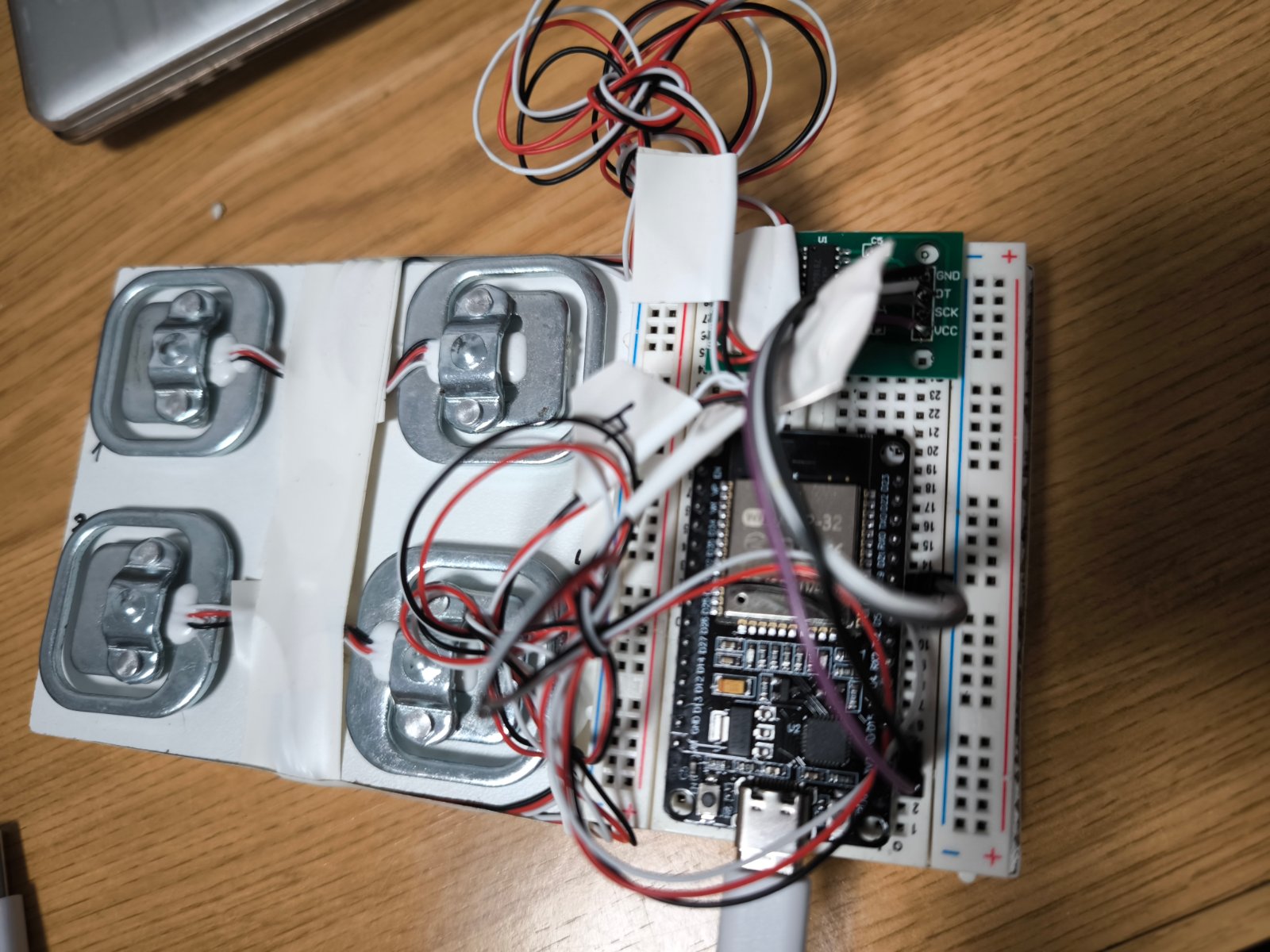
Real-Time Cargo Visualization monitors weight distribution across seven independent cargo zones using load cells and an ESP32 microcontroller. Each zone has its own HX711 amplifier module connected to a load cell, allowing simultaneous measurement of cargo weight on different platforms or compartments.
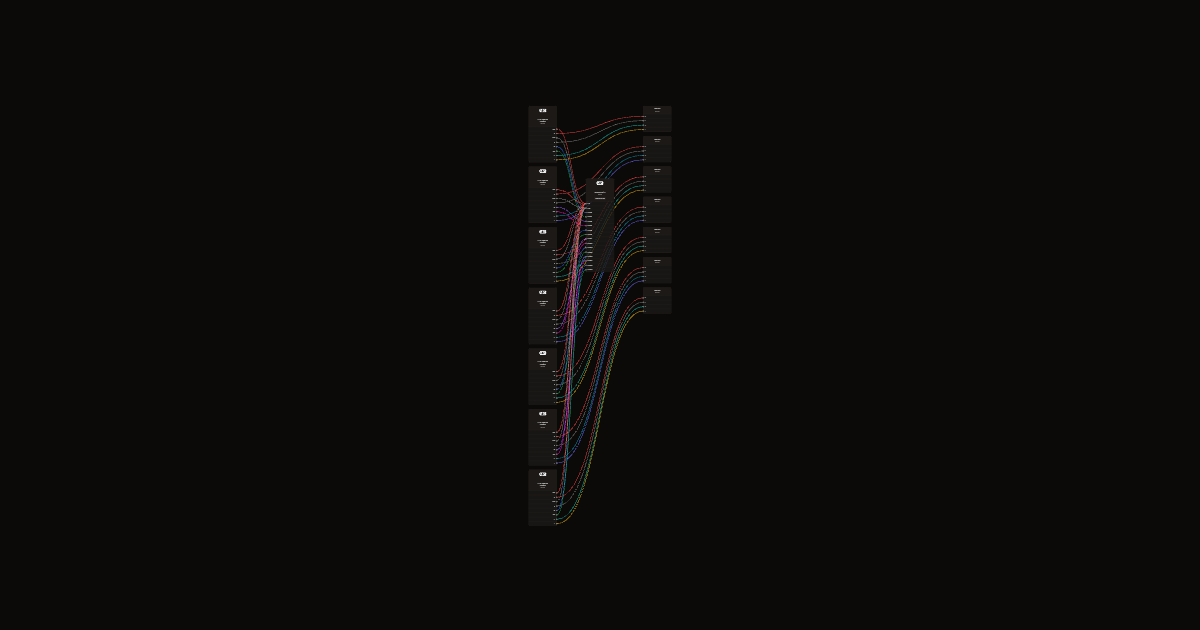
This guide provides a complete wiring diagram showing how to connect all seven load cells to their respective HX711 modules and the ESP32, a full parts list, and step-by-step assembly instructions. The included firmware enables real-time web-based visualization of cargo weight in each zone, with calibration and data logging capabilities.
Wiring diagram
Gather all the parts
Assemble it in 3 steps
1. Montar siete plataformas independientes
Fija un extremo de cada célula de carga de 5 kg a la base y el otro a su plataforma, con separadores para que la barra pueda flexar. Cada zona debe apoyar únicamente en su propia célula, sin rozar paredes ni las otras plataformas.
- No superes 5 kg por zona contando la plataforma. Evita golpes y cargas laterales.
2. Conectar las células a sus módulos
Con el USB desconectado, une E+ y E- de cada célula a E+ y E- de su HX711 (alimentación del puente), y A+ y A- a A+ y A- (señal de peso). Identifica los hilos con la ficha de tu célula; no te fíes solo de los colores. Usa un HX711 por célula.
3. Alimentar y conectar al ESP32
Une VCC de los siete HX711 a 3V3 y sus GND a GND. DT es la línea de datos y SCK la de reloj. Para las zonas 1 a 7 conecta DT/SCK respectivamente a GPIO13/14, GPIO16/17, GPIO18/19, GPIO21/22, GPIO23/25, GPIO26/27 y GPIO32/33. Mantén cortos los cables de las células y alejados de la antena del ESP32.
- Usa módulos HX711 compatibles con alimentación de 3.3 V. No alimentes sus señales a 5 V porque puedes dañar el ESP32.
Review all connections
1. Connections between "hx1" and "ESP32"
2. Connections between "cell1" and "ESP32"
3. Connections between "hx2" and "ESP32"
4. Connections between "cell2" and "ESP32"
5. Connections between "hx3" and "ESP32"
6. Connections between "cell3" and "ESP32"
7. Connections between "hx4" and "ESP32"
8. Connections between "cell4" and "ESP32"
9. Connections between "hx5" and "ESP32"
10. Connections between "cell5" and "ESP32"
11. Connections between "hx6" and "ESP32"
12. Connections between "cell6" and "ESP32"
13. Connections between "hx7" and "ESP32"
14. Connections between "cell7" and "ESP32"
Deploy the firmware
#include <Arduino.h>
#include <WiFi.h>
#include <WebServer.h>
#include <Preferences.h>
#include <HX711.h>
#include <math.h>
WebServer server(80);
Preferences prefs;
HX711 hx[7];
const uint8_t dt[7]={13,16,18,21,23,26,32}, ck[7]={14,17,19,22,25,27,33};
struct Zone { double raw=0,zero=0,scale=0; float grams=0; int count=0; bool seen=false,tared=false; uint32_t last=0; } z[7];
void save(int i){String k=String(i);prefs.putDouble((k+"z").c_str(),z[i].zero);prefs.putDouble((k+"s").c_str(),z[i].scale);prefs.putBool((k+"t").c_str(),z[i].tared);}
const char page[] PROGMEM=R"HTML(<!doctype html><html lang="es"><meta charset="utf-8"><meta name="viewport" content="width=device-width, initial-scale=1"><title>Bodega del barco</title><style>
body{font:16px system-ui;background:#10283c;color:#eef6ff;margin:20px}h1{font-size:25px}.deck{display:flex;gap:10px;overflow:auto;border:5px solid #678b9b;border-radius:25px;padding:20px;background:#203e50}.zone{min-width:120px;flex:1}.stack{height:340px;display:flex;flex-direction:column-reverse;gap:3px;overflow:auto}.box{height:17px;min-height:17px;border:1px solid #ffcf77;background:repeating-linear-gradient(90deg,#d78427 0 12px,#b86920 12px 14px);border-radius:3px;animation:arrive .4s ease}.val{min-height:55px}button,input{padding:8px;margin:4px 0;max-width:95px}button{cursor:pointer}.bad{color:#ffbd80}@keyframes arrive{from{opacity:0;transform:translateY(-20px)}to{opacity:1;transform:none}}
</style><h1>Bodega · 7 zonas de carga</h1><p id="status">Conectando…</p><p id="total"></p><div class="deck" id="deck"></div><h2>Ajuste inicial de cada zona</h2><p>1. Deja la plataforma vacía y estable. Pulsa «Cero». 2. Coloca una masa de peso conocido, espera 3 segundos, introduce sus gramos y pulsa «Calibrar». Se guardan los ajustes aunque desconectes el USB. No hagas cero con contenedores encima.</p><p>Cada contenedor equivale a 300 g. Una célula mide el total de su zona, no la posición exacta de cada contenedor. Máximo: 5 kg incluyendo la plataforma. La pila dibujada representa una zona, no una reconstrucción de posiciones reales.</p><p id="msg"></p><script>
const deck=document.querySelector('#deck');let last=Array(7).fill(-1);
for(let i=0;i<7;i++){let d=document.createElement('section');d.className='zone';d.innerHTML=`<h3>Zona ${i+1}</h3><div class="stack" id="s${i}"></div><p class="val" id="v${i}">Sin datos</p><button onclick="act(${i},'zero')">Cero</button><br><input id="m${i}" type="number" min="1" max="4500" value="300" aria-label="Masa conocida en gramos"><br><button onclick="act(${i},'cal')">Calibrar</button>`;deck.appendChild(d)}
async function act(i,op){if(!confirm(op==='zero'?'¿La plataforma está vacía y estable?':'¿La masa conocida está colocada y estable?'))return;try{let r=await fetch('/adjust',{method:'POST',headers:{'Content-Type':'application/x-www-form-urlencoded'},body:`i=${i}&op=${op}&mass=${document.querySelector('#m'+i).value}`});document.querySelector('#msg').textContent=await r.text()}catch(e){document.querySelector('#msg').textContent='Sin conexión'}}
async function poll(){try{let r=await fetch('/data',{cache:'no-store'});if(!r.ok)throw Error();let a=await r.json(),sum=0,good=0;a.forEach((v,i)=>{let n=v.ok&&v.cal?v.n:-1;let text=!v.ok?'Sensor sin respuesta':!v.cal?'Pendiente de cero y calibración':`${v.g.toFixed(0)} g · ${v.n} contenedores${v.g>4800?' · CERCA DEL LÍMITE':''}${v.g< -100?' · Revisar cero':''}`;let el=document.querySelector('#v'+i);if(el.textContent!==text)el.textContent=text;if(n!==last[i]){let st=document.querySelector('#s'+i);st.replaceChildren();for(let j=0;j<Math.min(17,Math.max(0,n));j++){let b=document.createElement('div');b.className='box';st.appendChild(b)}last[i]=n}if(n>=0){sum+=n;good++}});document.querySelector('#status').textContent='En directo · actualización cada 0,5 s';document.querySelector('#total').textContent=`Total: ${sum} contenedores en ${good}/7 zonas válidas`;}catch(e){document.querySelector('#status').textContent='Conexión perdida: los últimos datos NO son actuales'}finally{setTimeout(poll,500)}}poll();
</script></html>)HTML";
void setup(){
 Serial.begin(115200);prefs.begin("bodega",false);
 for(int i=0;i<7;i++){String k=String(i);z[i].zero=prefs.getDouble((k+"z").c_str(),0);z[i].scale=prefs.getDouble((k+"s").c_str(),0);z[i].tared=prefs.getBool((k+"t").c_str(),false);hx[i].begin(dt[i],ck[i]);}
 WiFi.mode(WIFI_AP);WiFi.softAP("Bodega-Barco","Bodega300g");Serial.println(WiFi.softAPIP());
 server.on("/",HTTP_GET,[]{server.send_P(200,"text/html; charset=utf-8",page);});
 server.on("/data",HTTP_GET,[]{String s="[";for(int i=0;i<7;i++){if(i)s+=",";bool ok=z[i].seen&&millis()-z[i].last<2000;s+="{\"ok\":"+String(ok?"true":"false")+",\"cal\":"+String(z[i].tared&&z[i].scale!=0?"true":"false")+",\"g\":"+String(z[i].grams,1)+",\"n\":"+String(z[i].count)+"}";}s+="]";server.send(200,"application/json",s);});
 server.on("/adjust",HTTP_POST,[]{
 if(!server.hasArg("i")||!server.hasArg("op")){server.send(400,"text/plain","Faltan datos");return;}
 int i=server.arg("i").toInt();if(i<0||i>=7||!z[i].seen||millis()-z[i].last>2000){server.send(400,"text/plain","Sensor no disponible");return;}
 if(server.arg("op")=="zero"){z[i].zero=z[i].raw;z[i].tared=true;z[i].count=0;}
 else if(server.arg("op")=="cal"){float m=server.arg("mass").toFloat();double delta=z[i].raw-z[i].zero;if(!z[i].tared||m<=0||m>4500||fabs(delta)<100){server.send(400,"text/plain; charset=utf-8","Haz cero primero y usa una masa conocida estable de 1 a 4500 g");return;}z[i].scale=delta/m;}
 else {server.send(400,"text/plain","Operacion desconocida");return;}
 save(i);server.send(200,"text/plain; charset=utf-8","Ajuste guardado");});server.begin();
}
void loop(){server.handleClient();for(int i=0;i<7;i++){if(hx[i].is_ready()){long r=hx[i].read();z[i].raw=z[i].seen?z[i].raw*.75+r*.25:r;z[i].seen=true;z[i].last=millis();if(z[i].tared&&z[i].scale!=0){z[i].grams=(z[i].raw-z[i].zero)/z[i].scale;float g=max(0.0f,z[i].grams);int n=max(0,(int)lroundf(g/300));if(fabsf(g-z[i].count*300)>180)z[i].count=n;}}}delay(1);}
Remix this project
Make it yours in one click
Open a full copy of this project in your own Schematik workspace, diagram, code, parts, and assembly steps included. Swap the sensor, add features, or redesign the whole thing with AI. The author's original stays untouched.