On this page
The DHT11 measures temperature and humidity and sends both down one wire. The Schematik Starter Kit includes it on a small board with 3 pins. You'll also find it sold on its own, as a blue box with 4 legs.
Both versions use the same sensor inside. The module adds a pull-up resistor, which holds the data line high while the sensor is quiet, and drops the unused pin.
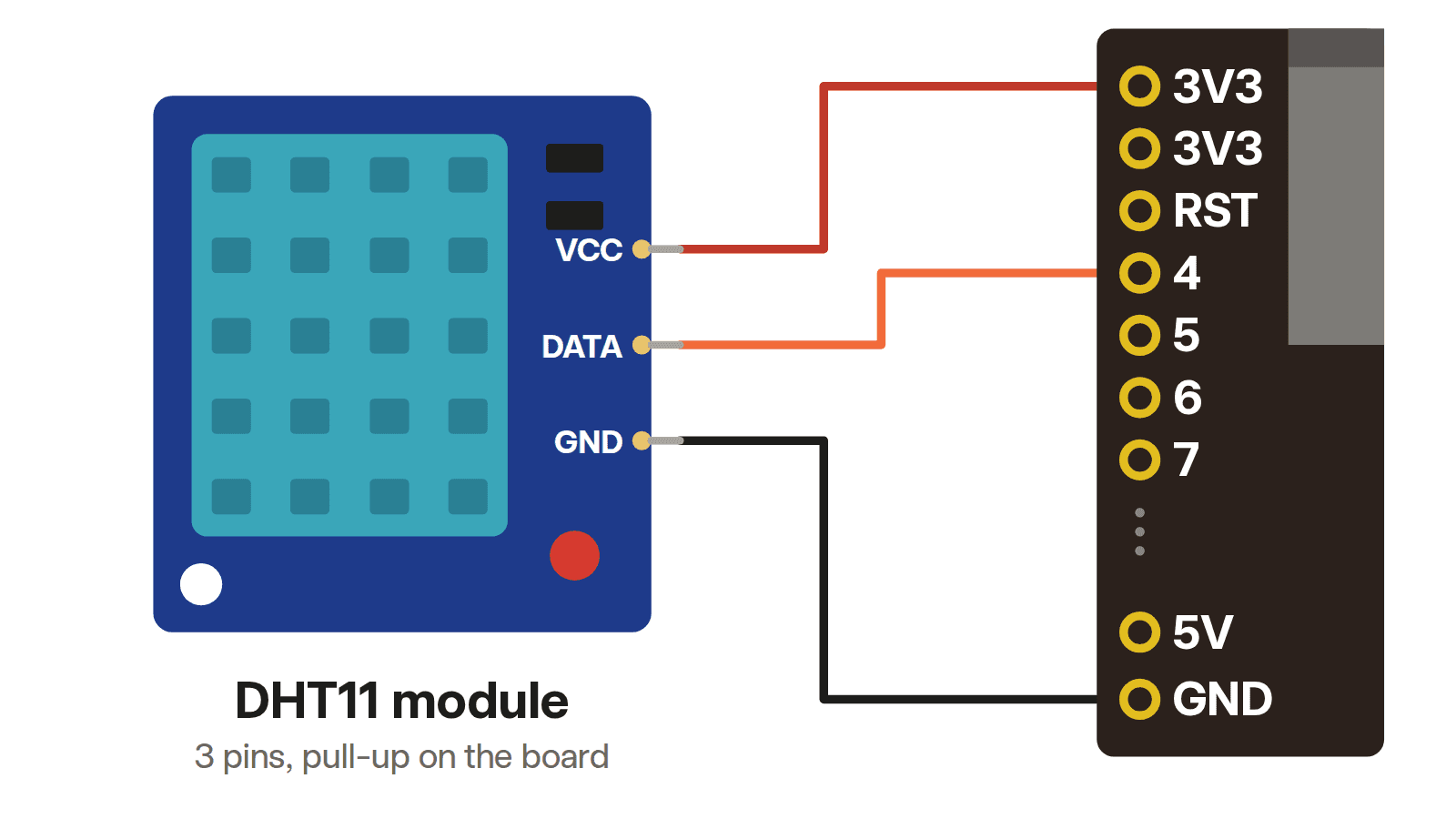
DHT11 module pinout (3 pins)
| Pin | Board pin | What it does |
|---|---|---|
| VCC | 3V3 | Power, 3.3V to 5.5V |
| DATA | 4 | Sends the readings, one bit at a time |
| GND | GND | Ground, the return path for the current |
The diagram at the top shows a module wired to the kit ESP32-S3 board, using the pin labels printed on the board.
The order and names of the 3 pins change from one maker to the next. Some modules print VCC, DATA and GND. Others print S for DATA and − for GND, with power on the middle pin. Read the labels printed next to the pins before you plug it in, since swapping VCC and GND can damage the sensor.
The module carries the pull-up resistor the DHT11 needs, wired between DATA and VCC, so you don't add one.
Bare DHT11 pinout (4 pins)
Hold the sensor with the grille facing you and the legs pointing down. From left to right:
| Pin | Name | Connect to |
|---|---|---|
| 1 | VDD | 3V3 |
| 2 | DATA | 4, plus a 10kΩ resistor to 3V3 |
| 3 | NC | Nothing. NC means not connected |
| 4 | GND | GND |
The bare sensor has no resistor on board, so you add one. Put a 10kΩ resistor between DATA and 3V3. It holds the line high while nobody is talking, which the DHT11's protocol depends on. Adafruit, whose library the code below uses, recommends 10kΩ. Aosong, the DHT11's maker, suggests 4.7kΩ for wires under 5m.
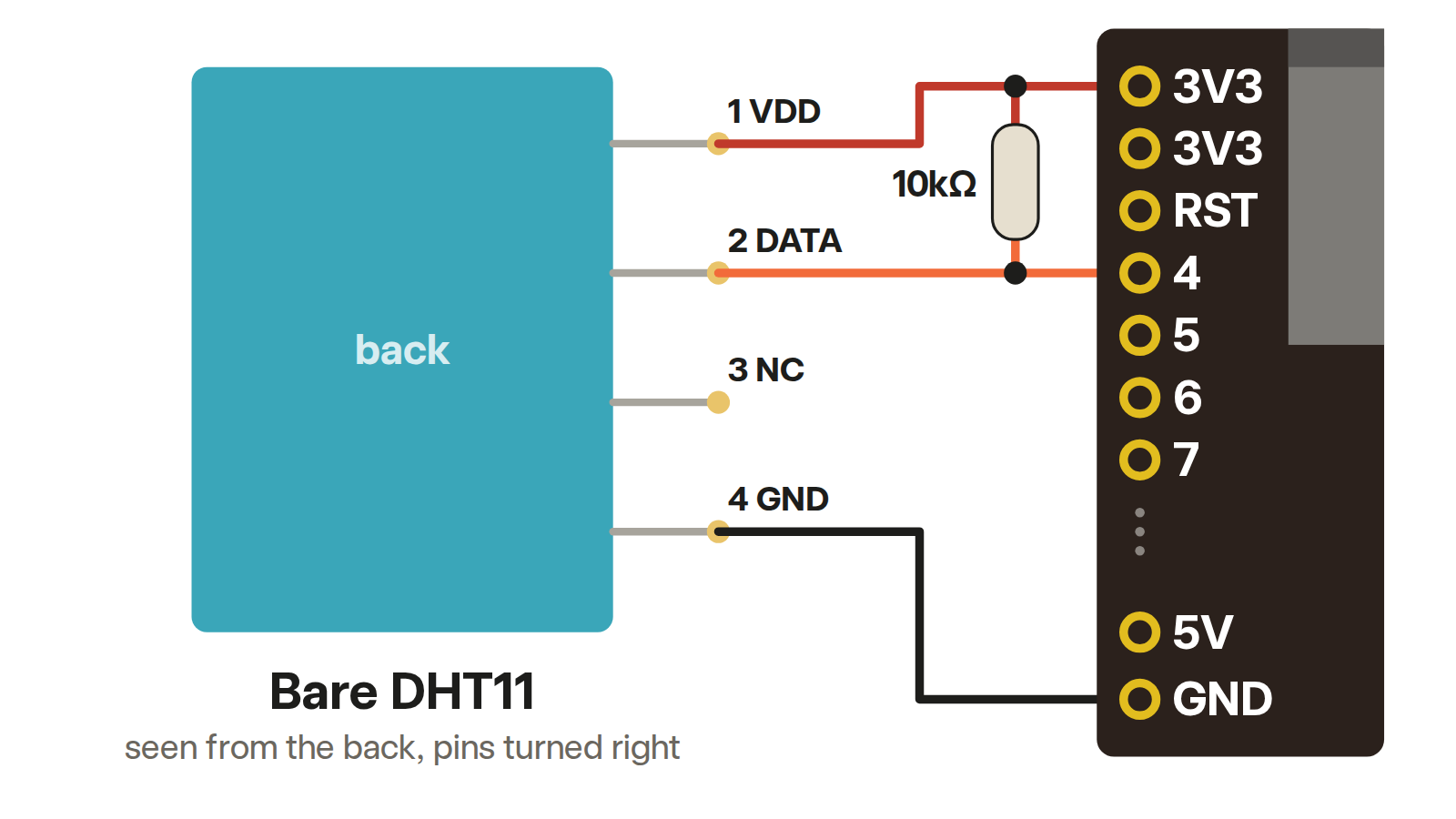
The bare sensor, drawn from the back so pin 1 sits at the top. The 10kΩ pull-up runs from DATA to 3V3.
Why VCC goes to 3V3, not 5V
The DHT11 runs on anything from 3.3V to 5.5V, so both the 3V3 and 5V pins power it. The pull-up decides which one to use.
The pull-up connects DATA to VCC. Power the sensor from 5V and DATA sits at 5V whenever it's idle. An ESP32-S3 pin takes 3.6V at most, its 3.3V supply plus 0.3V, so 5V on pin 4 can damage the board. With VCC on 3V3, DATA never goes above 3.3V.
Code: read temperature and humidity
This uses the Adafruit DHT sensor library. In the Arduino IDE, install "DHT sensor library" by Adafruit. In PlatformIO, add adafruit/DHT sensor library to lib_deps. It builds for the ESP32-S3 with the Arduino core, version 2 or 3.
#include <Arduino.h>
#include <DHT.h>

DHT dht(4, DHT11);

void setup() {
  Serial.begin(115200);
  dht.begin();
}

void loop() {
  delay(2000);
  float humidity = dht.readHumidity();
  float temperature = dht.readTemperature();
  if (isnan(humidity) || isnan(temperature)) {
    Serial.println("No reading. Check the wiring and the pin number.");
    return;
  }
  Serial.print(temperature, 1);
  Serial.print(" C, ");
  Serial.print(humidity, 0);
  Serial.println(" % humidity");
}
The DHT11 sends temperature in tenths of a degree and humidity in whole percent, so the sketch prints one decimal for temperature. Older DHT11s send whole degrees, so expect a .0 from those.
The 2-second wait matches Aosong's datasheet, which asks for more than 2 seconds between reads. It also matches the library: by default, a call less than 2 seconds after the last one gets the previous reading back.
Why the DHT11 reads NaN
NaN means "not a number". The library returns it when the sensor didn't answer or the answer failed its checksum, a check number the sensor sends so damaged readings can be spotted. Work through these in order:
- Wrong pin. The number in
DHT dht(4, DHT11)has to match the pin DATA is wired to. - Swapped wires. Check VCC, DATA and GND against the labels on your module, not against a photo of someone else's.
- No pull-up on a bare sensor. The 4-leg version needs the 10kΩ resistor from DATA to 3V3.
- Wrong type.
DHT11andDHT22use different data formats. The wrong one gives odd numbers or NaN. - Loose or long wires. Push the module in firmly, or wire it straight to the ESP32 with 3 jumper wires to rule the breadboard out. Keep those wires short: on 3.3V, Aosong's datasheet warns that long wires starve the sensor of power.
DHT11 vs DHT22
The DHT22, also sold as the AM2302, is the DHT11's bigger sibling. Same pinout, same wiring, same library. Change DHT11 to DHT22 in the code.
| DHT11 | DHT22 | |
|---|---|---|
| Temperature range | −20 to 60°C | −40 to 80°C |
| Temperature accuracy at 25°C | ±2°C | ±0.5°C |
| Humidity range | 5 to 95% | 0 to 100% |
| Humidity accuracy at 25°C | ±5% | ±2% (±5% max) |
| Resolution | 0.1°C, 1% | 0.1°C, 0.1% |
| Fastest reading | Once every 2 seconds | Once every 2 seconds |
| Supply | 3.3V to 5.5V | 3.3V to 5.5V |
The DHT11 is fine for a room monitor indoors. Pick the DHT22 for cold outdoor readings or anything where 2°C matters. Outdoors, keep either one out of rain, condensation and direct sun, which the datasheets warn against.
Build it in Schematik
Open Schematik and describe what you want. It picks the parts, wires them and writes the code. Try one of these with the kit:
- "Show the temperature and humidity on the OLED screen, updating every 5 seconds."
- "Light the red LED when the humidity goes above 60%."
- "Log temperature every minute and show the last hour as a graph on the OLED."
The DHT11 serial monitor logger is a ready-made ESP32 build you can open and remix.
FAQ
What are the DHT11 pins? The bare sensor has 4: VDD, DATA, NC and GND, from left to right with the grille facing you. The module has 3, VCC, DATA and GND, in an order that varies by maker.
Does the DHT11 need a resistor? The bare sensor does: 10kΩ from DATA to VCC. The 3-pin module already has one.
Can the DHT11 run on 3.3V? Yes. The datasheet rates it from 3.3V to 5.5V. On an ESP32, use 3.3V so the data line stays at a safe level.
How often can I read a DHT11? Once every 2 seconds. Aosong's datasheet asks for more than 2 seconds between reads, and the Adafruit library reuses the previous reading for calls closer together than that.
Keep building from here
Jump into a step-by-step build, or open Schematik and turn your own idea into code, wiring, and assembly instructions.
Related posts
New to Hardware? A Beginner ESP32 Guide for Your First Build
A beginner ESP32 hardware guide: what to buy first, how breadboards work, what pin labels mean, and what to check before powering your first build.
Most-used parts in Schematik projects
We counted the parts in all 902 published Schematik projects. A push button beat every screen and sensor, and one project in six adds no parts at all.
Related builds
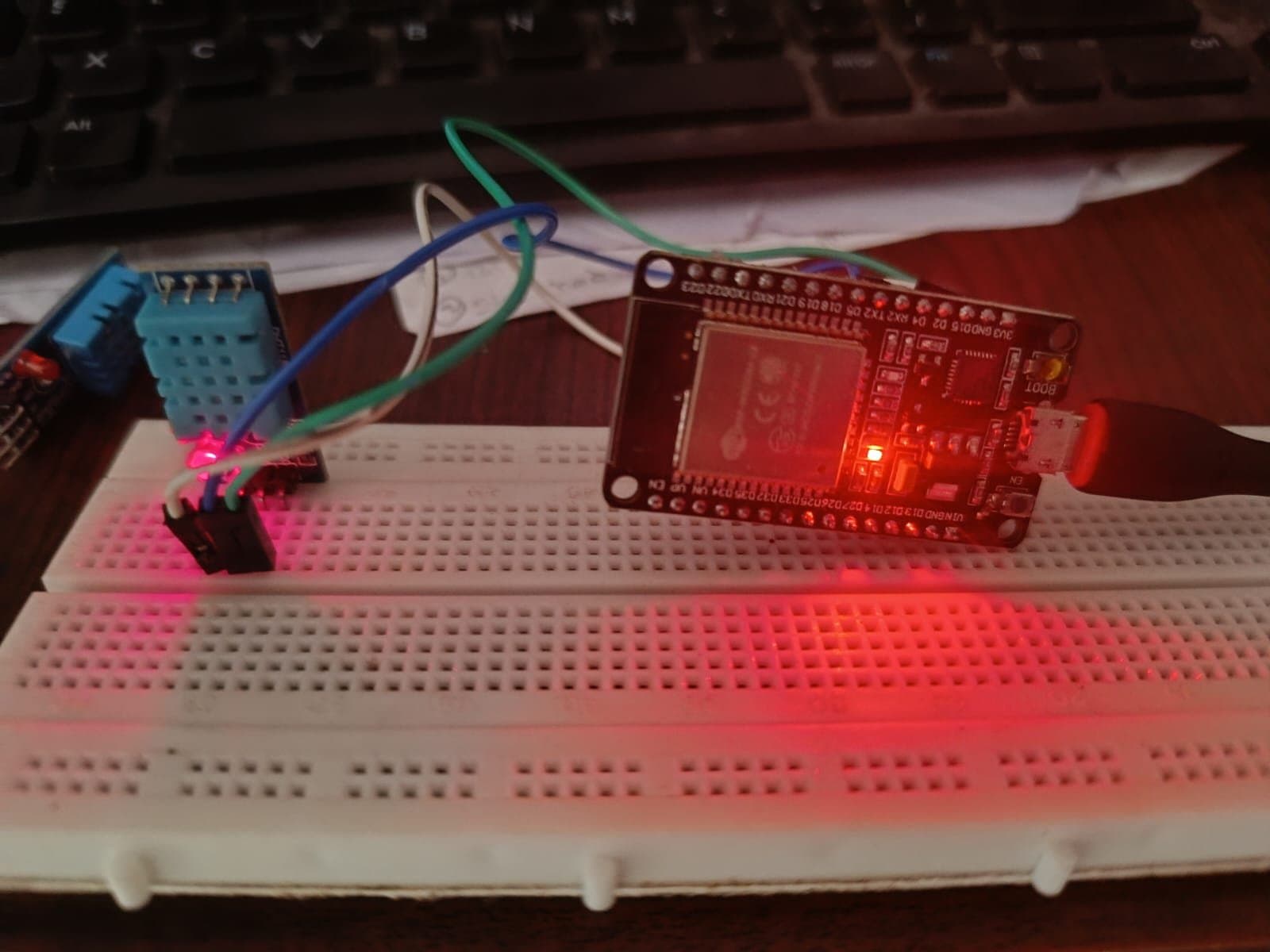
DHT11 Serial Monitor Logger
Build a WiFi weather station with ESP32 and DHT11 sensor. Web dashboard displays live temperature and humidity readings.
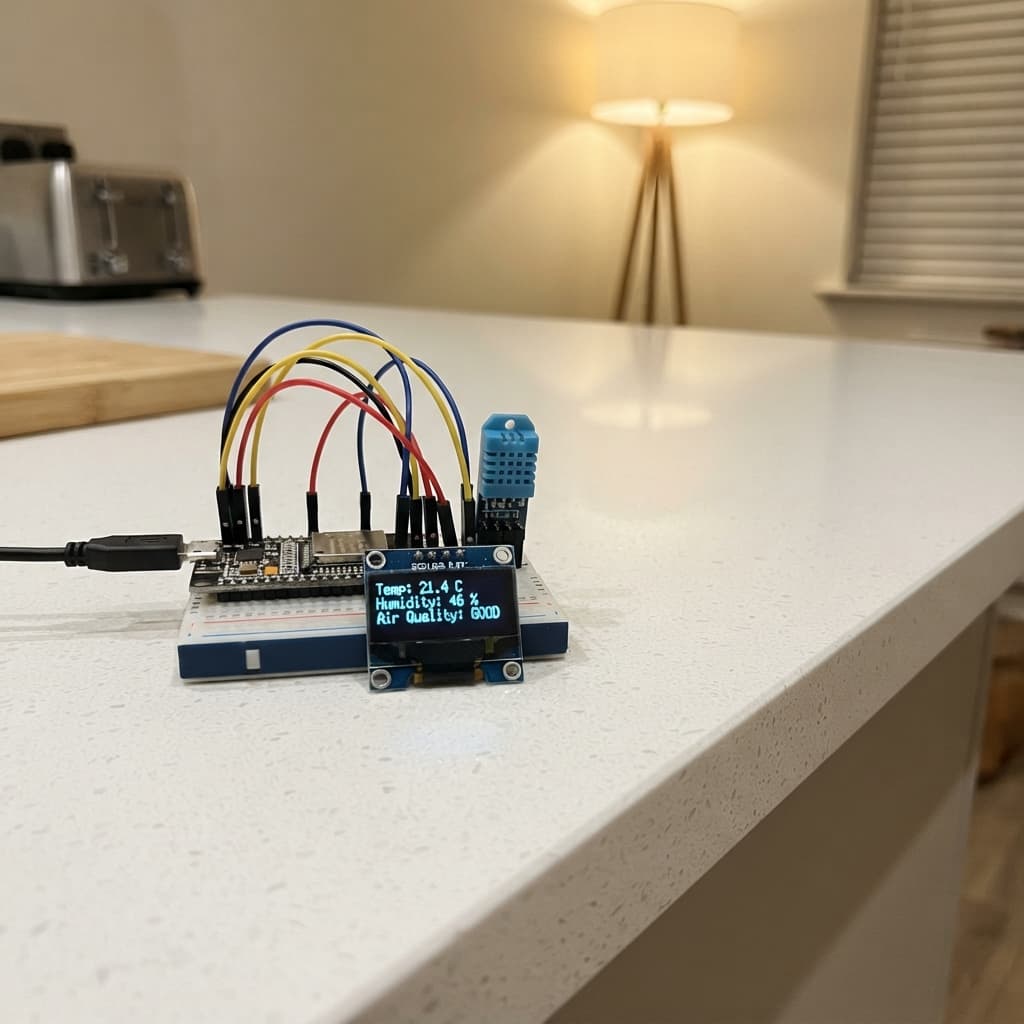
Air Humidity Display
Build an ESP32 humidity monitor with DHT11 sensor and OLED display. Real-time readings with WiFi logging.
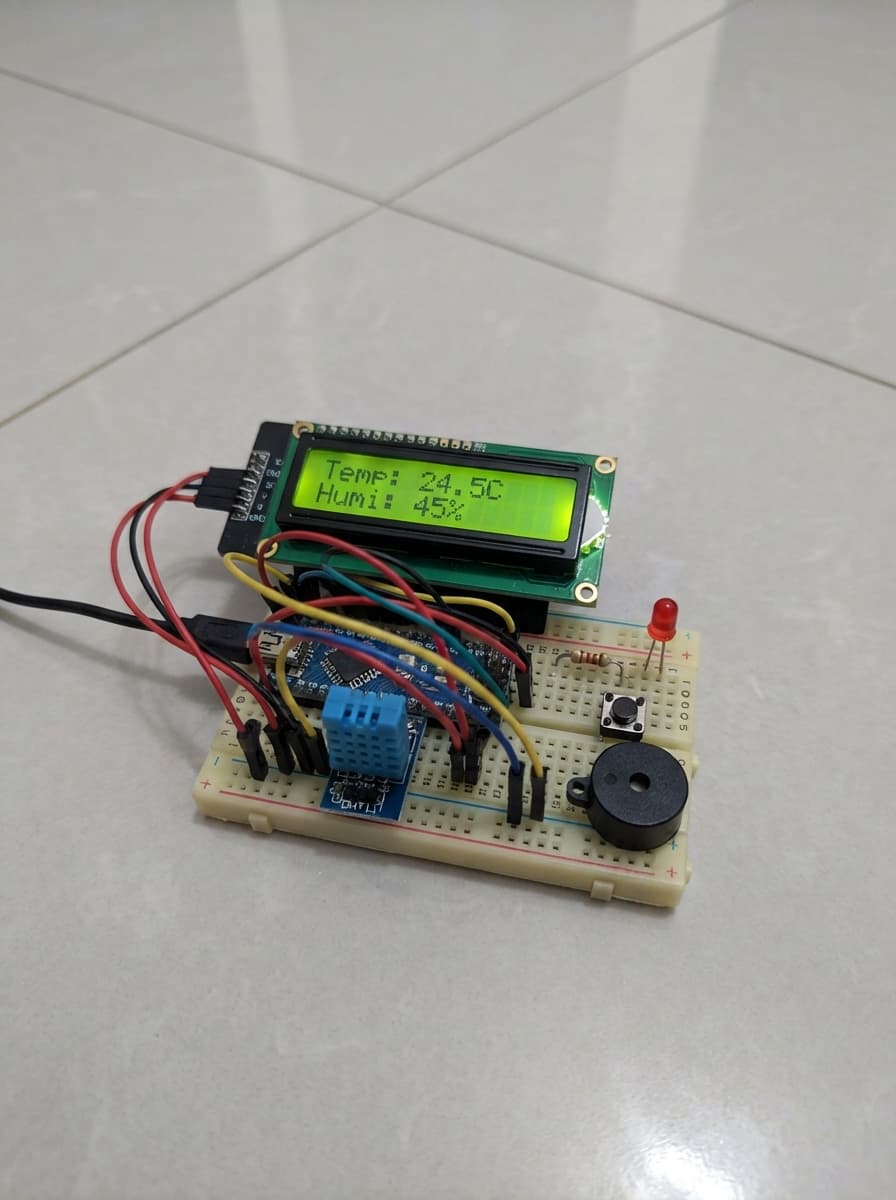
Temperature Humidity Alert Display
Build a temperature humidity alert display with ESP32, DHT11 sensor, LCD screen, and buzzer alarm.