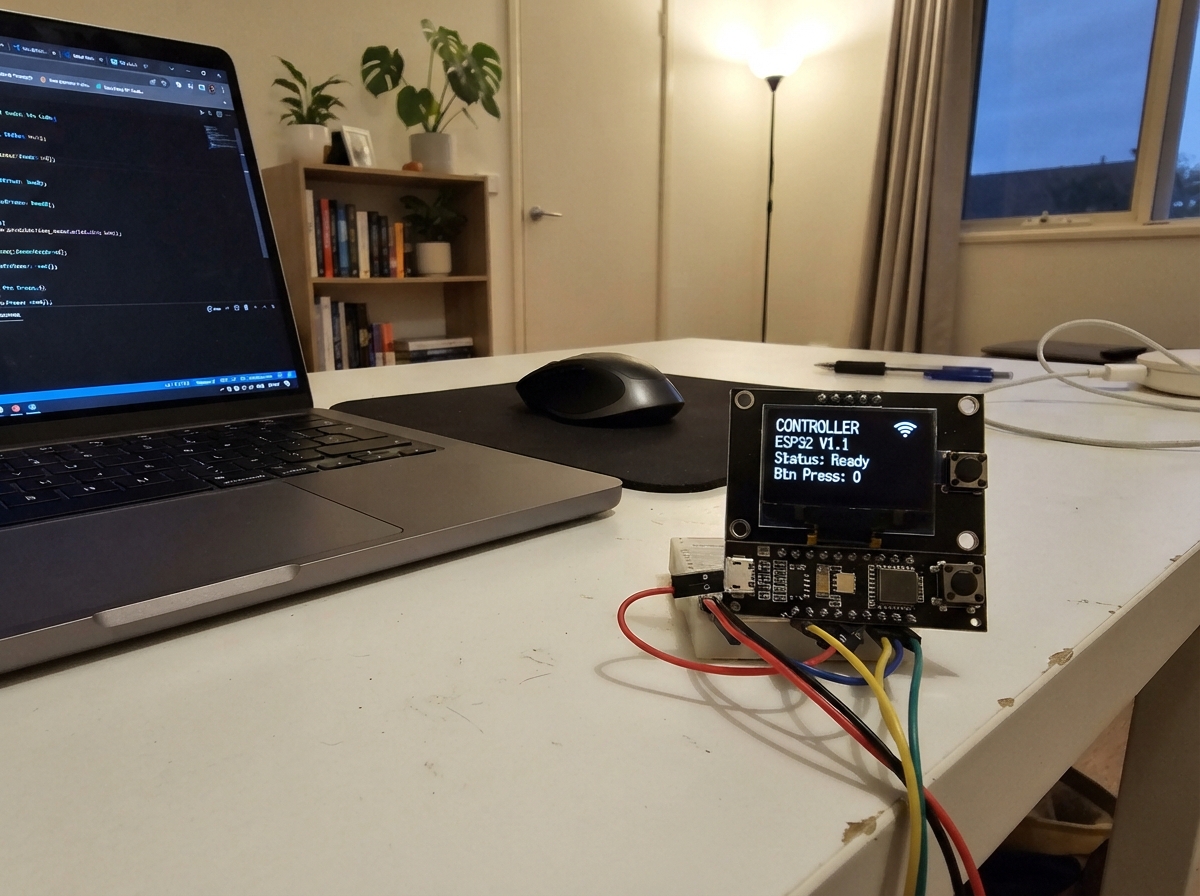
This project turns an ESP32 microcontroller into a handheld gaming and application device with a 1.47-inch LCD display and five arcade buttons for input. The device runs multiple games and utility apps, with button inputs controlling navigation, selection, and gameplay mechanics through debounced input handling and mode-based logic.
Builders will receive a complete wiring diagram showing how to connect the SPI display and arcade buttons to the ESP32, a full parts list, and step-by-step assembly instructions. The guide includes the complete firmware that manages the display initialization, button input processing, and application state management, allowing makers to load games, apps, and interactive experiences onto their device.
Wiring diagram
Gather all the parts
Assemble it in 3 steps
1. Connect the screen with USB unplugged
Use the GMT147SPI 1.47inch 172 x 320 ST7789P3 breakout. Connect VDD and BL to 3V3, and GND to GND. Connect SDA to GPIO6 (data), SCL to GPIO4 (clock), CS to GPIO7 (screen select), DC to GPIO5 (command or image data), and RES to GPIO10 (reset).
- Use 3.3 V, not 5 V. This wiring is for the breakout module, not a bare ribbon-cable LCD. Follow the printed pin labels, not the connector orientation. SDA and SCL here are SPI data and clock, not I2C.
2. Connect five arcade buttons
Add the dedicated Back button between GPIO1 and GND. Keep Left on GPIO3, Right on GPIO20 and Select on GPIO21. Connect the fourth button (up in the diagram) between GPIO0 and GND. Internal pull-ups are enabled; no external resistors are needed. Neon Breach: Left/Right turn, hold Select to walk, hold the GPIO0 button to fire. Hold Left + Right + Select for 0.8 seconds to return to the menu. After winning or losing, tap Select to retry. Other apps retain their existing controls; hold Select to return to the menu.
- For four-leg tactile buttons, use contacts that are connected only when pressed; two legs on the same side may already be joined.
- GPIO20 and GPIO21 are also labelled RX and TX. Do not connect another serial device to them.
3. Check before powering
With USB unplugged, disconnect both buzzer leads and remove the buzzer. Connect screen CS to GPIO7; do not connect GPIO7 to GND. Check each wire against the diagram and ensure 3V3 is not shorted to GND. Power the Super Mini through its USB connector.
Review all connections
1. Connections between "screen" and "ESP32"
2. Connections between "up" and "ESP32"
3. Connections between "left" and "ESP32"
4. Connections between "right" and "ESP32"
5. Connections between "select" and "ESP32"
6. Connections between "back" and "ESP32"
Deploy the firmware
#include "core/arcade.h"
#include "apps/pet_calculator.h"
#include "core/profile.h"
#include "games/extras.h"
#include "apps/wifi_notes.h"
#include "core/boot.h"
#include "games/bonus.h"
#include "games/neon_breach.h"
void setup(){for(int i=0;i<5;i++)pinMode(pins[i],INPUT_PULLUP);SPI.begin(4,-1,6,-1);display.init(172,320,SPI_MODE0);display.setRotation(3);display.invertDisplay(true);display.setSPISpeed(40000000);if(!tft.getBuffer()){display.fillScreen(ST77XX_RED);while(true)delay(100);}tft.setTextWrap(false);randomSeed(micros());loadProfile();SPIFFS.begin(true);bootAnimation();menu();}
void loop(){uint32_t now=millis();wifiTick();bool tap=false;for(int i=0;i<5;i++){edge[i]=false;bool s=digitalRead(pins[i])==LOW;if(s!=raw[i]){raw[i]=s;changed[i]=now;}if(raw[i]!=held[i]&&now-changed[i]>=25){held[i]=raw[i];edge[i]=held[i];if(i==2){if(held[i]){selectAt=now;longUsed=false;}else if(!longUsed)tap=true;}}}
 if(edge[4]){if(mode>=0&&!over)finishRun();saveProfile();mode=-1;menu();delay(1);return;}
 if(held[2]&&(mode!=15||(held[0]&&held[1]))&&!longUsed&&now-selectAt>=800){longUsed=true;if(mode>=0&&(mode<6||mode==13||mode==14||mode==15)&&!over)finishRun();saveProfile();mode=-1;menu();}
 if(mode<0){if(edge[0]||edge[1]){choice=(choice+(edge[0]?17:1))%18;menu();}if(tap)start();delay(1);return;}
 if(mode>=16){bonusInput(tap);delay(1);return;}
 if(mode==15){breachInput(tap);delay(1);return;}
 if(mode>=8){extraInput(tap);delay(1);return;}
 if(mode>=6){appInput(tap);delay(1);return;}
 if(over){if(tap)start();delay(1);return;}
 if(mode==4&&shotY<0&&now-fireAt>=(now<rapidUntil?35:150)){fireAt=now;shotX=player+16;shotY=135;}
 // Time-based movement stays consistent when SPI transfers vary in duration.
 if(now-tick<25){delay(1);return;}
 uint32_t elapsed=min(uint32_t(60),now-tick);tick=now;
 frameScale=elapsed/30.0f*(difficulty==0?.75f:difficulty==2?1.2f:1.f);sceneTime+=elapsed;
 int oldScore=score,oldLives=lives;
 if(mode==4&&pickupY>=0){pickupY+=1.5f*frameScale;if(pickupY>=131&&pickupY<=158&&abs(pickupX-(player+16))<29){if(pickupKind)rapidUntil=now+12000;else shieldUntil=now+12000;burst(pickupX,pickupY,ST77XX_CYAN);pickupY=-1;}else if(pickupY>163)pickupY=-1;}
 playerSmooth=constrain(playerSmooth+((held[1]?6:0)-(held[0]?6:0))*frameScale,mode==5?58.0f:0.0f,mode==5?230.0f:288.0f);player=lroundf(playerSmooth);
 if(mode==4&&shotY>=0){shotY-=max(1,int(12*frameScale));if(shotY<25)shotY=-1;}
 if(mode==0||mode==1||mode==4||mode==5){for(int i=0;i<(mode==1?1:4);i++){Drop &d=drops[i];
 float previousY=d.y;
 float speed=(mode==1?0.85f+min(0.8f,score*.012f):(mode==4?0.5f+min(0.65f,score*.006f):float(d.speed+min(3,score/15))));
 d.y+=speed*frameScale;
 bool contact=d.y>=134&&previousY<=156&&d.x>=player-10&&d.x<=player+42;
 bool hit=contact&&(mode==1||now>=hurtUntil);
 bool shot=mode==4&&shotY>=0&&abs(d.x-shotX)<17&&abs(d.y-shotY)<20;
 if(shot){burst(d.x,d.y,ST77XX_MAGENTA);score+=2;shotY=-1;if(++kills%3==0&&pickupY<0){pickupX=d.x;pickupY=max(28.f,d.y);pickupKind=(kills/3)%2;}}
 else if(hit){burst(d.x,d.y,mode==1?ST77XX_YELLOW:ST77XX_RED);if(mode==1)score++;else {if(mode==4&&now<shieldUntil){shieldUntil=0;}else lives--;hurtUntil=now+1500;}}
 if(contact||shot||d.y>163){
 if(!contact&&!shot){if(mode==1){if(++misses>=3){misses=0;lives--;}}else if(mode!=4)score++;}
 d.y=(mode==1?-16:-random(35,120));d.x=random(mode==5?70:20,mode==5?250:300);d.speed=random(2,4);
 }
 }}else{bx+=vx*frameScale;by+=vy*frameScale;if(bx<5){bx=5;vx=abs(vx);}if(bx>314){bx=314;vx=-abs(vx);}if(by<28){by=28;vy=abs(vy);}
 if(mode==3&&vy<0)for(int i=0;i<20;i++)if(bricks[i]&&bx>=2+(i%10)*32&&bx<=31+(i%10)*32&&by>=26+(i/10)*13&&by<=44+(i/10)*13){bricks[i]=false;burst(bx,by,colors[i%6]);vy=abs(vy);score+=5;break;}
 if(vy>0&&by>=138&&by<=151&&bx>=player-3&&bx<=player+35){burst(bx,143,ST77XX_CYAN);by=138;vy=-min(4.5f,2.0f+score*.03f);vx=(bx-player-16)/6.0f;if(mode==2)score++;}
 if(by>157){lives--;bx=160;by=90;vx=2;vy=2;}
 if(mode==3){bool any=false;for(bool b:bricks)any|=b;if(!any){for(int i=0;i<20;i++)bricks[i]=true;by=90;vy=2;lives++;}}
 }
 draw();if(score!=oldScore||lives!=oldLives)hud();if(relaxed&&lives<=0)lives=1;if(lives<=0)gameOver();else present();
}
Remix this project
Make it yours in one click
Open a full copy of this project in your own Schematik workspace, diagram, code, parts, and assembly steps included. Swap the sensor, add features, or redesign the whole thing with AI. The author's original stays untouched.