Community project
GPS Motion Data Logger
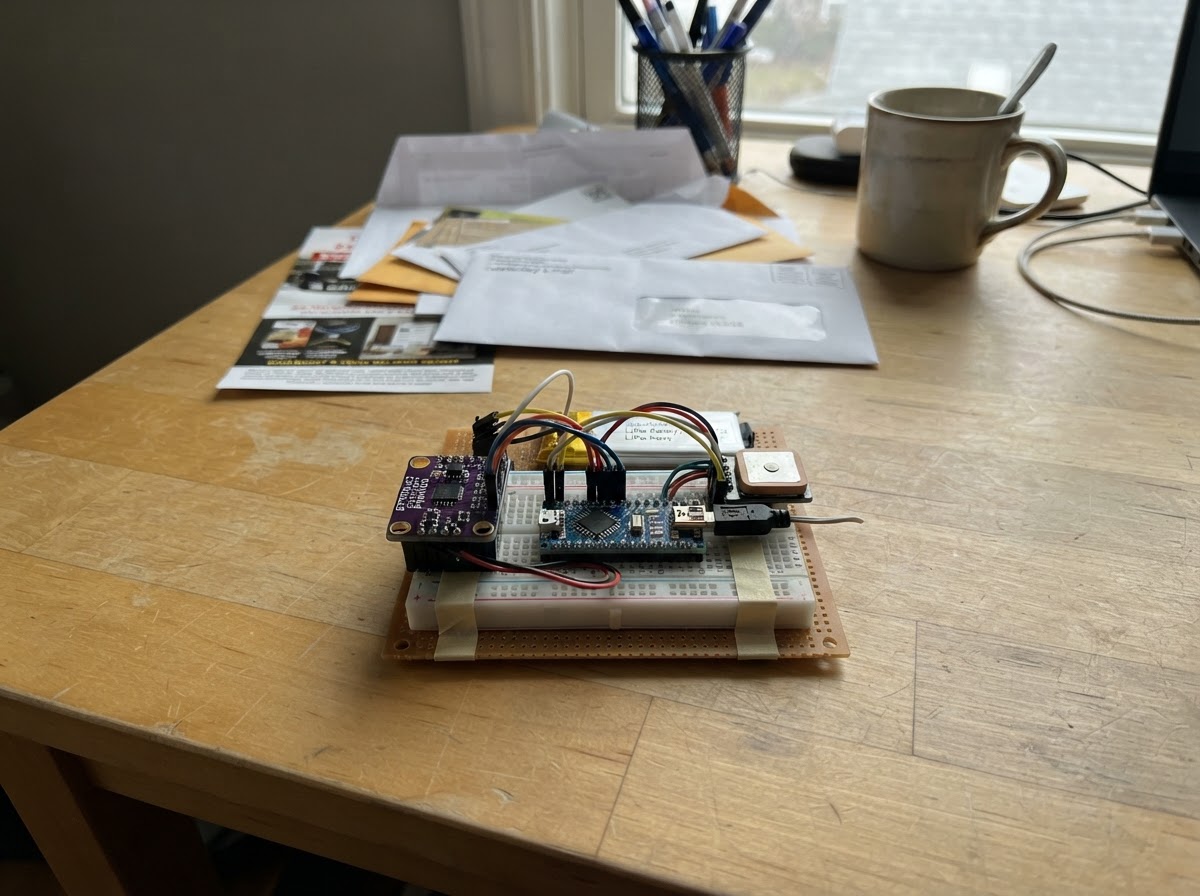
This GPS motion data logger combines an ESP32 microcontroller with a 6-axis accelerometer and cellular connectivity to track movement and location in real time. The device records acceleration data from the MPU-6050 sensor alongside GPS coordinates, then uploads batches of readings over a mobile data connection to the cloud for analysis and playback.
The guide provides a complete parts list, wiring diagram showing I2C and UART connections, step-by-step assembly instructions for fitting the antenna and battery into the watertight enclosure, and ready-to-flash firmware that handles sensor sampling, GPS acquisition, and cellular uploads. Builders will have everything needed to deploy a rugged motion tracker for vehicle telemetry, sports logging, or environmental monitoring.
Wiring diagram

Gather all the parts
Assemble it in 6 steps
1. Fit the SIM and connect both antennas
With the board unpowered, slide the activated nano-SIM into the LilyGO T-SIM7600G-H R2’s built-in SIM holder. Press the Taoglas LTE antenna’s tiny round u.FL connector straight down onto the socket marked LTE, MAIN, or SIM. Press the Kexin GPS antenna’s connector straight down onto the socket marked GPS or GNSS. Each connector should sit flat; do not pull it sideways.
- The Taoglas antenna sends and receives the mobile-data signal.
- The Kexin GPS antenna receives the satellite signals used for position and speed.
- Do not power the board with the LTE antenna disconnected — transmitting without an antenna can damage the cellular modem.
- A SIM with a PIN lock enabled cannot connect until its PIN request is disabled using a phone.
- The u.FL connectors are delicate; pressing at an angle can damage the board socket.
2. Wire the acceleration sensor
With the board still off, connect MPU-6050 VIN to LilyGO 3V3 (power), MPU-6050 GND to LilyGO GND (ground), MPU-6050 SDA to GPIO21 (data), and MPU-6050 SCL to GPIO22 (clock). Secure the small sensor flat and firmly to the kart, with its forward direction marked.
- Use short flexible wires and strain relief so vibration cannot pull a connection loose.
- Record which sensor edge faces forward so you can interpret acceleration correctly.
- Make sure VIN and GND are not swapped — swapped power can damage the sensor.
- Do not connect the MPU-6050 to 5 V in this build; its VIN wire goes to 3V3.
3. Install the 18650 battery
Put one protected 3.7 V 18650 rechargeable cell into the LilyGO R2's built-in holder. Match the raised positive battery end to the holder's + contact and the flat negative end to the - contact; the holder connects the battery to the board internally.
- Choose a protected 18650 cell rated at 2500 mAh or more from a reputable supplier.
- The estimated running time is about five hours, but weak cellular coverage can shorten it.
- Never insert the cell backwards — a reversed lithium cell can overheat, leak, or damage the board.
- Do not use a loose, damaged, swollen, or unprotected 18650 cell.
4. Arrange the antennas in the plastic case
Use the Hammond non-metal case for the LilyGO board, battery holder area, and antennas. Stick the flat Taoglas LTE antenna to an inside wall or lid, away from the GPS antenna. Put the Kexin GPS antenna flat under the plastic lid with its broad face pointing upward toward open sky. Leave gentle loops in both thin leads and secure them with tape or a small foam pad so vibration cannot tug the board connectors.
- This plastic case lets LTE and GPS signals pass through, so no separate antenna enclosure or extension cable is required.
- Keep at least a few centimetres between the two antennas where the case size allows.
- Do not use a metal case or put metal foil over the antennas — it can severely reduce cellular and GPS reception.
- Do not crush, sharply bend, or pinch the thin antenna leads; damaged leads can stop reception.
- Keep the GPS antenna facing upward; placing it against the bottom of the kart will make satellite reception worse.
5. Fit the electronics into the protective case
Mark and carefully make only the needed holes: a snug rubber-grommet hole for the MPU-6050 cable and an optional sealed opening for USB-C charging. Fasten the LilyGO board on nylon standoffs or thick foam tape, keep the battery removable, and add foam so kart vibration cannot rub the board against the lid. Close the lid evenly on its gasket.
- Put a small label on the lid showing which way is forward, matching the sensor orientation.
- Route the sensor wires so the lid cannot trap them.
- Do not drill through the sealed lid gasket or leave unused holes open — water and dust can reach the electronics.
- Do not place a loose lithium battery against bare circuit-board metal — it can short the battery and cause overheating.
- Make sure the case lid gasket sits flat all the way around; a twisted gasket can leak in rain or wash spray.
6. Charge and deploy over USB-C
Use the USB-C data and charging cable to connect a USB power source or computer to the LilyGO USB-C socket. This cable charges the installed cell and is also the connection Schematik uses when you press Deploy.
- Use a short, good-quality USB-C cable so the modem has stable power during a cellular upload.
- Connect antennas before applying USB power.
- Do not use a damaged cable or a weak USB source — a voltage dip can reset the modem while it sends data.
- Do not leave the case fully sealed while charging in strong sun or beside engine heat — excess heat can shorten battery life.
Review all connections
1. Connections between "imu_1" and "ESP32"
Deploy the firmware
// LilyGO T-SIM7600G-H R2: built-in SIM7600G-H modem uses UART2 on GPIO26/GPIO27.
// The 18650, nano-SIM, USB-C lead, and protected antenna enclosure are physical installation items; they do not change these GPIO assignments.
#define TINY_GSM_MODEM_SIM7600
#define TINY_GSM_RX_BUFFER 1024

#include <Arduino.h>
#include <Wire.h>

// The browser simulator has no Arduino Client implementation, so it simulates
// sampling only. ESP32 hardware retains the full TinyGSM cellular path.
#if defined(ARDUINO_ARCH_ESP32)
#include <TinyGsmClient.h>
#define HAS_CELLULAR_MODEM 1
#else
#define HAS_CELLULAR_MODEM 0
#endif

struct Sample {
  float ax;
  float ay;
  float az;
  float lat;
  float lon;
  float speed;
  bool fix;
};

// Forward declarations
bool writeMpuRegister(uint8_t reg, uint8_t value);
bool readMpuAcceleration(float &ax, float &ay, float &az);
void powerModem();
bool connectCellular();
void updateLocation();
String fieldValue(float value, uint8_t decimals);
void storeSample(unsigned long sampleTime);
void uploadBatchToThingSpeak();

constexpr int I2C_SDA_PIN = 21;
constexpr int I2C_SCL_PIN = 22;
constexpr int MODEM_RX_PIN = 26;
constexpr int MODEM_TX_PIN = 27;
constexpr int MODEM_PWRKEY_PIN = 4;
constexpr int MODEM_FLIGHT_PIN = 25;
constexpr uint8_t MPU_ADDRESS = 0x68;
constexpr unsigned long SAMPLE_INTERVAL_MS = 100;
// ThingSpeak accepts sequential bulk uploads no more often than every 15 seconds.
constexpr unsigned long UPLOAD_INTERVAL_MS = 15000;
constexpr uint16_t BATCH_CAPACITY = UPLOAD_INTERVAL_MS / SAMPLE_INTERVAL_MS;

// Fill in these three values before pressing Deploy.
const char APN[] = "YOUR_SIM_APN";
const char APN_USER[] = "";
const char APN_PASS[] = "";
const char THINGSPEAK_HOST[] = "api.thingspeak.com";
const char THINGSPEAK_CHANNEL_ID[] = "YOUR_THINGSPEAK_CHANNEL_ID";
const char THINGSPEAK_WRITE_KEY[] = "YOUR_THINGSPEAK_WRITE_KEY";

#if HAS_CELLULAR_MODEM
HardwareSerial SerialAT(2);
TinyGsm modem(SerialAT);
TinyGsmClient client(modem);
#endif

bool mpuReady = false;
bool networkReady = false;
bool gpsReady = false;
unsigned long lastSampleMs = 0;
unsigned long lastUploadMs = 0;
float axG = NAN;
float ayG = NAN;
float azG = NAN;
float latitude = NAN;
float longitude = NAN;
float speedKmh = NAN;
bool gpsFix = false;


Sample samples[BATCH_CAPACITY];
uint16_t sampleCount = 0;

bool writeMpuRegister(uint8_t reg, uint8_t value) {
  Wire.beginTransmission(MPU_ADDRESS);
  Wire.write(reg);
  Wire.write(value);
  return Wire.endTransmission() == 0;
}

bool readMpuAcceleration(float &ax, float &ay, float &az) {
  Wire.beginTransmission(MPU_ADDRESS);
  Wire.write(0x3B);
  if (Wire.endTransmission(false) != 0 || Wire.requestFrom(MPU_ADDRESS, (uint8_t)6) != 6) {
    return false;
  }
  const int16_t rawX = (int16_t)((Wire.read() << 8) | Wire.read());
  const int16_t rawY = (int16_t)((Wire.read() << 8) | Wire.read());
  const int16_t rawZ = (int16_t)((Wire.read() << 8) | Wire.read());
  ax = rawX / 16384.0f;
  ay = rawY / 16384.0f;
  az = rawZ / 16384.0f;
  return true;
}

void powerModem() {
  pinMode(MODEM_FLIGHT_PIN, OUTPUT);
  digitalWrite(MODEM_FLIGHT_PIN, HIGH);
  pinMode(MODEM_PWRKEY_PIN, OUTPUT);
  digitalWrite(MODEM_PWRKEY_PIN, HIGH);
  delay(300);
  digitalWrite(MODEM_PWRKEY_PIN, LOW);
  delay(1500);
  digitalWrite(MODEM_PWRKEY_PIN, HIGH);
  delay(8000);
}

bool connectCellular() {
#if !HAS_CELLULAR_MODEM
  Serial.println("# Browser simulator: cellular modem and ThingSpeak upload are not emulated.");
  return false;
#else
  if (!modem.restart()) {
    Serial.println("# Modem did not answer. Check that the board has USB power and its antennas are attached.");
    return false;
  }
  Serial.println("# Waiting for the mobile network...");
  if (!modem.waitForNetwork(60000L)) {
    Serial.println("# No mobile network yet. Check the SIM, coverage, and 4G antenna.");
    return false;
  }
  if (!modem.gprsConnect(APN, APN_USER, APN_PASS)) {
    Serial.println("# Mobile data connection failed. Check the APN value from your SIM provider.");
    return false;
  }
  gpsReady = modem.enableGPS();
  if (gpsReady) {
    // SIM7600 uses 1 for 1 Hz; every other value selects its 10 Hz GNSS rate.
    gpsReady = modem.setGPSOutputRate(10);
  }
  Serial.println(gpsReady ? "# Mobile data and built-in GPS are ready at 10 samples per second." : "# Mobile data is ready; built-in GPS could not be enabled at 10 samples per second yet.");
  return true;
#endif
}

void updateLocation() {
#if !HAS_CELLULAR_MODEM
  // The browser simulator has no GNSS modem; hardware reads the SIM7600 at 10 Hz.
  gpsFix = false;
  latitude = NAN;
  longitude = NAN;
  speedKmh = NAN;
  return;
#else
  // The SIM7600 GNSS engine runs at 10 Hz, so each 100 ms record gets its latest fix.
  if (!gpsReady) return;
  float accuracy = NAN;
  int year = 0, month = 0, day = 0, hour = 0, minute = 0, second = 0;
  const bool valid = modem.getGPS(&latitude, &longitude, &speedKmh, &accuracy,
                                  &year, &month, &day, &hour, &minute, &second);
  gpsFix = valid;
  if (!valid) {
    latitude = NAN;
    longitude = NAN;
    speedKmh = NAN;
  }
#endif
}

String fieldValue(float value, uint8_t decimals) {
  return isnan(value) ? String() : String(value, decimals);
}

void storeSample(unsigned long sampleTime) {
  if (sampleCount >= BATCH_CAPACITY) return;
  samples[sampleCount++] = {axG, ayG, azG, latitude, longitude, speedKmh, gpsFix};
}

void uploadBatchToThingSpeak() {
  if (sampleCount == 0) return;
#if !HAS_CELLULAR_MODEM
  Serial.println("# Browser simulator: retained sample batch; cellular upload is hardware-only.");
  sampleCount = 0;
  return;
#else
  if (!networkReady) {
    networkReady = connectCellular();
    if (!networkReady) return;
  }

  // Entries are timestamped relative to the preceding entry, 0.1 seconds apart.
  String body = String("{\"write_api_key\":\"") + THINGSPEAK_WRITE_KEY + "\",\"updates\":[";
  for (uint16_t i = 0; i < sampleCount; ++i) {
    if (i) body += ',';
    body += String("{\"delta_t\":") + (i == 0 ? "0" : "0.1") +
            ",\"field1\":" + fieldValue(samples[i].ax, 3) +
            ",\"field2\":" + fieldValue(samples[i].ay, 3) +
            ",\"field3\":" + fieldValue(samples[i].az, 3) +
            ",\"field4\":" + fieldValue(samples[i].lat, 6) +
            ",\"field5\":" + fieldValue(samples[i].lon, 6) +
            ",\"field6\":" + fieldValue(samples[i].speed, 2) +
            ",\"status\":\"" + (samples[i].fix ? "gps_fix" : "waiting_for_gps") + "\"}";
  }
  body += "]}";

  if (!client.connect(THINGSPEAK_HOST, 80)) {
    Serial.println("# Could not reach ThingSpeak; keeping this batch for a later retry.");
    networkReady = false;
    return;
  }
  const String path = String("/channels/") + THINGSPEAK_CHANNEL_ID + "/bulk_update.json";
  client.print(String("POST ") + path + " HTTP/1.1\r\nHost: " + THINGSPEAK_HOST +
               "\r\nContent-Type: application/json\r\nContent-Length: " + body.length() +
               "\r\nConnection: close\r\n\r\n" + body);
  const unsigned long deadline = millis() + 10000;
  while (client.connected() && millis() < deadline) {
    while (client.available()) Serial.write(client.read());
  }
  client.stop();
  sampleCount = 0;
  Serial.println("# 100 ms sample batch uploaded to ThingSpeak.");
#endif
}

void setup() {
  Serial.begin(115200);
  Wire.begin(I2C_SDA_PIN, I2C_SCL_PIN);
  Wire.setClock(400000);
  mpuReady = writeMpuRegister(0x6B, 0x00);
  if (!mpuReady) Serial.println("# MPU-6050 was not found. Check its power and two data wires.");

#if HAS_CELLULAR_MODEM
  SerialAT.begin(115200, SERIAL_8N1, MODEM_RX_PIN, MODEM_TX_PIN);
  powerModem();
  networkReady = connectCellular();
#else
  Serial.println("# Browser simulator: MPU-6050 sampling path active; cellular modem path is not emulated.");
#endif
}

void loop() {
  const unsigned long now = millis();
  if (now - lastSampleMs >= SAMPLE_INTERVAL_MS) {
    lastSampleMs = now;
    if (mpuReady && !readMpuAcceleration(axG, ayG, azG)) mpuReady = false;
    updateLocation();
    storeSample(now);
    Serial.printf("sample_ms=%lu accel_g=%.3f,%.3f,%.3f lat=%.6f lon=%.6f speed_kmh=%.2f fix=%s\n",
                  now, axG, ayG, azG, latitude, longitude, speedKmh, gpsFix ? "yes" : "no");
  }
  if (now - lastUploadMs >= UPLOAD_INTERVAL_MS || sampleCount >= BATCH_CAPACITY) {
    lastUploadMs = now;
    uploadBatchToThingSpeak();
  }
}
Remix this project
Make it yours in one click
Open a full copy of this project in your own Schematik workspace — diagram, code, parts, and assembly steps included. Swap the sensor, add features, or redesign the whole thing with AI. The author's original stays untouched.